'%20d='M0%208a8%208%200%200%201%208-8h24a8%208%200%200%201%208%208v24a8%208%200%200%201-8%208H8a8%208%200%200%201-8-8V8Z'/%3e%3cpath%20fill='%23fff'%20d='M10.41%206v3.779h15.048v19.537h4.132V6H10.41Z'/%3e%3cpath%20fill='%23fff'%20d='M20.967%2034V13.837L10.41%209.78v20.166L20.967%2034Z'/%3e%3cdefs%3e%3clinearGradient%20id='reapit-sales__a'%20x1='20.702'%20x2='20.702'%20y1='.351'%20y2='31.228'%20gradientUnits='userSpaceOnUse'%3e%3cstop%20stop-color='%235573FD'/%3e%3cstop%20offset='.575'%20stop-color='%234E56EA'/%3e%3c/linearGradient%3e%3c/defs%3e%3c/svg%3e)
Contact Property Enquirers
This article runs through how to communicate to a list of property enquirers in Reapit Sales.
Contact Property Enquirers
This article runs through how to communicate to a list of property enquirers in Reapit Sales.
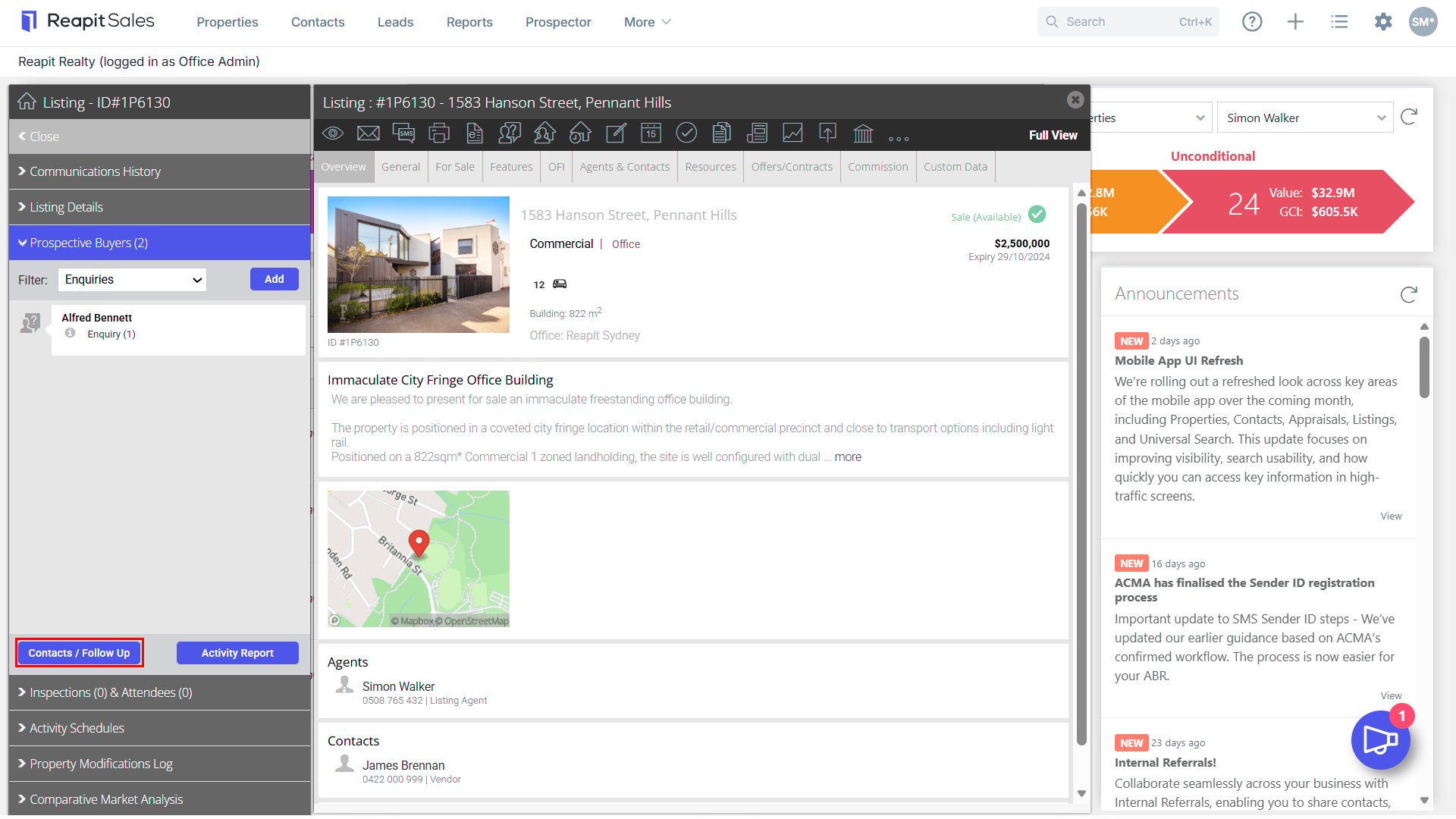
- Search for your Property and open the property card.
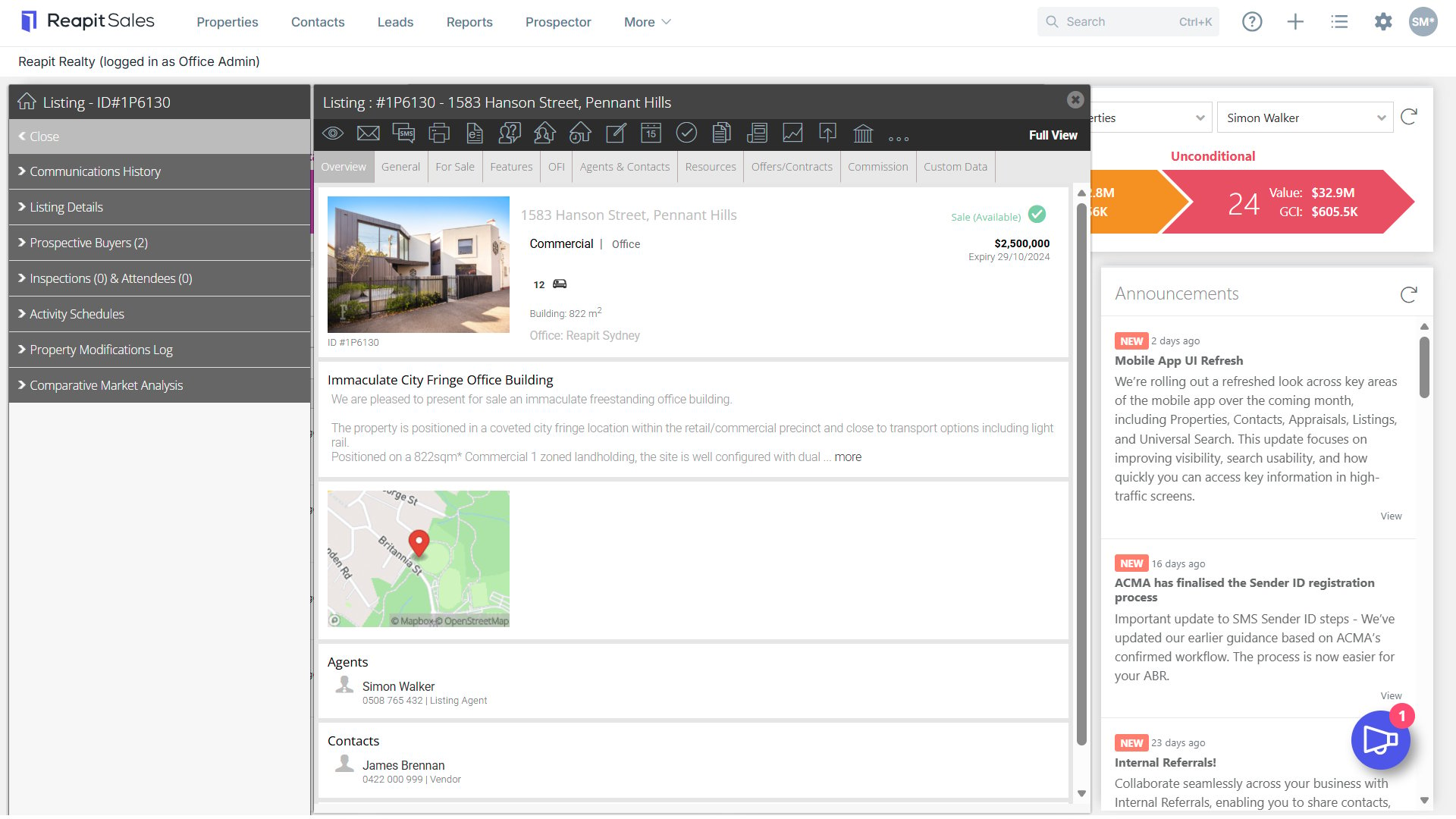
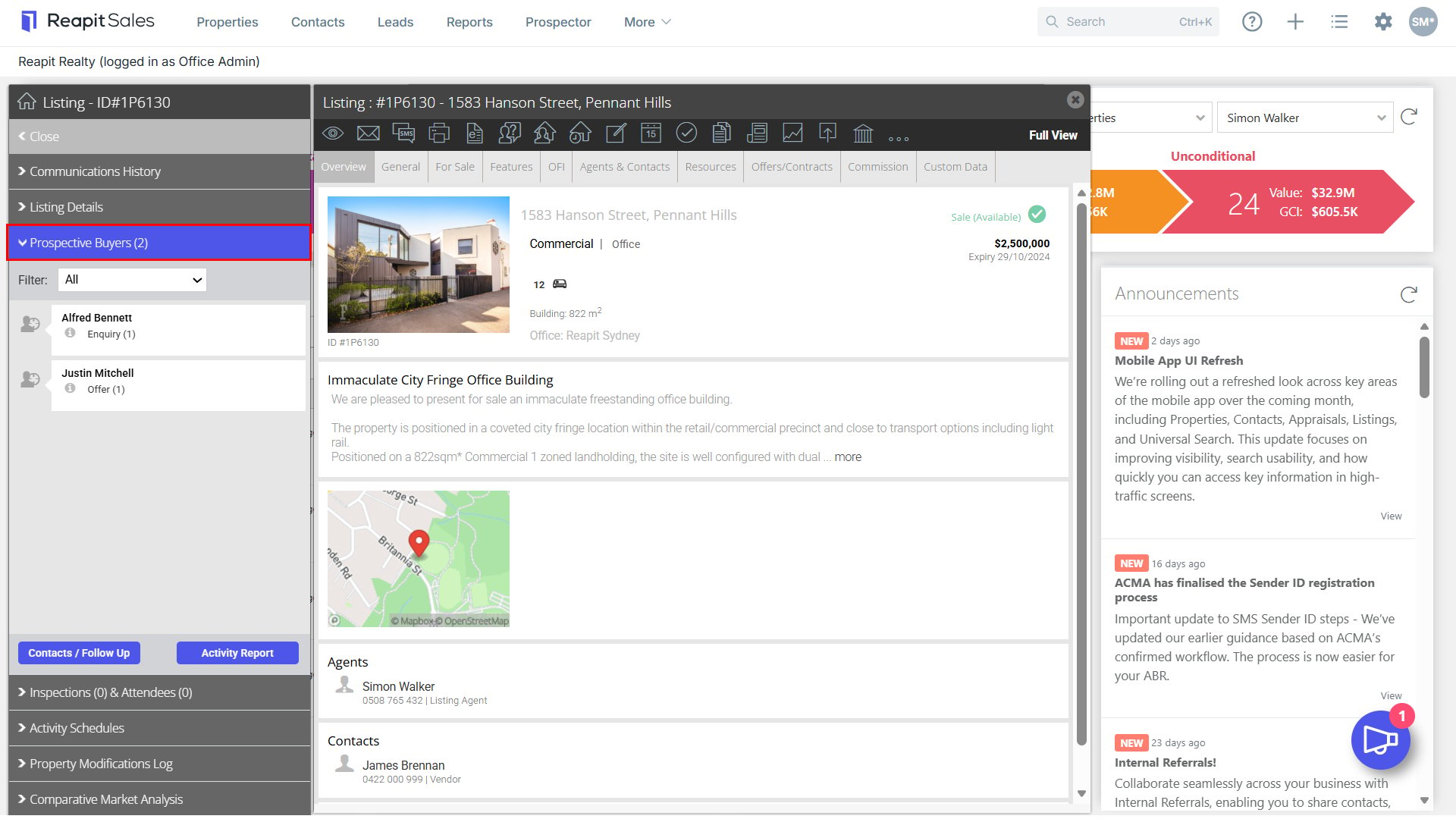
- Click Prospective Buyers on the left property panel.
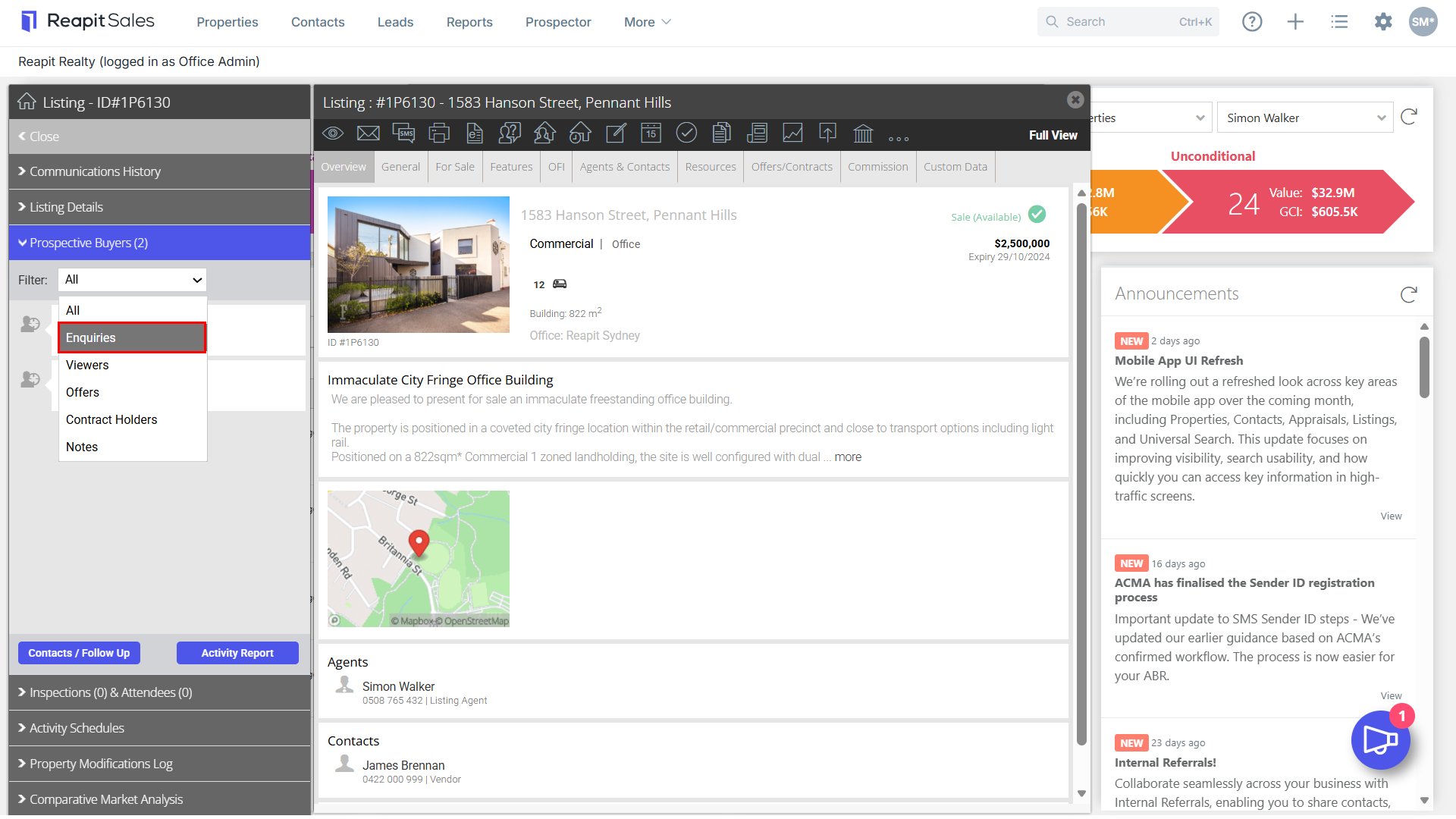
- Sort by Enquiries by selecting Enquiries in the drop-down menu.
- Click the Contacts/Follow Up button.
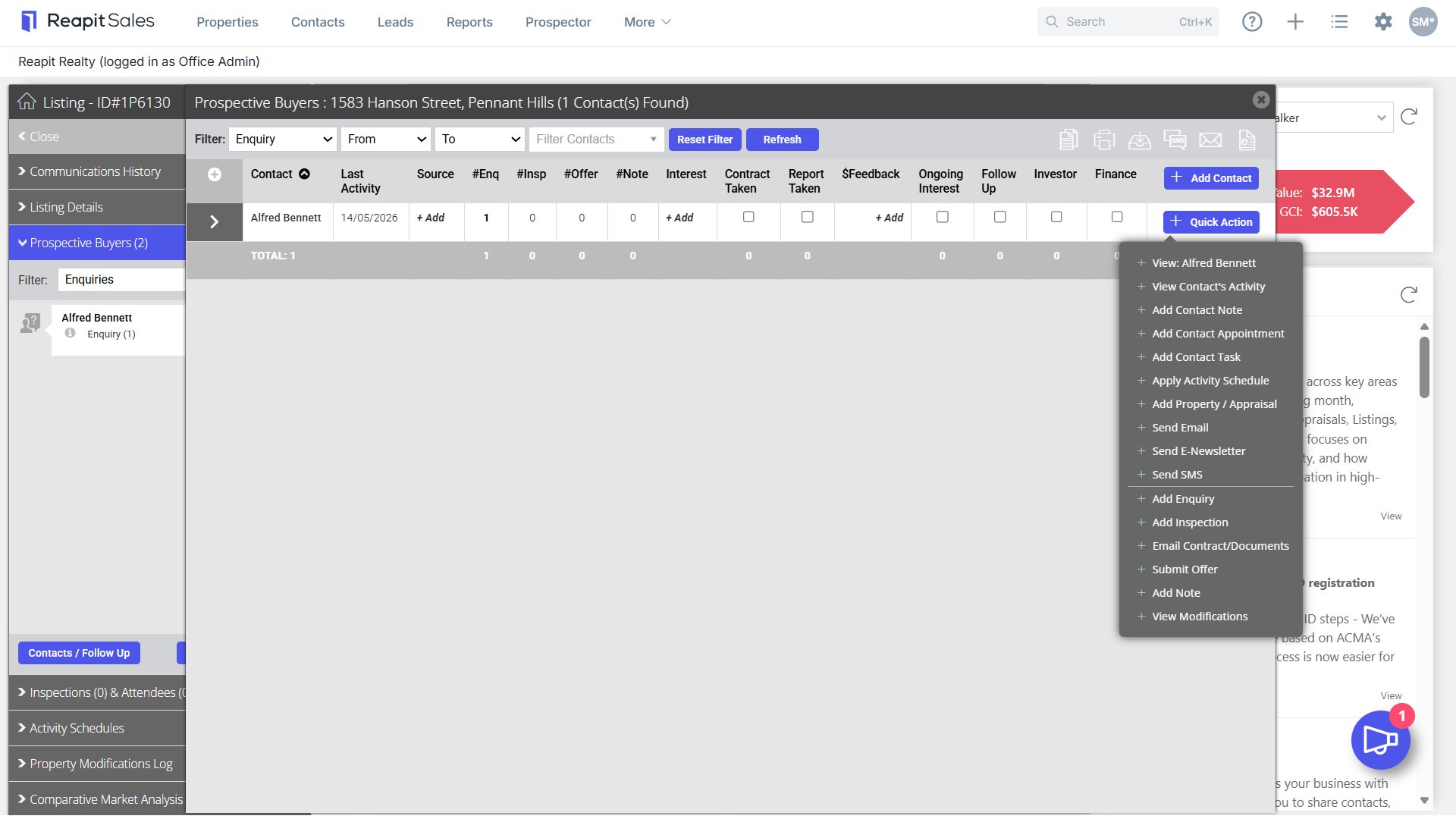
- The list of contact will open. Use the Action Icons
 to bulk communicate to these contacts via a Mail Merge, SMS, E-Newsletter or Print or Export your target list.

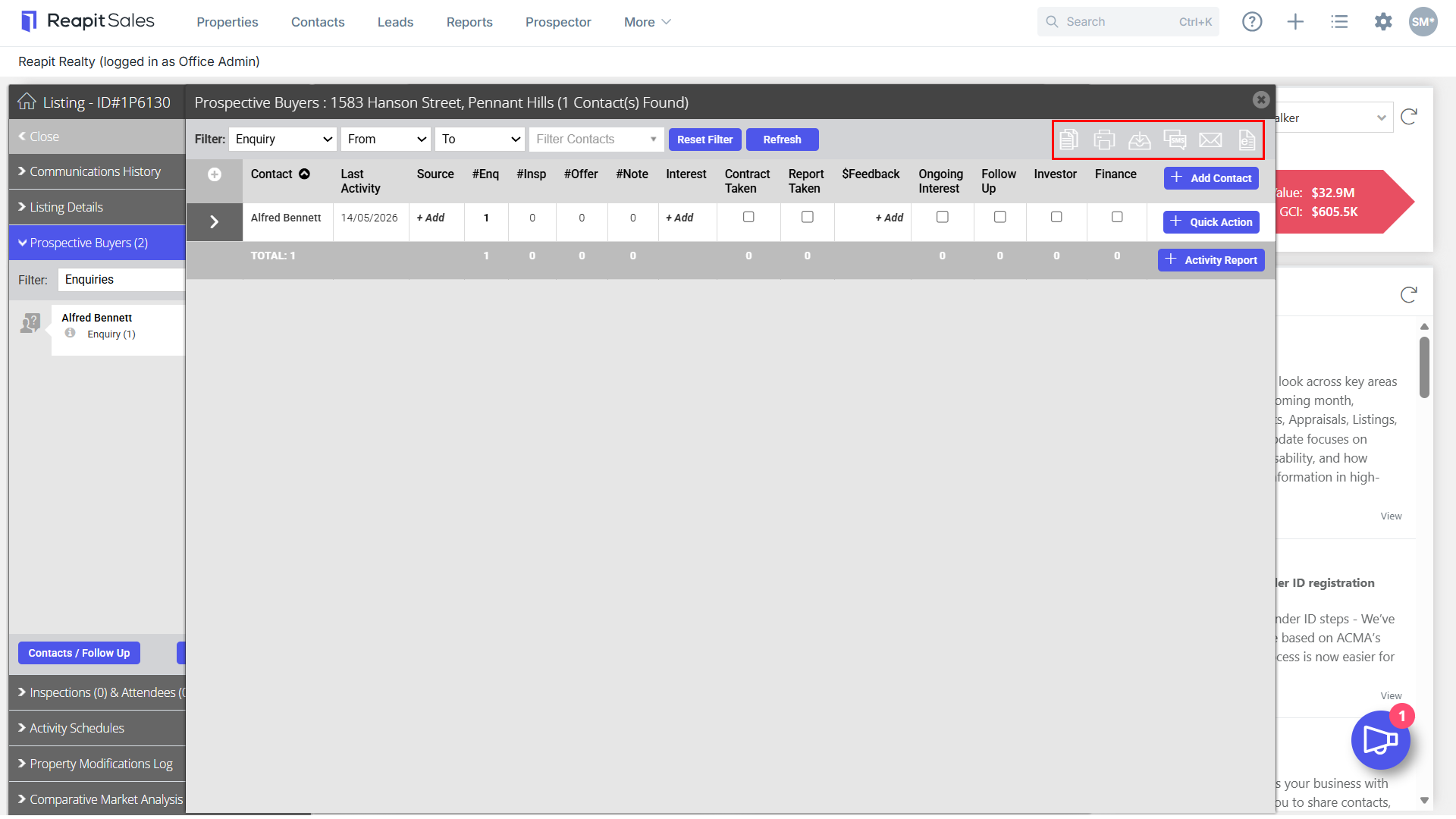
- Click the +Quick Action button next to each contact to send an individual email, SMS or E-newsletter to the contact or email property documents.
Note: Add Note - When adding notes, choose whether to include this note in Vendor / Landlord Activity Report(s) with the new ‘Display to Vendor’ checkbox.