'%20d='M0%208a8%208%200%200%201%208-8h24a8%208%200%200%201%208%208v24a8%208%200%200%201-8%208H8a8%208%200%200%201-8-8V8Z'/%3e%3cpath%20fill='%23fff'%20d='M10.41%206v3.779h15.048v19.537h4.132V6H10.41Z'/%3e%3cpath%20fill='%23fff'%20d='M20.967%2034V13.837L10.41%209.78v20.166L20.967%2034Z'/%3e%3cdefs%3e%3clinearGradient%20id='reapit-sales__a'%20x1='20.702'%20x2='20.702'%20y1='.351'%20y2='31.228'%20gradientUnits='userSpaceOnUse'%3e%3cstop%20stop-color='%235573FD'/%3e%3cstop%20offset='.575'%20stop-color='%234E56EA'/%3e%3c/linearGradient%3e%3c/defs%3e%3c/svg%3e)
Add Offer Special Conditions
This article shows how to add Special Conditions to an Offer in Reapit Sales.
Overview
Add Offer Special Conditions
This article shows how to add Special Conditions to an Offer in Reapit Sales.
- Search for your Property and open the property card.
- Open the Offers/Contracts Tab & select the offer you are working with
- Click on Add Condition.

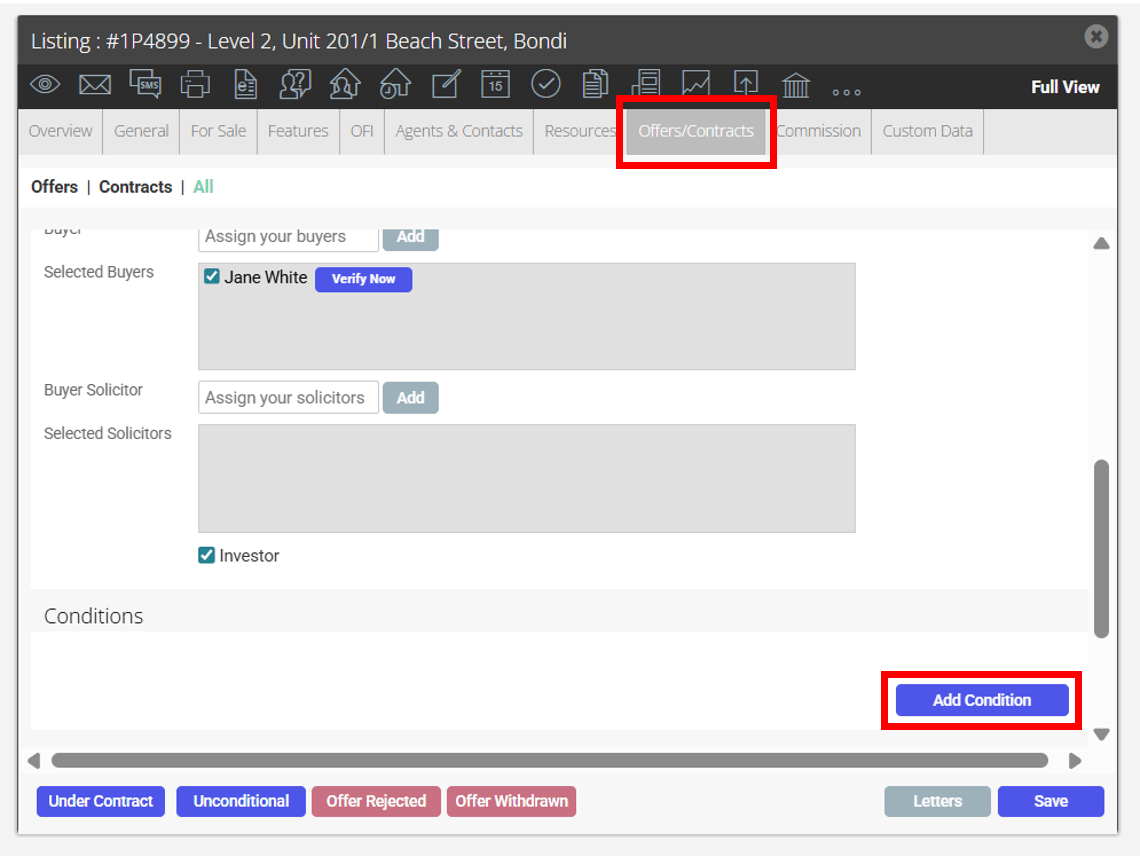

- Select the Condition type and the due date. This flows into the 'Contracts Conditions Due Report' for filtering/grouping by complete, overdue and pending condition statuses
Refer to Contract Conditions in your system config settings to create the default conditions
- Click Save
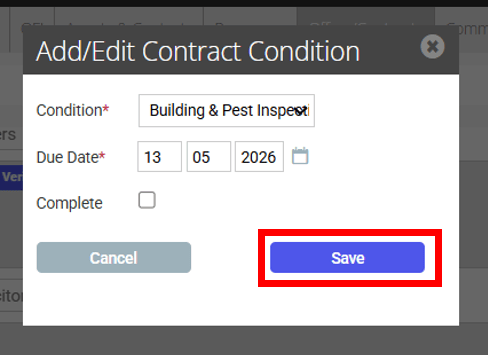
- Once the condition has been met, you need to tick complete to proceed to unconditional status.