'%20d='M0%208a8%208%200%200%201%208-8h24a8%208%200%200%201%208%208v24a8%208%200%200%201-8%208H8a8%208%200%200%201-8-8V8Z'/%3e%3cpath%20fill='%23fff'%20d='M10.41%206v3.779h15.048v19.537h4.132V6H10.41Z'/%3e%3cpath%20fill='%23fff'%20d='M20.967%2034V13.837L10.41%209.78v20.166L20.967%2034Z'/%3e%3cdefs%3e%3clinearGradient%20id='reapit-sales__a'%20x1='20.702'%20x2='20.702'%20y1='.351'%20y2='31.228'%20gradientUnits='userSpaceOnUse'%3e%3cstop%20stop-color='%235573FD'/%3e%3cstop%20offset='.575'%20stop-color='%234E56EA'/%3e%3c/linearGradient%3e%3c/defs%3e%3c/svg%3e)
Financial Information
This article runs through how to add financial information in Reapit Sales.
Financial Information
This article runs through how to add financial information in Reapit Sales.
How do I add bank account details to a contact or supplier?
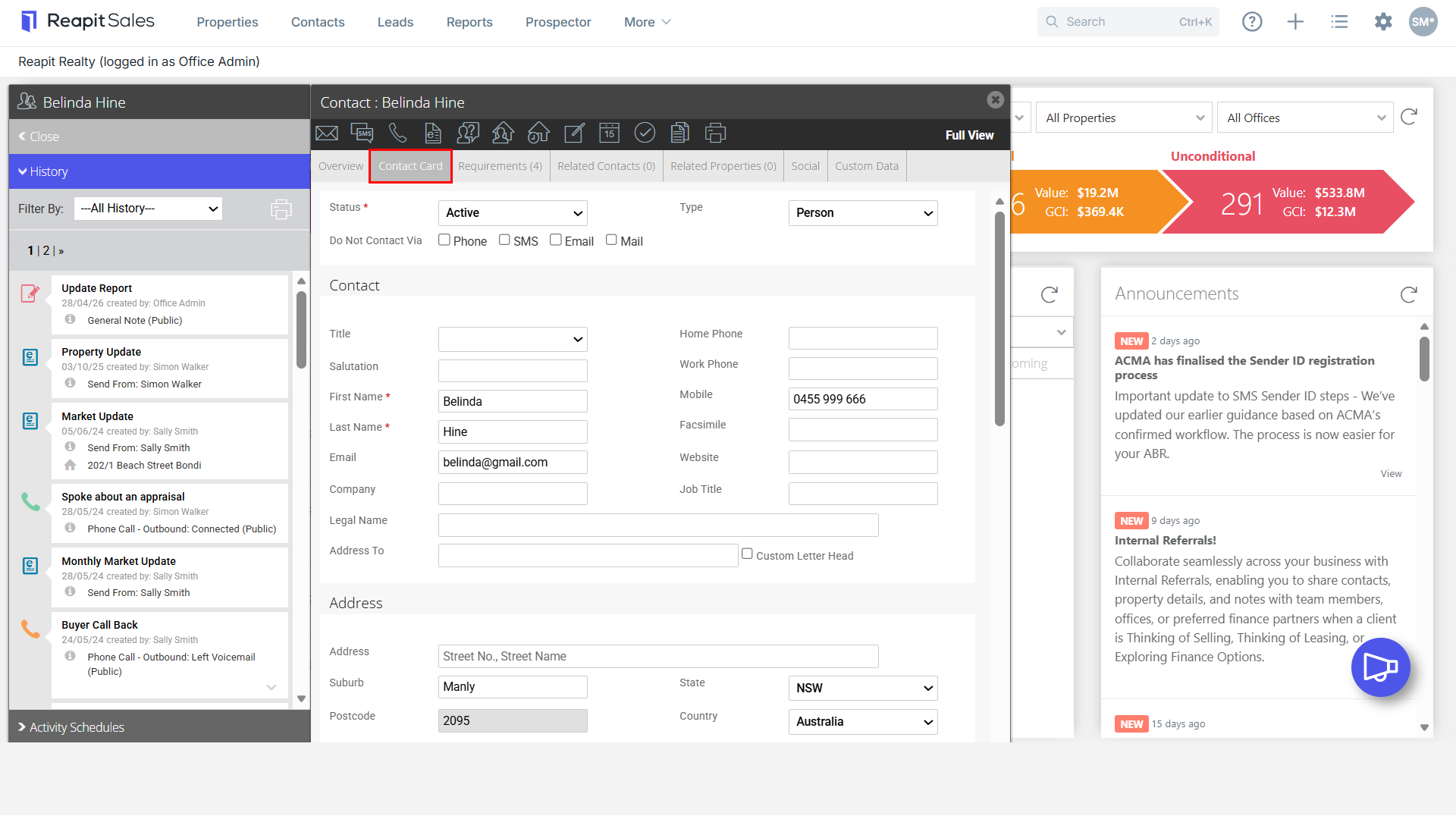
- Search for your Contact open their Contact Card

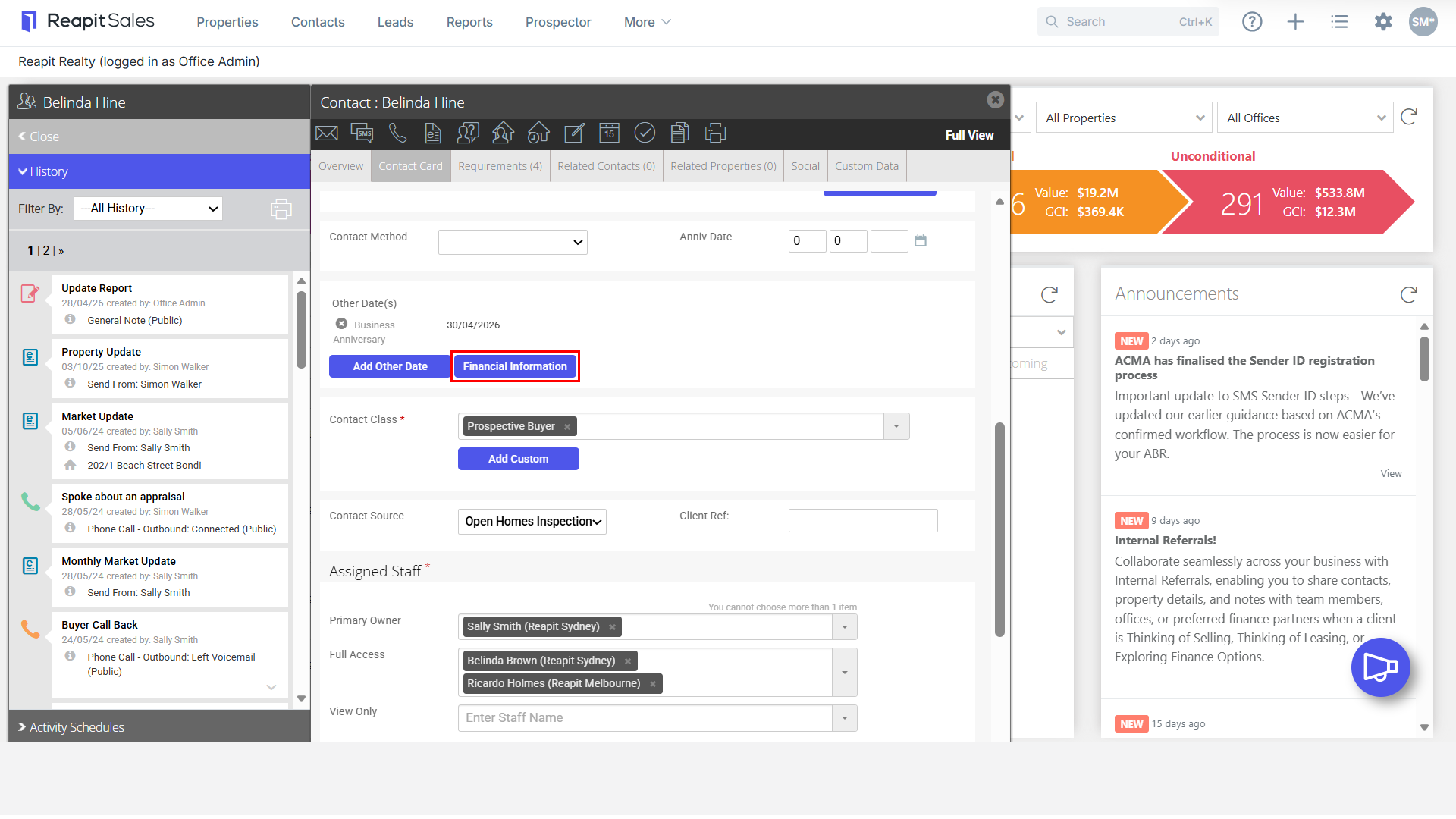
- Click the Add Financial Information button.
- Enter ABN
- Enter ACN
- Tick if GST Registered
- Enter their Tax File Number
- Enter Bank Account Name
- Enter Bank Account BSB
- Enter Bank Account Number

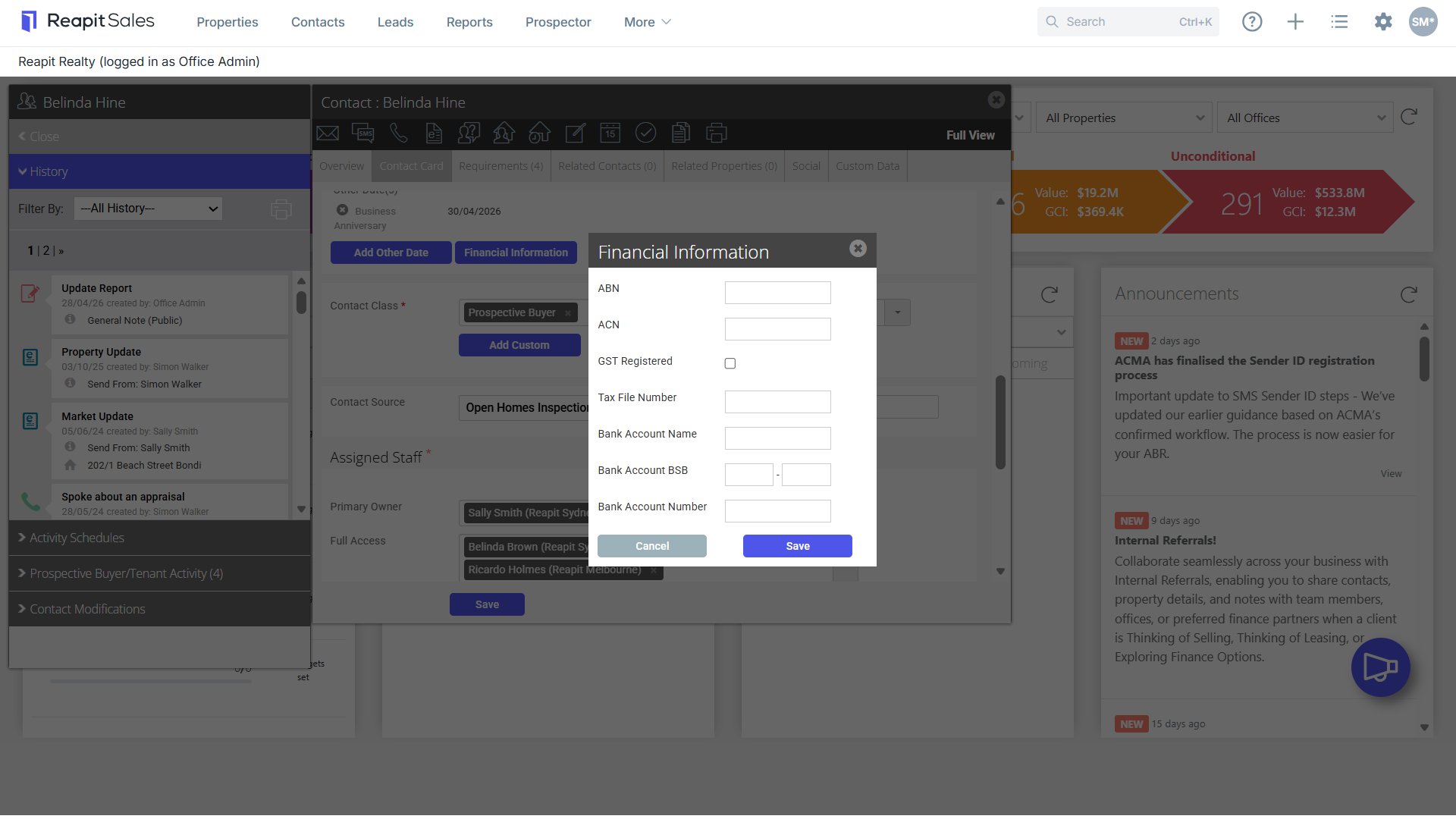
- Click Save. (If you have our Sales Trust module, this information will sync through so that vendor and supplier information will populate through when payments are made out of trust).