'%20d='M0%208a8%208%200%200%201%208-8h24a8%208%200%200%201%208%208v24a8%208%200%200%201-8%208H8a8%208%200%200%201-8-8V8Z'/%3e%3cpath%20fill='%23fff'%20d='M10.41%206v3.779h15.048v19.537h4.132V6H10.41Z'/%3e%3cpath%20fill='%23fff'%20d='M20.967%2034V13.837L10.41%209.78v20.166L20.967%2034Z'/%3e%3cdefs%3e%3clinearGradient%20id='reapit-sales__a'%20x1='20.702'%20x2='20.702'%20y1='.351'%20y2='31.228'%20gradientUnits='userSpaceOnUse'%3e%3cstop%20stop-color='%235573FD'/%3e%3cstop%20offset='.575'%20stop-color='%234E56EA'/%3e%3c/linearGradient%3e%3c/defs%3e%3c/svg%3e)
Reverse a Receipt or Payment
Transactions The article demonstrates how to use Search Transactions to locate a receipt for reversal within Reapit Sales Sale Trust Module.
Overview
Reverse a Receipt or Payment
Transactions
The article demonstrates how to use Search Transactions to locate a receipt for reversal within Reapit Sales Sale Trust Module.
You will need to firstly locate the transaction record via the following methods:
- Through the receipt or payment history tables which appear below the New Receipt/New Payment input forms
- Through the receipt or payment history tables which appear on the Receipt/Payment tab inside a listing / ledger record below the New Receipt/New Payment input forms
- Through Search Transactions
In this tutorial we will use Search Transactions to locate a receipt for reversal.
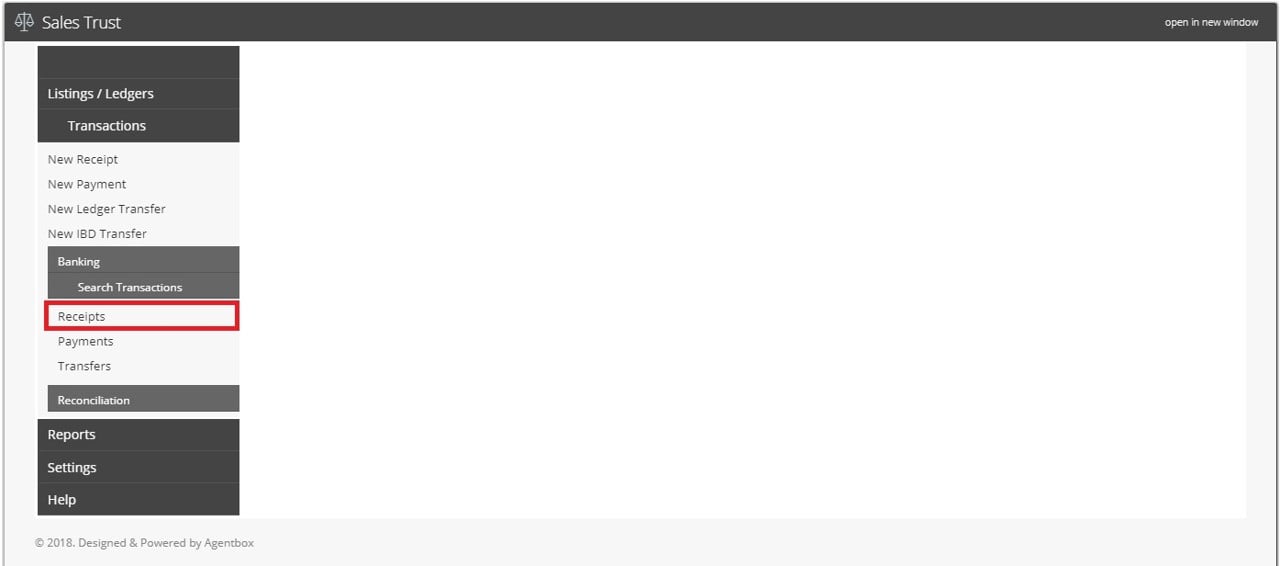
- Click Transactions, Search Transactions and select Receipt (or Payments if you will be reversing a payment)
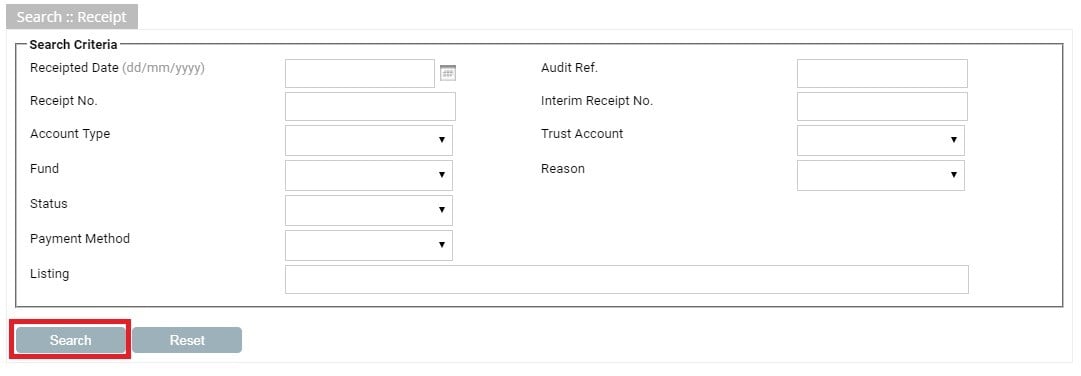
- Enter the search criteria to locate the transaction and click Search
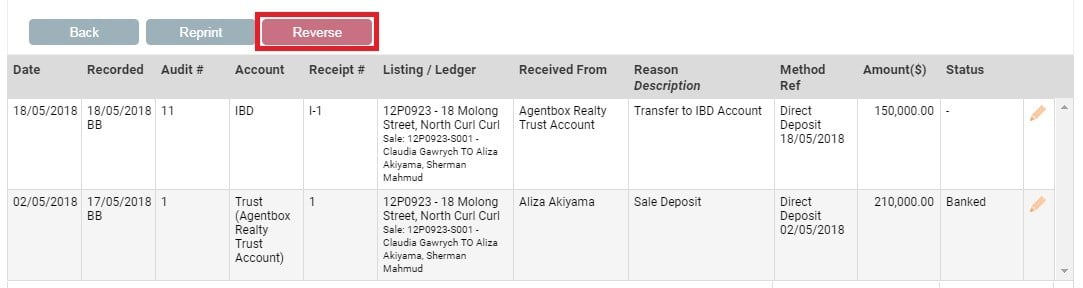
- Click the Edit Icon
 next to the transaction you would like to reverse

- Click on the Reverse
 button that appears above the transaction list
- Enter the reversal date & a reason for the reversal and click Reverse .

