'%20d='M0%208a8%208%200%200%201%208-8h24a8%208%200%200%201%208%208v24a8%208%200%200%201-8%208H8a8%208%200%200%201-8-8V8Z'/%3e%3cpath%20fill='%23fff'%20d='M10.41%206v3.779h15.048v19.537h4.132V6H10.41Z'/%3e%3cpath%20fill='%23fff'%20d='M20.967%2034V13.837L10.41%209.78v20.166L20.967%2034Z'/%3e%3cdefs%3e%3clinearGradient%20id='reapit-sales__a'%20x1='20.702'%20x2='20.702'%20y1='.351'%20y2='31.228'%20gradientUnits='userSpaceOnUse'%3e%3cstop%20stop-color='%235573FD'/%3e%3cstop%20offset='.575'%20stop-color='%234E56EA'/%3e%3c/linearGradient%3e%3c/defs%3e%3c/svg%3e)
Apply Activity Schedule
This article will cover how to apply the activity schedule in Reapit Sales.
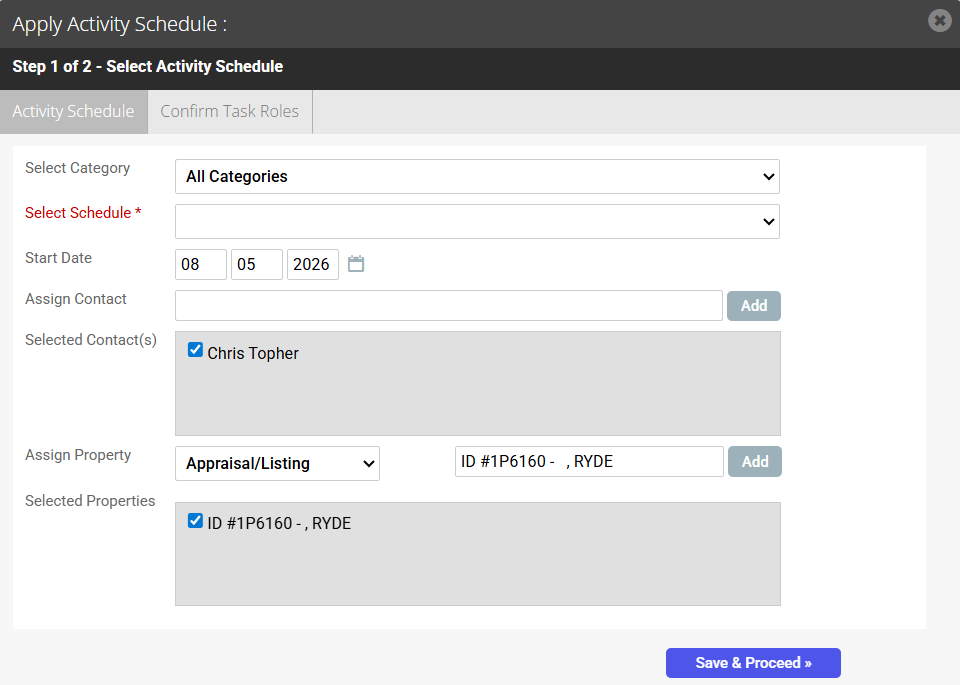
1. Click Apply Activity Schedule from your Quick Add, Schedule, Property, Contact or the Task View screen
2. Select the template from the select schedule drop-down
3. Enter the Start date, Related contacts and properties and click Save and proceed
4. Ensure there is an allocated staff member for all roles in the template
In this example there are 2 roles responsible for the tasks in this schedule however only the listing agent role has an assigned staff member.
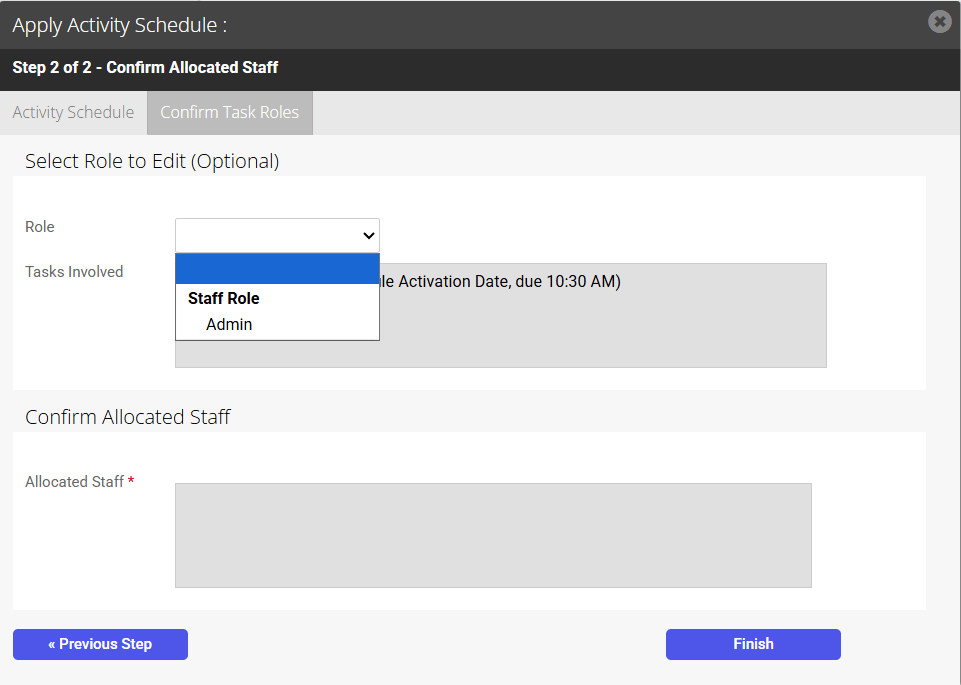
To allocate a staff member to manage all Admin related tasks, select Admin from the role drop-down menu. Search for the staff member and click Add
*Note: If the template has tasks which have a property role as the responsible role (e.g. Listing Agent) and this staff member is not attached to the property as the listing agent in the agents and contacts tab this will not work.
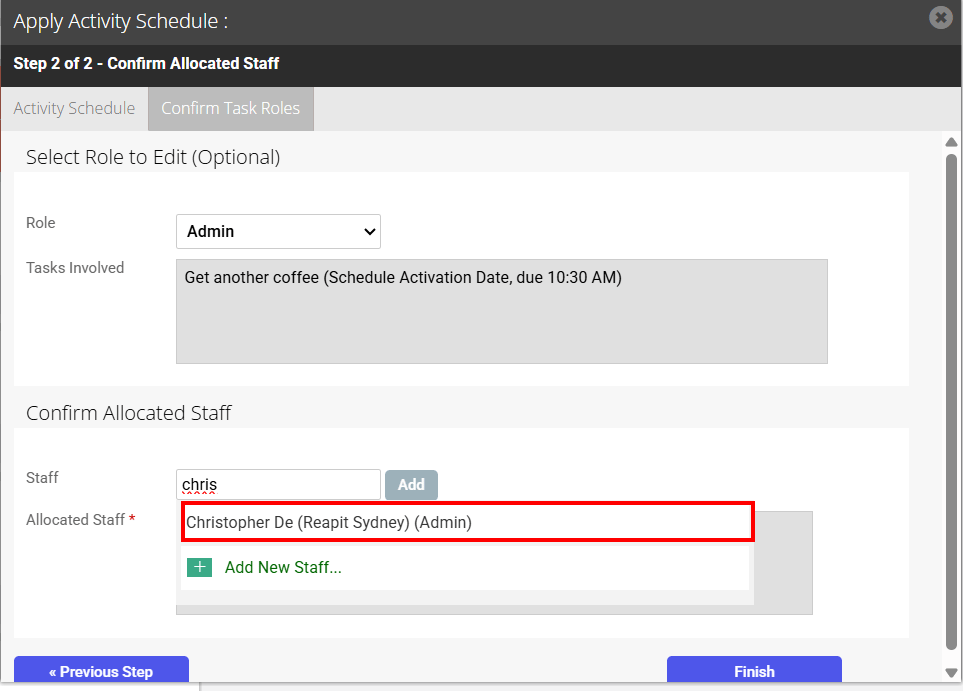
5. Once all required Roles has an allocated staff member to assign the tasks to click Finish