'%20d='M0%208a8%208%200%200%201%208-8h24a8%208%200%200%201%208%208v24a8%208%200%200%201-8%208H8a8%208%200%200%201-8-8V8Z'/%3e%3cpath%20fill='%23fff'%20d='M10.41%206v3.779h15.048v19.537h4.132V6H10.41Z'/%3e%3cpath%20fill='%23fff'%20d='M20.967%2034V13.837L10.41%209.78v20.166L20.967%2034Z'/%3e%3cdefs%3e%3clinearGradient%20id='reapit-sales__a'%20x1='20.702'%20x2='20.702'%20y1='.351'%20y2='31.228'%20gradientUnits='userSpaceOnUse'%3e%3cstop%20stop-color='%235573FD'/%3e%3cstop%20offset='.575'%20stop-color='%234E56EA'/%3e%3c/linearGradient%3e%3c/defs%3e%3c/svg%3e)
Diakrit - Ordering Integration
This integration allows you to start a Diakrit marketing order from Reapit Sales, complete the order within the Diakrit portal, and have images and floorplans returned automatically.
Overview
Diakrit - Ordering Integration
This integration allows you to start a Diakrit marketing order from Reapit Sales, complete the order within the Diakrit portal, and have images and floorplans returned automatically.
Important Notes:
- A Diakrit account is required
- To activate this integration please reach out to Support.

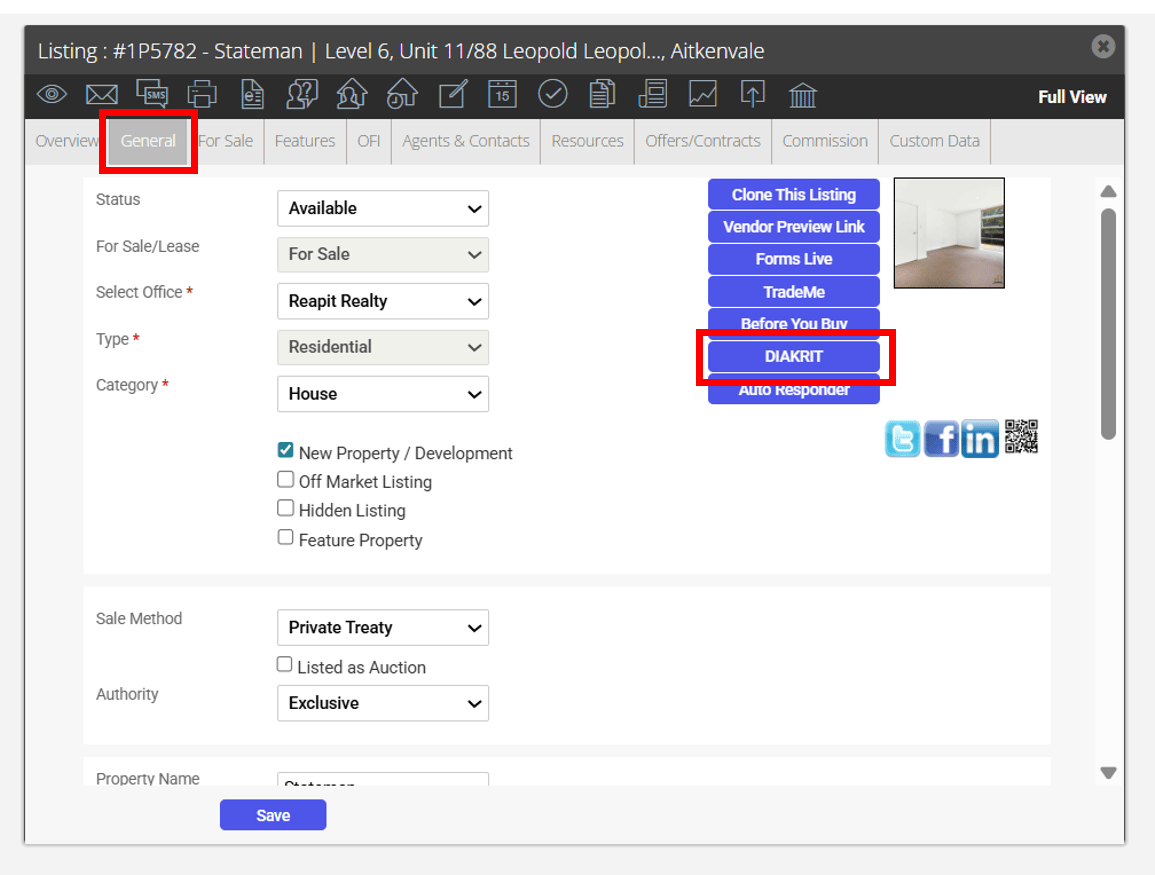
- Navigate to a Listing Card. Under the General Tab, you will now find a button for Diakrit.
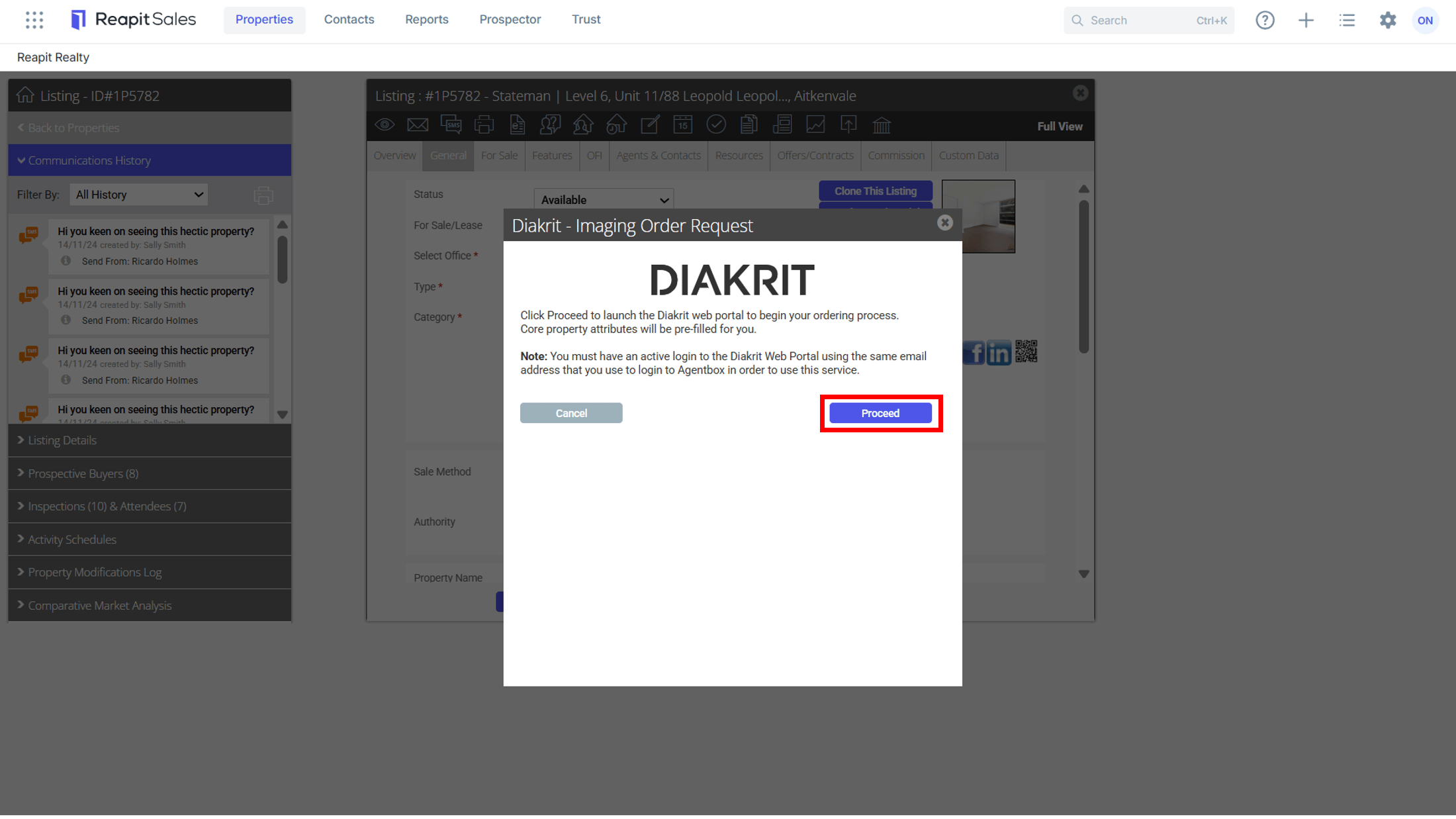
- After clicking the 'DIAKRIT' button, a confirmation screen will appear. Upon clicking 'Proceed', a new browser tab will open, directing the user to the DIAKRIT Portal.
- If the User is not currently logged in to the DIAKRIT Portal, they will be asked to log in. The Email address pre-populates using the email address from the Users Staff Card. However, this can be replaced if the user is logging in on behalf of another person.
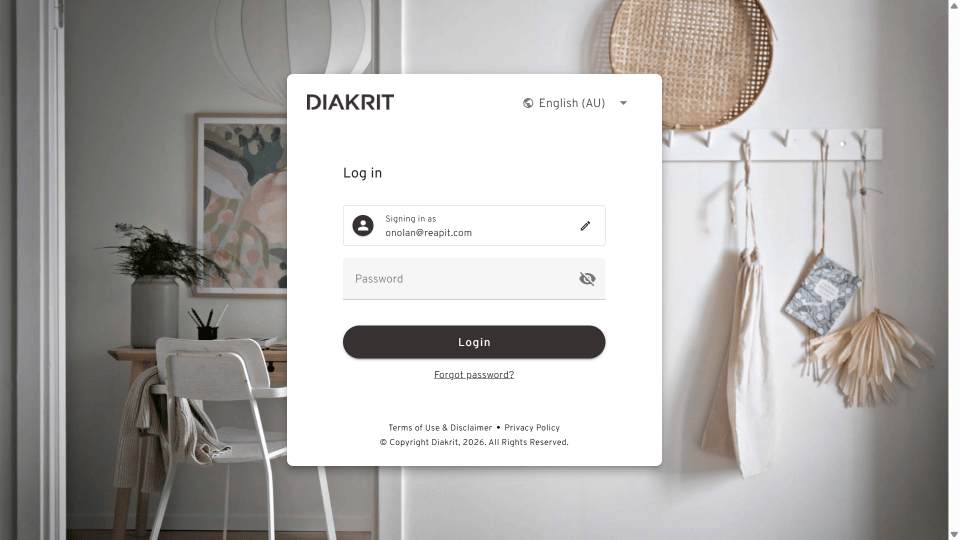
- If the user is already logged in to the DIAKRIT Portal, or upon successful login, they will see an order screen, where they can select a DIAKRIT product to order.
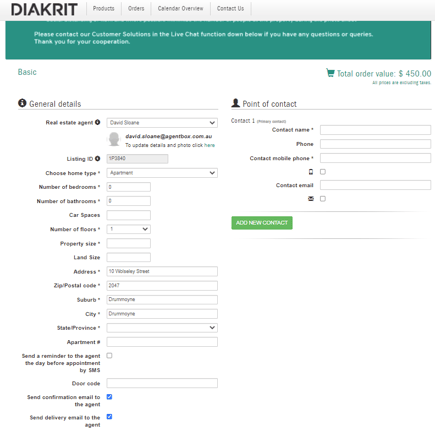
Once the user has selected a product to order, they will be directed to a confirmation screen, which will be pre-populated with key property details from the listing record.
Diakrit - Content Received
Approximately 24 - 48 hours after the ordered photoshoot, the user will receive a confirmation email from Diakrit.
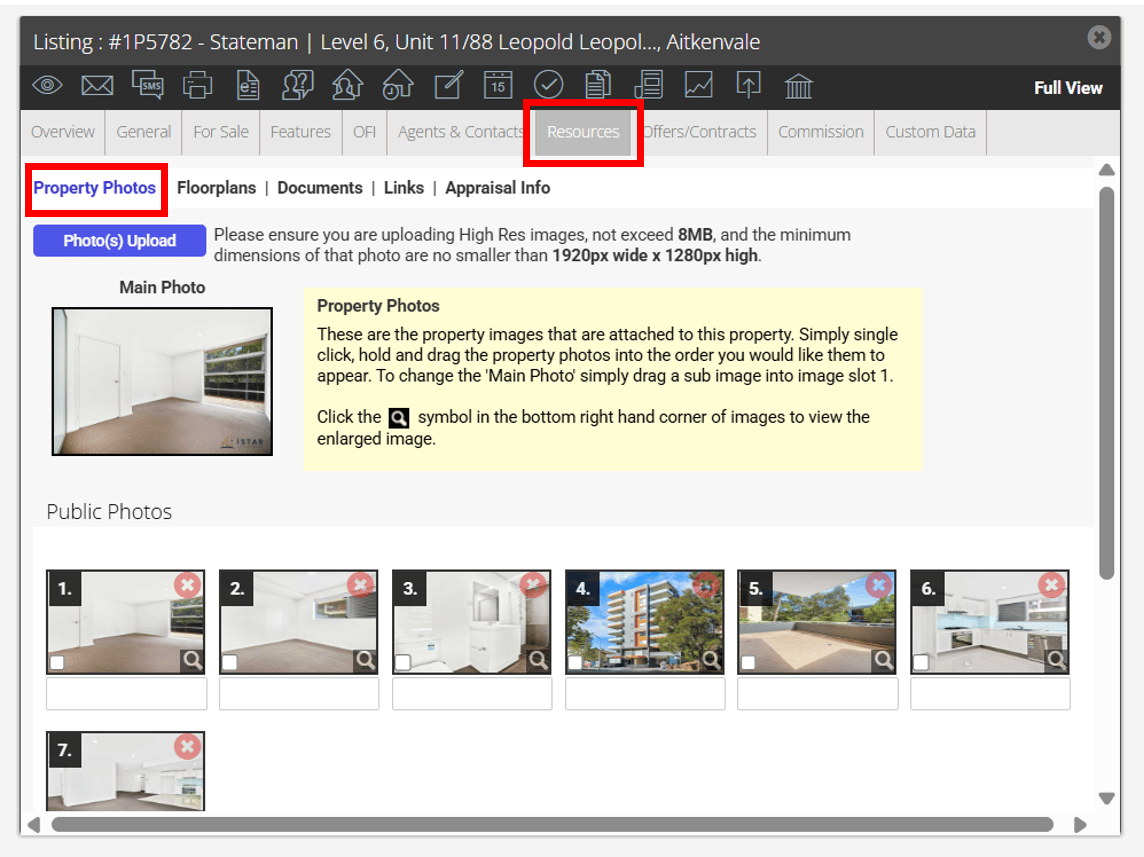
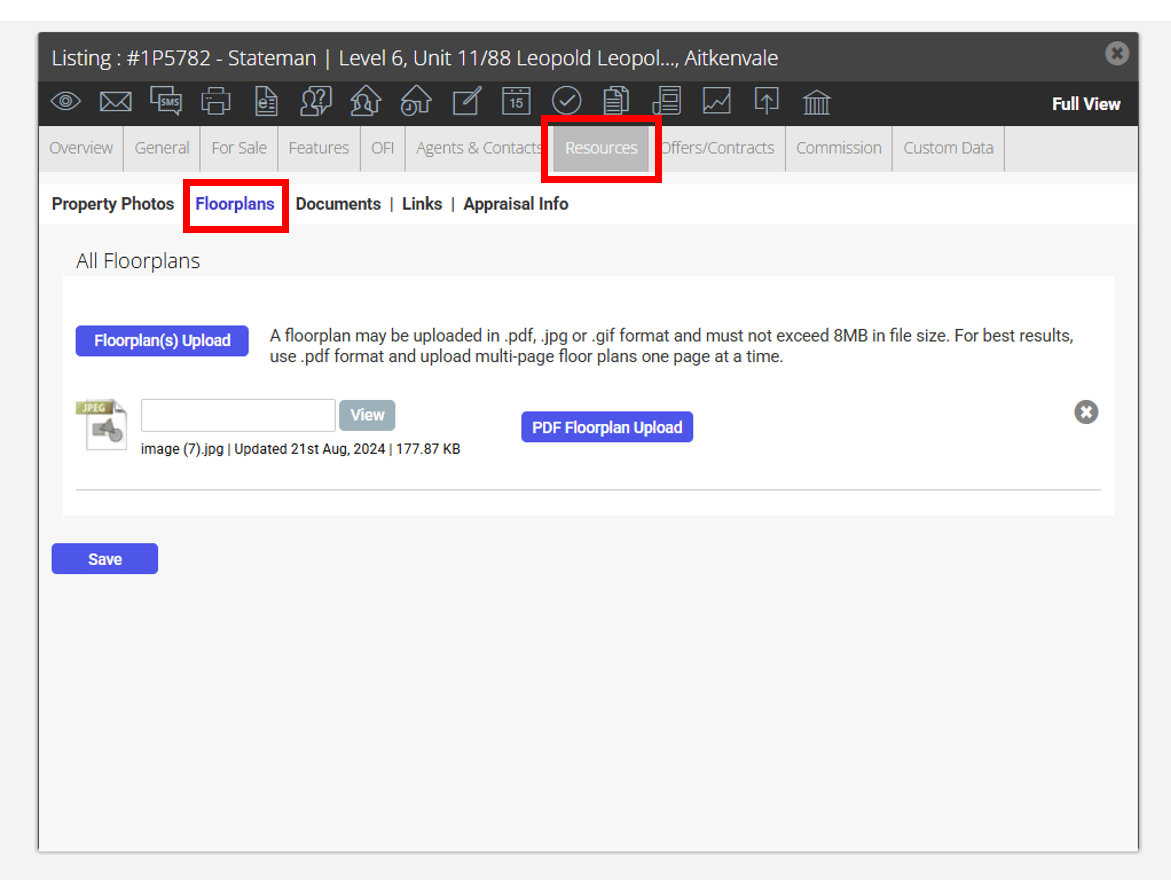
Within the Listing’s Resources tab, the marketing items ordered such as the photos, floorplans, and links will be added.
Issues / amendments If the User has any issues or amendments to what has been received back in the listing, they can request corrections using the Diakrit Correction Tool, or by contacting the Diakrit Customer Solutions team.
the Diakrit Customer Solutions team.