'%20d='M0%208a8%208%200%200%201%208-8h24a8%208%200%200%201%208%208v24a8%208%200%200%201-8%208H8a8%208%200%200%201-8-8V8Z'/%3e%3cpath%20fill='%23fff'%20d='M10.41%206v3.779h15.048v19.537h4.132V6H10.41Z'/%3e%3cpath%20fill='%23fff'%20d='M20.967%2034V13.837L10.41%209.78v20.166L20.967%2034Z'/%3e%3cdefs%3e%3clinearGradient%20id='reapit-sales__a'%20x1='20.702'%20x2='20.702'%20y1='.351'%20y2='31.228'%20gradientUnits='userSpaceOnUse'%3e%3cstop%20stop-color='%235573FD'/%3e%3cstop%20offset='.575'%20stop-color='%234E56EA'/%3e%3c/linearGradient%3e%3c/defs%3e%3c/svg%3e)
How to Reset Staff Passwords
This article outlines the steps for resetting staff passwords as a Master User or a user with Manage Staff Member permissions.
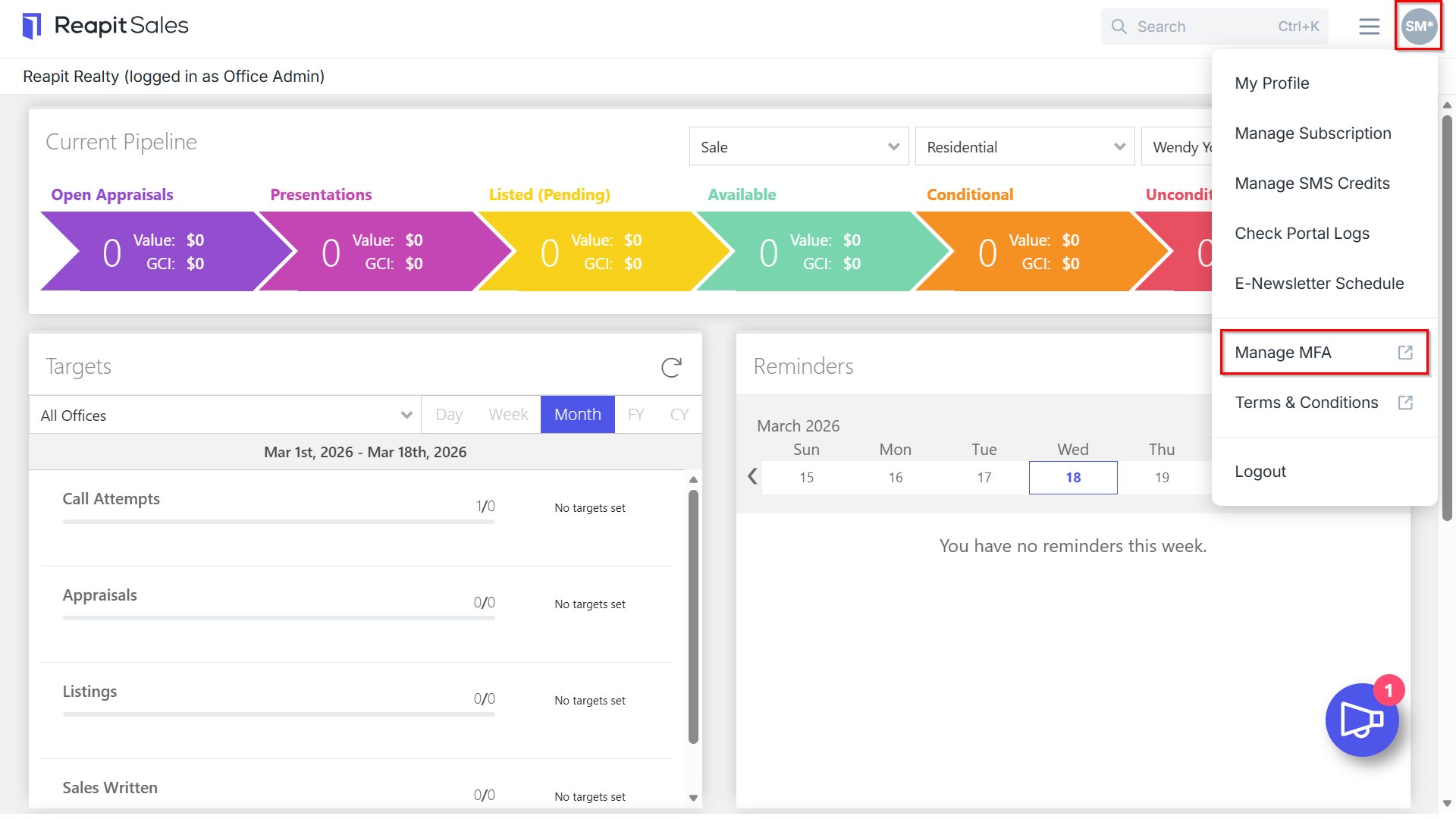
1. Navigate to your name in the top right-hand corner and click 'Manage MFA'.
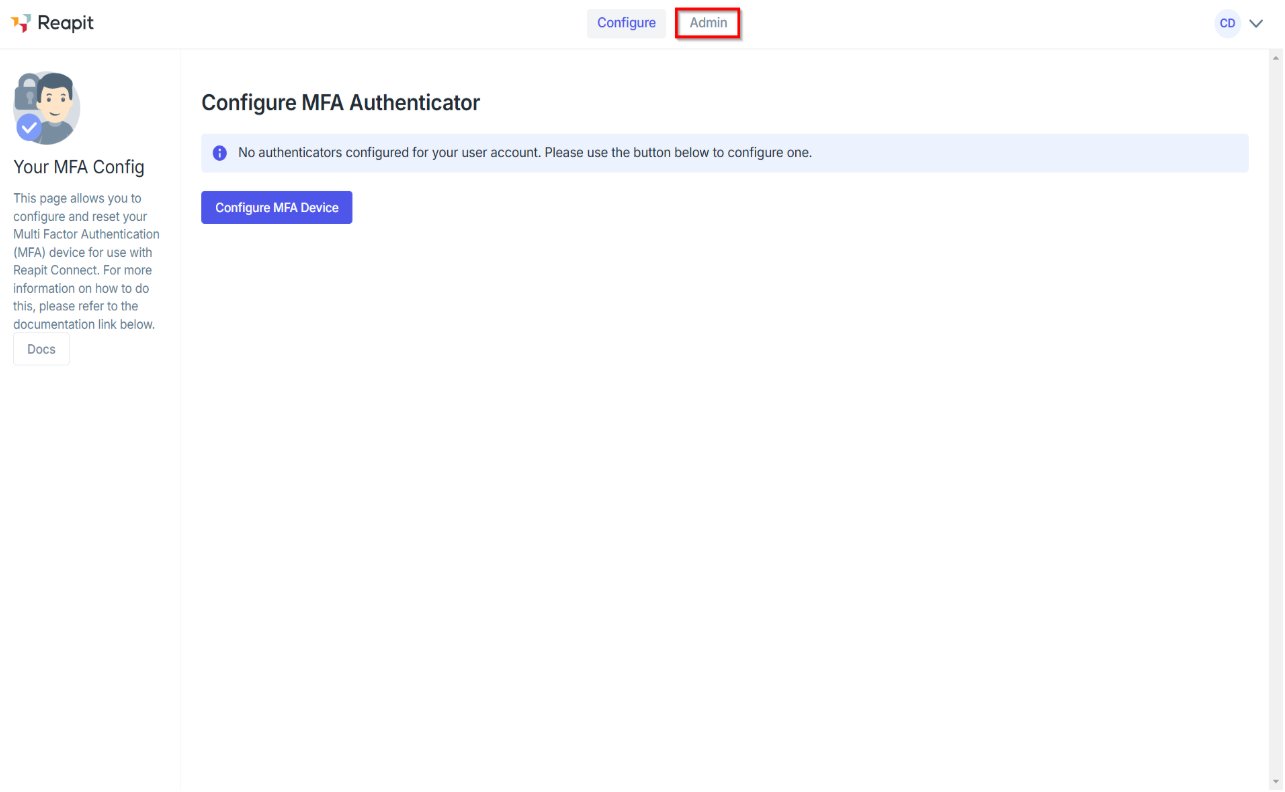
2. Navigate to the 'Admin' tab.
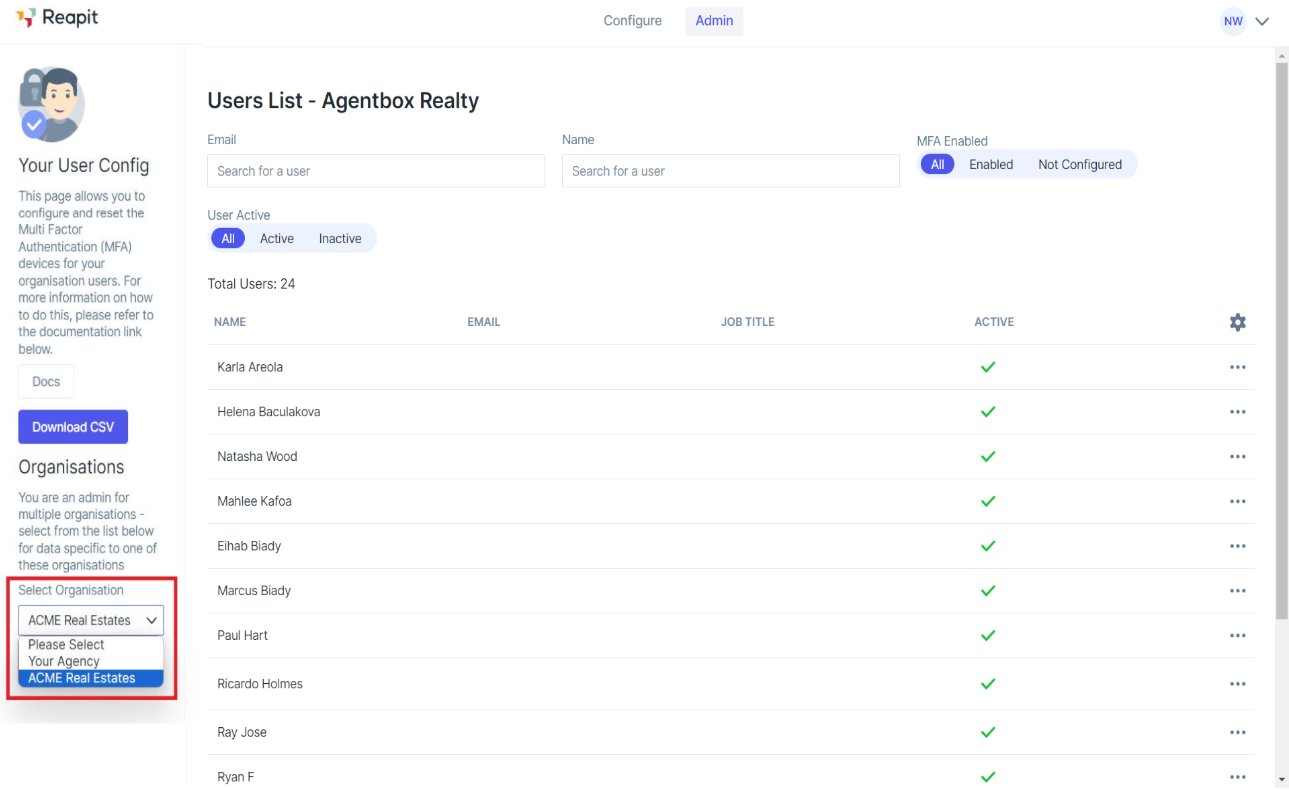
3. If you have multiple Reapit Sales accounts, you will be able to choose which account you are managing by clicking 'Select Organisation' (if applicable).
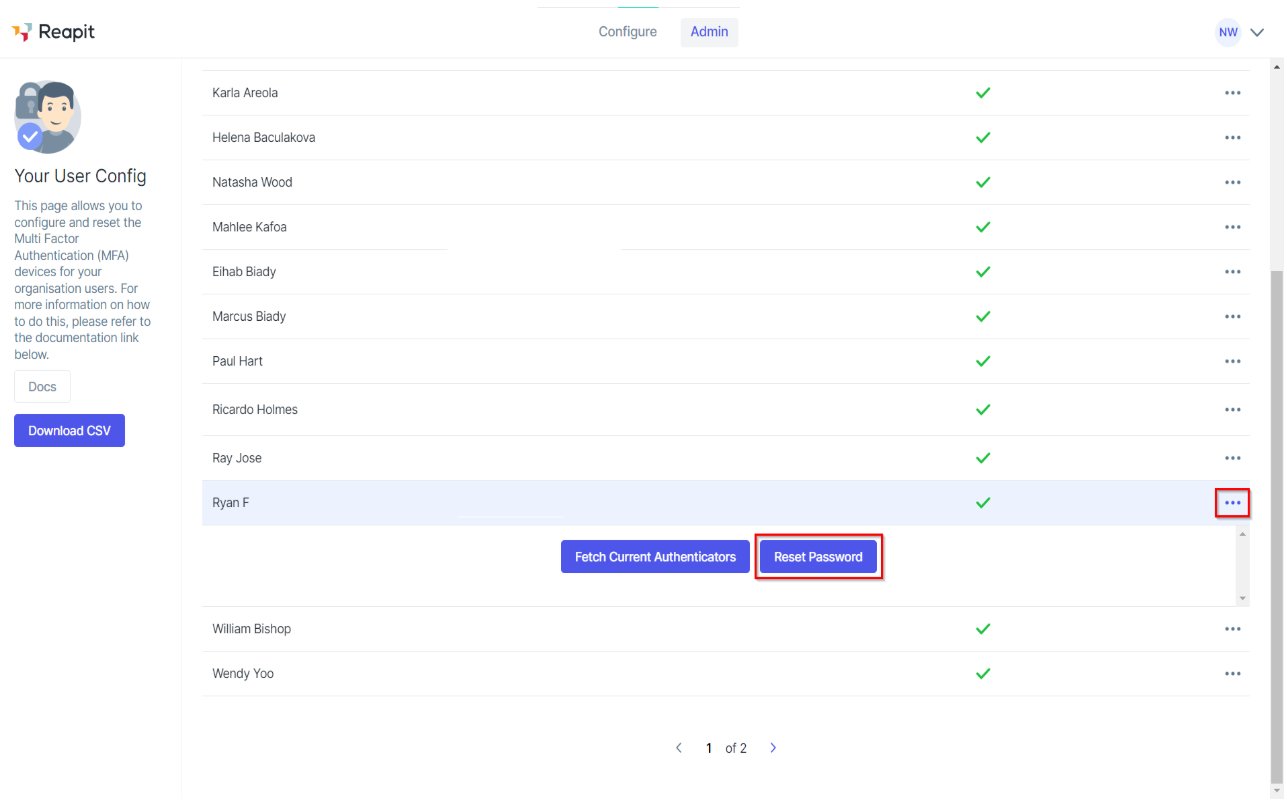
4. Select the three action dots to the right of the users name, and click 'Reset Password'.