'%20d='M0%208a8%208%200%200%201%208-8h24a8%208%200%200%201%208%208v24a8%208%200%200%201-8%208H8a8%208%200%200%201-8-8V8Z'/%3e%3cpath%20fill='%23fff'%20d='M10.41%206v3.779h15.048v19.537h4.132V6H10.41Z'/%3e%3cpath%20fill='%23fff'%20d='M20.967%2034V13.837L10.41%209.78v20.166L20.967%2034Z'/%3e%3cdefs%3e%3clinearGradient%20id='reapit-sales__a'%20x1='20.702'%20x2='20.702'%20y1='.351'%20y2='31.228'%20gradientUnits='userSpaceOnUse'%3e%3cstop%20stop-color='%235573FD'/%3e%3cstop%20offset='.575'%20stop-color='%234E56EA'/%3e%3c/linearGradient%3e%3c/defs%3e%3c/svg%3e)
Portal Feed Logs
This article will cover portal feed logs in Reapit Sales.
Portal Feed Logs
This article will cover portal feed logs in Reapit Sales.
*Note: Only portals that support feedback logs will be shown.
- Search for your Property and open the Property Card
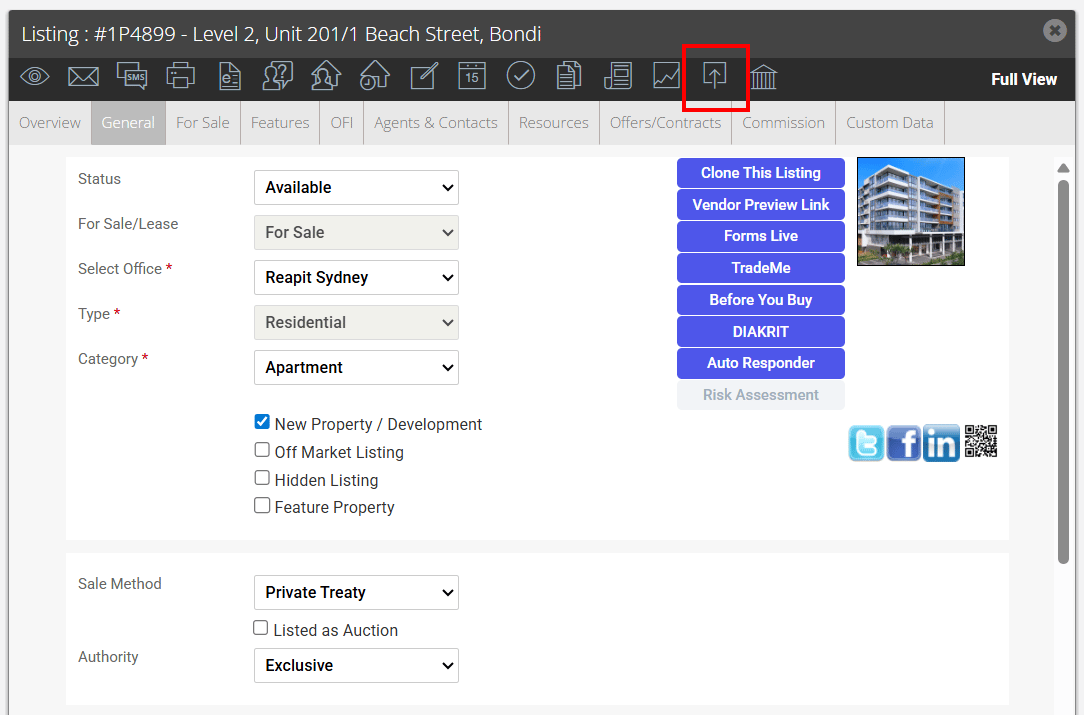
- You can check the portal feed logs for a property by clicking the portal feed action icon
at the top of the property card. If there is an error message, make the required corrections to the property and hit save to resend to the portal.
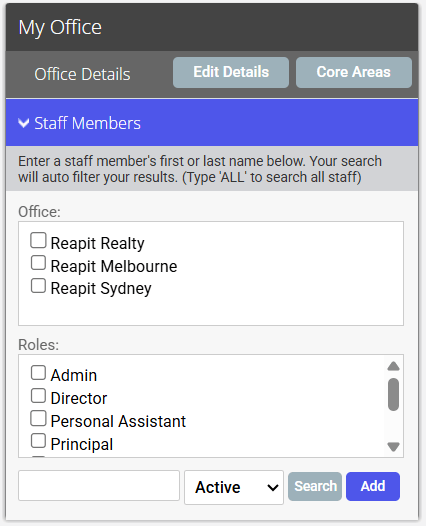
Alternatively, you can access the portal logs by clicking on My Office from the main menu.

- Click the Edit Details button on the Left Panel
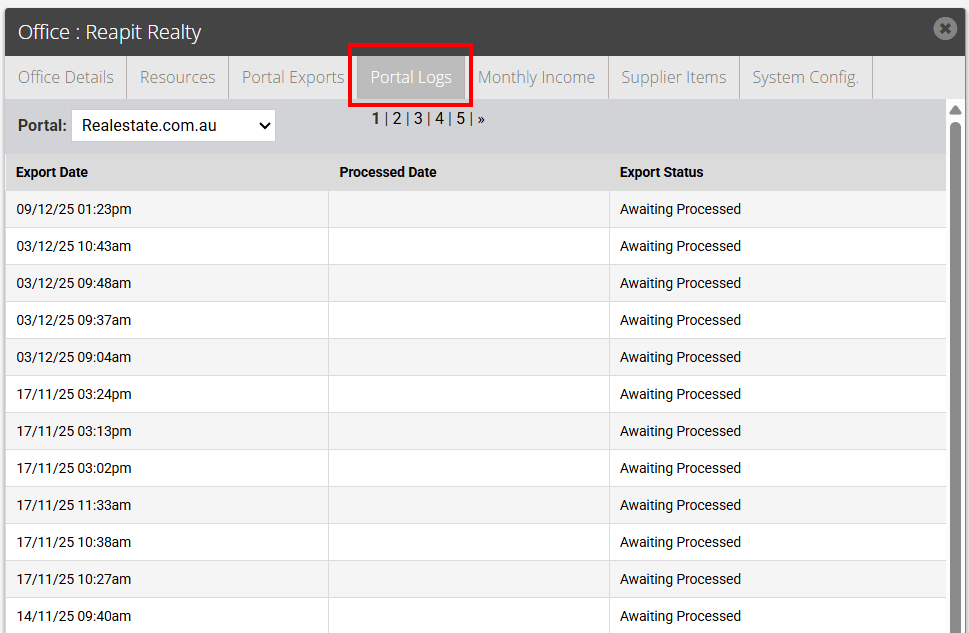
- Click the Portal Logs tab and select the portal from the Portal drop down menu to view the feed. You can click on the feed for more information.
If you are experiencing an issue and have checked the portal logs and found there is no issue recorded please contact support@agentbox.com.au who will investigate this issue for you. Please allow a minimum of 1 hour for the feed to be sent and only call/email support if 4 hours or more have passed.