'%20d='M0%208a8%208%200%200%201%208-8h24a8%208%200%200%201%208%208v24a8%208%200%200%201-8%208H8a8%208%200%200%201-8-8V8Z'/%3e%3cpath%20fill='%23fff'%20d='M10.41%206v3.779h15.048v19.537h4.132V6H10.41Z'/%3e%3cpath%20fill='%23fff'%20d='M20.967%2034V13.837L10.41%209.78v20.166L20.967%2034Z'/%3e%3cdefs%3e%3clinearGradient%20id='reapit-sales__a'%20x1='20.702'%20x2='20.702'%20y1='.351'%20y2='31.228'%20gradientUnits='userSpaceOnUse'%3e%3cstop%20stop-color='%235573FD'/%3e%3cstop%20offset='.575'%20stop-color='%234E56EA'/%3e%3c/linearGradient%3e%3c/defs%3e%3c/svg%3e)
Bulk Communicate with Prospective Buyers
This article runs through how to bulk communicate with prospective buyers in Reapit Sales.
Bulk Communicate with Prospective Buyers
This article runs through how to bulk communicate with prospective buyers in Reapit Sales.
- Search for your Property and open the property card.

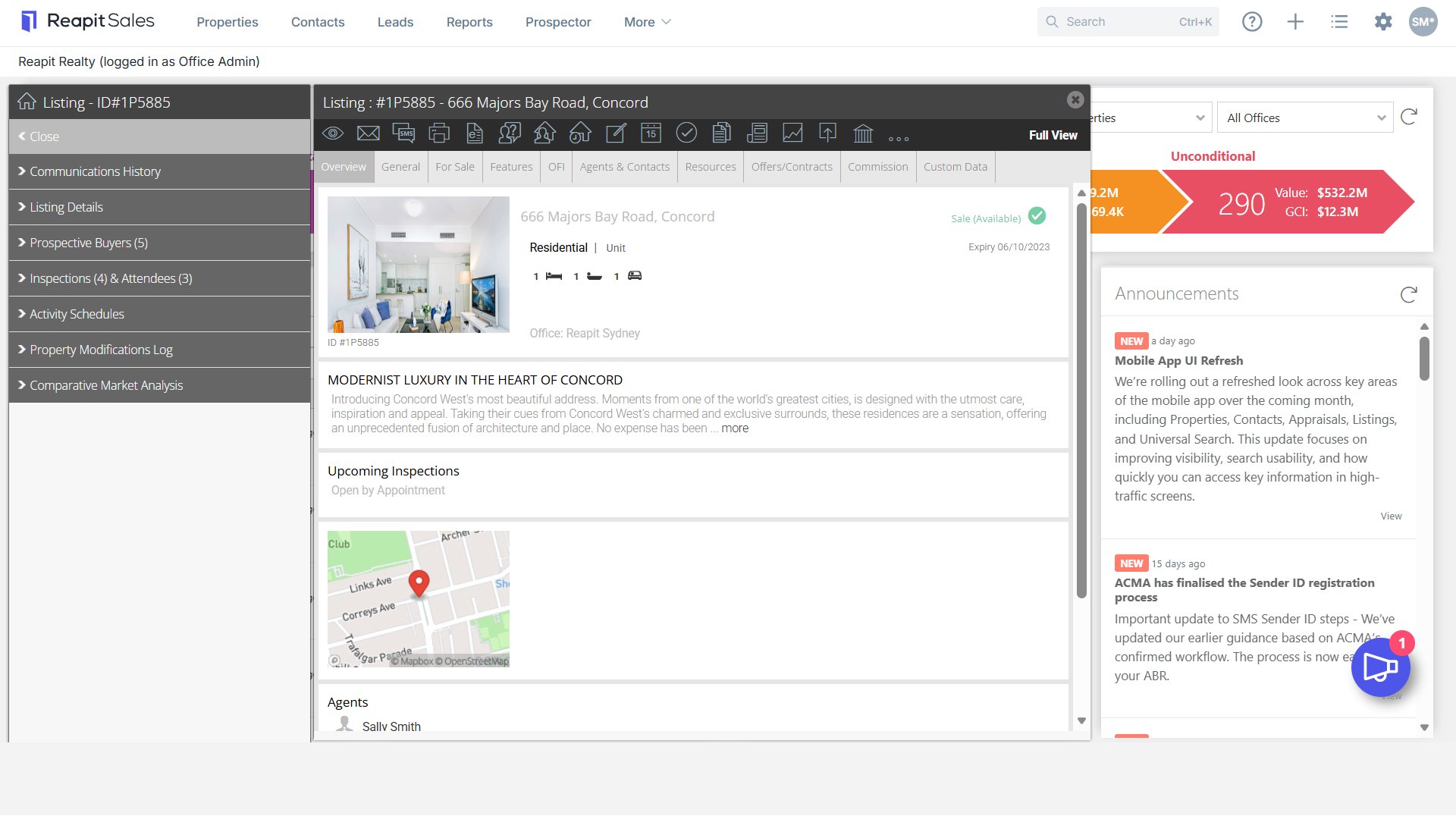
- On the left panel click Prospective Buyers (If the matching left panel is not visible, click Full View in the top right-hand corner of the property card).

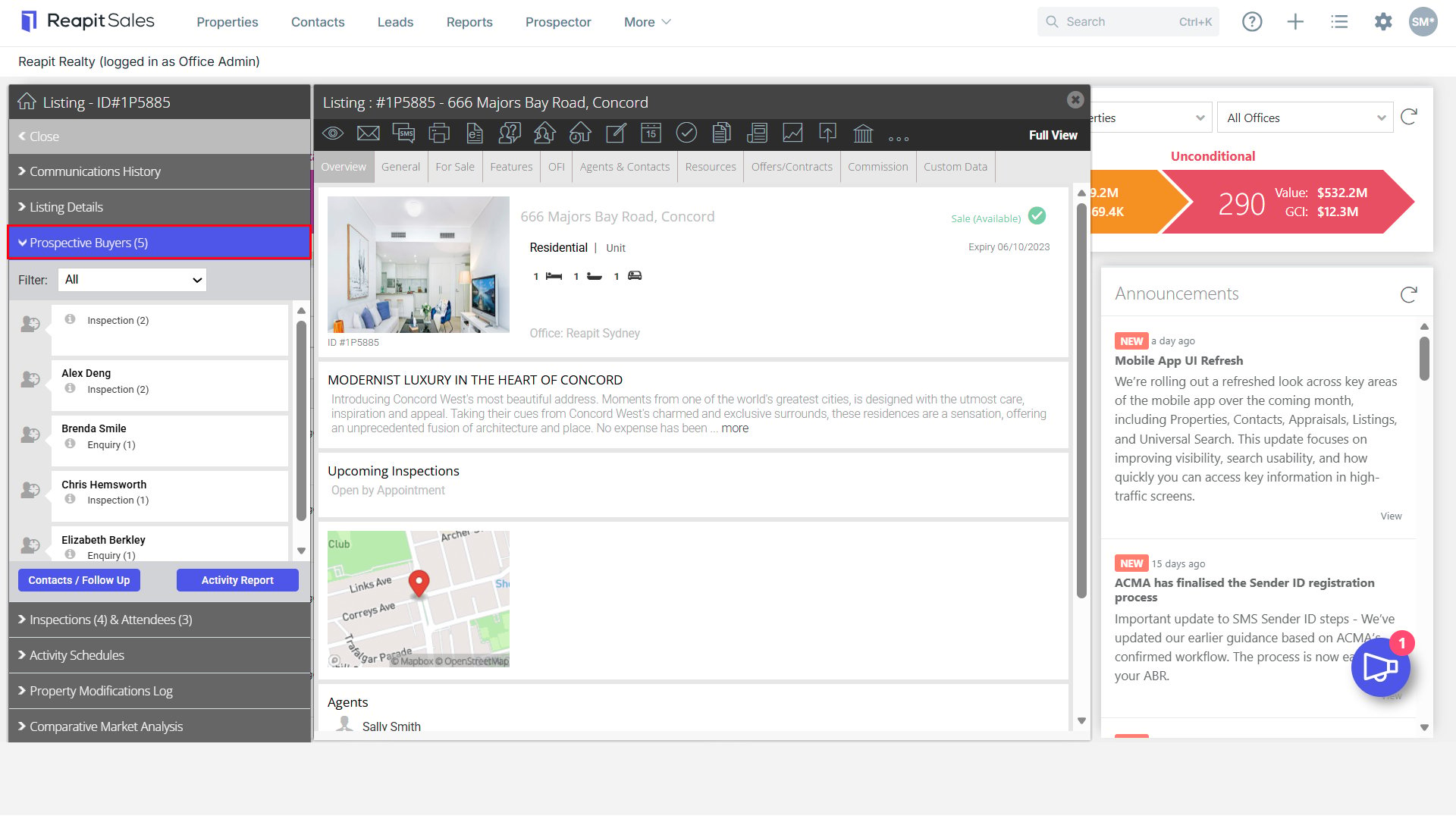
- Click the Contacts/Follow Up button (If you filtered out a particular group in step 4 above only the filtered contacts will appear in the list).
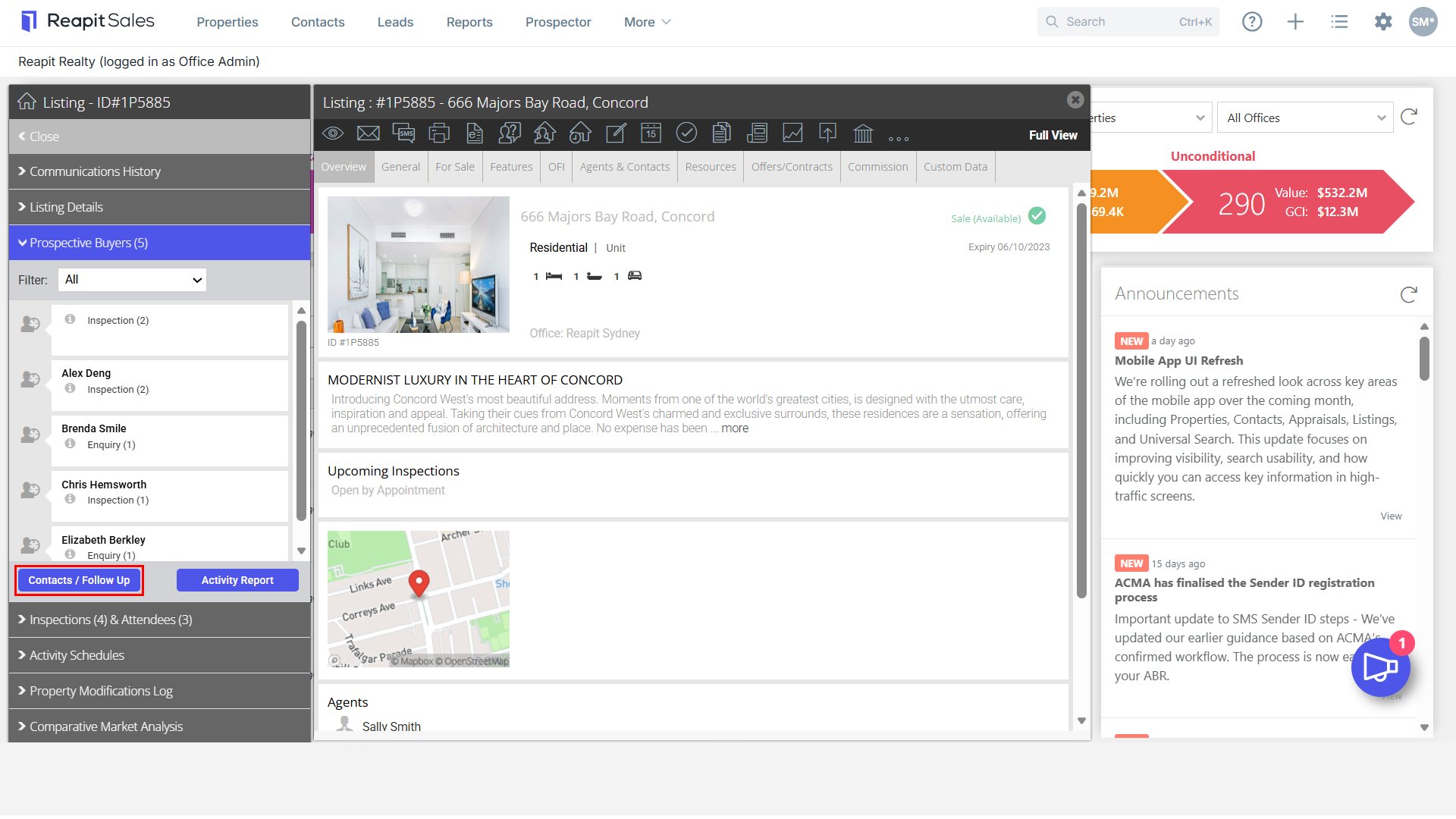
- The list of contact will open. Use the action icons
 to bulk communicate to these contacts via a Mail Merge, SMS, E-Newsletter or Print or Export your target list.