'%20d='M0%208a8%208%200%200%201%208-8h24a8%208%200%200%201%208%208v24a8%208%200%200%201-8%208H8a8%208%200%200%201-8-8V8Z'/%3e%3cpath%20fill='%23fff'%20d='M10.41%206v3.779h15.048v19.537h4.132V6H10.41Z'/%3e%3cpath%20fill='%23fff'%20d='M20.967%2034V13.837L10.41%209.78v20.166L20.967%2034Z'/%3e%3cdefs%3e%3clinearGradient%20id='reapit-sales__a'%20x1='20.702'%20x2='20.702'%20y1='.351'%20y2='31.228'%20gradientUnits='userSpaceOnUse'%3e%3cstop%20stop-color='%235573FD'/%3e%3cstop%20offset='.575'%20stop-color='%234E56EA'/%3e%3c/linearGradient%3e%3c/defs%3e%3c/svg%3e)
SMS Contact
This article runs through how to send SMS to a contact in Reapit Sales. Note: SMS is enabled in all systems and initial access is given to Master Users Only.
SMS Contact
This article runs through how to send SMS to a contact in Reapit Sales.
Note: SMS is enabled in all systems and initial access is given to Master Users Only.
Access needs to be distributed to staff by the Master User.
If your staff are receiving errors such as don't have access to send SMS check their staff card to ensure that have access and a mobile number has been activated. If you are not able to give access, please check you have sufficient credit available to do so.
Note:
- The staff card must have a mobile number to be able to use the SMS feature.
- SMS is enabled in all systems and initial access is given to Master Users Only.
- Search for your Contact open their Contact Card
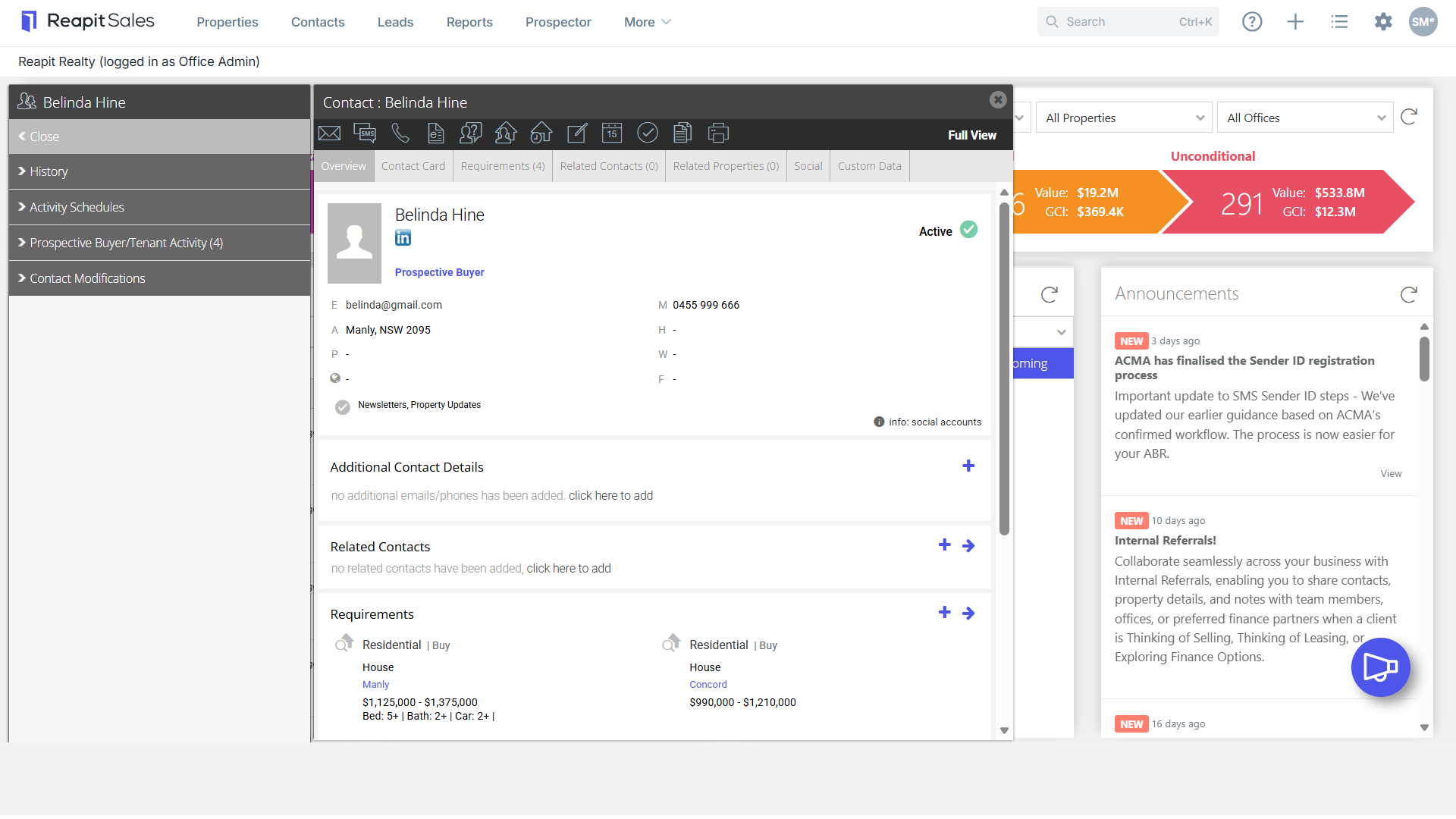
- Click the SMS Action Icon then select Quick SMS.

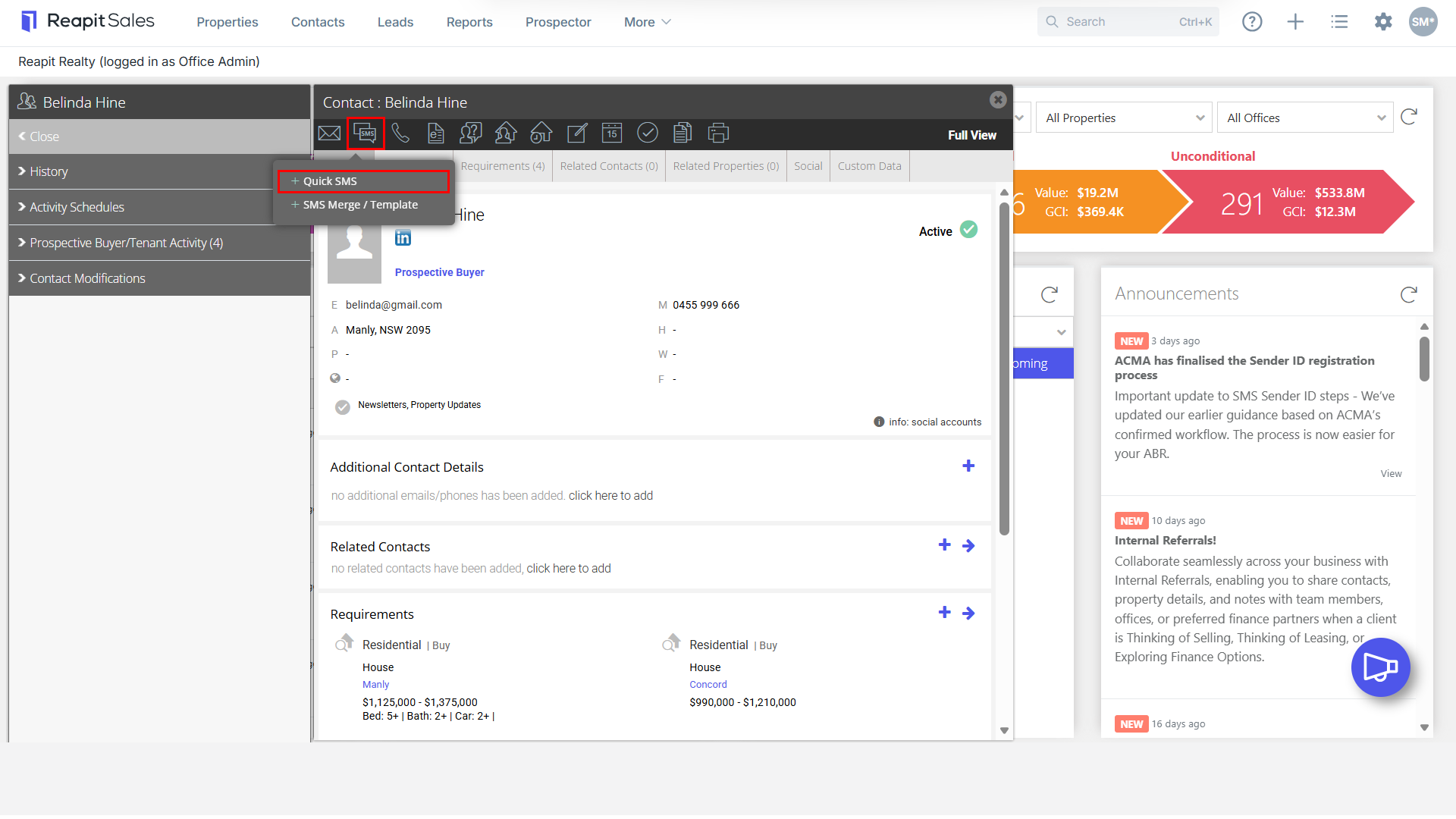
- Enter SMS Message.
- Click Send.