'%20d='M0%208a8%208%200%200%201%208-8h24a8%208%200%200%201%208%208v24a8%208%200%200%201-8%208H8a8%208%200%200%201-8-8V8Z'/%3e%3cpath%20fill='%23fff'%20d='M10.41%206v3.779h15.048v19.537h4.132V6H10.41Z'/%3e%3cpath%20fill='%23fff'%20d='M20.967%2034V13.837L10.41%209.78v20.166L20.967%2034Z'/%3e%3cdefs%3e%3clinearGradient%20id='reapit-sales__a'%20x1='20.702'%20x2='20.702'%20y1='.351'%20y2='31.228'%20gradientUnits='userSpaceOnUse'%3e%3cstop%20stop-color='%235573FD'/%3e%3cstop%20offset='.575'%20stop-color='%234E56EA'/%3e%3c/linearGradient%3e%3c/defs%3e%3c/svg%3e)
Resolve Bank Adjustments
This article will run through how to resolve bank adjustments in Reapit Sales.
Resolve Bank Adjustments
This article will run through how to resolve bank adjustments in Reapit Sales.
- When performing a reconciliation, All Outstanding Bank Adjustments with a date prior to the closing date of your bank reconciliation will be included unless first marked as 'resolved'
- Once marked resolved, the bank adjustment will remain editable until the next successful reconciliation. Upon the next successful reconciliation all adjustments with a status of resolved will be archived.
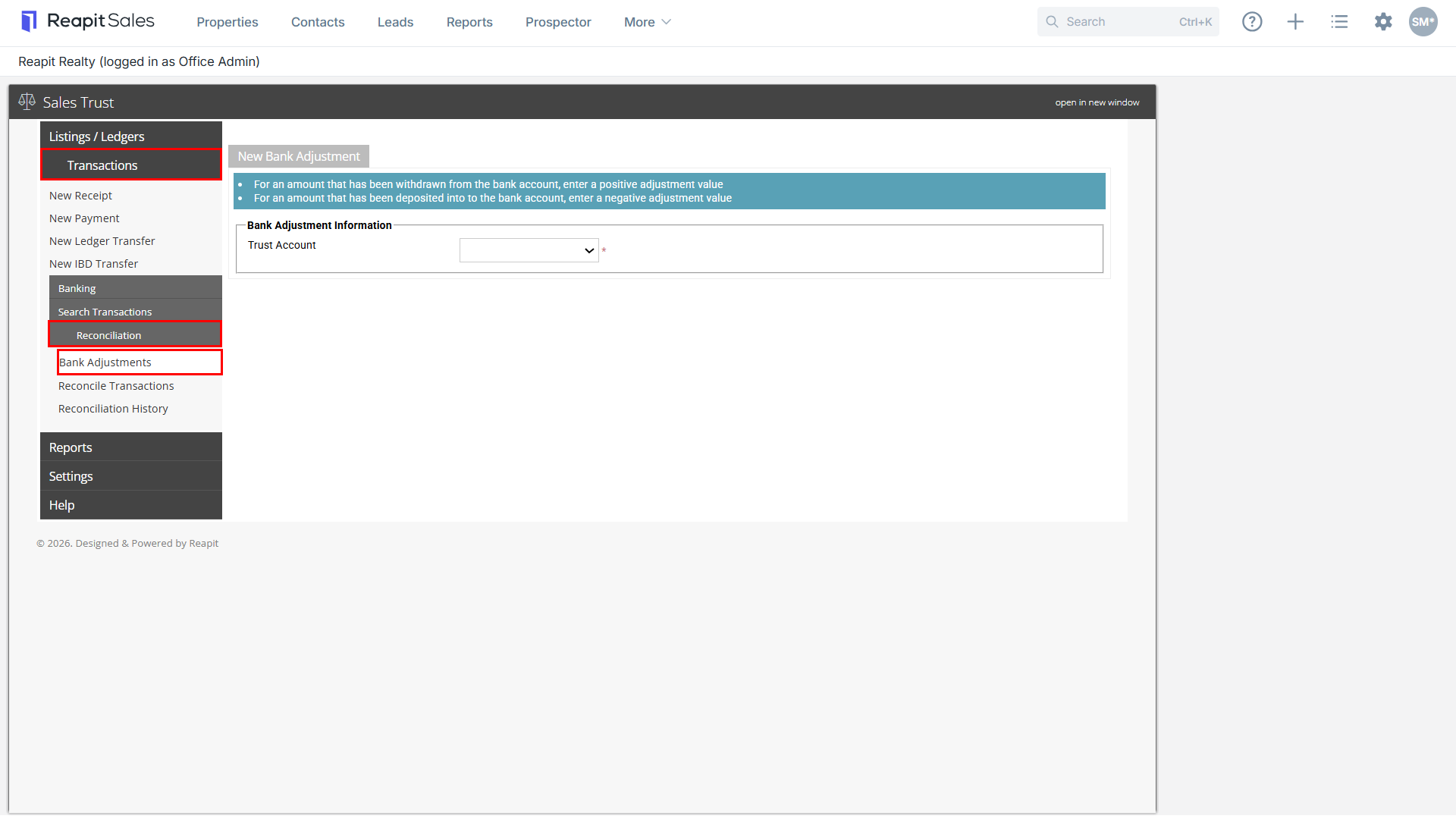
- Select Transactions, Reconciliation and then Bank Adjustments.
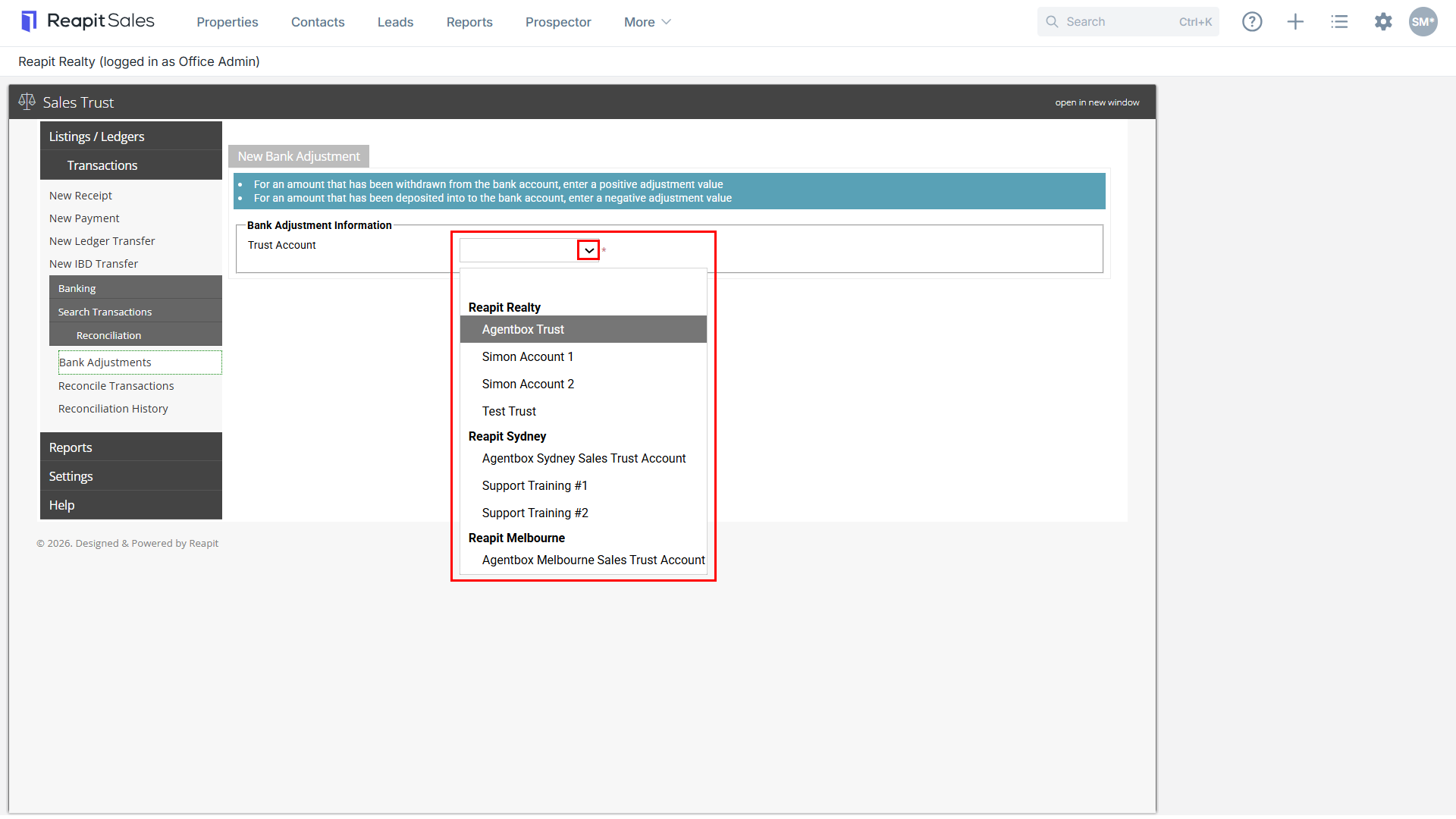
- Select the Trust Account from the Trust Account drop-down.
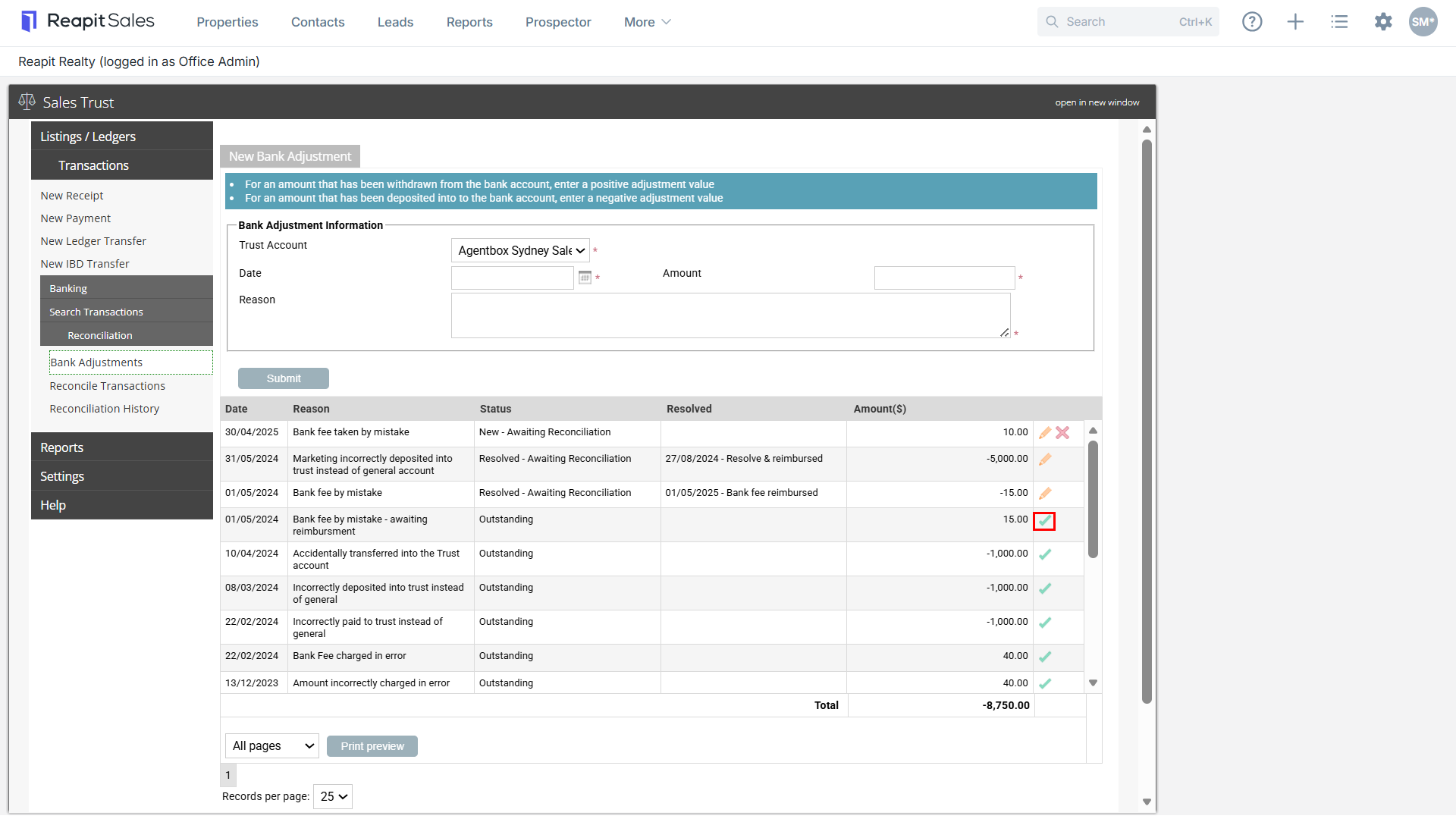
- Click the Resolve
 icon, then click Ok.
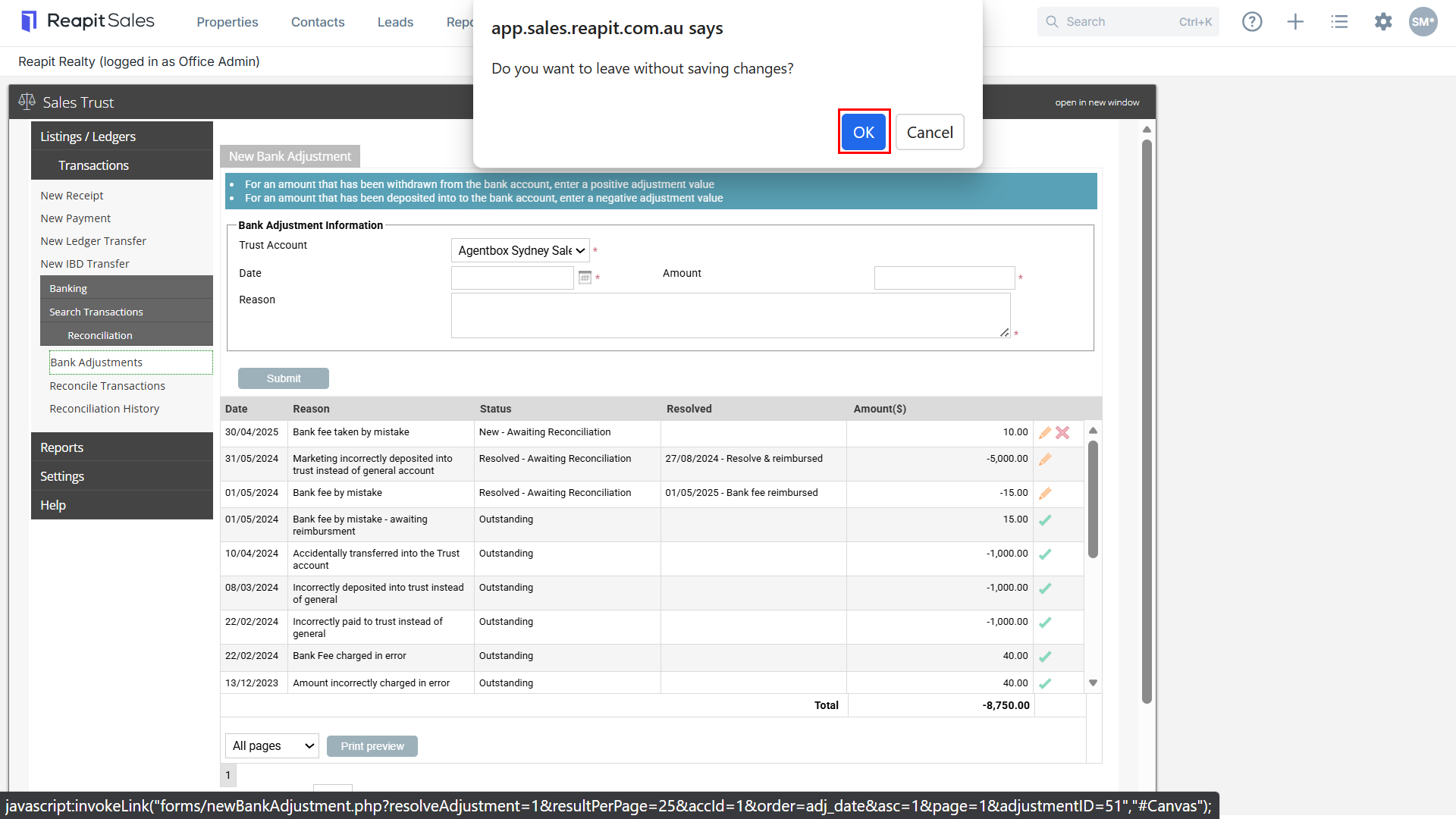
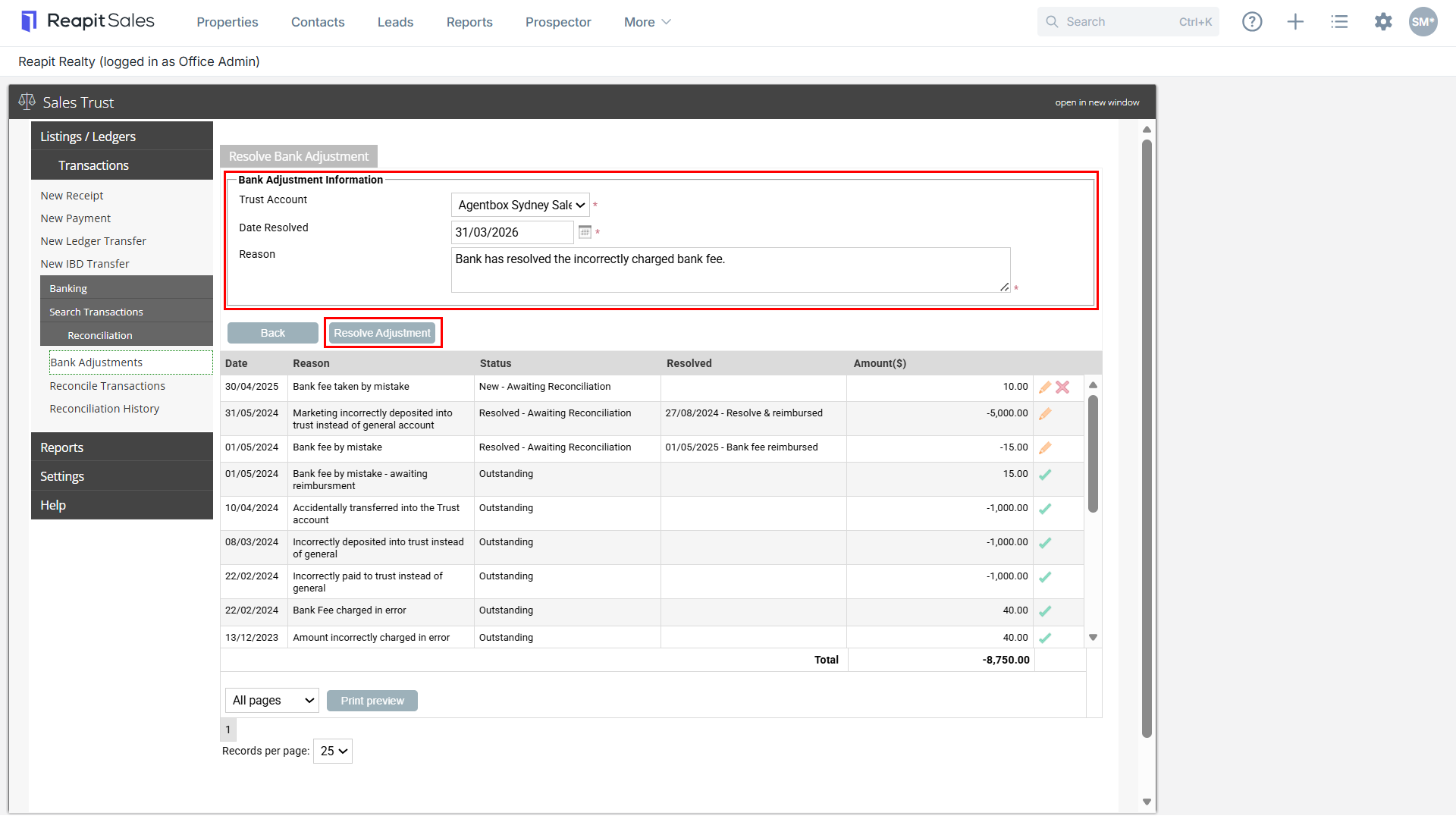
- Enter the Resolved Date per your bank statement, Reason and select Resolve Adjustment.