'%20d='M0%208a8%208%200%200%201%208-8h24a8%208%200%200%201%208%208v24a8%208%200%200%201-8%208H8a8%208%200%200%201-8-8V8Z'/%3e%3cpath%20fill='%23fff'%20d='M10.41%206v3.779h15.048v19.537h4.132V6H10.41Z'/%3e%3cpath%20fill='%23fff'%20d='M20.967%2034V13.837L10.41%209.78v20.166L20.967%2034Z'/%3e%3cdefs%3e%3clinearGradient%20id='reapit-sales__a'%20x1='20.702'%20x2='20.702'%20y1='.351'%20y2='31.228'%20gradientUnits='userSpaceOnUse'%3e%3cstop%20stop-color='%235573FD'/%3e%3cstop%20offset='.575'%20stop-color='%234E56EA'/%3e%3c/linearGradient%3e%3c/defs%3e%3c/svg%3e)
Mobile App: Push Notifications
This article covers Push Notifications in the Sales Mobile App. The information in this article includes: Inspection Check-ins Inspection Reminders New Referrals
Mobile App: Push Notifications
This article covers Push Notifications in the Sales Mobile App.
The information in this article includes:
- Inspection Check-ins
- Inspection Reminders
- New Referrals
Inspection Check-ins
Push Notifications for Inspection Check-ins ****can be used by agents who work in teams at inspections, utilise QR-Codes for attendee check-ins, or want to keep across listing activity if managing multiple campaigns.
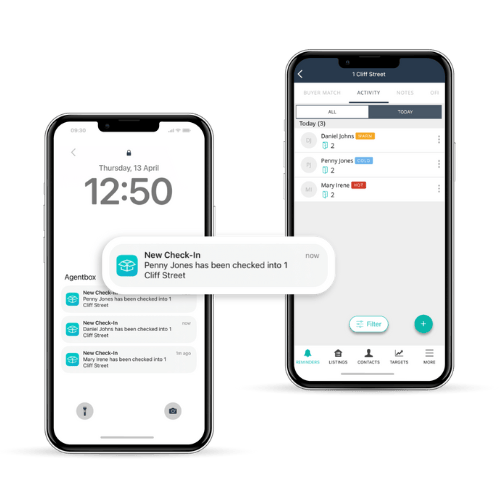
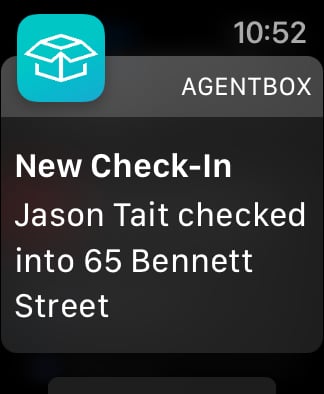
Agents will receive a notification in real-time when a contact checks in to a property via the QR-Code or agent-based check-ins. From the notification, users can tap through to view attendee history via their phone or tablet or dismiss the notification on smart watches.
This feature can be enabled by following these simple steps:
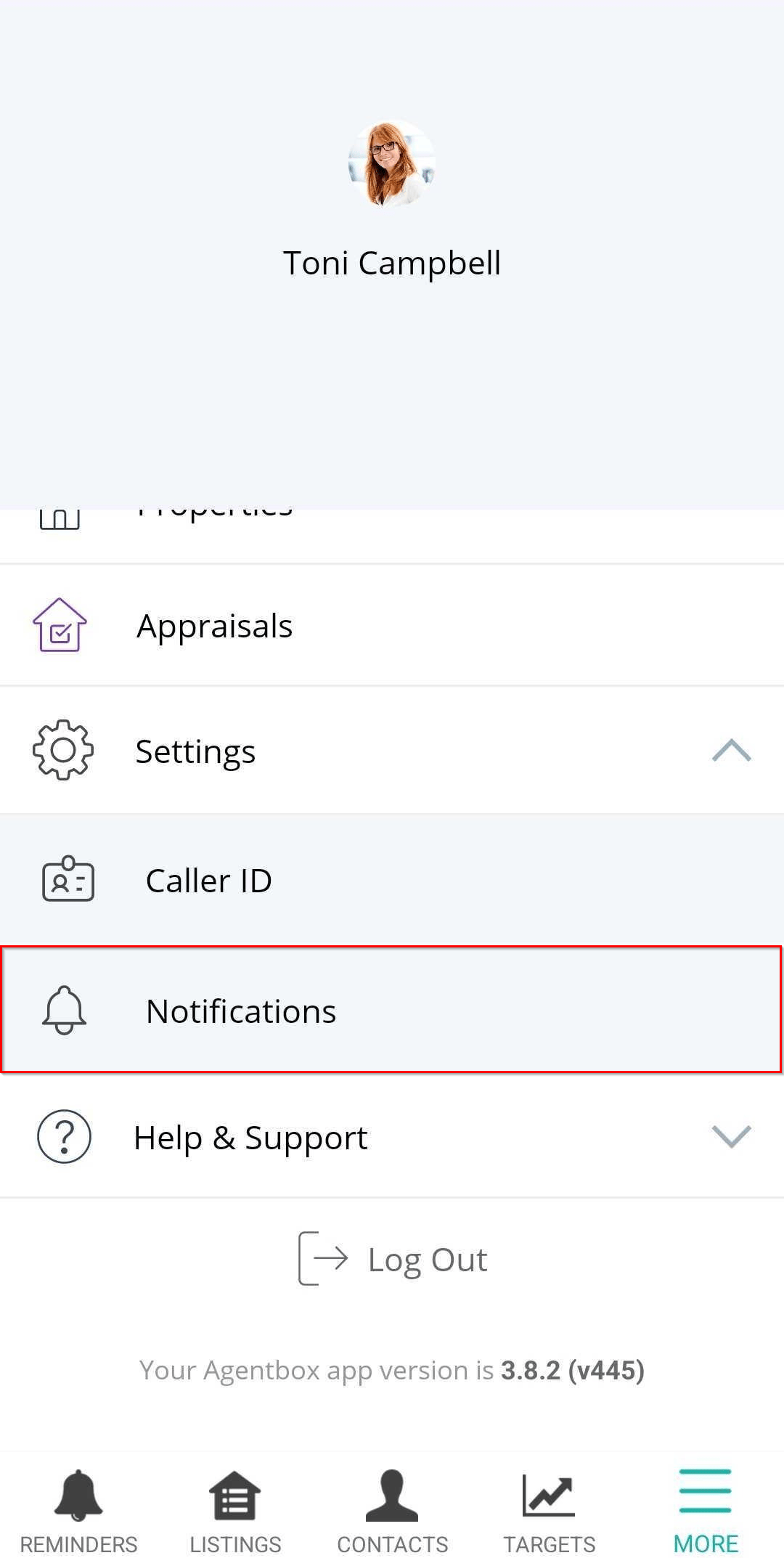
- Navigate to More’ > Settings > Notifications and toggle on Inspection Check-ins.
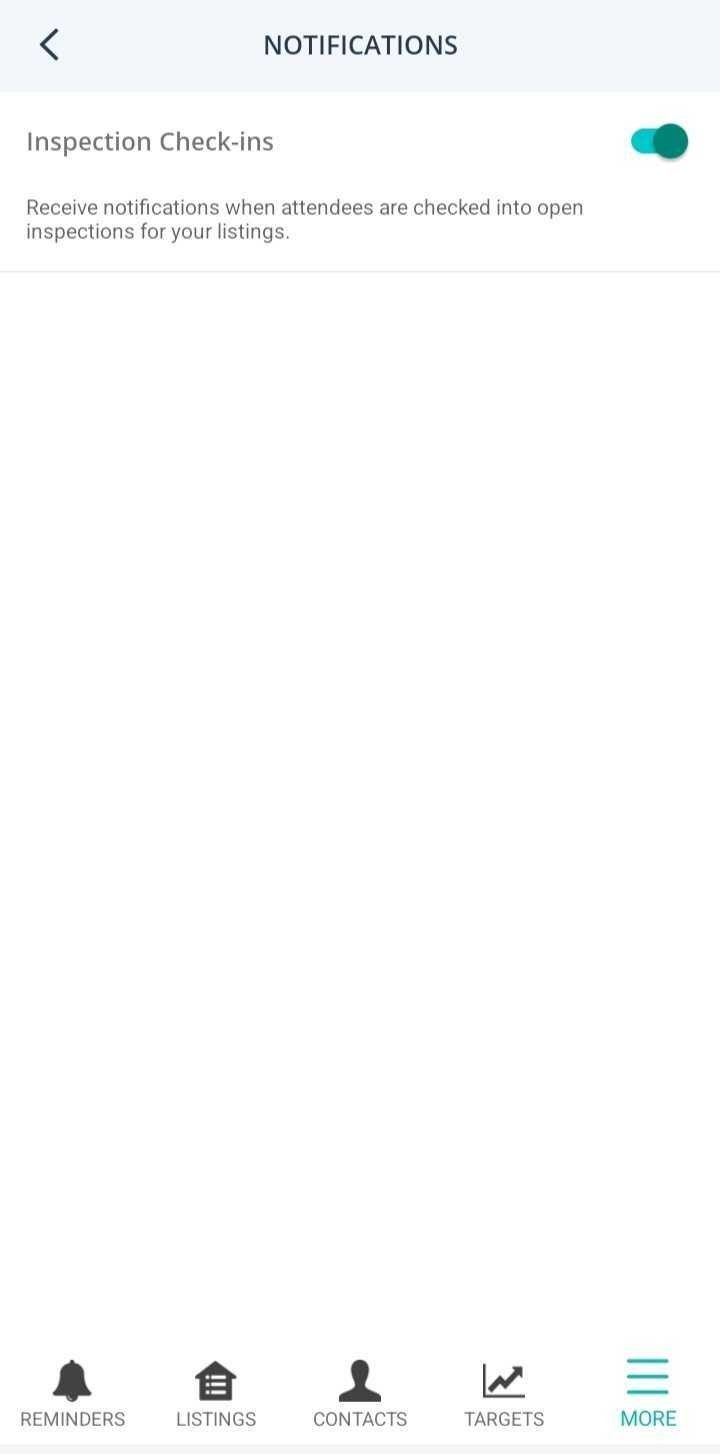
- Users subscribe via the app plus their device settings. Each device controls whether the notification is allowed to be received or not.
For iOS users, on the first opening of the app, they will receive a prompt to confirm if they do or do not wish to receive notifications. For Android users, this is automatically enabled.
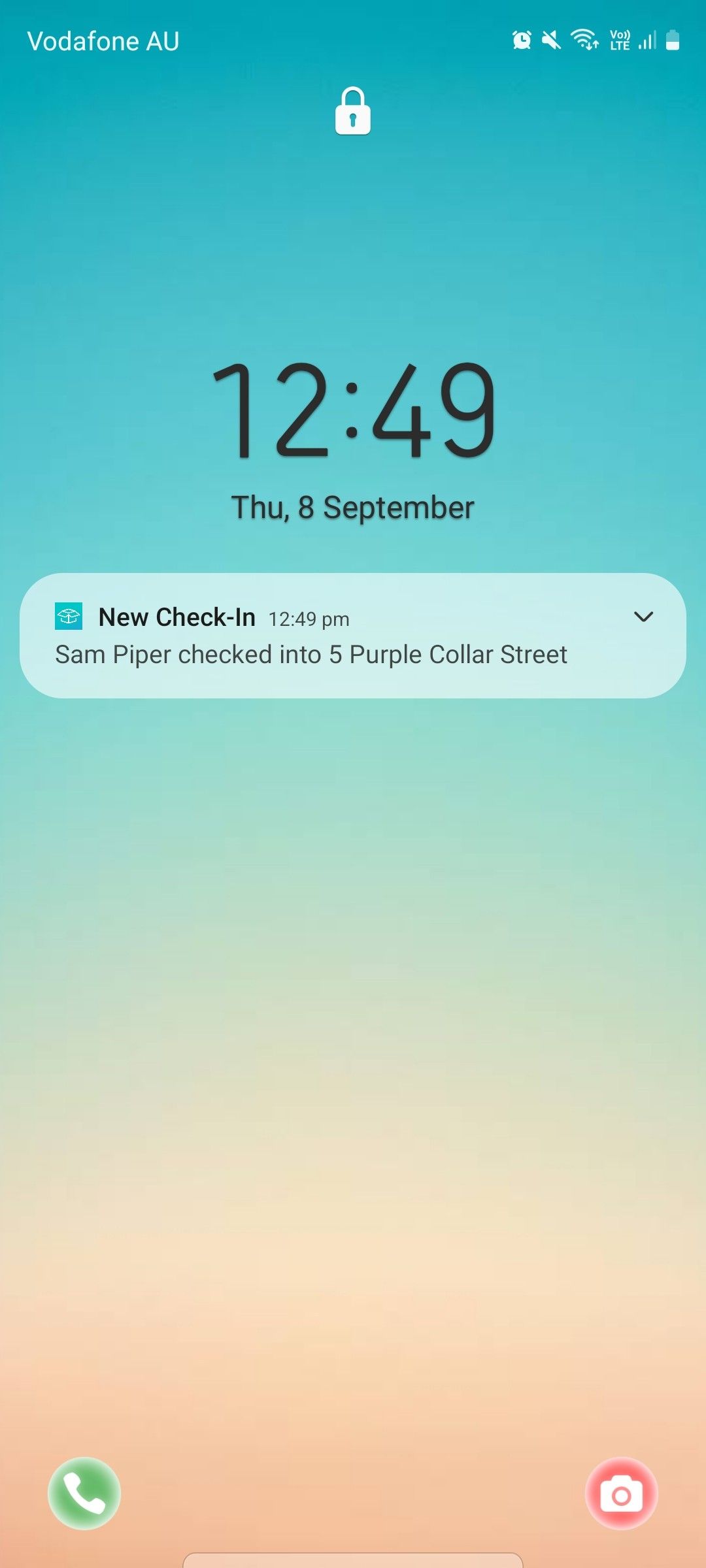
- To receive a notification, users are required to be assigned to the listing.
Notifications received via Smart Watch
Users can also receive notifications via their Smart Watch.
Note for Apple: Notifications appear when you are wearing your Apple Watch. They will not appear on your Apple Watch when you are using your iPhone.
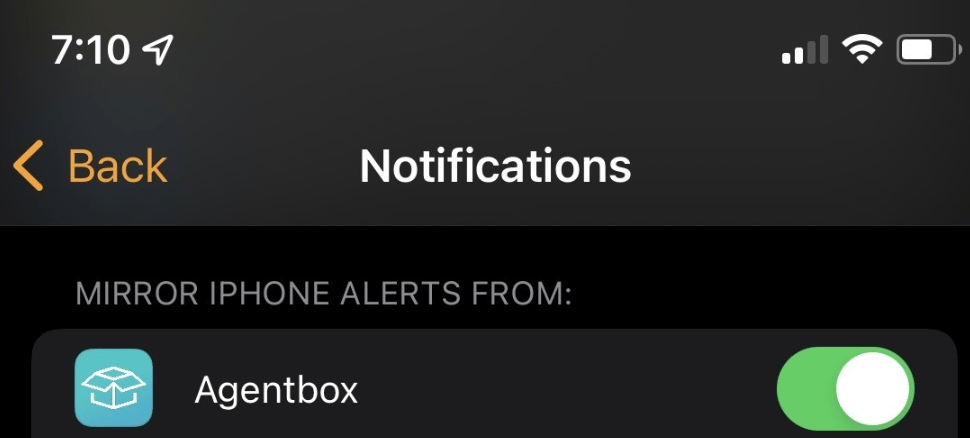
- To enable: via Apple Watch > Notifications (scroll down to the bottom) > Mirror Phone Alerts toggle on for Agentbox.
- Additional settings to manage notifications are available via smart watch settings. Eg. Show summary when locked.
- Notifications for Agentbox need to be enabled on your phone settings prior to connecting to a smartwatch.
- Notifications are received via the check-in display.
- On tap through on the notification the full notification message is displayed.
Inspection Reminders
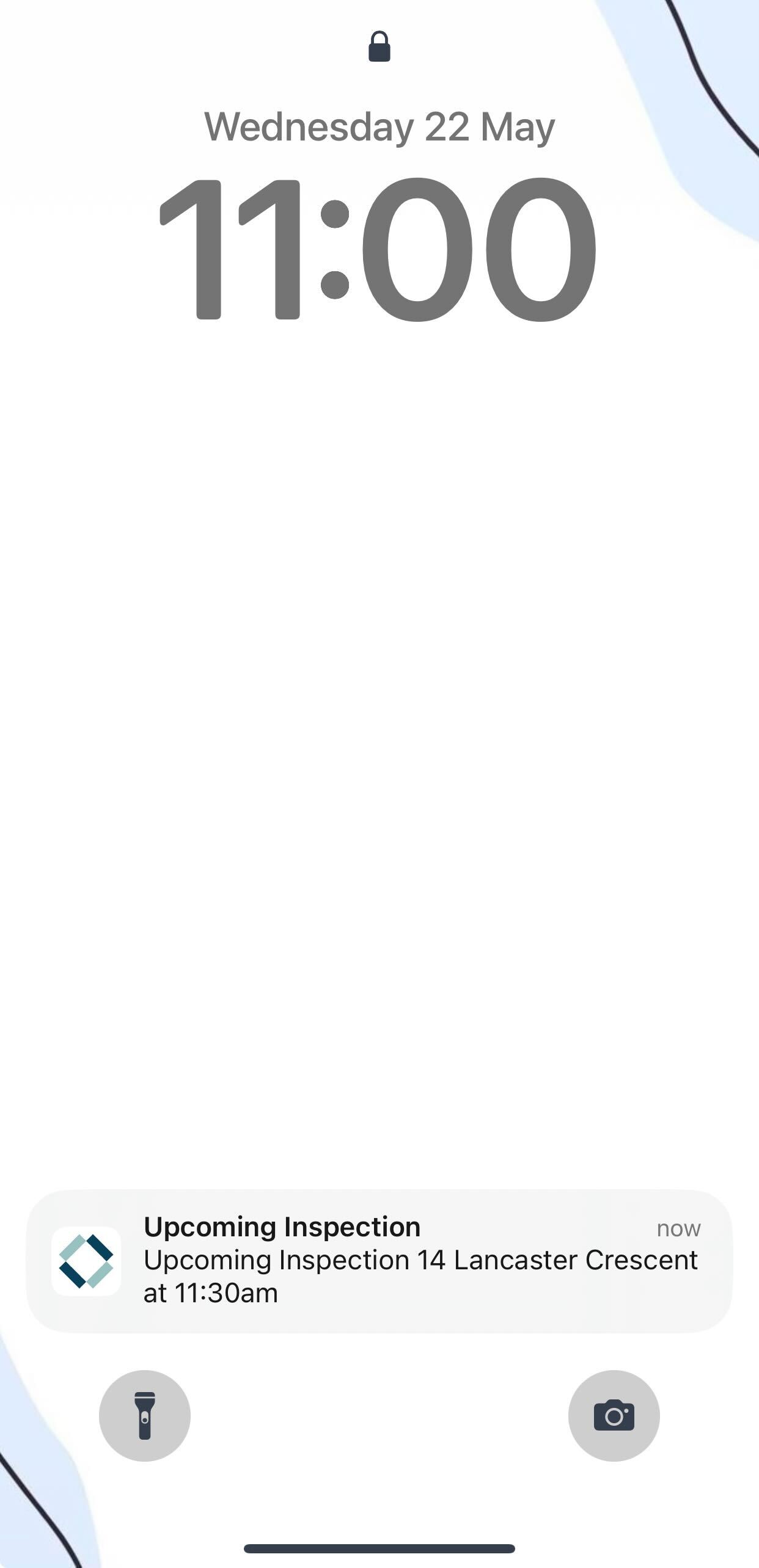
With inspection reminders, you can receive timely reminders about your upcoming inspections directly on your mobile device, tablet, or even your smart-watch. This feature ensures you're never late to an open home again, and helps you manage your time more efficiently.
This feature can be enabled by following these simple steps:
- Navigate to More > Settings > Notification.
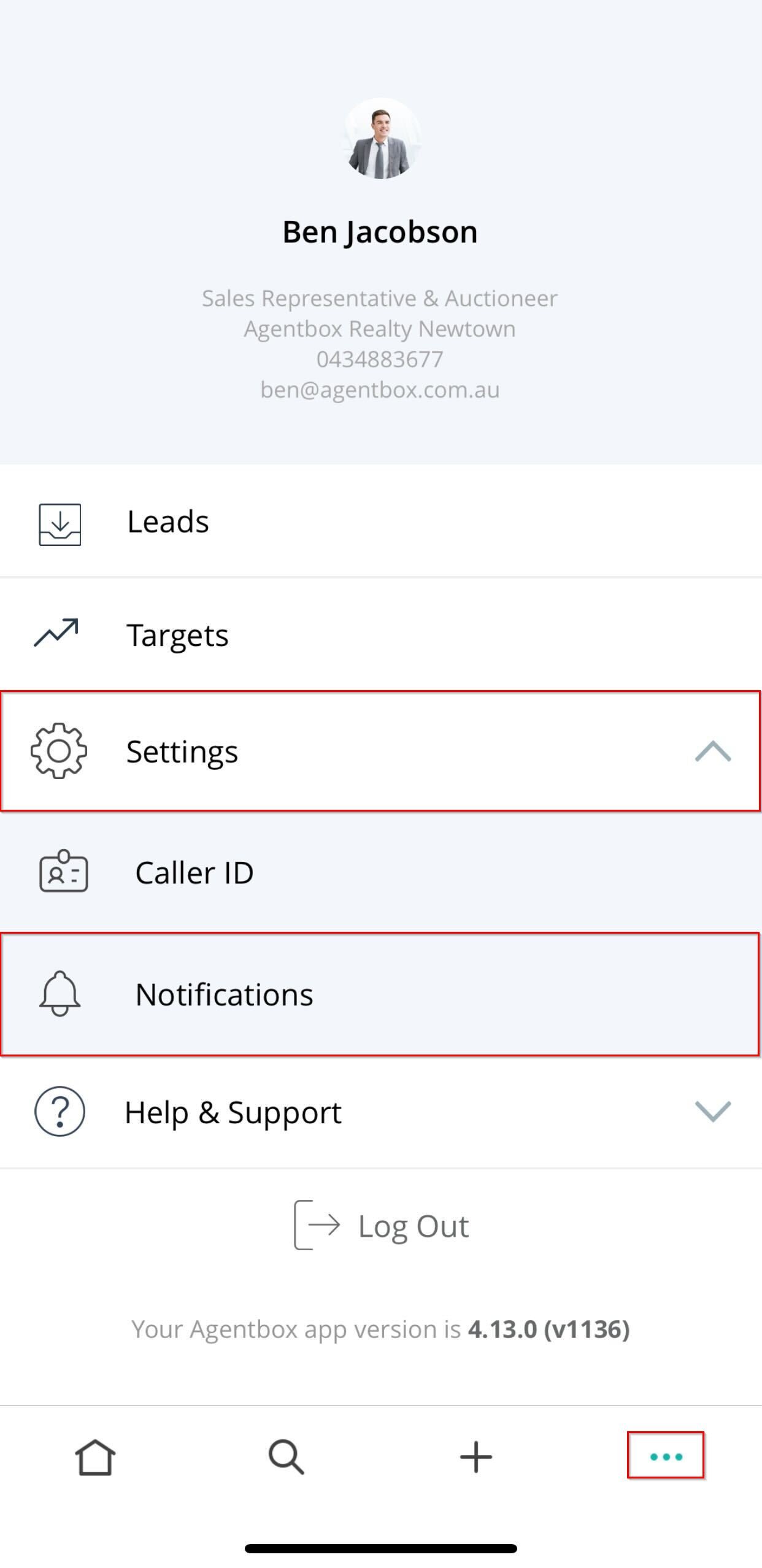
- Toggle on Inspection Reminders.*
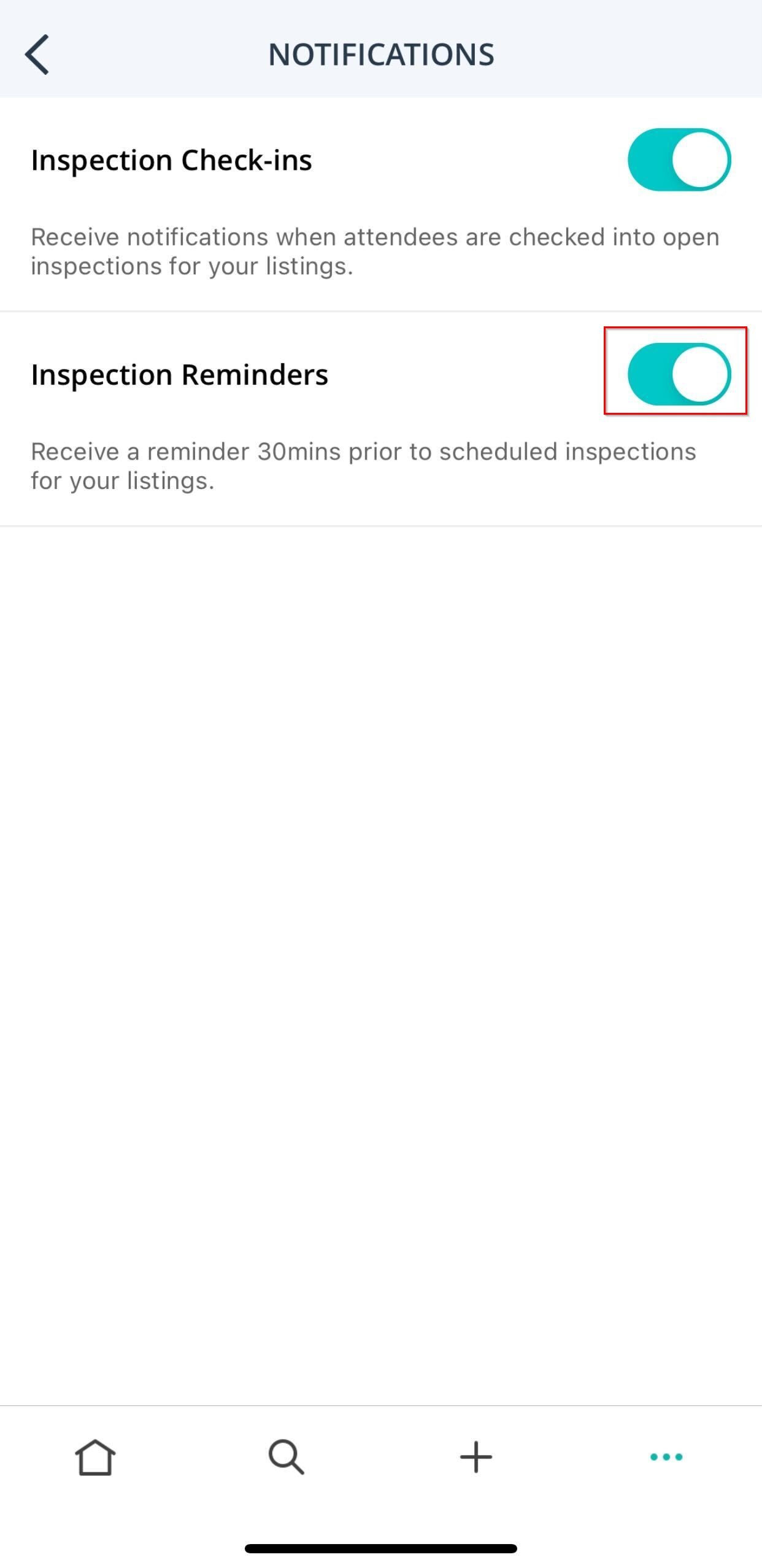
- You are also required to allow notifications from the App via your device.
Key Information about Inspection Reminders:
- 30 minutes before a scheduled inspection event, a notification will be sent to agents assigned to the listing.
- Listing Agents, Associate Agents, Selling Agents.
- If an inspection is cancelled, you will not receive a notification.
- You will not receive a notification if an inspection is created within 30 minutes of the inspection time.
- Upon selecting the notification, you will be directed to the related listing.
- You are required to be logged into the Mobile App to receive the notification.
- If DND is enabled on your device, notifications will not be received.
New Referrals
This article covers how to enable and manage push notifications for new referrals in the Mobile App.
- To enable this feature, navigate to More (3 action dots) > Settings > Notifications.
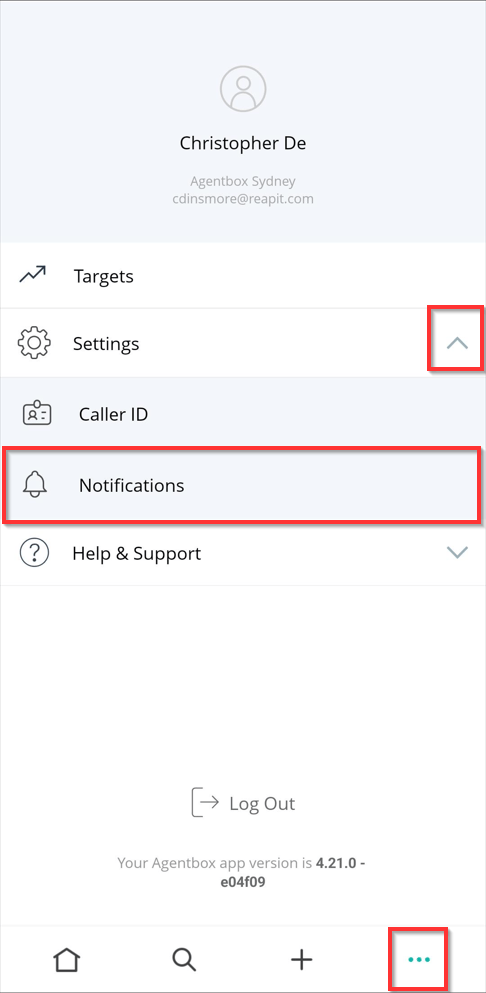
- Toggle on the New Referrals switch.
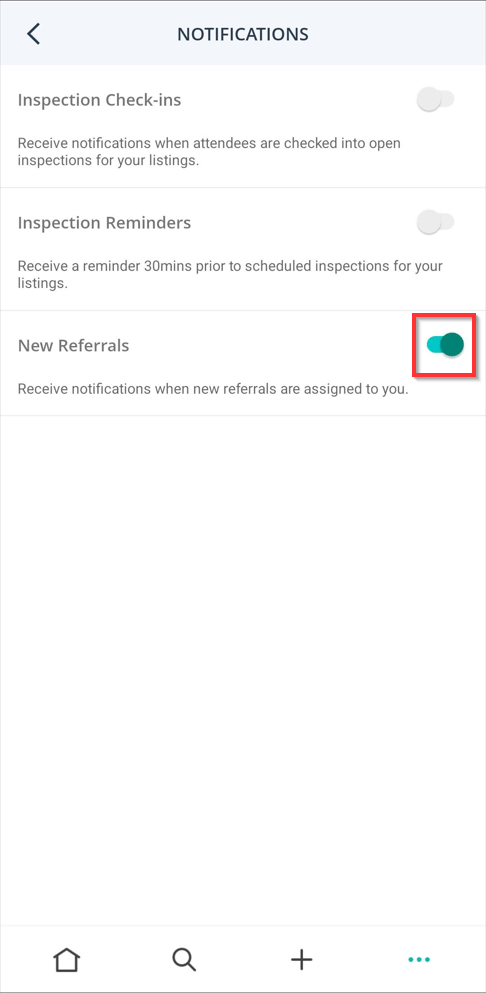
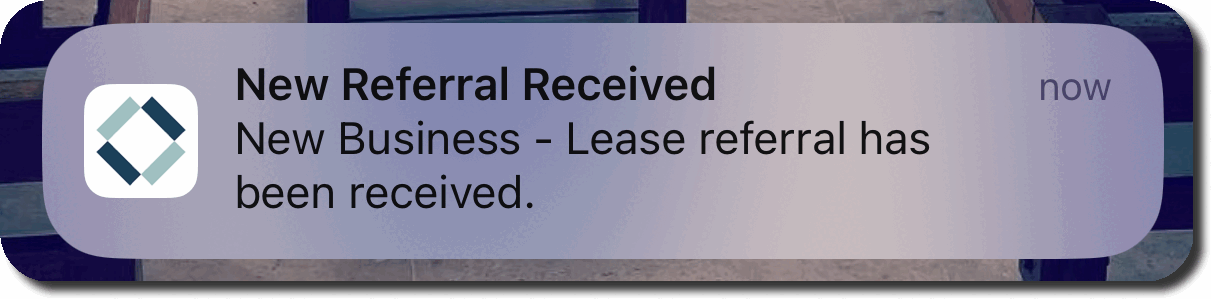
- Once enabled, the new referrals will display when received.
Note: You are also required to allow notifications from the Mobile App via your device.