'%20d='M0%208a8%208%200%200%201%208-8h24a8%208%200%200%201%208%208v24a8%208%200%200%201-8%208H8a8%208%200%200%201-8-8V8Z'/%3e%3cpath%20fill='%23fff'%20d='M10.41%206v3.779h15.048v19.537h4.132V6H10.41Z'/%3e%3cpath%20fill='%23fff'%20d='M20.967%2034V13.837L10.41%209.78v20.166L20.967%2034Z'/%3e%3cdefs%3e%3clinearGradient%20id='reapit-sales__a'%20x1='20.702'%20x2='20.702'%20y1='.351'%20y2='31.228'%20gradientUnits='userSpaceOnUse'%3e%3cstop%20stop-color='%235573FD'/%3e%3cstop%20offset='.575'%20stop-color='%234E56EA'/%3e%3c/linearGradient%3e%3c/defs%3e%3c/svg%3e)
Add Testimonials to General E-Newsletters
This article shows how to add testimonials to general e-Newsletter in Reapit Sales.
Add Testimonials to General E-Newsletters
This article shows how to add testimonials to general e-Newsletter in Reapit Sales. ****
The Testimonials section in the general e-Newsletter templates allows users to feature up to two testimonials, including the provider’s name and suburb.
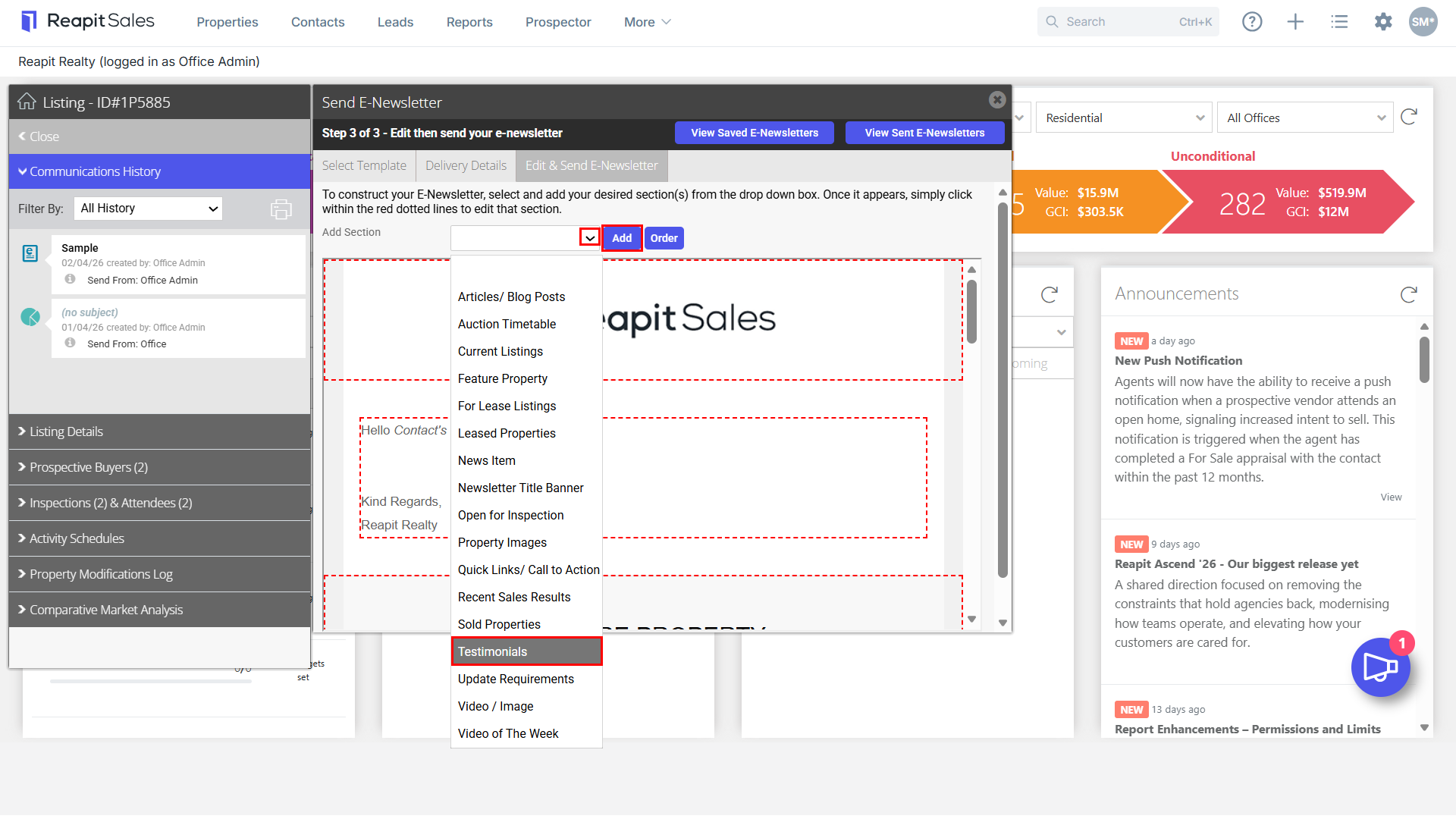
- Click on the Add Section drop-down menu and select Testimonials. Click the Add button to include on the E-Newsletter.
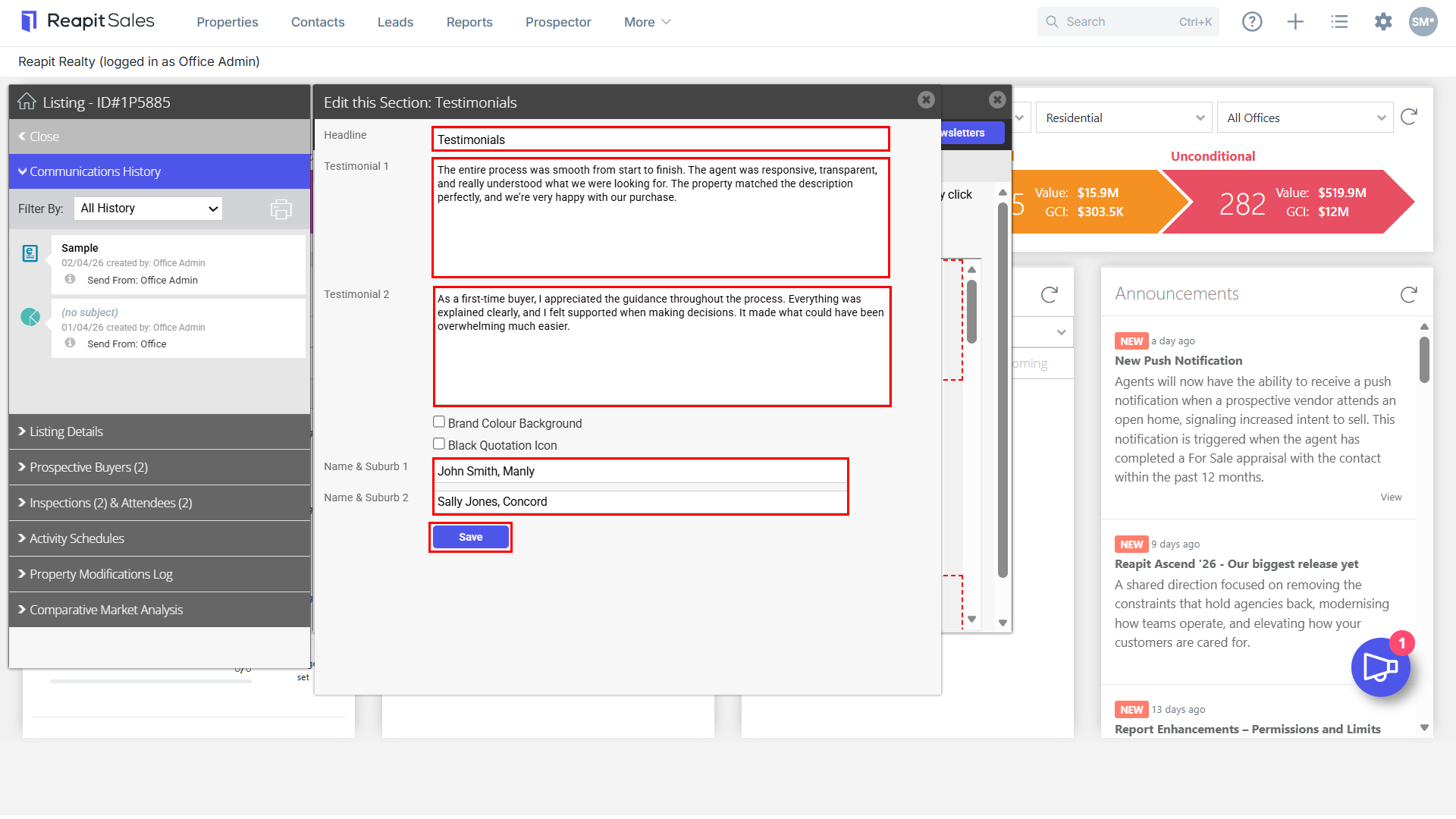
- The Edit section for Testimonials will appear. Update the headline if desired, include up to two testimonials in the text boxes displayed along with the Name & Suburb of the person who supplied the testimonial. Click Save to proceed.
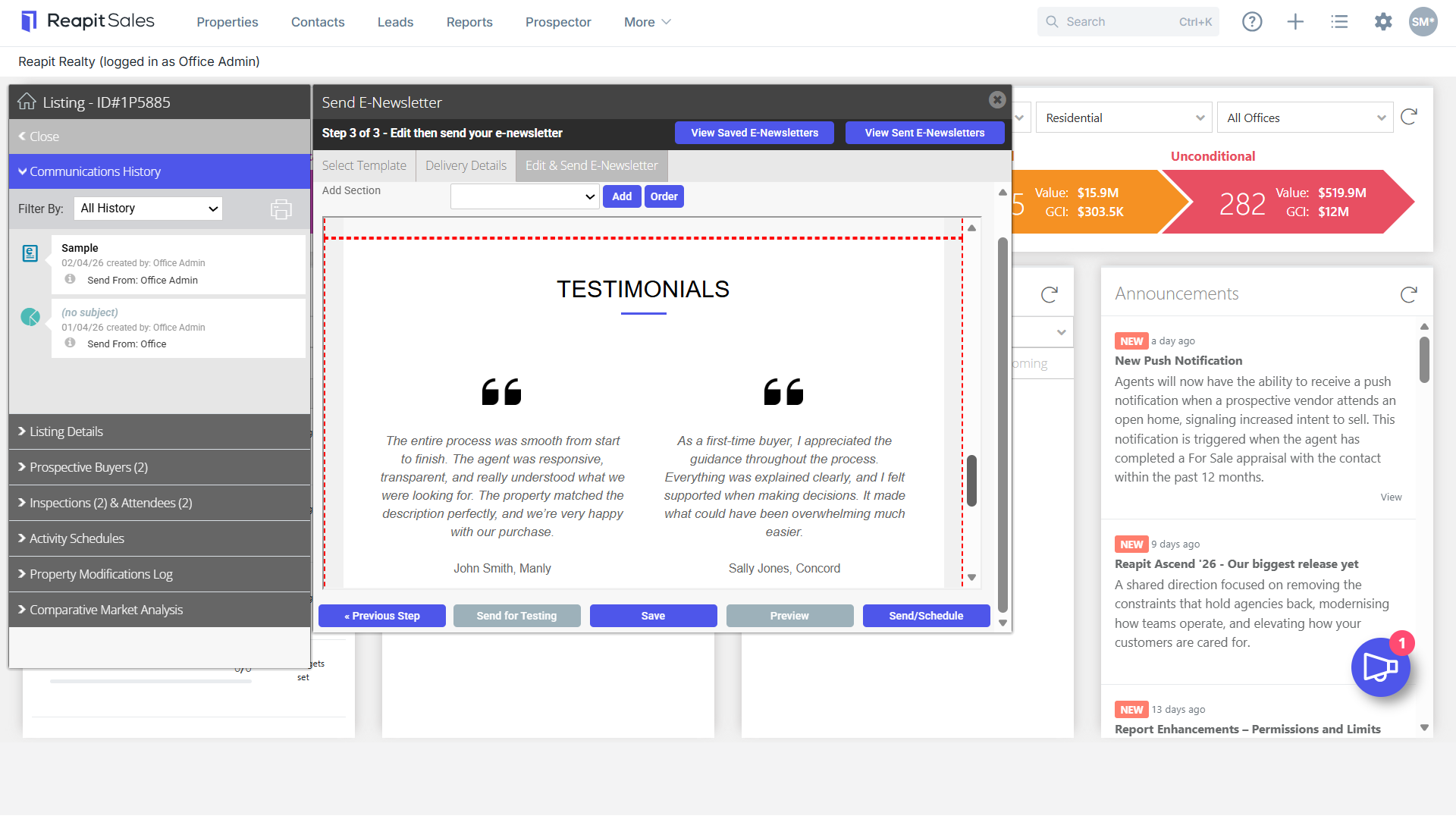
- The Testimonial will now appear in the edit section of the e-newsletter. To make any changes, click anywhere in the testimonials section to display the edit menu.
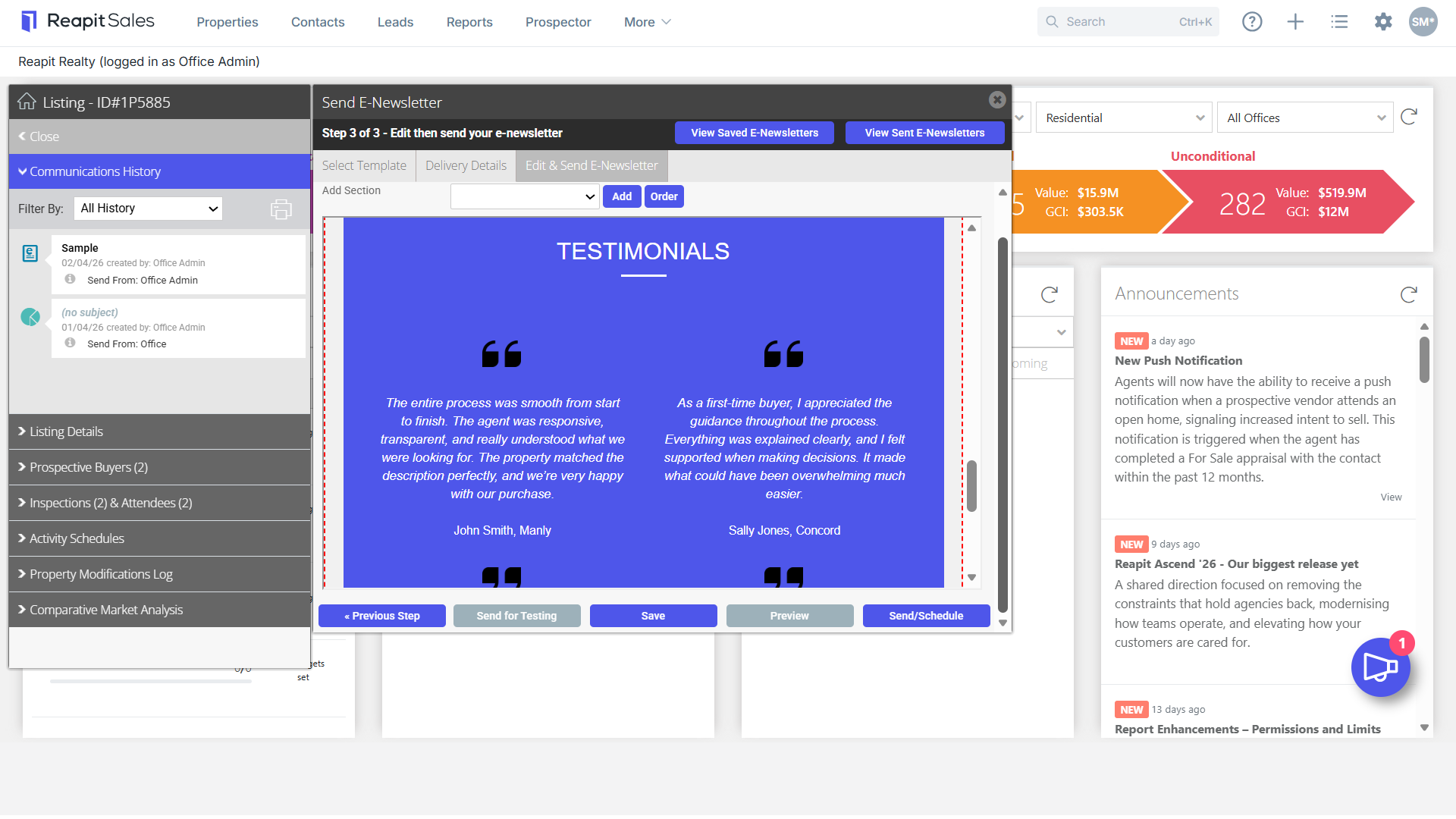
- For further customisation, click to include the Brand Colour Background along with Black Quotation Icons when using the background.
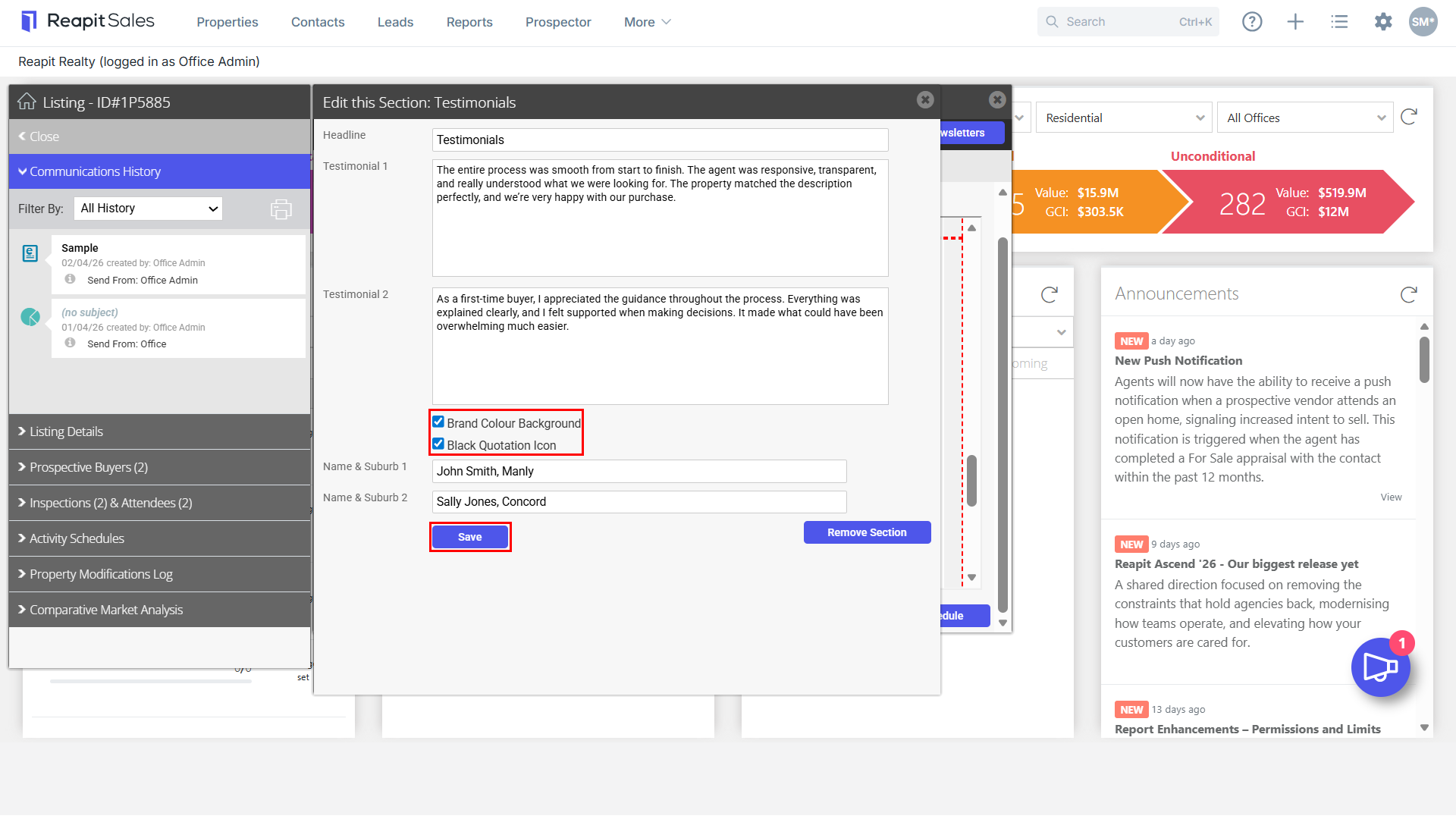
- Any changes applied will appear upon pressing Save.