'%20d='M0%208a8%208%200%200%201%208-8h24a8%208%200%200%201%208%208v24a8%208%200%200%201-8%208H8a8%208%200%200%201-8-8V8Z'/%3e%3cpath%20fill='%23fff'%20d='M10.41%206v3.779h15.048v19.537h4.132V6H10.41Z'/%3e%3cpath%20fill='%23fff'%20d='M20.967%2034V13.837L10.41%209.78v20.166L20.967%2034Z'/%3e%3cdefs%3e%3clinearGradient%20id='reapit-sales__a'%20x1='20.702'%20x2='20.702'%20y1='.351'%20y2='31.228'%20gradientUnits='userSpaceOnUse'%3e%3cstop%20stop-color='%235573FD'/%3e%3cstop%20offset='.575'%20stop-color='%234E56EA'/%3e%3c/linearGradient%3e%3c/defs%3e%3c/svg%3e)
Account Sale Footer
Listings / Ledgers This article shows how to manage the account sale footer in Reapit Sales.
Overview
Account Sale Footer
Listings / Ledgers
This article shows how to manage the account sale footer in Reapit Sales.
The Account Sale Footer is editable for each Trust Account.
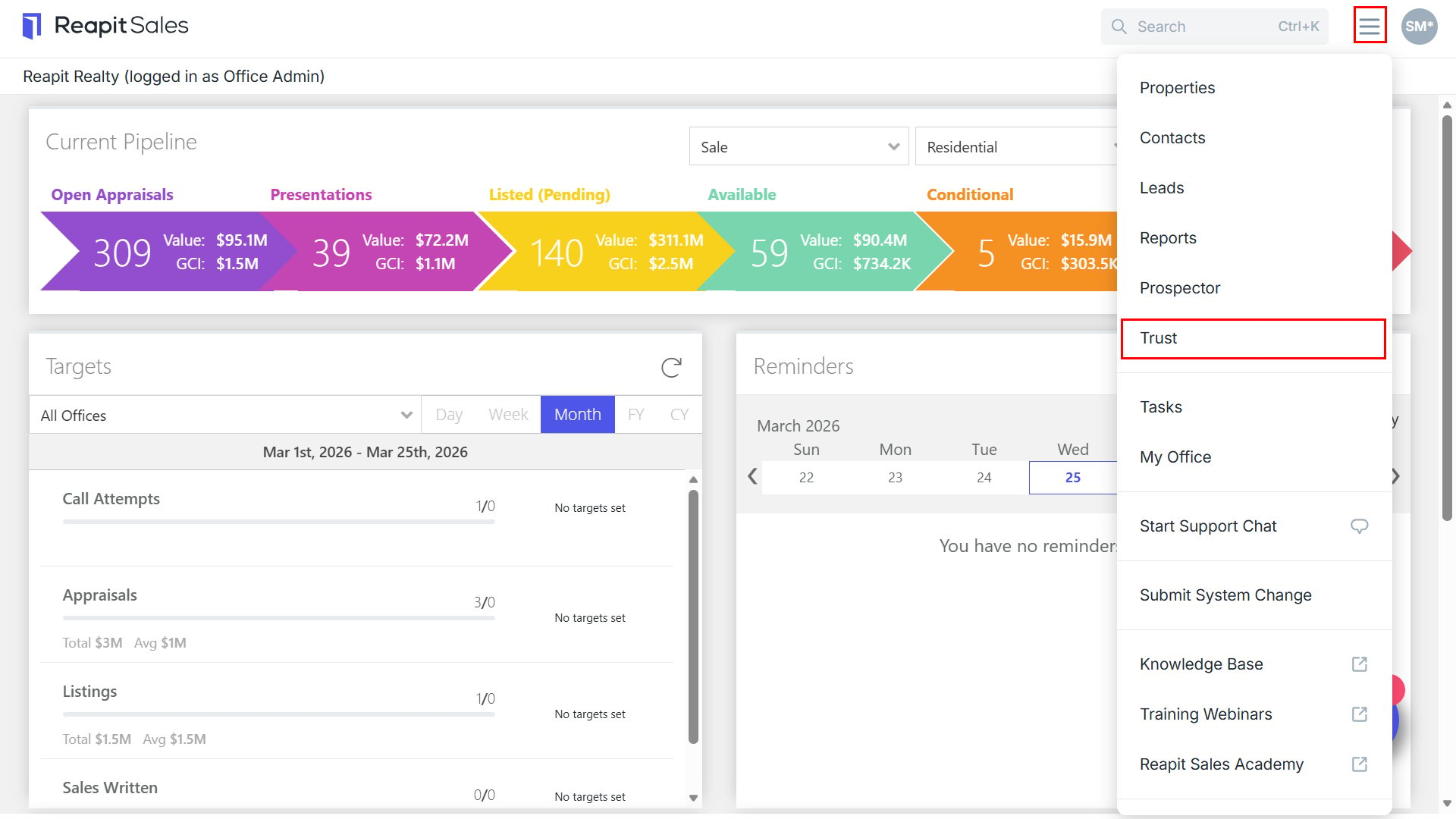
- Select Trust from the mobile menu.
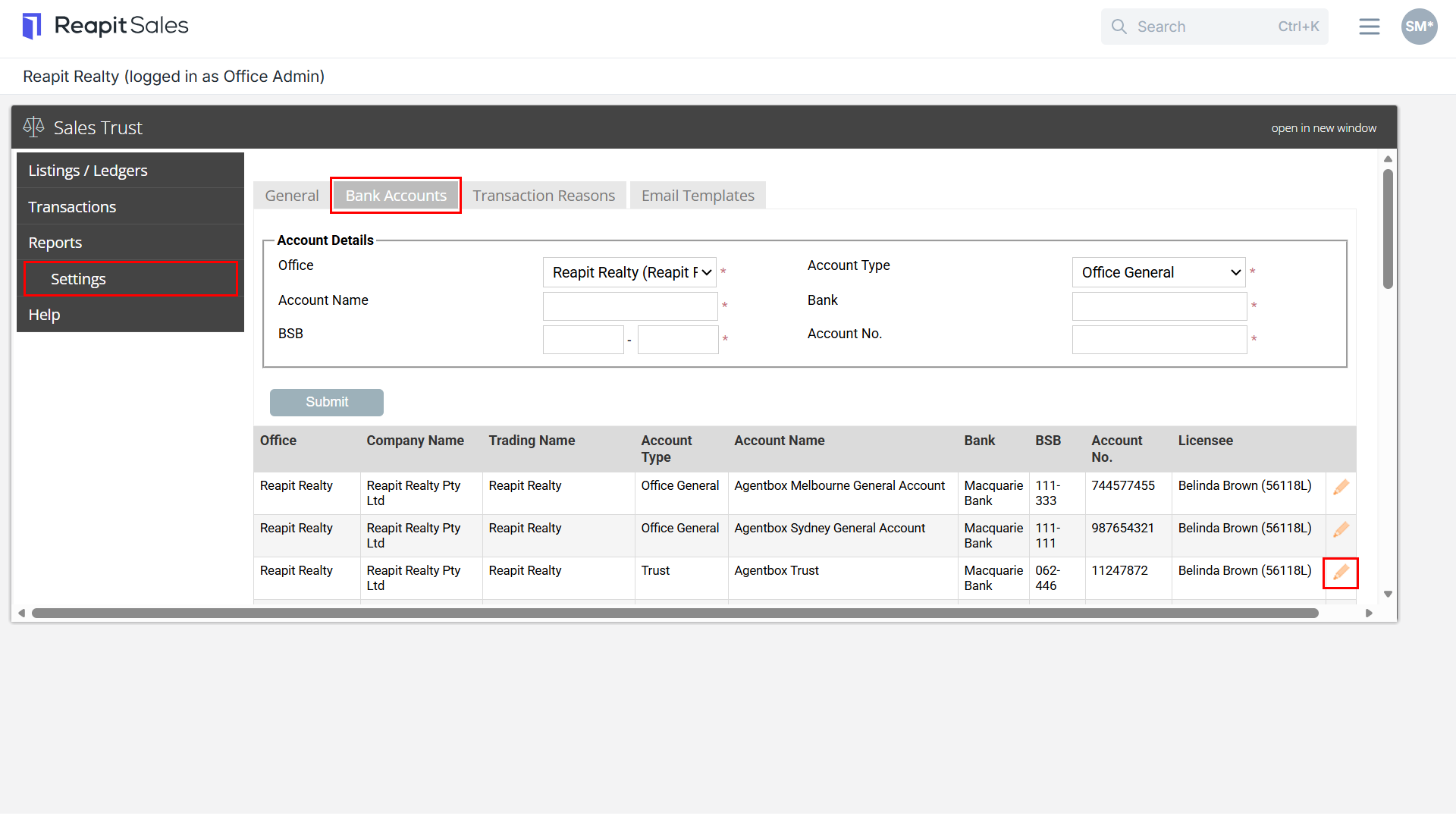
- Click Settings.
- Navigate to Bank Accounts tab.
- Click pencil edit icon to open the trust account.
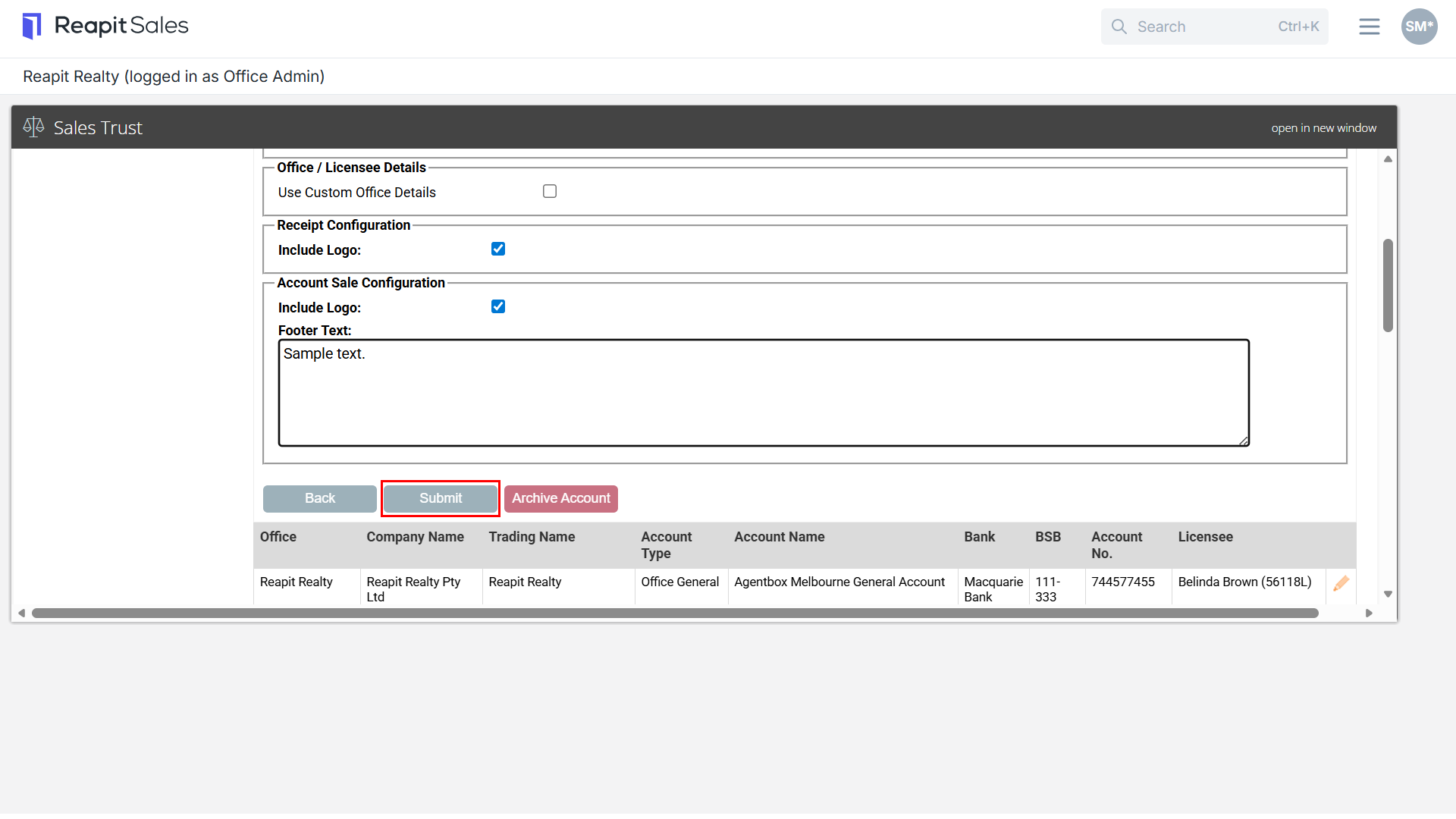
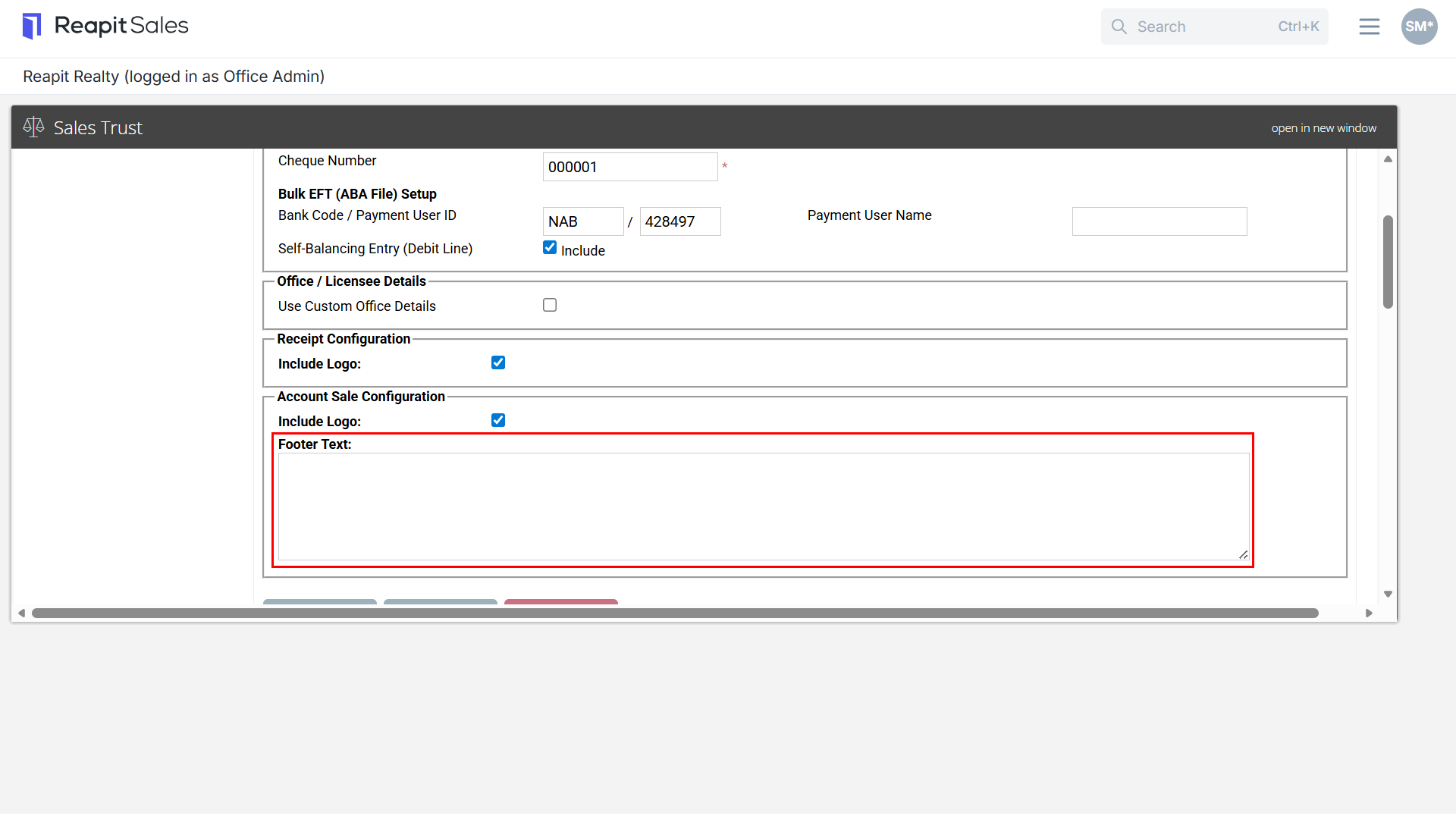
- Add/edit the Footer Text.
Some common items to include in this footer would be your terms and conditions of making payments into the trust account or your sales trust bank account details
- Click Submit to finish