'%20d='M0%208a8%208%200%200%201%208-8h24a8%208%200%200%201%208%208v24a8%208%200%200%201-8%208H8a8%208%200%200%201-8-8V8Z'/%3e%3cpath%20fill='%23fff'%20d='M10.41%206v3.779h15.048v19.537h4.132V6H10.41Z'/%3e%3cpath%20fill='%23fff'%20d='M20.967%2034V13.837L10.41%209.78v20.166L20.967%2034Z'/%3e%3cdefs%3e%3clinearGradient%20id='reapit-sales__a'%20x1='20.702'%20x2='20.702'%20y1='.351'%20y2='31.228'%20gradientUnits='userSpaceOnUse'%3e%3cstop%20stop-color='%235573FD'/%3e%3cstop%20offset='.575'%20stop-color='%234E56EA'/%3e%3c/linearGradient%3e%3c/defs%3e%3c/svg%3e)
Communicate to Staff
This article will show you how you can quickly send an SMS, Email or send a E-Newsletter to a group of staff within Reapit Sales.
Communicate to Staff
This article will show you how you can quickly send an SMS, Email or send a E-Newsletter to a group of staff within Reapit Sales.
- Click My Office from the main menu.

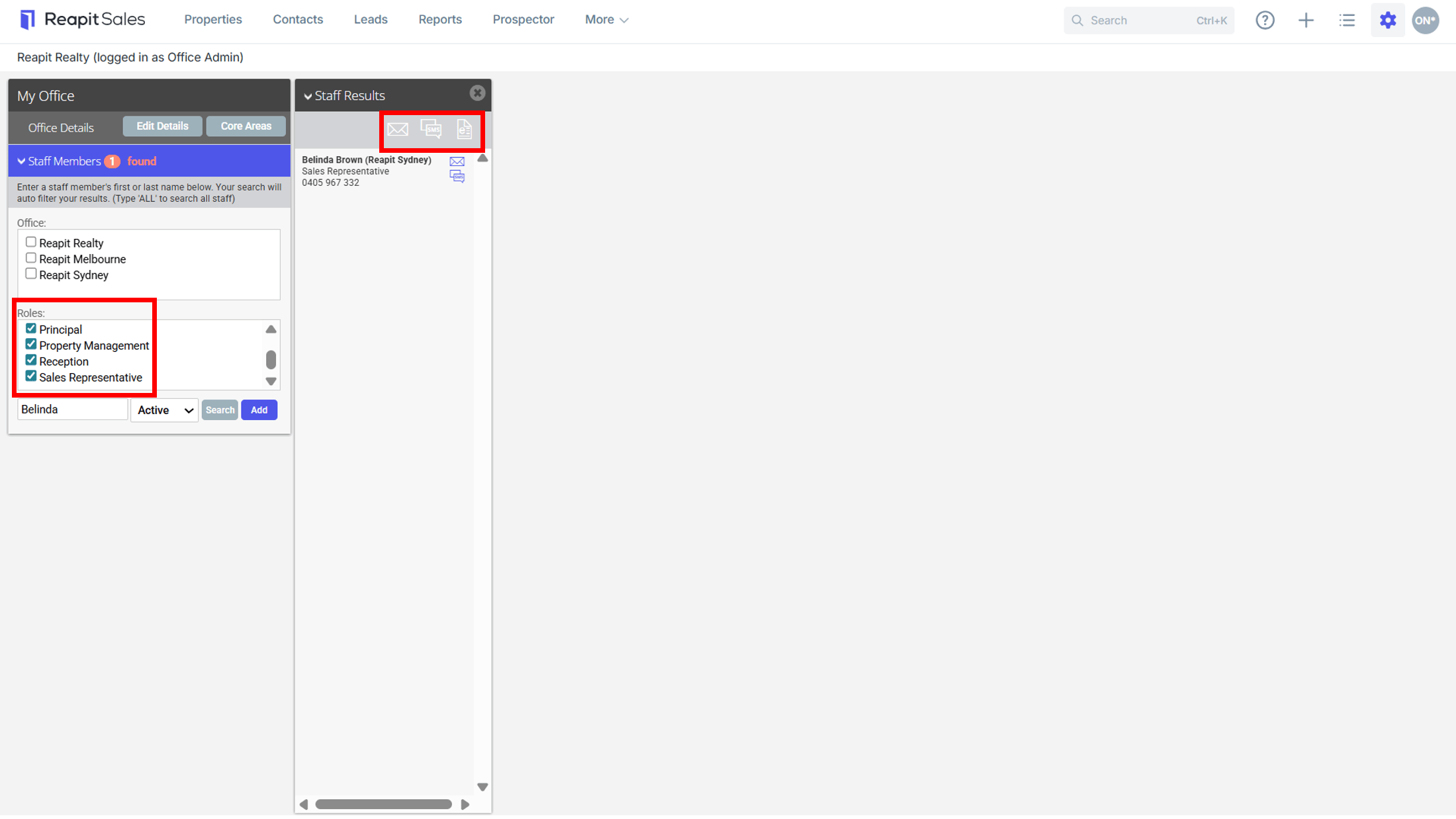
- Select to search by office, roles or leave blank to select on the left panel then hit Search (to communicate to All staff simply click Search to open the Staff Results Panel).
*Note: the ability to manage multiple offices requires a multi-office/branch configuration.
- Use the Action Icons at the top of the Staff Results Panel to email, SMS or send and e-newsletter to all staff.