'%20d='M0%208a8%208%200%200%201%208-8h24a8%208%200%200%201%208%208v24a8%208%200%200%201-8%208H8a8%208%200%200%201-8-8V8Z'/%3e%3cpath%20fill='%23fff'%20d='M10.41%206v3.779h15.048v19.537h4.132V6H10.41Z'/%3e%3cpath%20fill='%23fff'%20d='M20.967%2034V13.837L10.41%209.78v20.166L20.967%2034Z'/%3e%3cdefs%3e%3clinearGradient%20id='reapit-sales__a'%20x1='20.702'%20x2='20.702'%20y1='.351'%20y2='31.228'%20gradientUnits='userSpaceOnUse'%3e%3cstop%20stop-color='%235573FD'/%3e%3cstop%20offset='.575'%20stop-color='%234E56EA'/%3e%3c/linearGradient%3e%3c/defs%3e%3c/svg%3e)
Prospective Buyer/Tenant Follow Up on the Mobile App
This article will run through how to follow up with prospective buyers following an OFI event and record Flags and Interest Levels within your Reapit Sales App.
Prospective Buyer/Tenant Follow Up on the Mobile App
This article will run through how to follow up with prospective buyers following an OFI event and record Flags and Interest Levels within your Reapit Sales App.
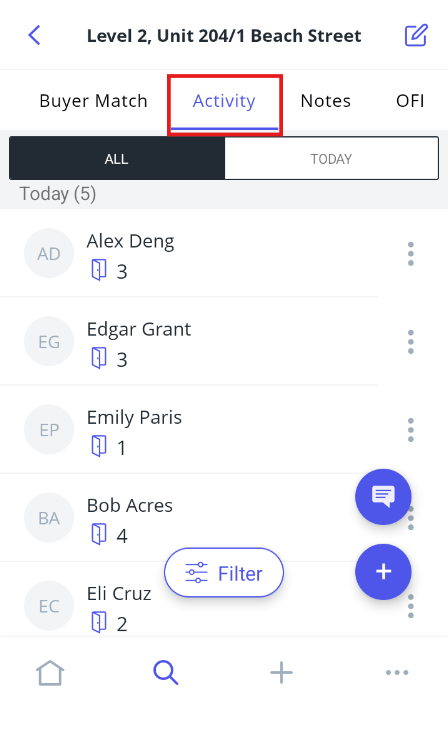
- Go to the Activity tab within the listing.
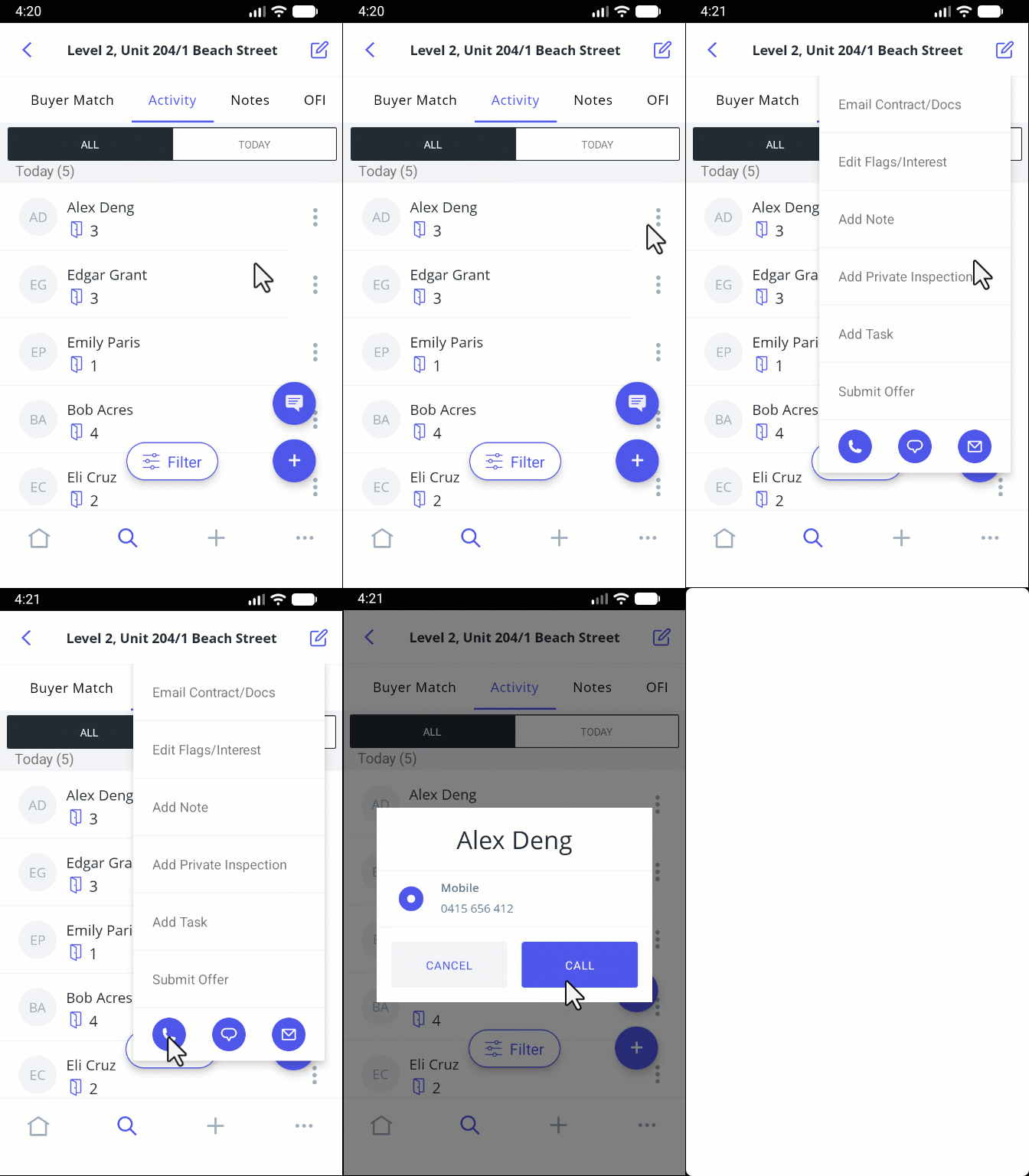
- Tap on the desired contact, then on the three action dots on the right-hand side, tap the 'Phone' icon, and press 'Call'.
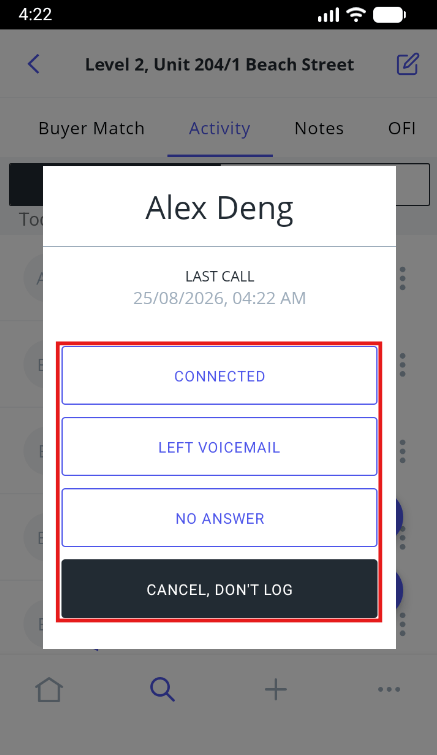
- Once you have finalised the call, you will have the option to log your call according to the outcome.
- Enter the relevant details, then press Save.
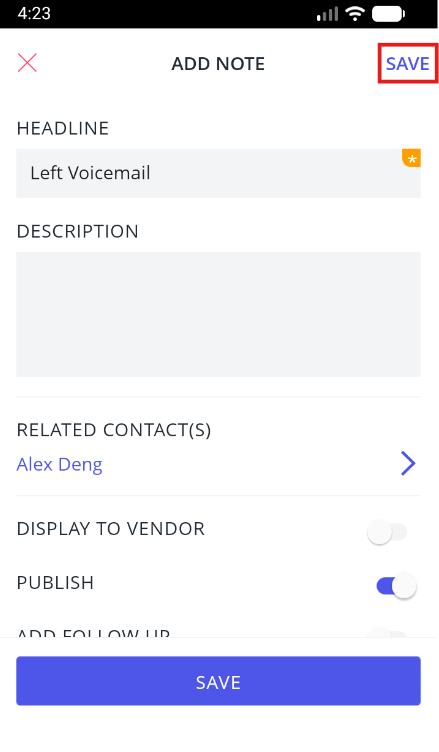
Note: If you enable the highlighted 'Display to Vendor' section, the information entered will feed through to the Activity Report.
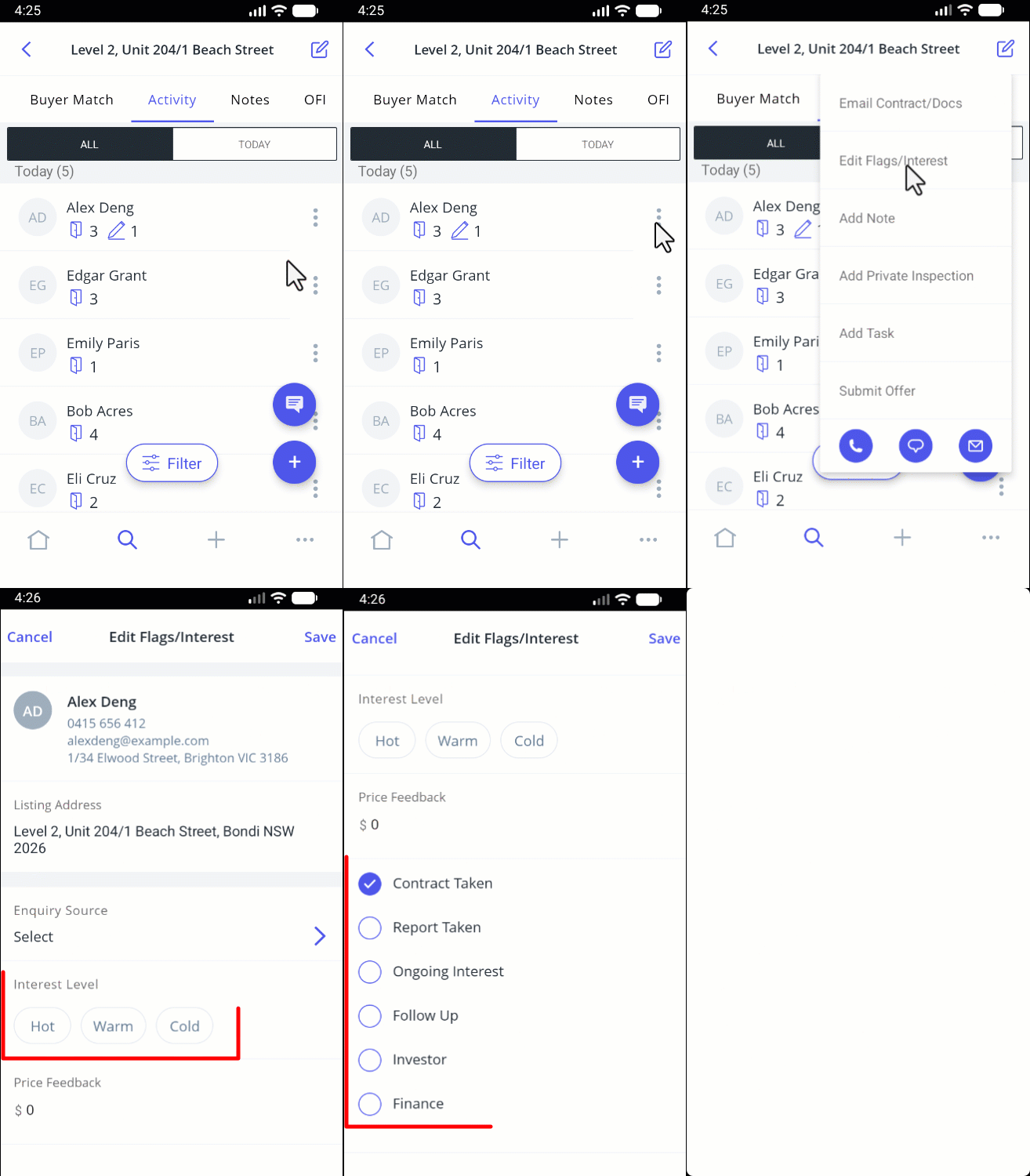
- After saving the relevant notes, navigate to the Activity tab, press the 3 Action Dots next to the contact you just spoke with, tap Edit Flags/Interest.
- Update their interest level by selecting Hot, Warm, or Cold.
- Update any applicable flags for future reference: Contract Taken, Report Taken, Ongoing Interest, Follow Up, Investor, Finance.
- Additionally, you can also update inquiry sources, price feedback and additional items that all appear in the Activity Report.