'%20d='M0%208a8%208%200%200%201%208-8h24a8%208%200%200%201%208%208v24a8%208%200%200%201-8%208H8a8%208%200%200%201-8-8V8Z'/%3e%3cpath%20fill='%23fff'%20d='M10.41%206v3.779h15.048v19.537h4.132V6H10.41Z'/%3e%3cpath%20fill='%23fff'%20d='M20.967%2034V13.837L10.41%209.78v20.166L20.967%2034Z'/%3e%3cdefs%3e%3clinearGradient%20id='reapit-sales__a'%20x1='20.702'%20x2='20.702'%20y1='.351'%20y2='31.228'%20gradientUnits='userSpaceOnUse'%3e%3cstop%20stop-color='%235573FD'/%3e%3cstop%20offset='.575'%20stop-color='%234E56EA'/%3e%3c/linearGradient%3e%3c/defs%3e%3c/svg%3e)
Log Payment
This article will cover logging payments in Reapit Sales.
Log Payment
This article will cover logging payments in Reapit Sales.
How do I record a full or part payment against an approved marketing fund?
- Search for your Property and open the Property Card
- Click the Marketing Funds tab.
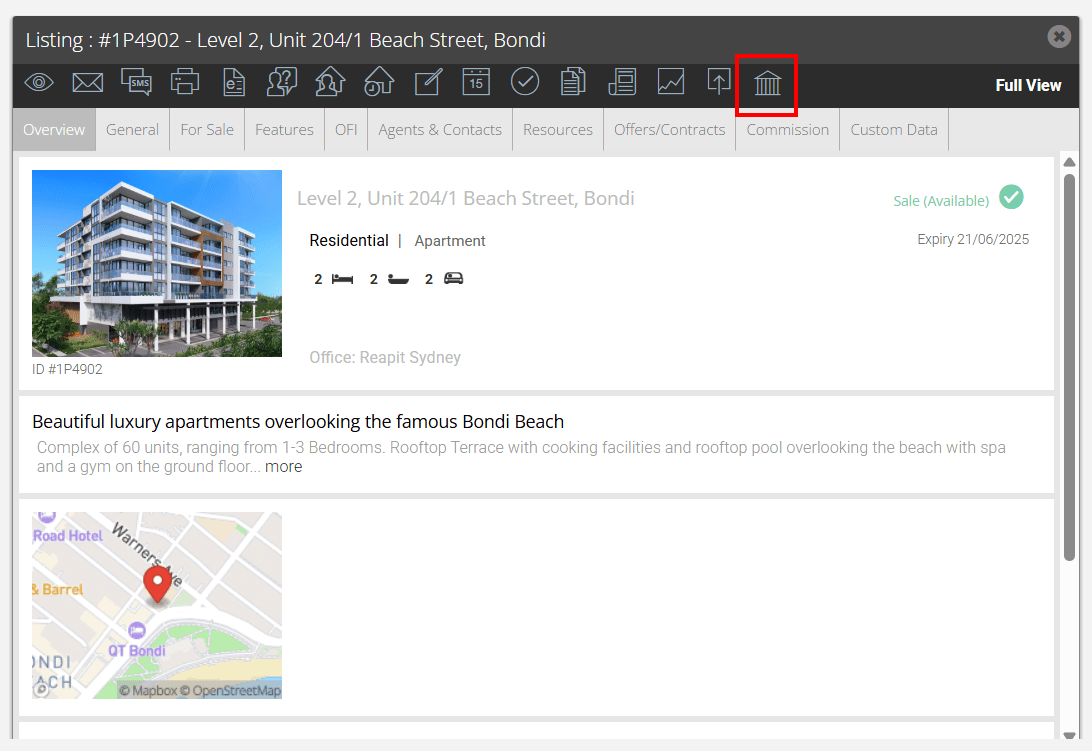
- In the first tab - Marketing Funds click Add Payment in the funds received column next to the approved funding
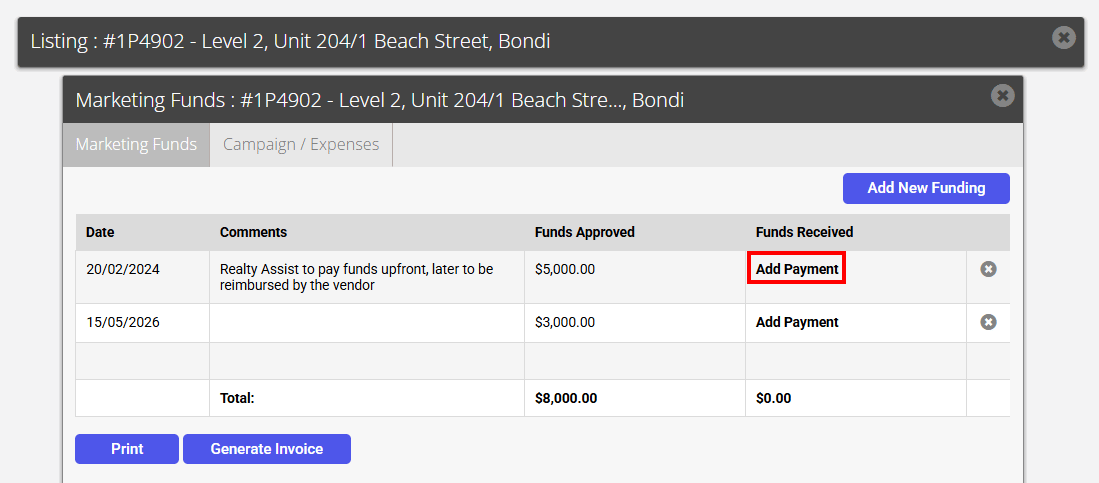
- Click Add Payment in the Funds Received column of the Marketing funds tab
o Enter the amount received, payment method, comments and click save
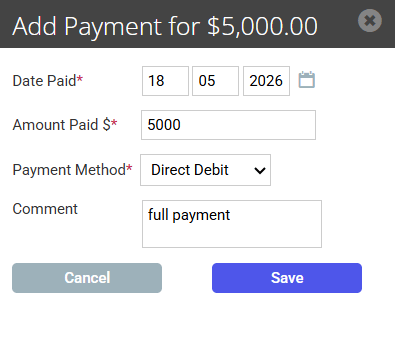
- To add another payment repeat step 4
- Once added you can edit or delete a payment or Generate a Report for the client or Generate Invoice.