'%20d='M0%208a8%208%200%200%201%208-8h24a8%208%200%200%201%208%208v24a8%208%200%200%201-8%208H8a8%208%200%200%201-8-8V8Z'/%3e%3cpath%20fill='%23fff'%20d='M10.41%206v3.779h15.048v19.537h4.132V6H10.41Z'/%3e%3cpath%20fill='%23fff'%20d='M20.967%2034V13.837L10.41%209.78v20.166L20.967%2034Z'/%3e%3cdefs%3e%3clinearGradient%20id='reapit-sales__a'%20x1='20.702'%20x2='20.702'%20y1='.351'%20y2='31.228'%20gradientUnits='userSpaceOnUse'%3e%3cstop%20stop-color='%235573FD'/%3e%3cstop%20offset='.575'%20stop-color='%234E56EA'/%3e%3c/linearGradient%3e%3c/defs%3e%3c/svg%3e)
Contact Card Left Panel Tabs
This article explaines contact card left panel tabs in Reapit Sales.
Contact Card Left Panel Tabs
This article explaines contact card left panel tabs in Reapit Sales.
If you are unable to view the left panel, please click Full View in the top right-hand corner of the main contact panel.
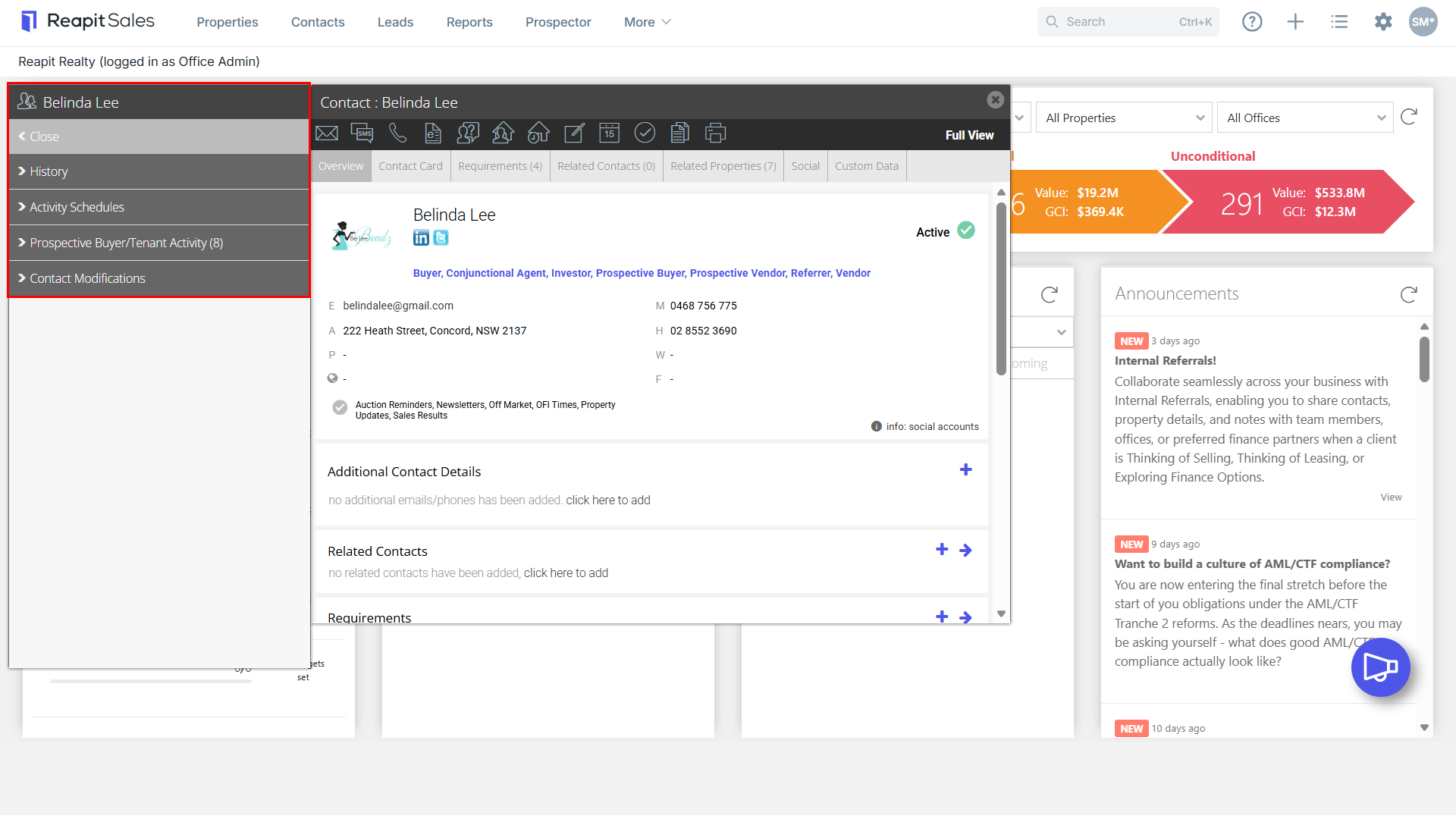
- History - This section combines the Notes, sent emails, SMS, e-newsletters and logged enquiries to create an extensive history of all communication the office has had with the contact.
- Activity Schedules - This section allows you to view and delete the activity schedules applied to the contact and the tasks involved in each.
- Prospective Buyer/Tenant Activity - This section lists properties that the contact has enquired about, viewed, taken a contract or made an offer on.
- Contact Modifications - This section allows Master Users to view all changes to the contact card with record of the date, time and which user made the change.