'%20d='M0%208a8%208%200%200%201%208-8h24a8%208%200%200%201%208%208v24a8%208%200%200%201-8%208H8a8%208%200%200%201-8-8V8Z'/%3e%3cpath%20fill='%23fff'%20d='M10.41%206v3.779h15.048v19.537h4.132V6H10.41Z'/%3e%3cpath%20fill='%23fff'%20d='M20.967%2034V13.837L10.41%209.78v20.166L20.967%2034Z'/%3e%3cdefs%3e%3clinearGradient%20id='reapit-sales__a'%20x1='20.702'%20x2='20.702'%20y1='.351'%20y2='31.228'%20gradientUnits='userSpaceOnUse'%3e%3cstop%20stop-color='%235573FD'/%3e%3cstop%20offset='.575'%20stop-color='%234E56EA'/%3e%3c/linearGradient%3e%3c/defs%3e%3c/svg%3e)
Mobile App: Leads
This article outlines the Leads function in the Sales Mobile App.
Overview
Mobile App: Leads
This article outlines the Leads function in the Sales Mobile App.
Accessing and Filtering Leads
- Leads can be accessed from the More* screen.
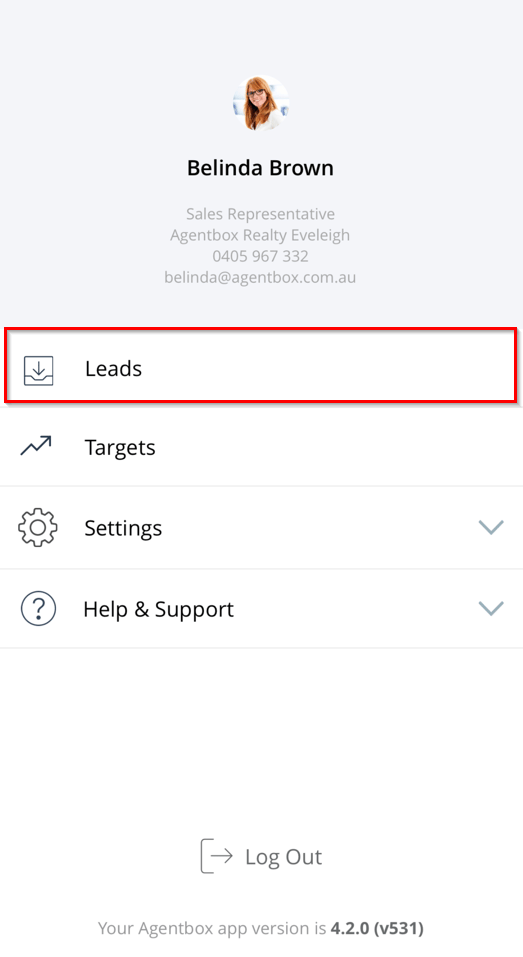
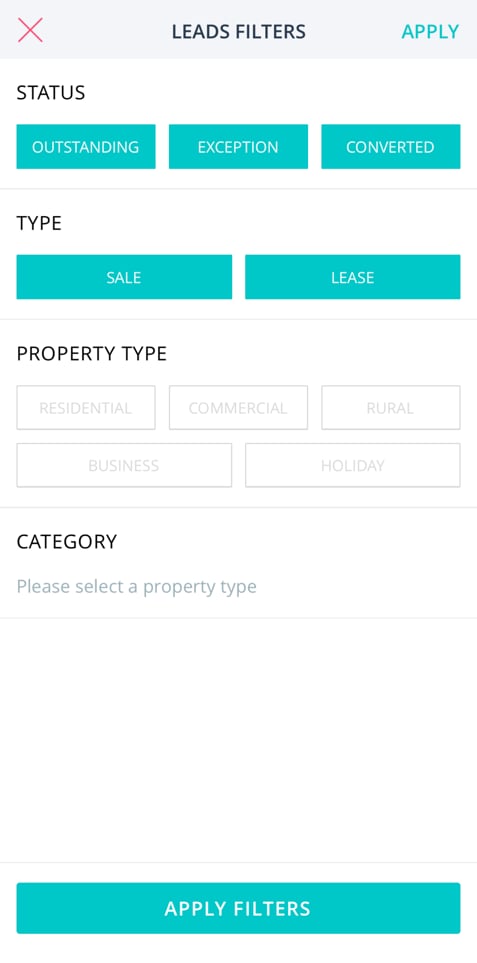
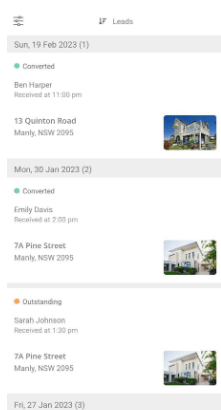
- Users can see a list of all of their leads by date, by default all leads will show, and filters can be applied to view leads based on the agents individual preference.
Filter by lead status: outstanding, exception or converted
Filter by lead type: sale or lease
Filter by property category: residential, commercial, rural, business, holiday
- Tap through to a lead to view more information and to manage leads.
Manage My Leads - Exceptions
Users will only be able to view Leads where they are explicitly assigned to a listing. For those working within a team, they will be required to be assigned to the listing to view leads assigned to a team member.
If ‘delete lead’s' is ticked on their profile they will be able to delete leads.
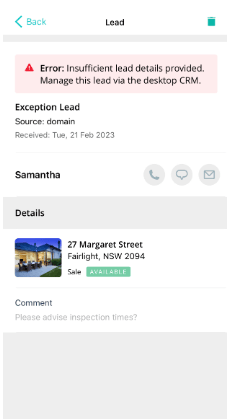
Users will be able to view* and delete* exceptions (if relevant permissions allow).
Example of an exception: Missing Surname. Tap through to view Lead details, update missing surname plus convert the Lead ensuring only quality data is added to your database.
Manage my Leads - Outstanding
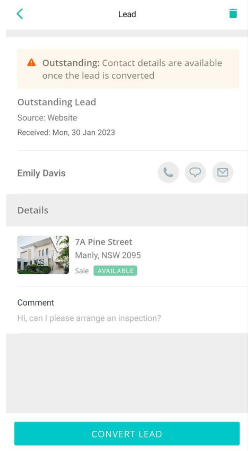
Users will be able to tap on an ‘outstanding’ lead to view the following:
Date received
Enquiry Source
Contact Name
Listing - tap through to listing available
Comment
Upon review, users can proceed to convert the lead* or delete* it if required.
Converting & deleting leads display a pop-up message to confirm or cancel the action.
Manage my Leads - Converted
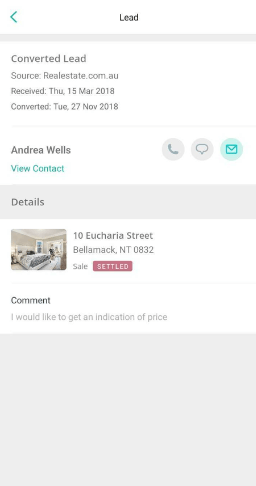
Once a lead is converted, users will be able to complete the following:
View Contact - tap through to contact available.
View listing - tap through to listing available.
Utilise communication tools: send SMS, send email and log a phone call.