'%20d='M0%208a8%208%200%200%201%208-8h24a8%208%200%200%201%208%208v24a8%208%200%200%201-8%208H8a8%208%200%200%201-8-8V8Z'/%3e%3cpath%20fill='%23fff'%20d='M10.41%206v3.779h15.048v19.537h4.132V6H10.41Z'/%3e%3cpath%20fill='%23fff'%20d='M20.967%2034V13.837L10.41%209.78v20.166L20.967%2034Z'/%3e%3cdefs%3e%3clinearGradient%20id='reapit-sales__a'%20x1='20.702'%20x2='20.702'%20y1='.351'%20y2='31.228'%20gradientUnits='userSpaceOnUse'%3e%3cstop%20stop-color='%235573FD'/%3e%3cstop%20offset='.575'%20stop-color='%234E56EA'/%3e%3c/linearGradient%3e%3c/defs%3e%3c/svg%3e)
Access Permission - Franchise Reporting
This article runs through about access permission for franchise reporting in Reapit Sales. Note: For Reapit Sales Clients with the Franchise Reporting Module. Permissions may apply.
Access Permission - Franchise Reporting
This article runs through about access permission for franchise reporting in Reapit Sales.
Note: For Reapit Sales Clients with the Franchise Reporting Module. Permissions may apply.
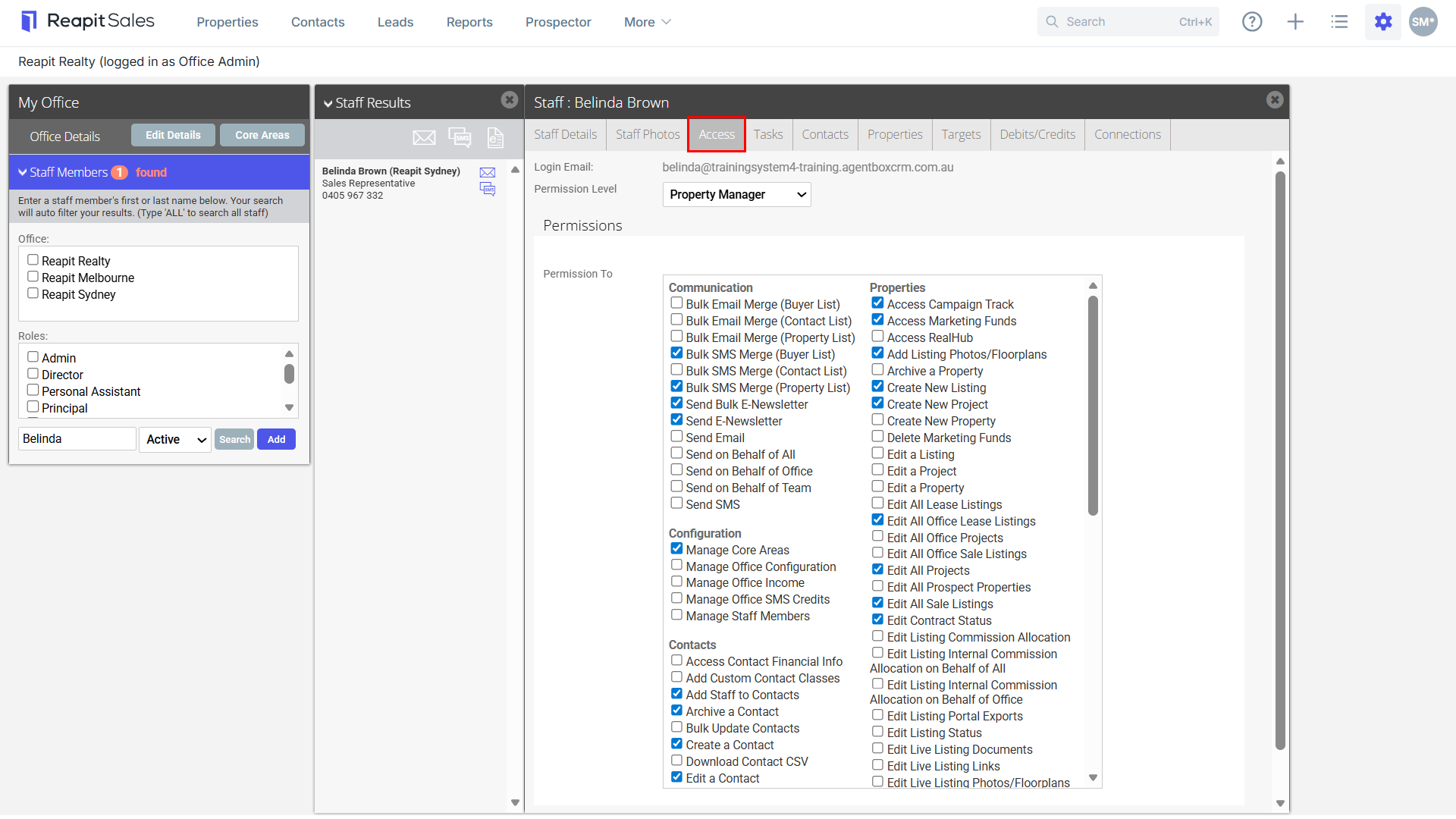
In order to allocate a staff member's access to Franchise Reporting, you must follow the steps below:
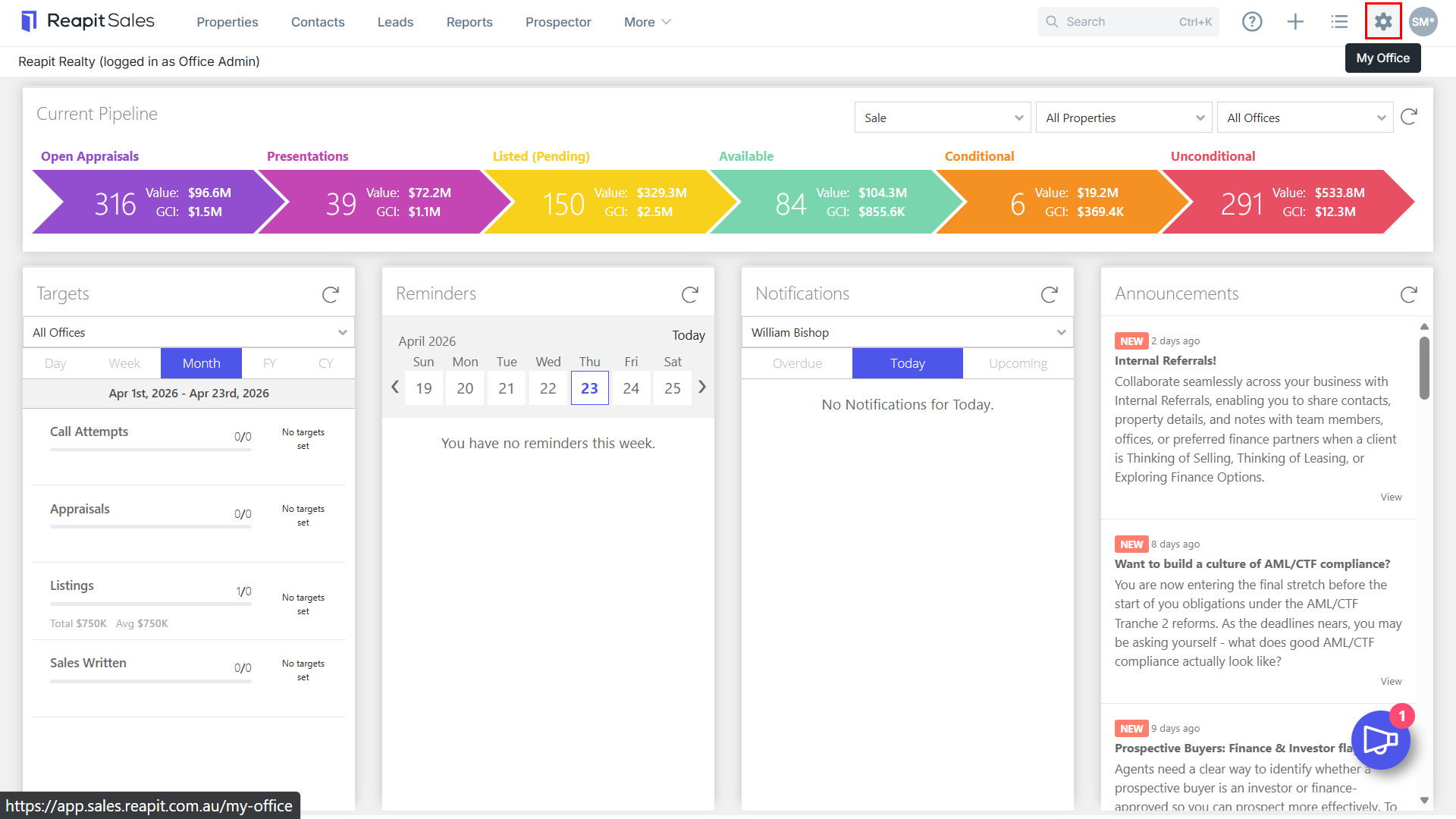
- Click on My Office from the Main Menu
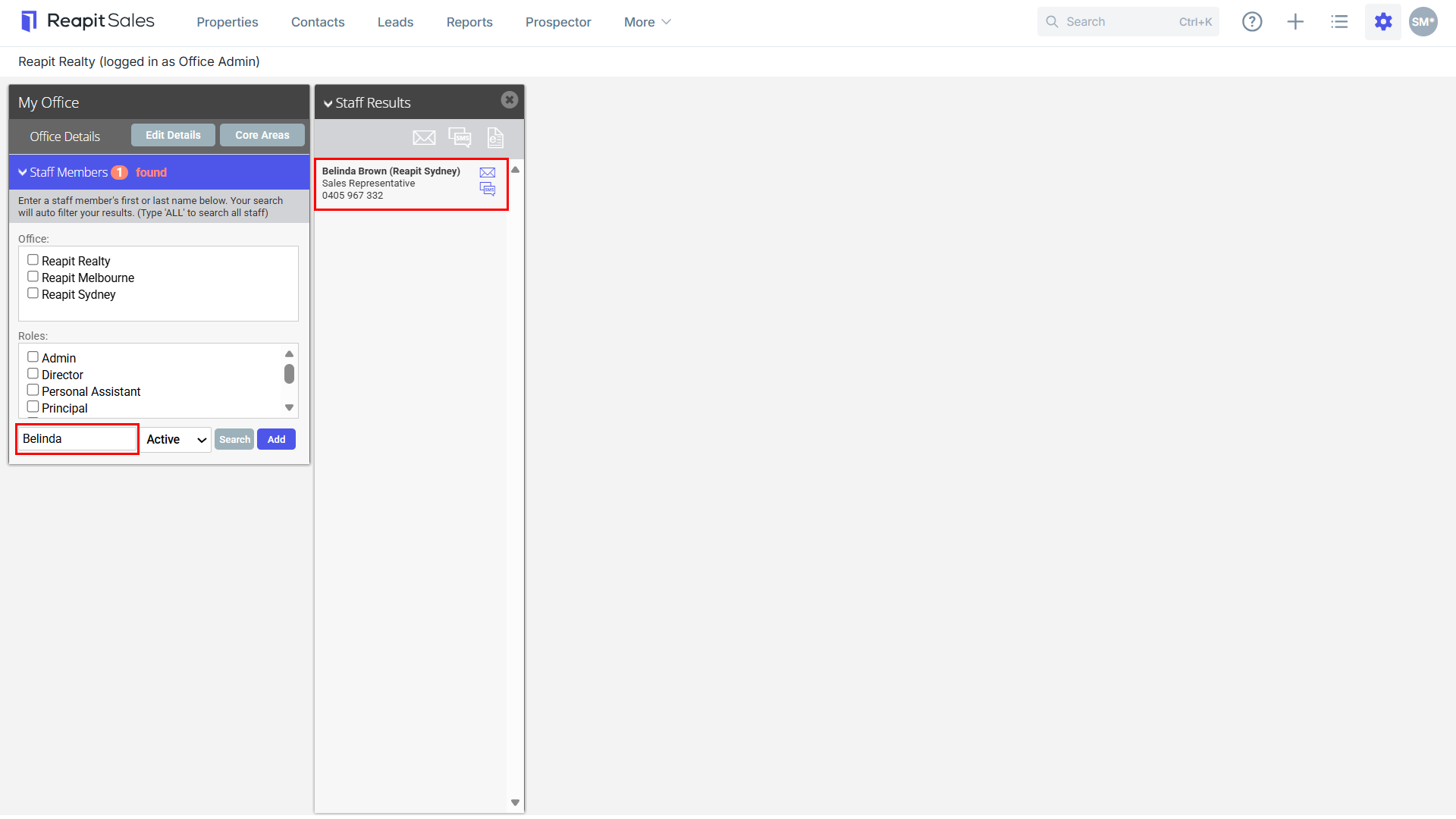
- Type the staff member's name on the Left Panel and the staff member will appear on the staff results panel.

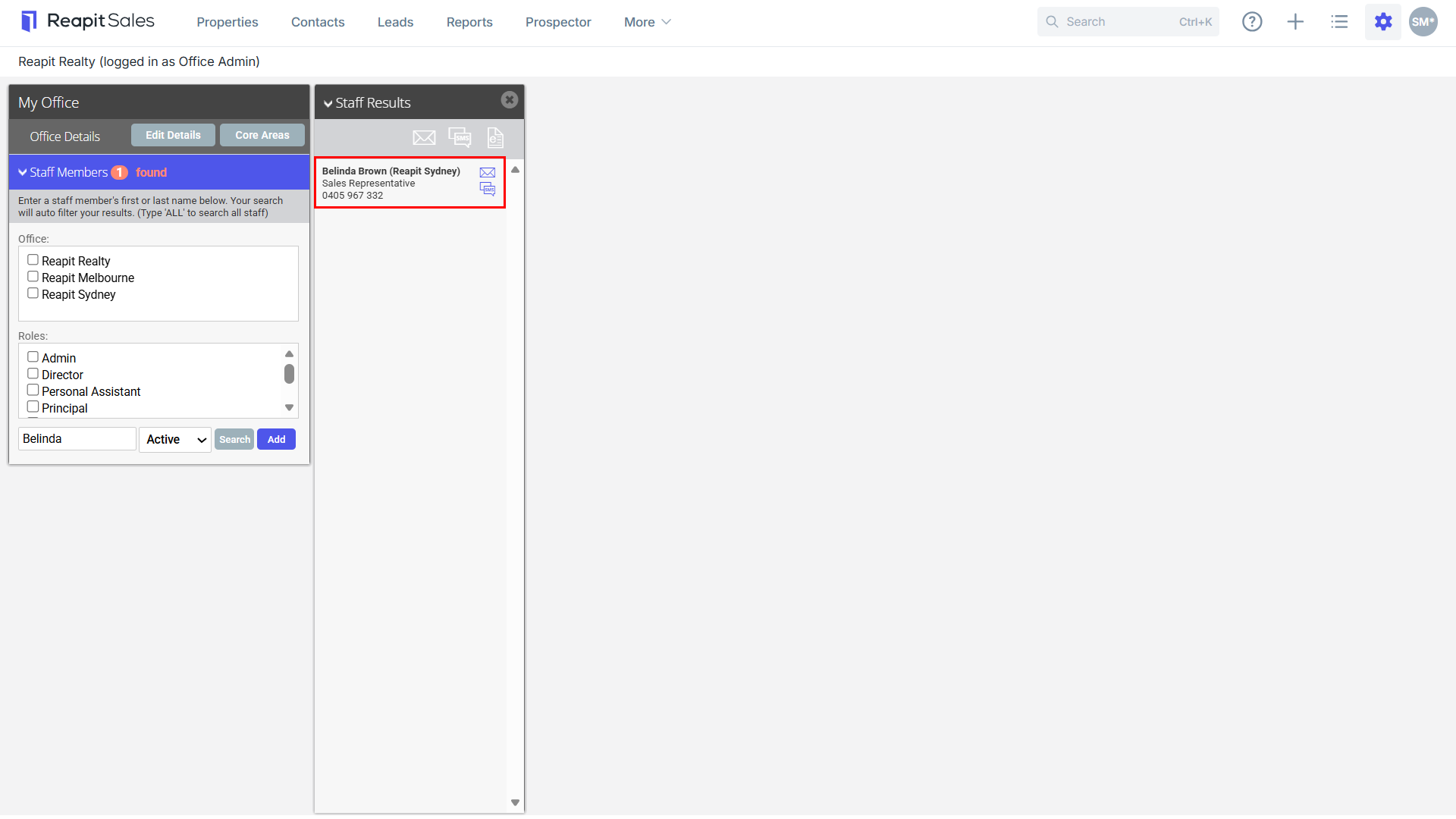
- Click on the staff members name to open their staff card.
- Select the Access tab.
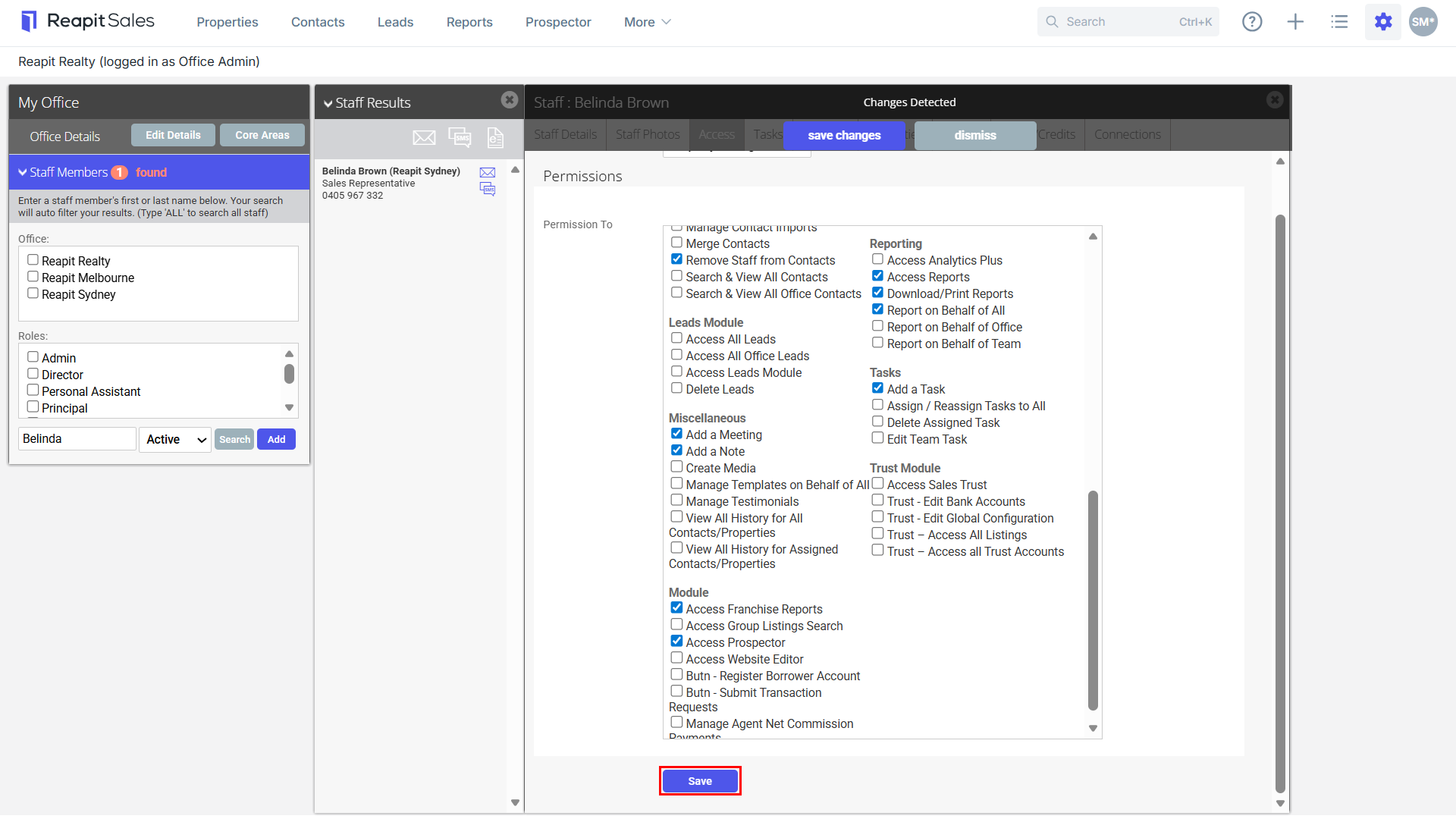
- Tick the Access Franchise Reports checkbox under the Module permission heading.
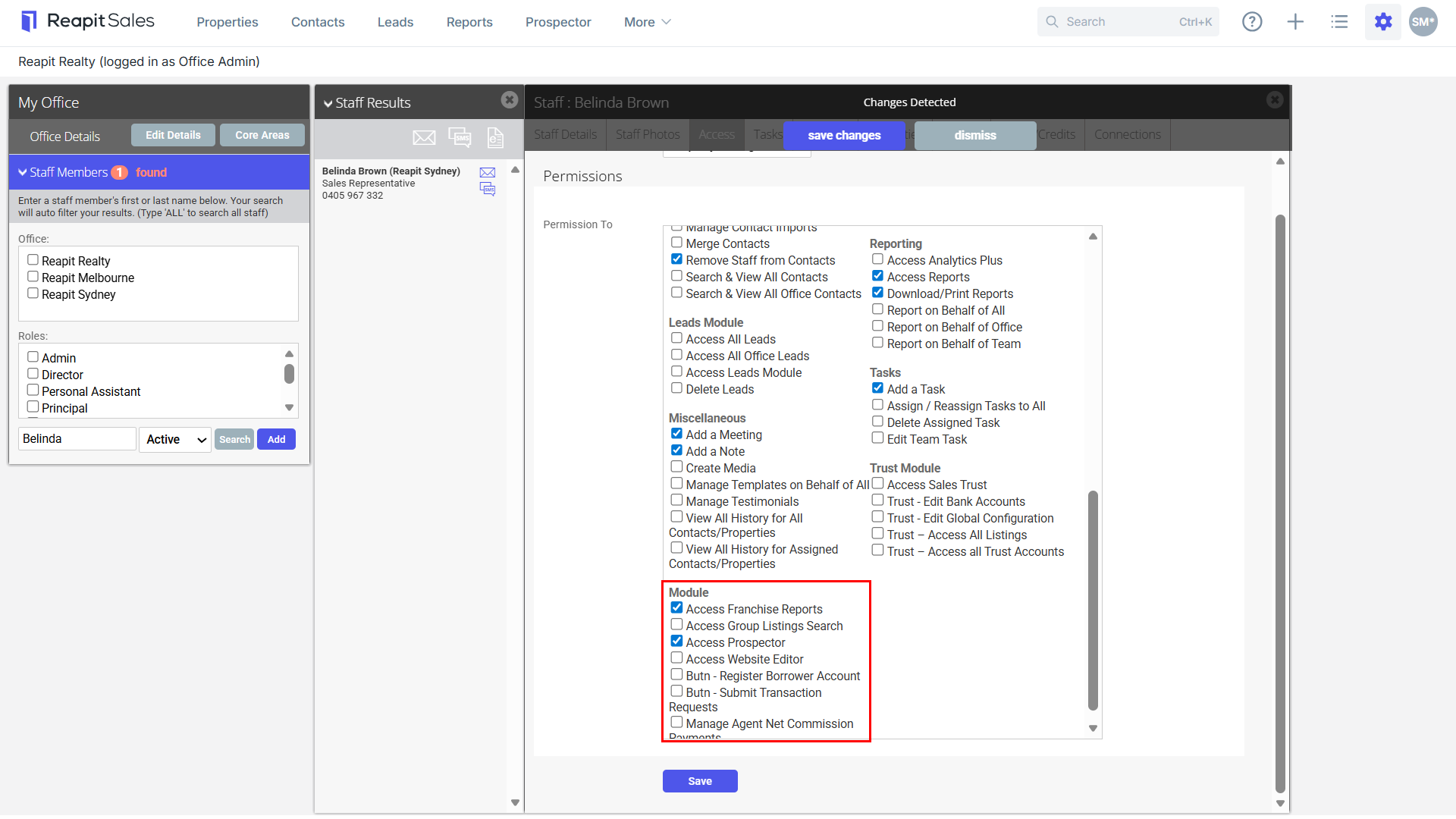
Note: If you DO NOT SEE the Access Franchise Reports checkbox, yourself - you do not have access to Franchise Reporting. Check with another user that has this ticked on their staff card, as they can provide you with access.
- Reporting Permission is also required, tick the option to Report on Behalf of Office or Report on behalf of All.
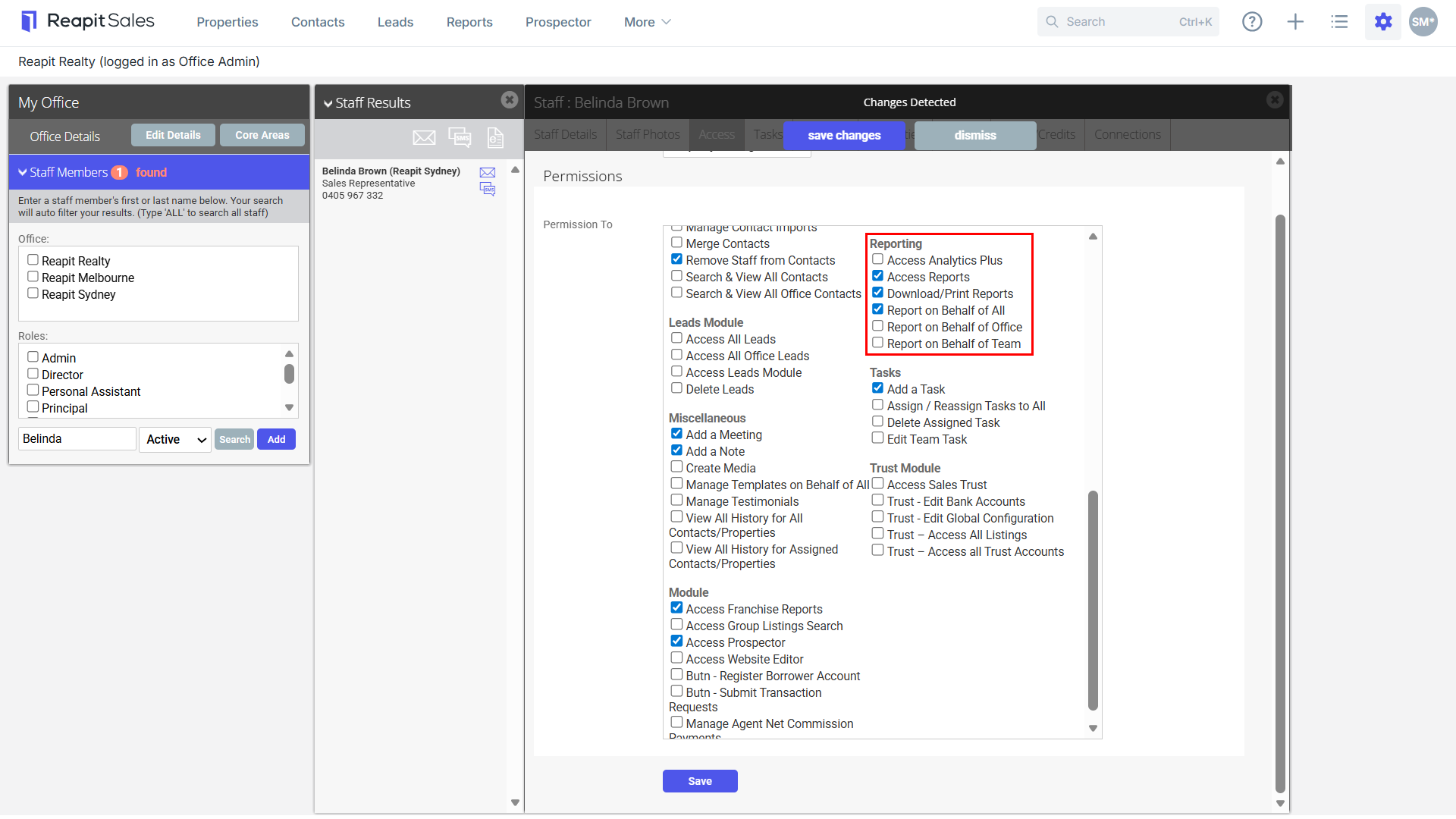
- Click Save to finish.