'%20d='M0%208a8%208%200%200%201%208-8h24a8%208%200%200%201%208%208v24a8%208%200%200%201-8%208H8a8%208%200%200%201-8-8V8Z'/%3e%3cpath%20fill='%23fff'%20d='M10.41%206v3.779h15.048v19.537h4.132V6H10.41Z'/%3e%3cpath%20fill='%23fff'%20d='M20.967%2034V13.837L10.41%209.78v20.166L20.967%2034Z'/%3e%3cdefs%3e%3clinearGradient%20id='reapit-sales__a'%20x1='20.702'%20x2='20.702'%20y1='.351'%20y2='31.228'%20gradientUnits='userSpaceOnUse'%3e%3cstop%20stop-color='%235573FD'/%3e%3cstop%20offset='.575'%20stop-color='%234E56EA'/%3e%3c/linearGradient%3e%3c/defs%3e%3c/svg%3e)
Running a Quick Search in Prospector
This article will cover performing a quick search with Prospector in Reapit Sales.
Running a Quick Search in Prospector
This article will cover performing a quick search with Prospector in Reapit Sales.
- Navigate to Prospector and select your Core Area from the drop-down.
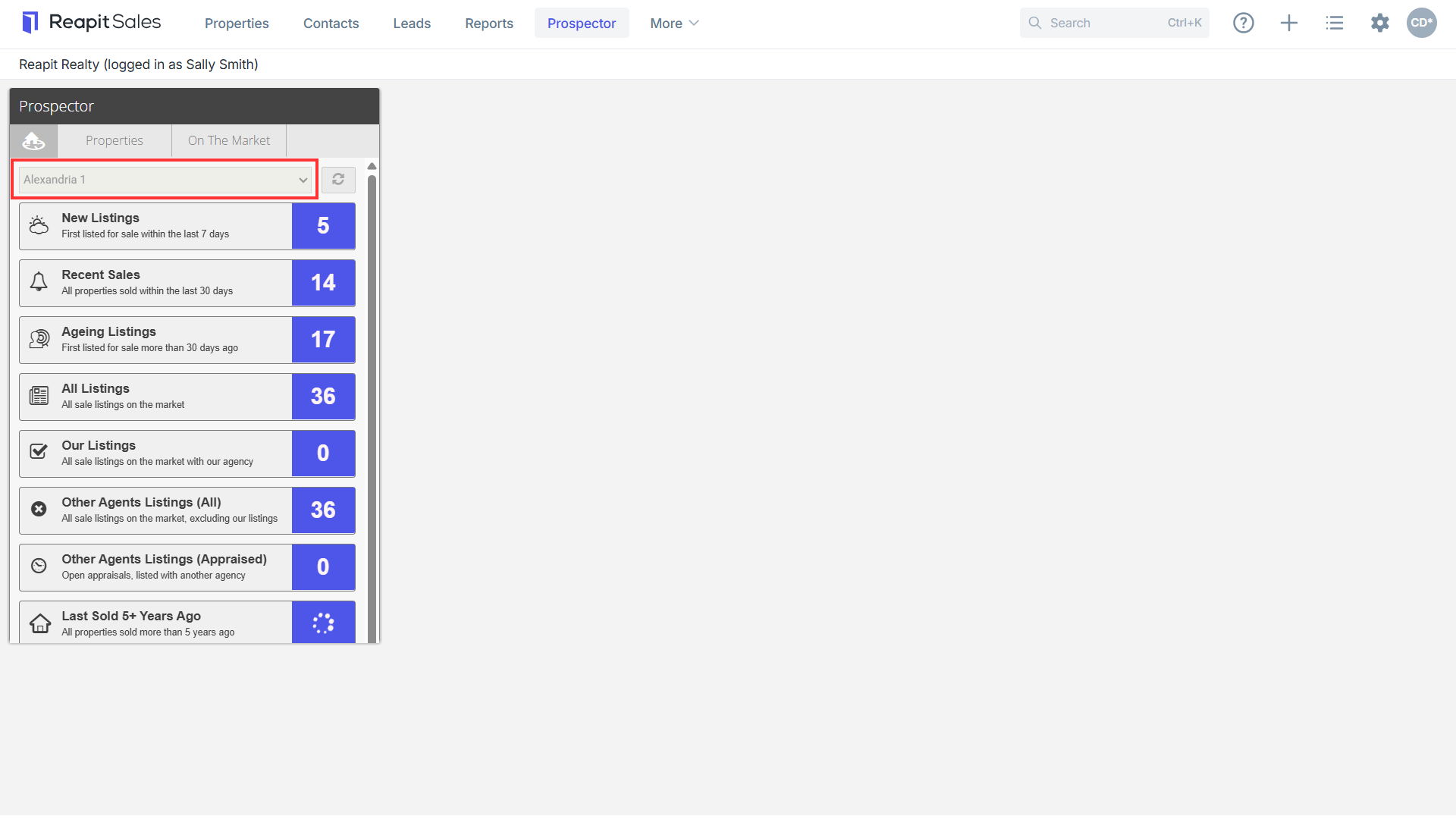
This will highlight several key searches available to you, and a predefined number of property results.
- Select the relevant search from the dropdown. Depending on your selected search, this will take you to a predefined Property Search with properties from Agentbox/CoreLogic, or a predefined On The Market Search.
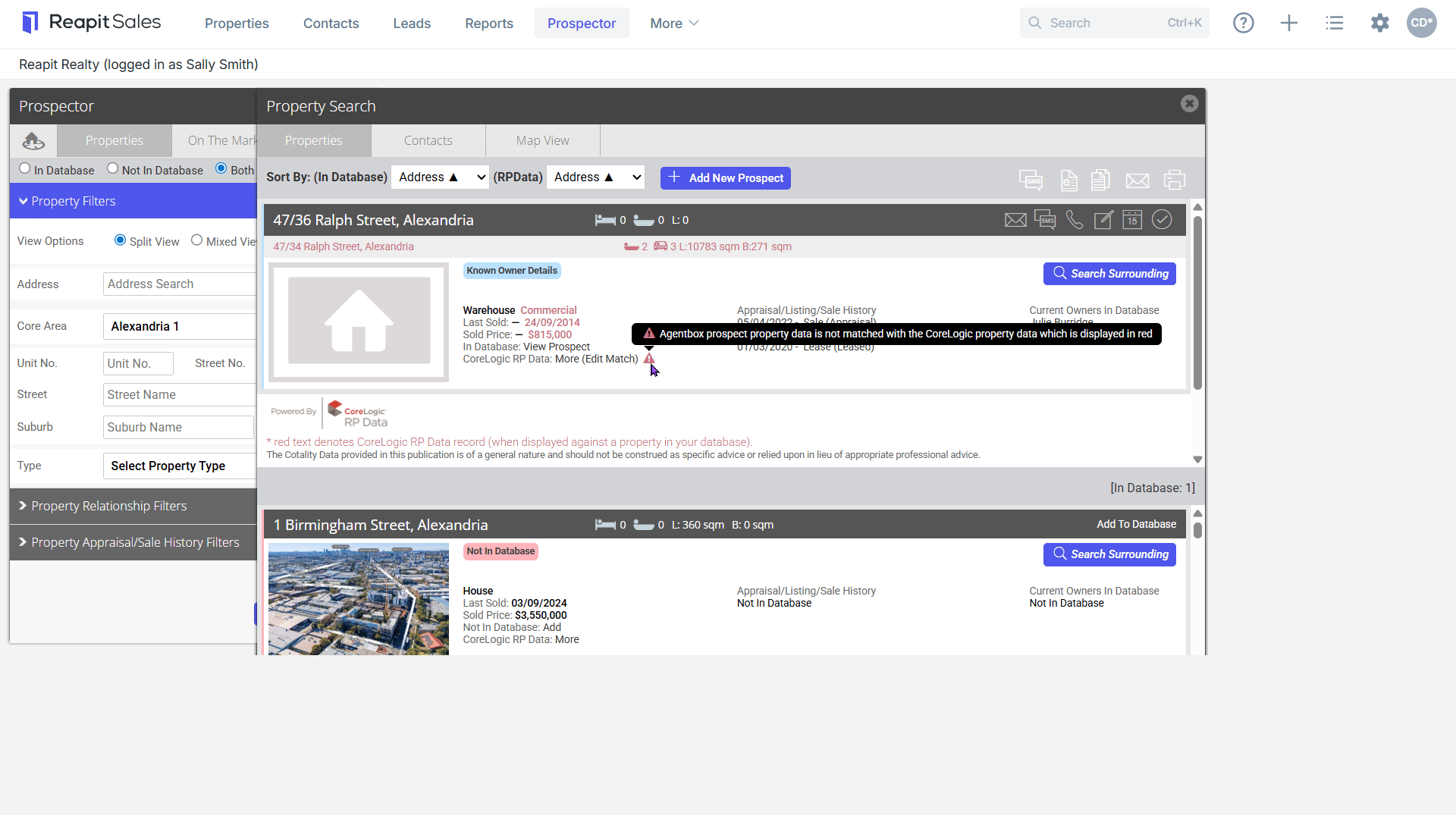
Sample Property Search
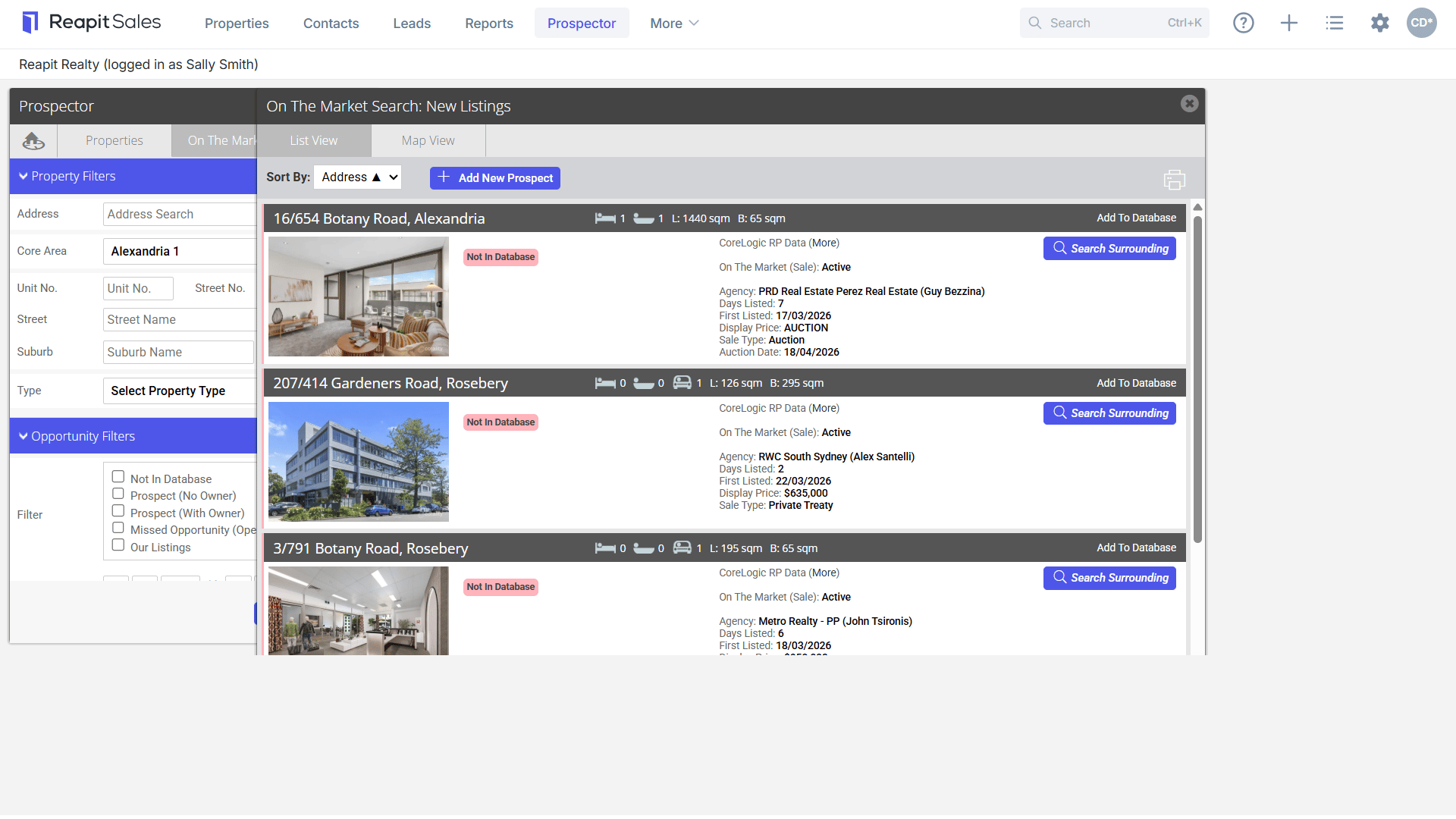
Sample On the Market Search
These lists have several action icons available for prospecting and can be filtered or refined further. The prospecting activities will vary based on the property and contact information available. Properties in the database with an active contact will have the option to log calls, send SMS, Email, or eNewsletter.
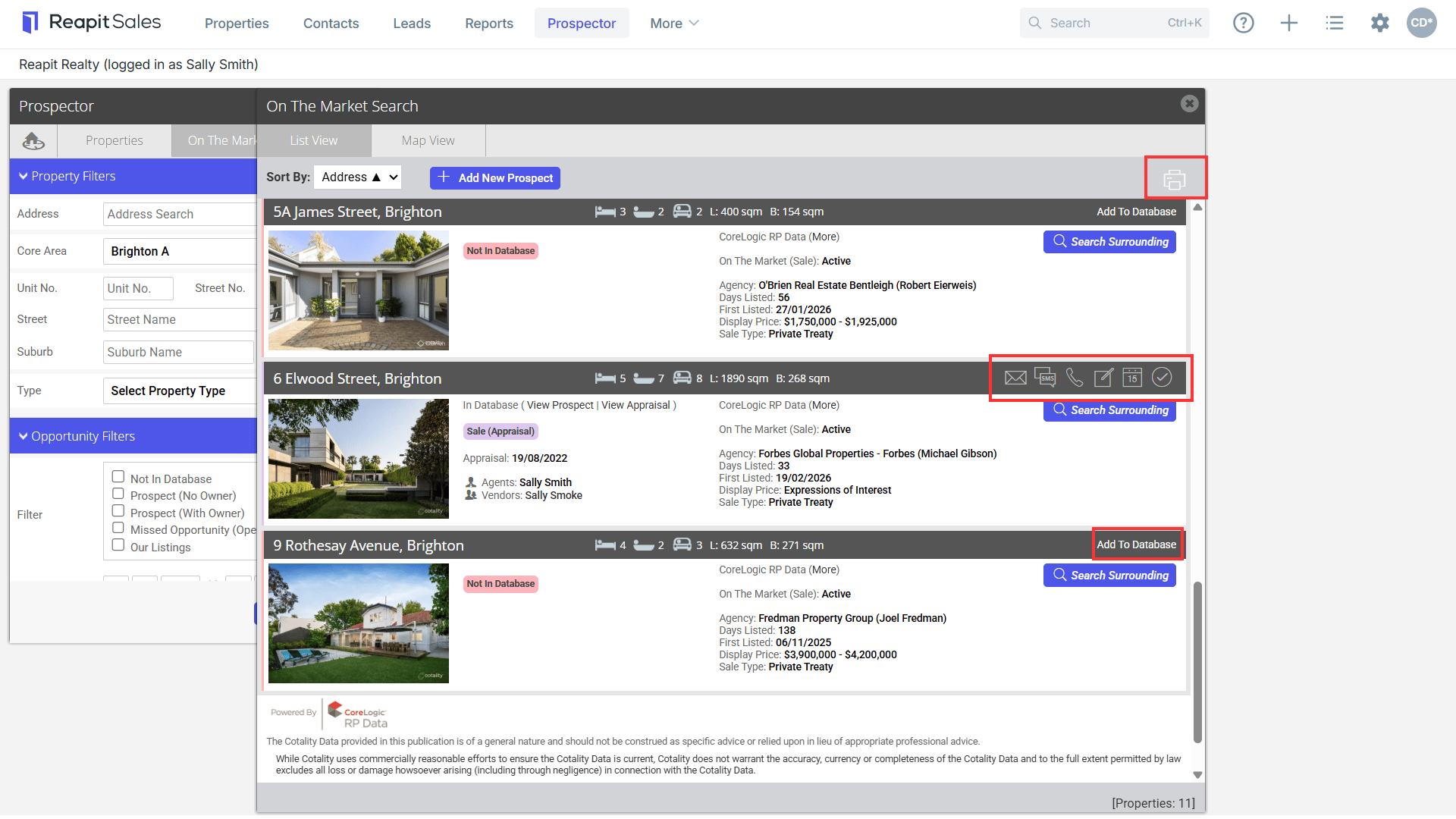
Properties not in the database will have the option to Add to Database, when a relationship is established, or to generate Letter Mail Merges.
- Click on the Map View to access a map of properties within that search, or Contacts to access a list of in-database contacts attached to properties.
- Filter the Map View via the legend to show properties that may be Not in Database, Prospects, Missed Opportunities or Our Listings as appropriate.
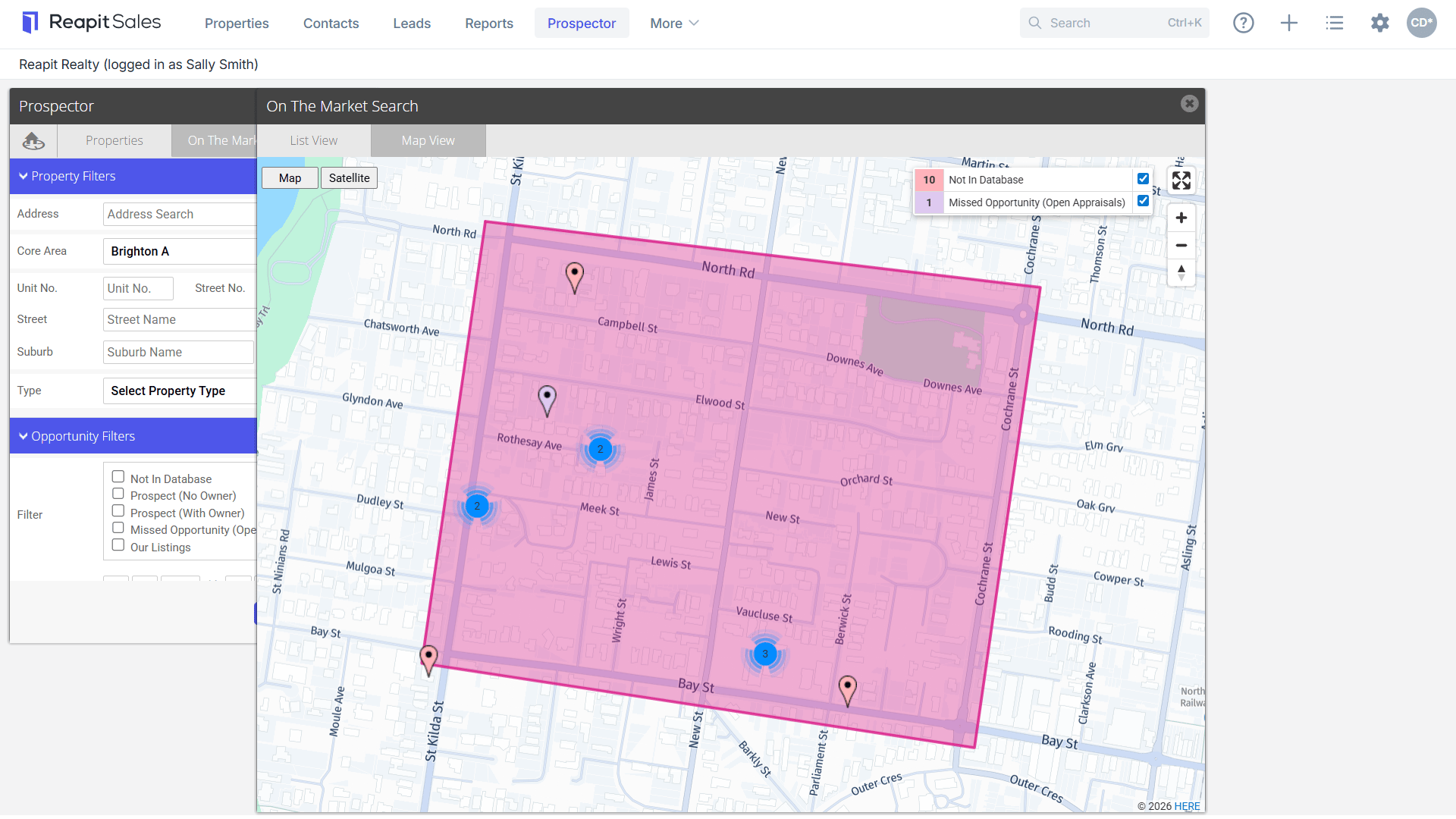
- Click on a Pin Drop to access further property information