'%20d='M0%208a8%208%200%200%201%208-8h24a8%208%200%200%201%208%208v24a8%208%200%200%201-8%208H8a8%208%200%200%201-8-8V8Z'/%3e%3cpath%20fill='%23fff'%20d='M10.41%206v3.779h15.048v19.537h4.132V6H10.41Z'/%3e%3cpath%20fill='%23fff'%20d='M20.967%2034V13.837L10.41%209.78v20.166L20.967%2034Z'/%3e%3cdefs%3e%3clinearGradient%20id='reapit-sales__a'%20x1='20.702'%20x2='20.702'%20y1='.351'%20y2='31.228'%20gradientUnits='userSpaceOnUse'%3e%3cstop%20stop-color='%235573FD'/%3e%3cstop%20offset='.575'%20stop-color='%234E56EA'/%3e%3c/linearGradient%3e%3c/defs%3e%3c/svg%3e)
Mobile App Caller ID Configuration for IOS
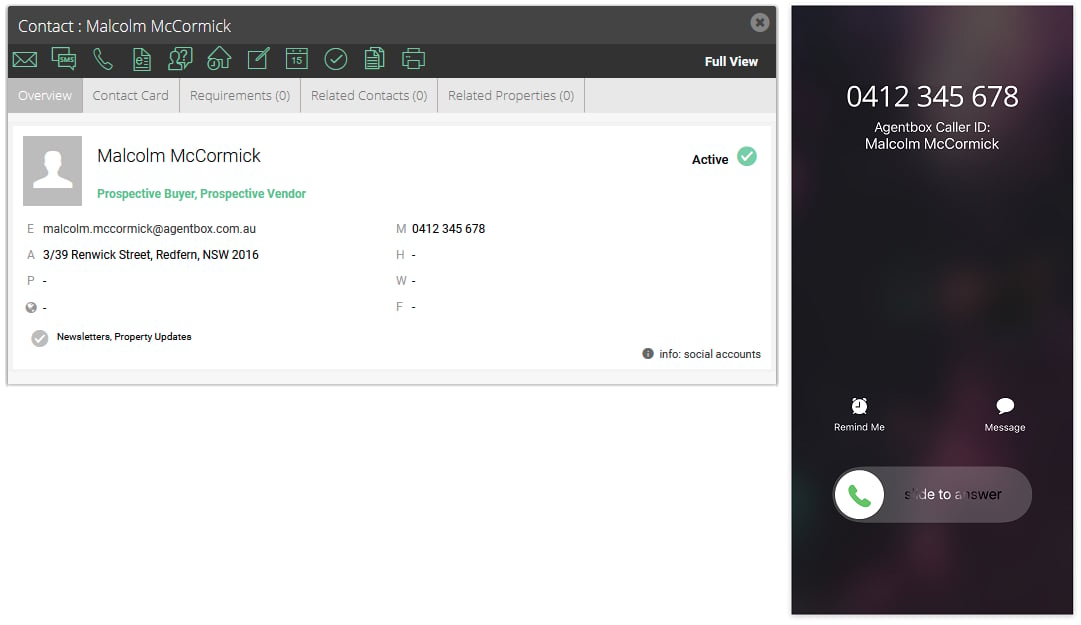
This article shows how to setup called ID for iOS devices from the Sales Mobile App.
Mobile App Caller ID Configuration for IOS
This article shows how to setup called ID for iOS devices from the Sales Mobile App.
*Note: Only contacts that the agent is assigned/associated with will show as a suggestion (Primary owner, full access, view only). Please ensure that your mobile devices are updated to the latest iOS version.
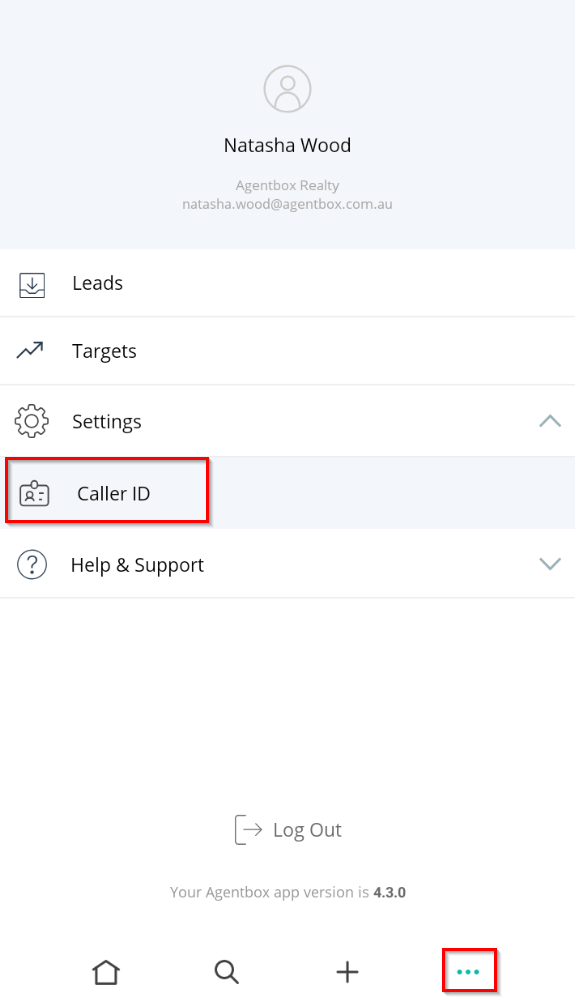
- Open the App and go to the 3 dots in the main menu. Tap on Settings > Caller ID.
- Follow the instructions in Step 1 to configure your device.
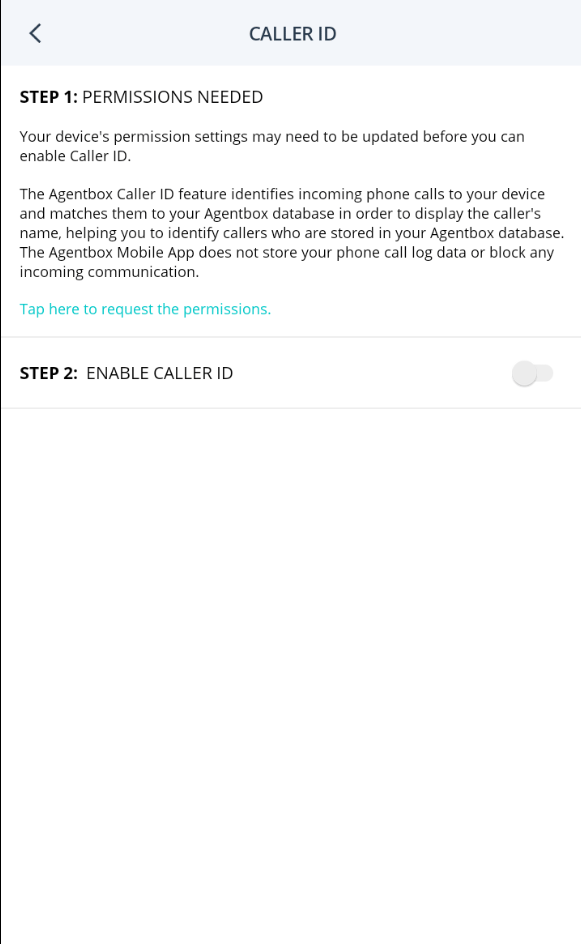
iOS Setup:
- Toggle on the setting in the Call Blocking & Identification settings.
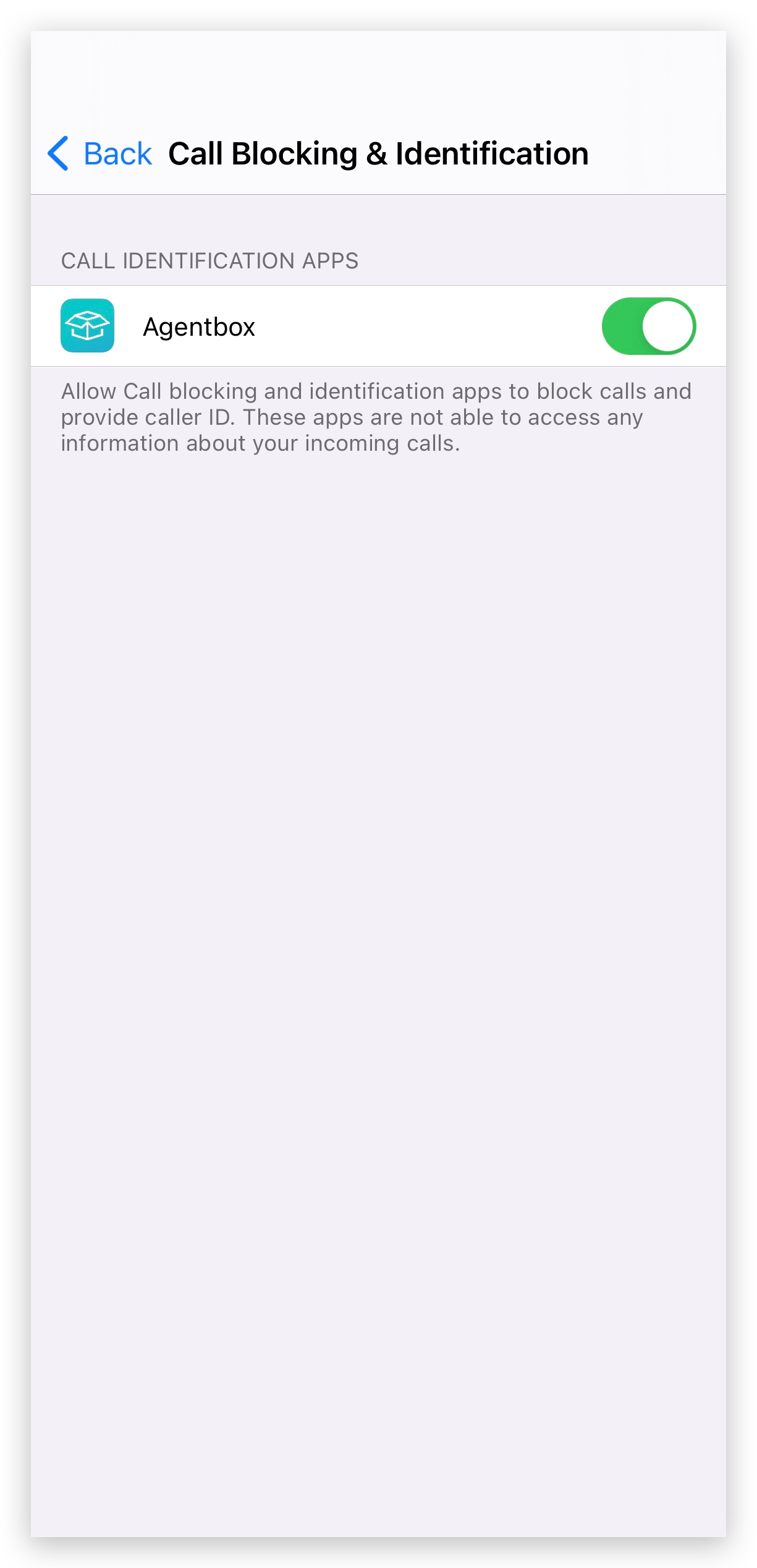
- After updating your device settings go back to the App and enable the Caller ID
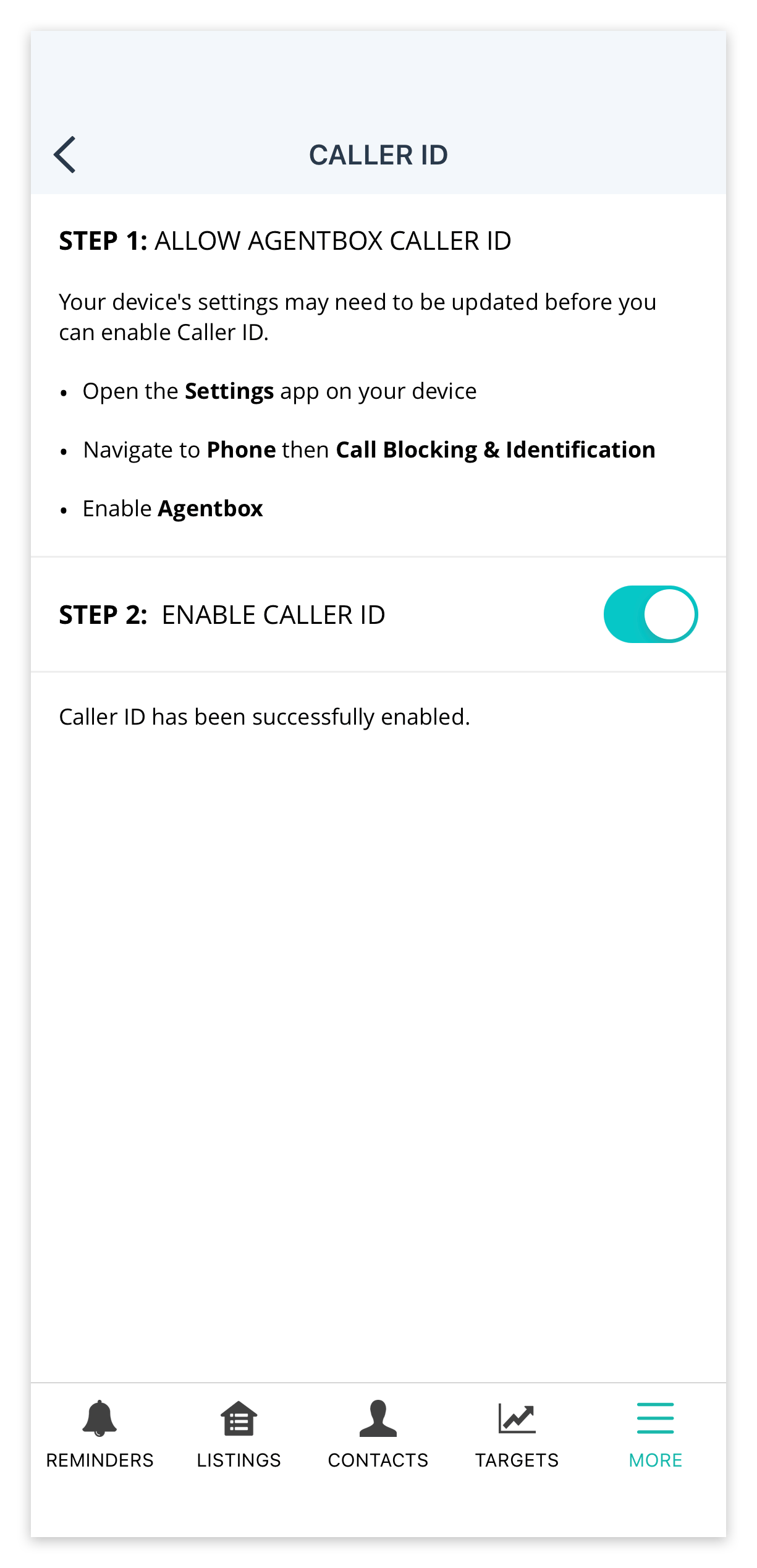
- Once the above steps have been completed contact names from Reapit Sales will be displayed on incoming calls