'%20d='M0%208a8%208%200%200%201%208-8h24a8%208%200%200%201%208%208v24a8%208%200%200%201-8%208H8a8%208%200%200%201-8-8V8Z'/%3e%3cpath%20fill='%23fff'%20d='M10.41%206v3.779h15.048v19.537h4.132V6H10.41Z'/%3e%3cpath%20fill='%23fff'%20d='M20.967%2034V13.837L10.41%209.78v20.166L20.967%2034Z'/%3e%3cdefs%3e%3clinearGradient%20id='reapit-sales__a'%20x1='20.702'%20x2='20.702'%20y1='.351'%20y2='31.228'%20gradientUnits='userSpaceOnUse'%3e%3cstop%20stop-color='%235573FD'/%3e%3cstop%20offset='.575'%20stop-color='%234E56EA'/%3e%3c/linearGradient%3e%3c/defs%3e%3c/svg%3e)
Scheduled E-Newsletter
This article explains about e-Newsletter in Reapit Sales. The processes in this article include: Scheduling an E-Newsletter Deleting/Pausing a Scheduled E-Newsletter
Scheduled E-Newsletter
This article explains about e-Newsletter in Reapit Sales.
The processes in this article include:
- Scheduling an E-Newsletter
- Deleting/Pausing a Scheduled E-Newsletter
Note: Once a newsletter has been scheduled, any changes to listings, e.g. Display Price, will not be automatically updated in that newsletter. The newsletter will be sent with the information it had at time it was saved and scheduled.
Scheduling an E-Newsletter
Generate a Contact Target List via the Advanced Contact Search in the same way you normally would to send an e-newsletter.
Select your E-Newsletter template.
Confirm the recipients, nominate who to send from, and enter a subject line.
Create your E-Newsletter content.
Click on the Send/Schedule button which gives you the option to schedule the e-newsletter to be sent at a time in the future.
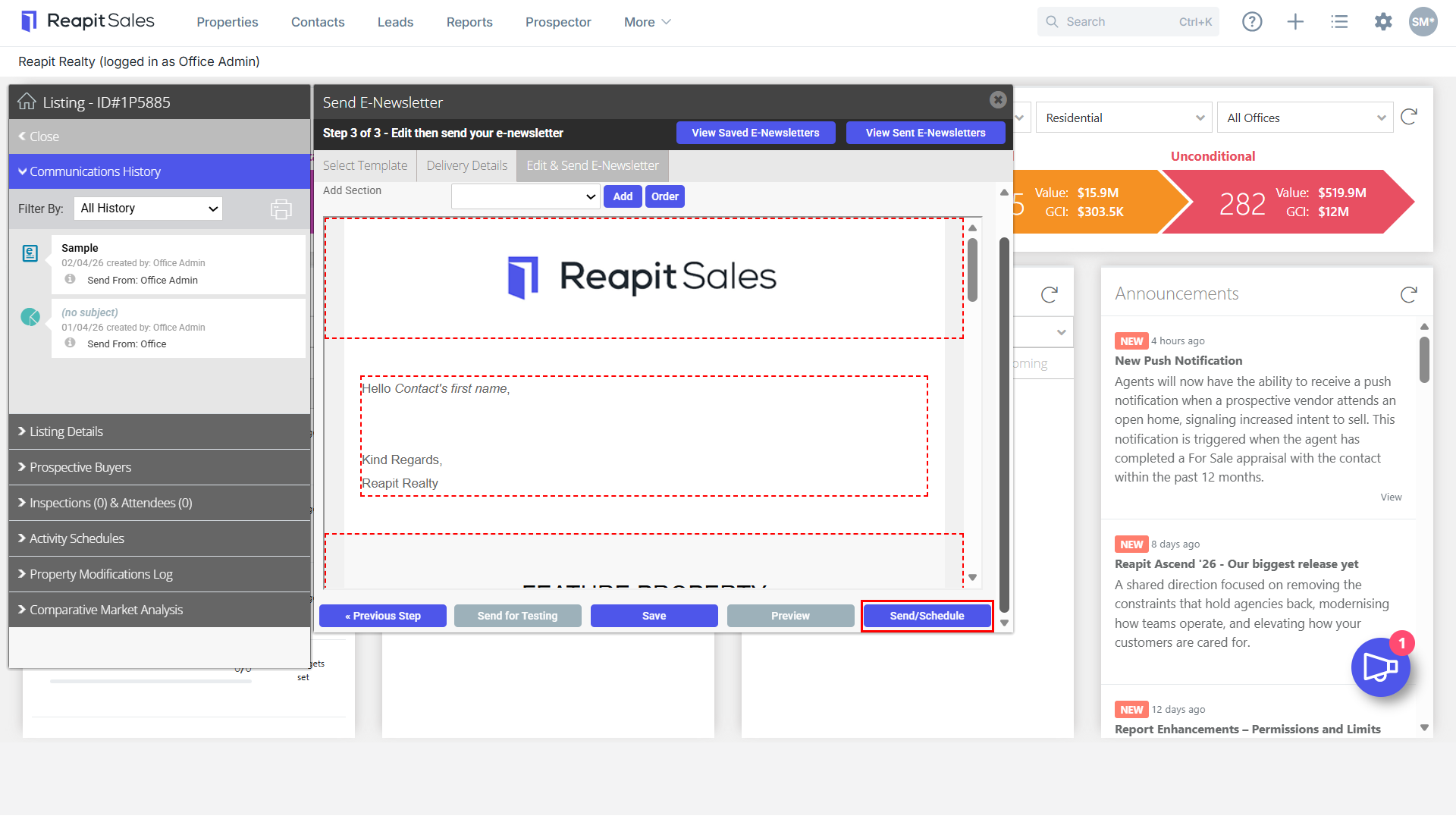
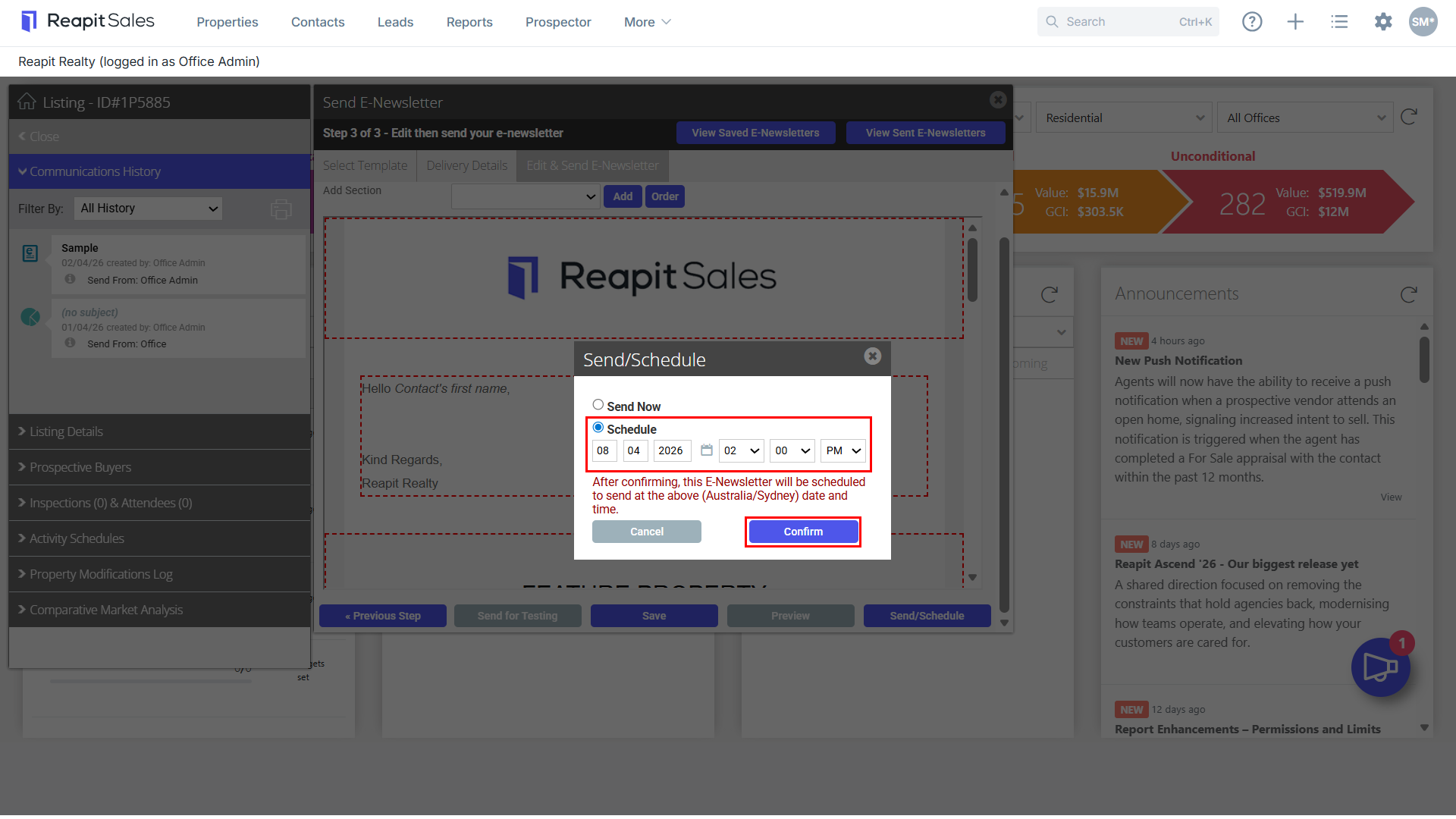
- Select Send Now to send an e-newsletter immediately or select a desired date and time to schedule in the future.
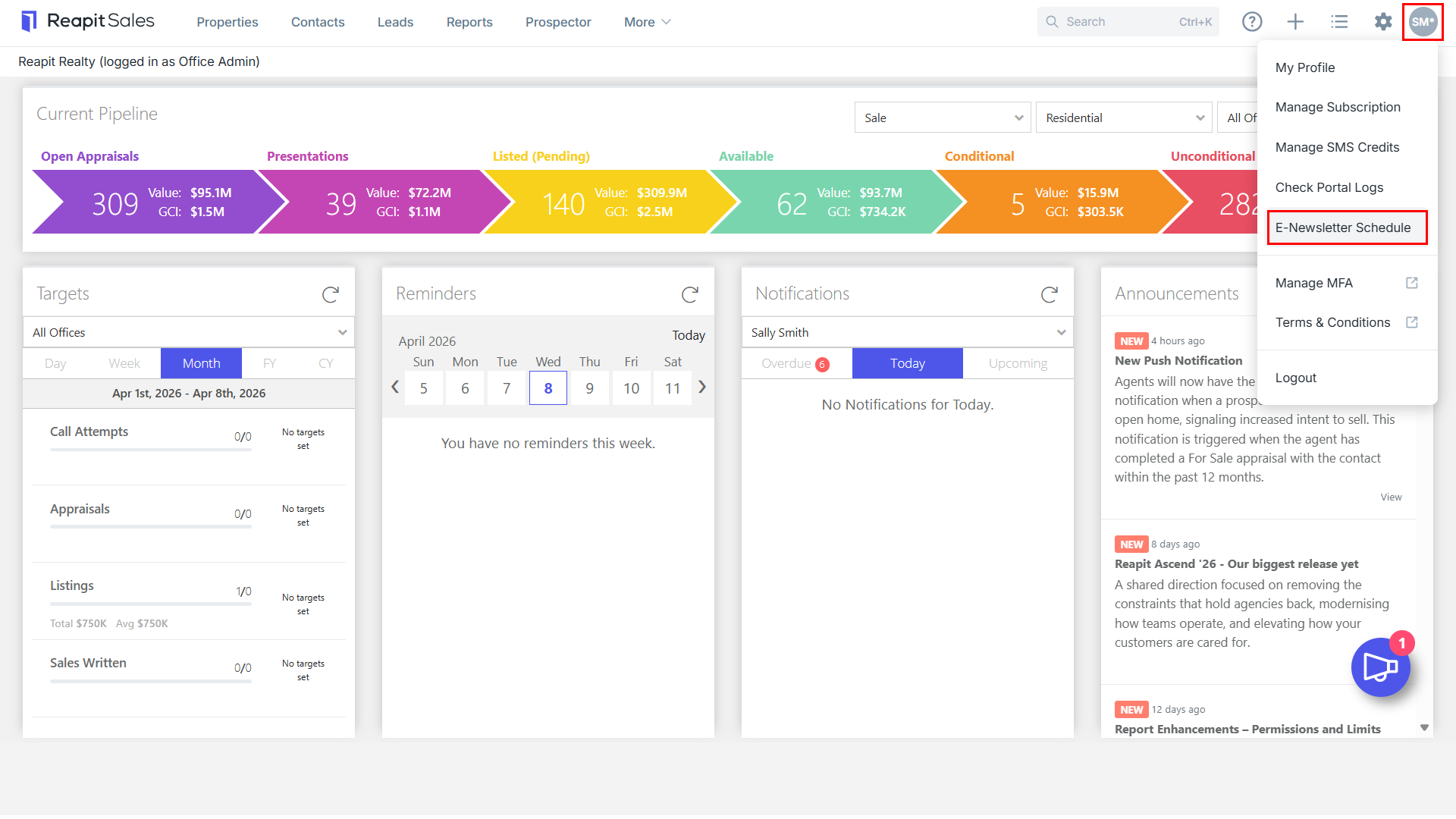
- You can access your Scheduled E-Newsletters by clicking on your User Name in the top right corner of Reapit Sales and selecting E-Newsletter Schedule.
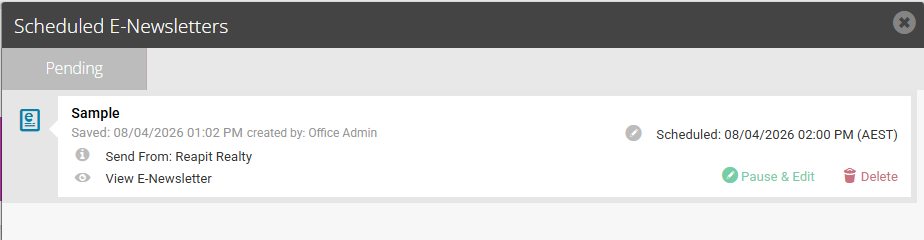
Deleting/Pausing a Scheduled E-Newsletter
- You have the ability to Pause the send and Edit the e-newsletter, change the scheduled time or delete as long as this is completed before the initial scheduled date/time. Otherwise, your e-newsletter will be sent at the specified scheduled time.