'%20d='M0%208a8%208%200%200%201%208-8h24a8%208%200%200%201%208%208v24a8%208%200%200%201-8%208H8a8%208%200%200%201-8-8V8Z'/%3e%3cpath%20fill='%23fff'%20d='M10.41%206v3.779h15.048v19.537h4.132V6H10.41Z'/%3e%3cpath%20fill='%23fff'%20d='M20.967%2034V13.837L10.41%209.78v20.166L20.967%2034Z'/%3e%3cdefs%3e%3clinearGradient%20id='reapit-sales__a'%20x1='20.702'%20x2='20.702'%20y1='.351'%20y2='31.228'%20gradientUnits='userSpaceOnUse'%3e%3cstop%20stop-color='%235573FD'/%3e%3cstop%20offset='.575'%20stop-color='%234E56EA'/%3e%3c/linearGradient%3e%3c/defs%3e%3c/svg%3e)
External Links
This article shows where you can update External Links in Reapit Sales.
Overview
External Links
This article shows where you can update External Links in Reapit Sales.
*Note: Permissions may apply. This is also only for Website clients & clients with default responsive e-newsletters. For further information, contact our Client Success Team.
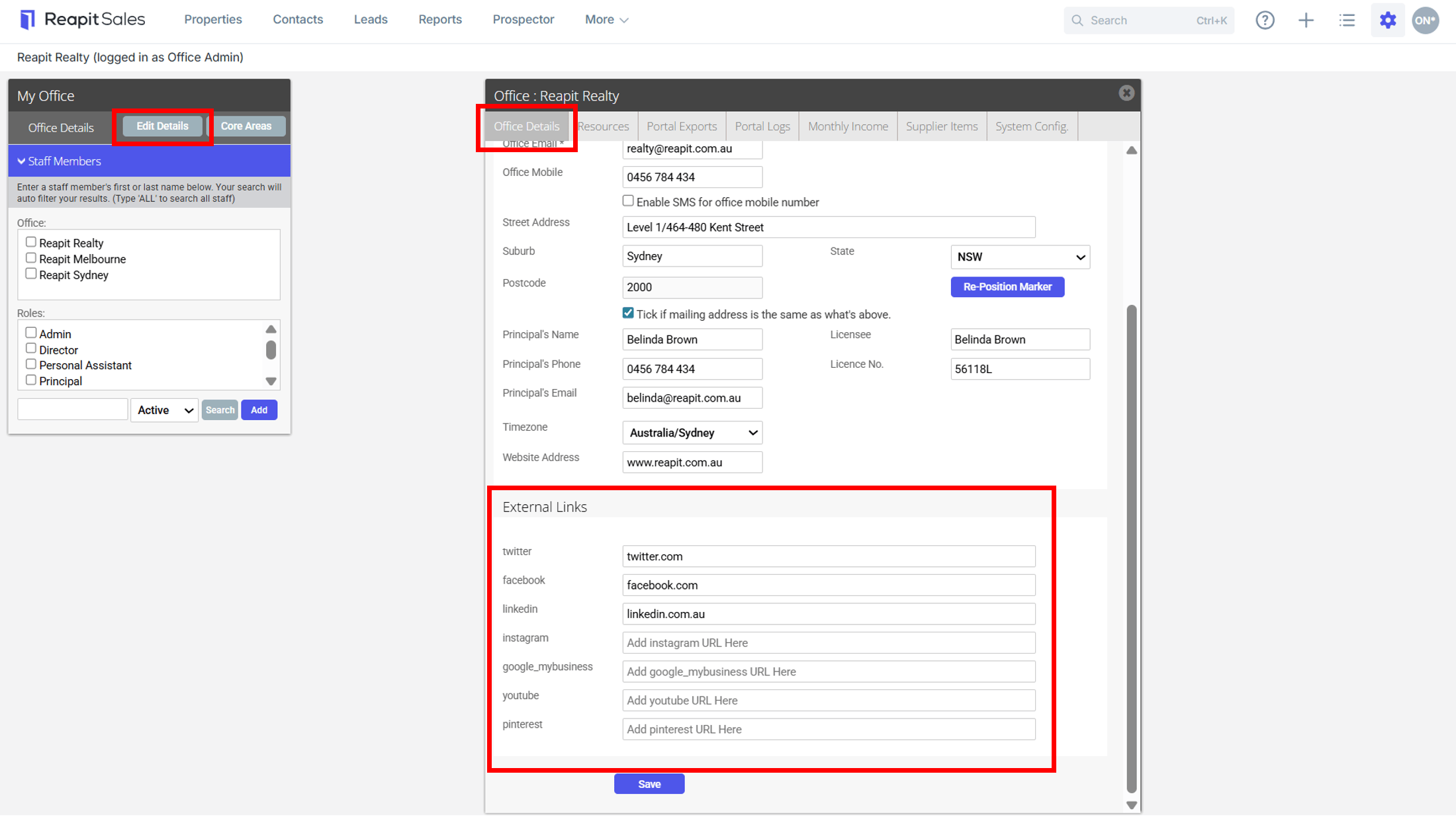
In My Office, users have the ability to enter external social links that Agentbox will utilise to populate social media links on marketing templates and websites. The following social media links are available:
- Twitter.
- Facebook.
- LinkedIn.
- Instagram.
- Google My Business.
- YouTube.
- Pinterest.
- To access Social Media Accounts, click My Office from the main menu.

- Click Edit Details on the Left Panel.
- Click Office Details & scroll to the bottom of the panel.
Note: You can also edit your ****Office Details ****on this tab.
- Under External Links enter the URL to your social media account.
*Note: when copying any web address to paste as a link do not include the http;//. Only copy the web address starting from www.