'%20d='M0%208a8%208%200%200%201%208-8h24a8%208%200%200%201%208%208v24a8%208%200%200%201-8%208H8a8%208%200%200%201-8-8V8Z'/%3e%3cpath%20fill='%23fff'%20d='M10.41%206v3.779h15.048v19.537h4.132V6H10.41Z'/%3e%3cpath%20fill='%23fff'%20d='M20.967%2034V13.837L10.41%209.78v20.166L20.967%2034Z'/%3e%3cdefs%3e%3clinearGradient%20id='reapit-sales__a'%20x1='20.702'%20x2='20.702'%20y1='.351'%20y2='31.228'%20gradientUnits='userSpaceOnUse'%3e%3cstop%20stop-color='%235573FD'/%3e%3cstop%20offset='.575'%20stop-color='%234E56EA'/%3e%3c/linearGradient%3e%3c/defs%3e%3c/svg%3e)
Delete an Offer
This article will guide you through deleting an offer. Offers with the status Submitted, Withdrawn, or Rejected can be deleted. Note: Offers that have been progressed to Conditional or Unconditional cannot be deleted.
Delete an Offer
This article will guide you through deleting an offer. Offers with the status Submitted, Withdrawn, or Rejected can be deleted.
Note: Offers that have been progressed to Conditional or Unconditional cannot be deleted.
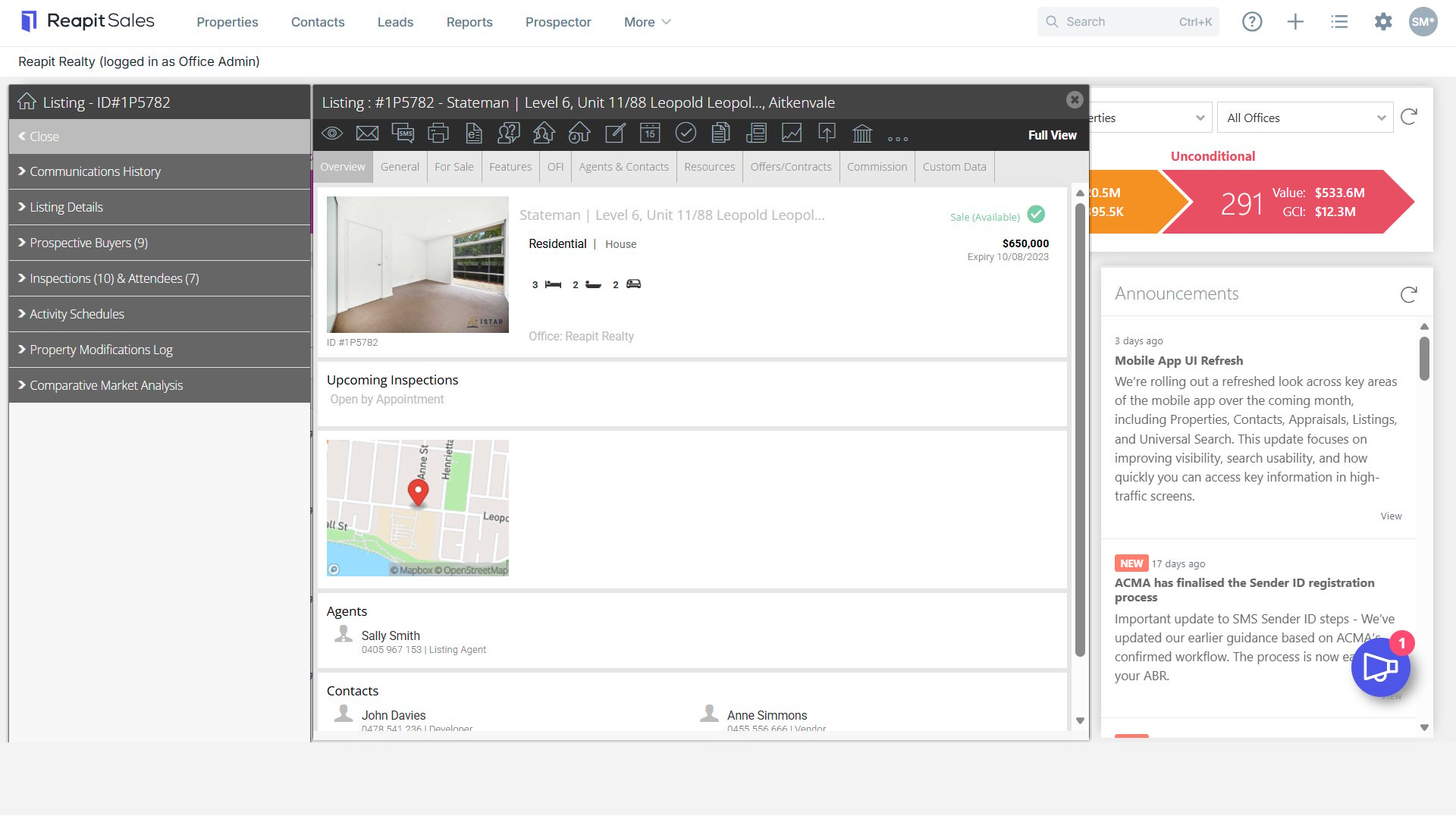
- Search for your Property and open the property card.
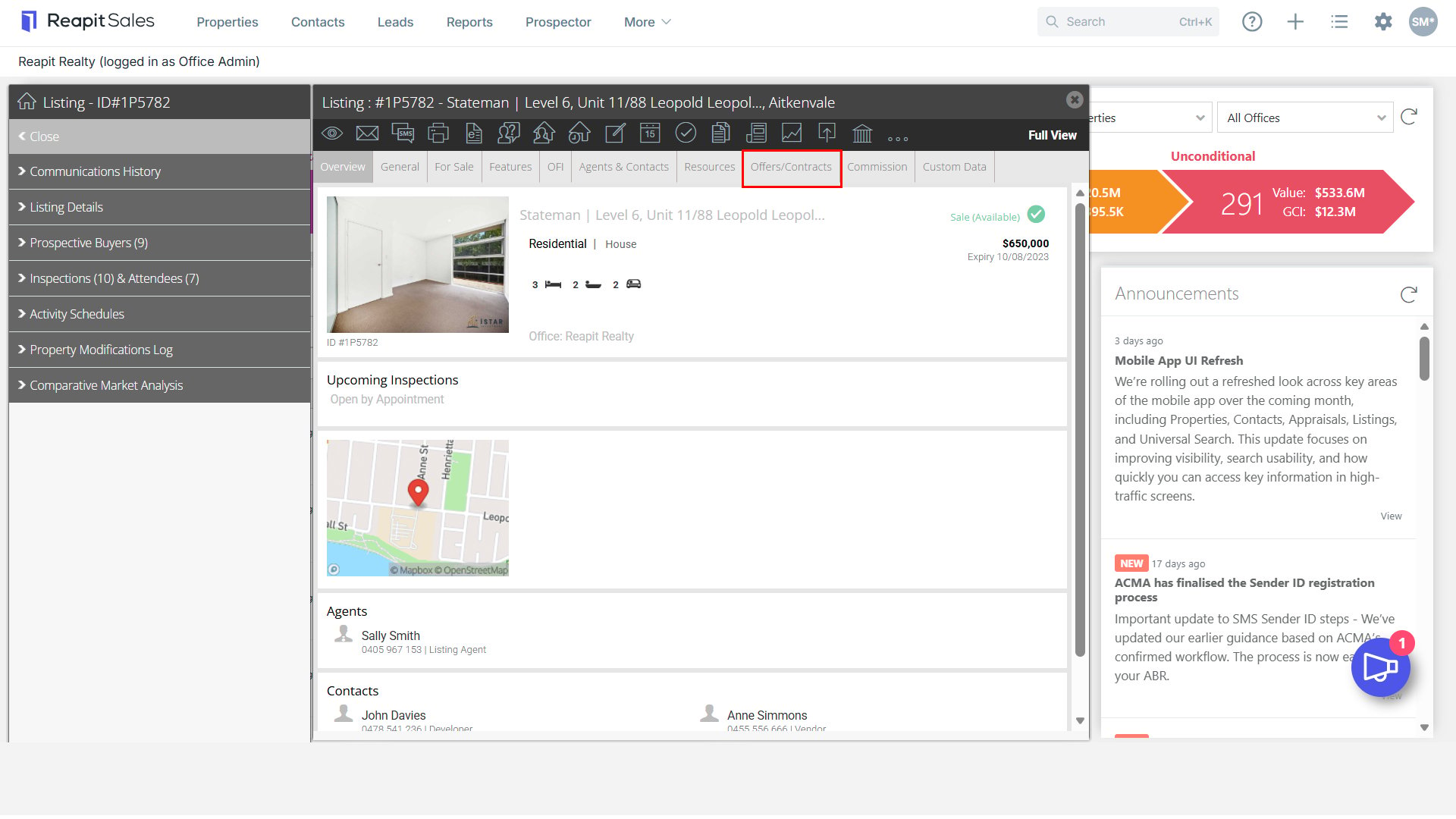
- Click to open the Offers & Contract tab.
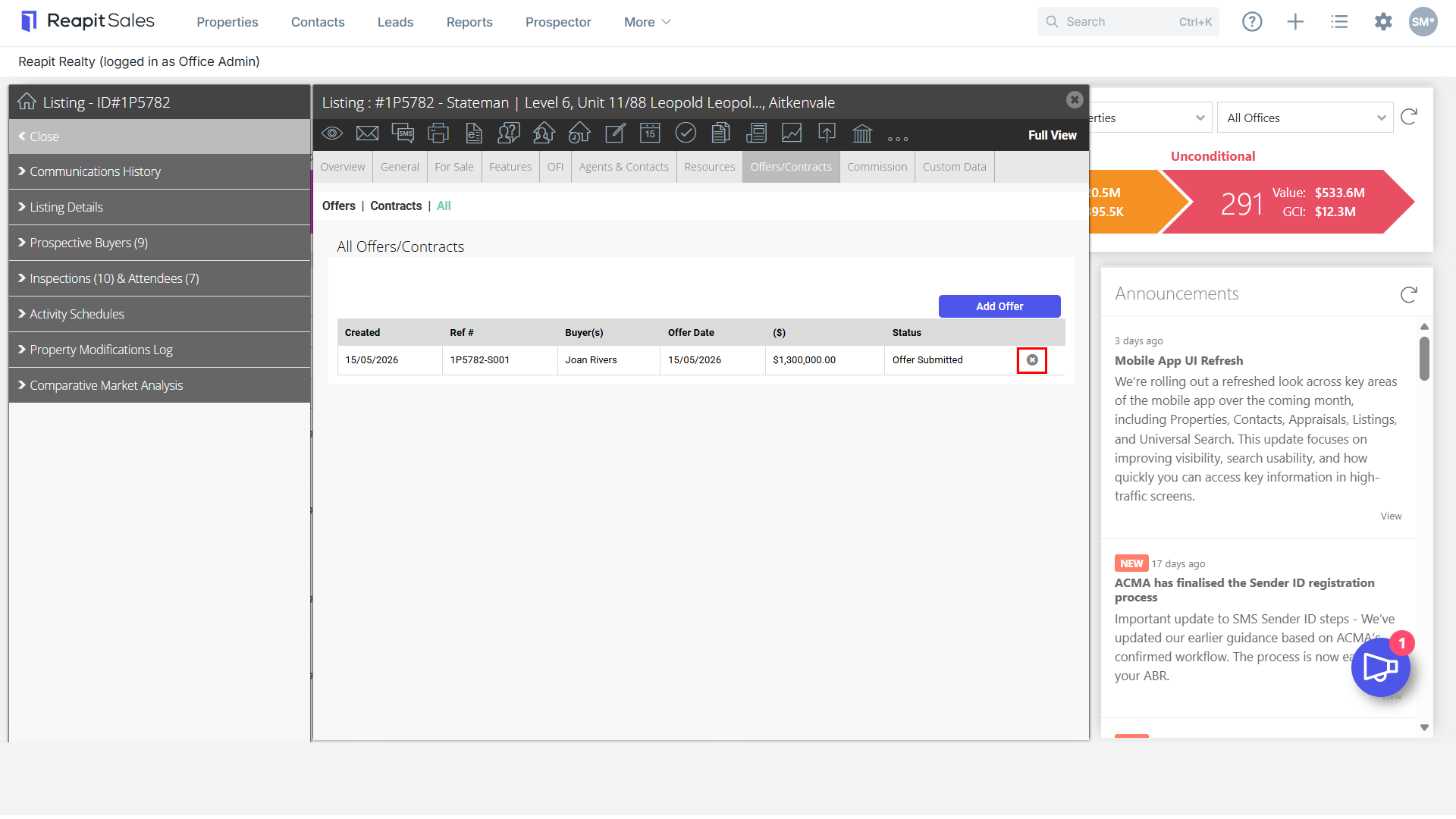
- Click the x icon next to the offer you would like to delete
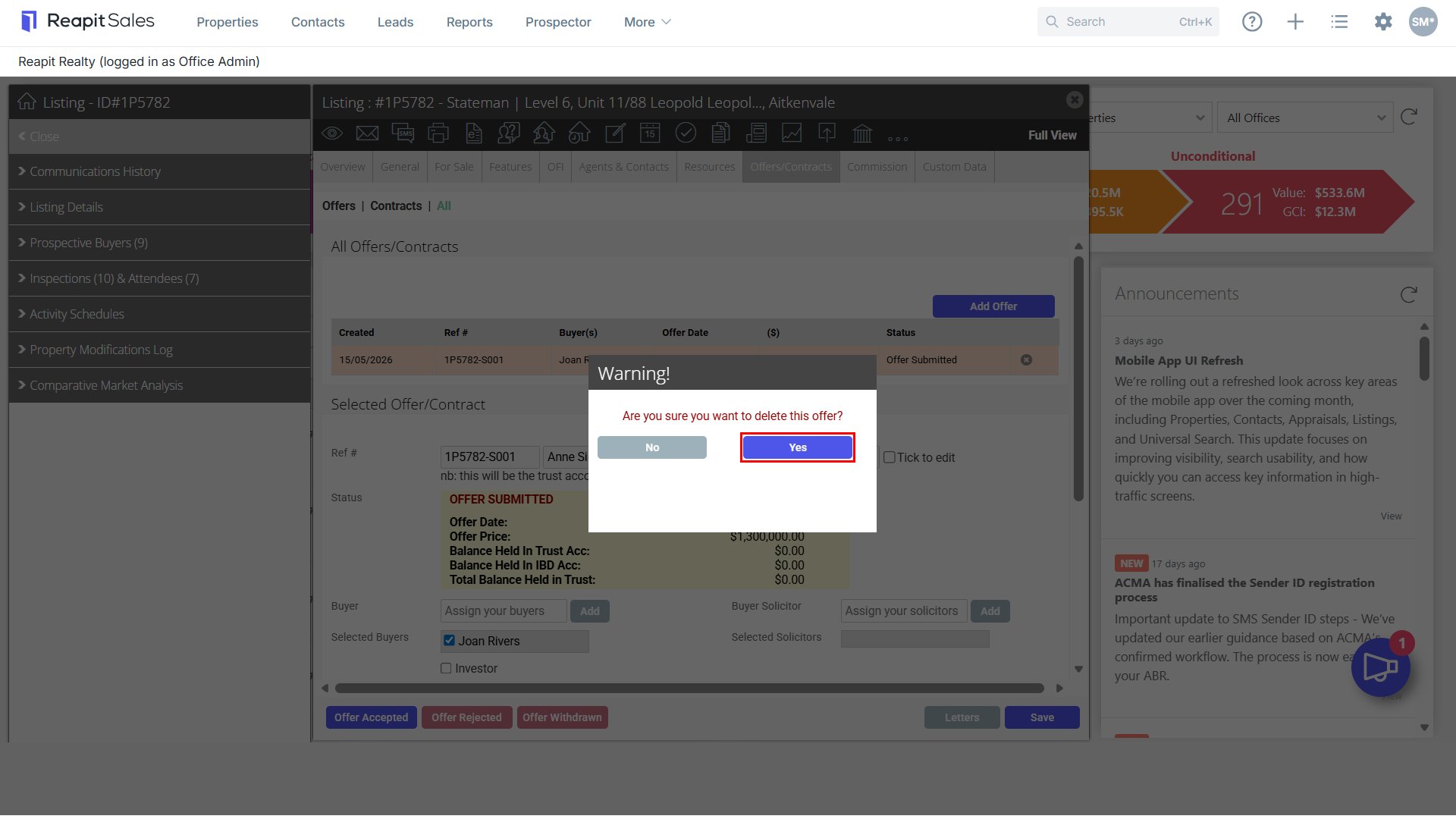
- Confirm you would like to delete the offer by clicking Yes.