'%20d='M0%208a8%208%200%200%201%208-8h24a8%208%200%200%201%208%208v24a8%208%200%200%201-8%208H8a8%208%200%200%201-8-8V8Z'/%3e%3cpath%20fill='%23fff'%20d='M10.41%206v3.779h15.048v19.537h4.132V6H10.41Z'/%3e%3cpath%20fill='%23fff'%20d='M20.967%2034V13.837L10.41%209.78v20.166L20.967%2034Z'/%3e%3cdefs%3e%3clinearGradient%20id='reapit-sales__a'%20x1='20.702'%20x2='20.702'%20y1='.351'%20y2='31.228'%20gradientUnits='userSpaceOnUse'%3e%3cstop%20stop-color='%235573FD'/%3e%3cstop%20offset='.575'%20stop-color='%234E56EA'/%3e%3c/linearGradient%3e%3c/defs%3e%3c/svg%3e)
Edit Head Office Details
This article covers how to edit head office details in Reapit Sales.
Edit Head Office Details
This article covers how to edit head office details in Reapit Sales.
*Note: Master Users Only.
In My Office, you can edit the Head Office contact information. These edits will update parts of the system such as letter templates, e-newsletters and external websites if applicable.
- Click My Office from the main menu

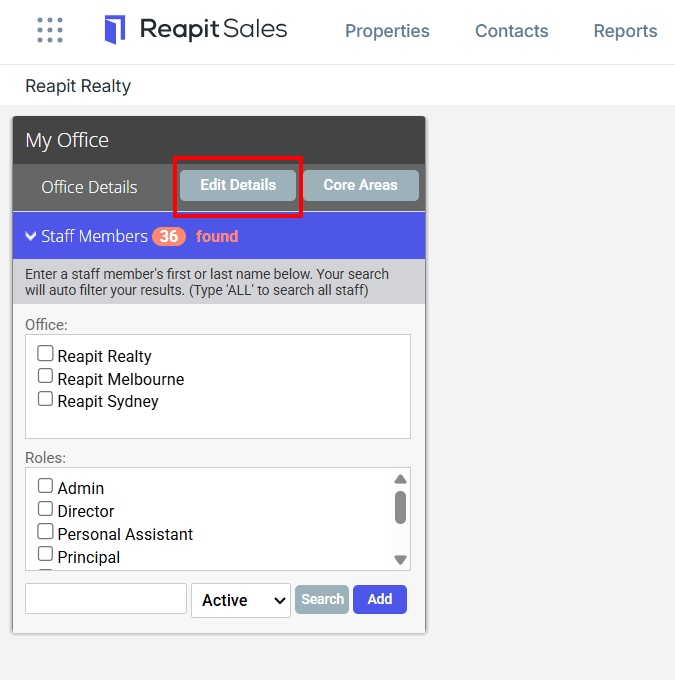
- Click Edit Details on the Left Panel
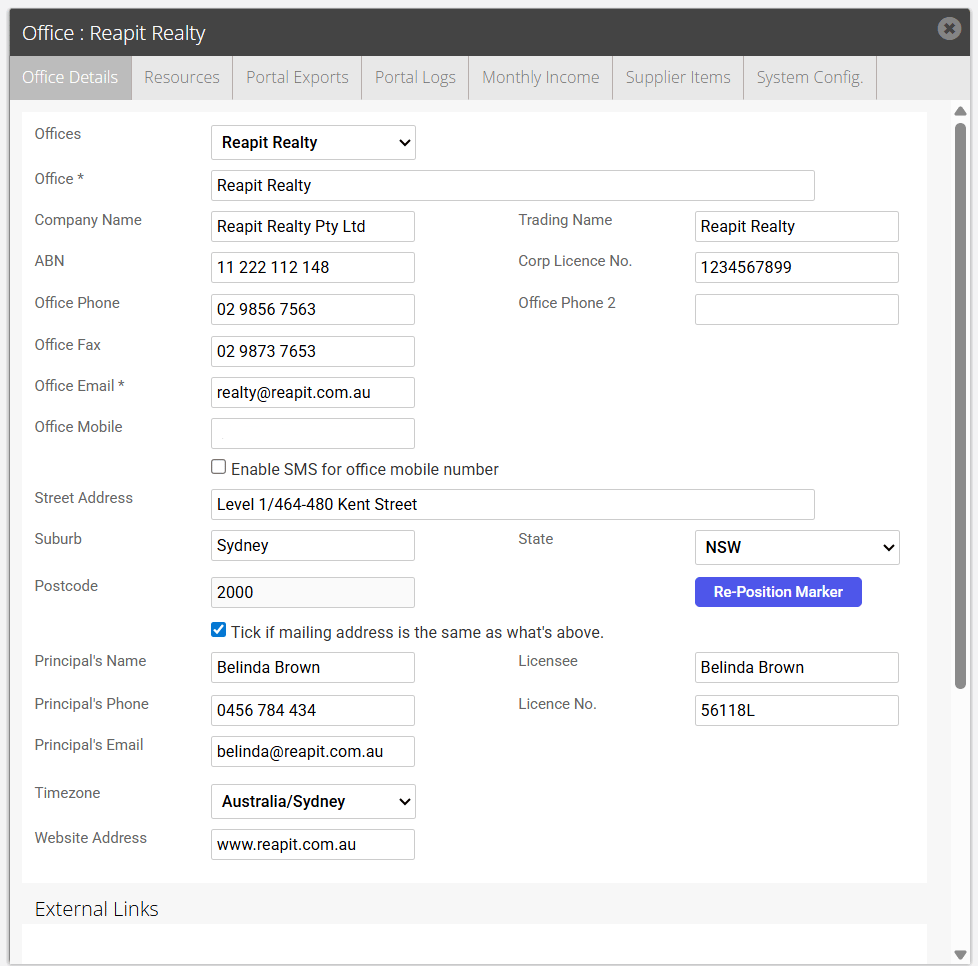
- Add or Edit the office contact details on the Office Details tab (To learn more about entering your social media account information, please click here).
- Click Save to finish.
*Note: If ticked, Enable SMS for office mobile number will allow users with access to send SMS the ability to select if they would like to send from their mobile number or the office mobile number.