'%20d='M0%208a8%208%200%200%201%208-8h24a8%208%200%200%201%208%208v24a8%208%200%200%201-8%208H8a8%208%200%200%201-8-8V8Z'/%3e%3cpath%20fill='%23fff'%20d='M10.41%206v3.779h15.048v19.537h4.132V6H10.41Z'/%3e%3cpath%20fill='%23fff'%20d='M20.967%2034V13.837L10.41%209.78v20.166L20.967%2034Z'/%3e%3cdefs%3e%3clinearGradient%20id='reapit-sales__a'%20x1='20.702'%20x2='20.702'%20y1='.351'%20y2='31.228'%20gradientUnits='userSpaceOnUse'%3e%3cstop%20stop-color='%235573FD'/%3e%3cstop%20offset='.575'%20stop-color='%234E56EA'/%3e%3c/linearGradient%3e%3c/defs%3e%3c/svg%3e)
Bulk Update
This article runs through how to bulk update contacts in Reapit Sales.
Bulk Update
This article runs through how to bulk update contacts in Reapit Sales.
Note: Permissions may apply.
Master Users are able to perform updates to contact records in bulk. The following actions can now be performed against multiple contact records in a single mass operation:
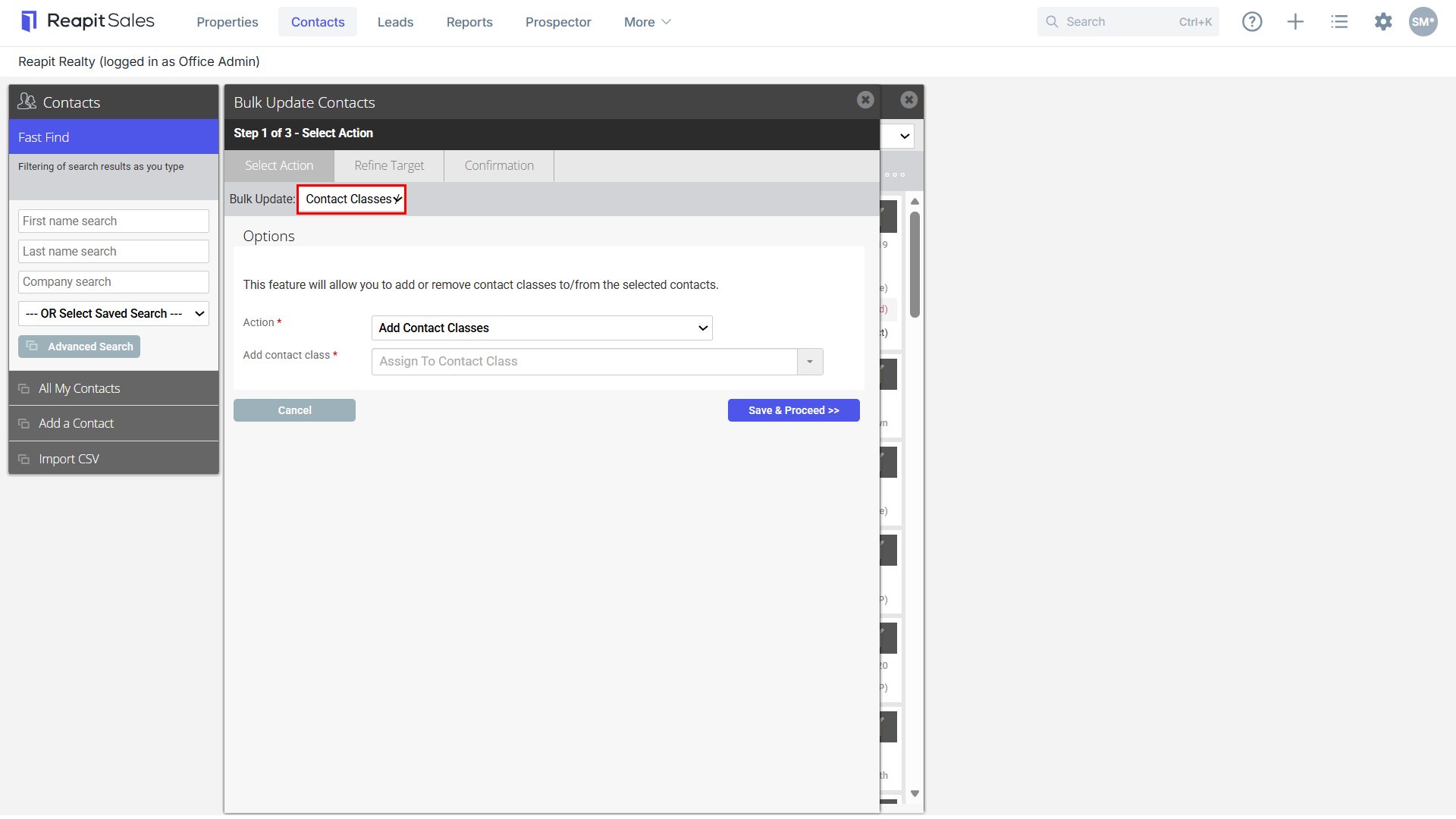
- Add/Remove Contact Classes/Custom Classes
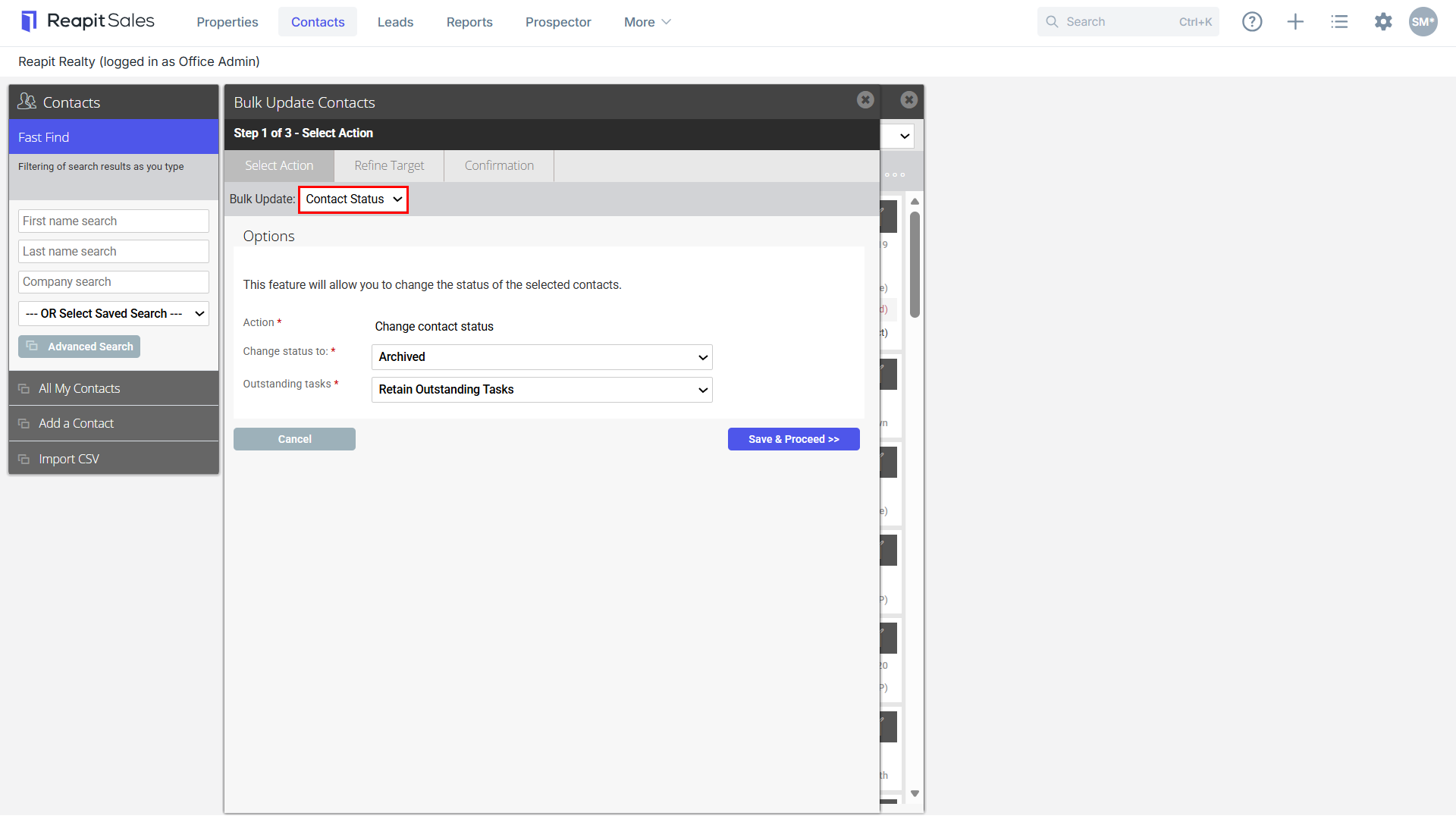
- Change Contact Status to Unsubscribed, Do Not Contact or Archived
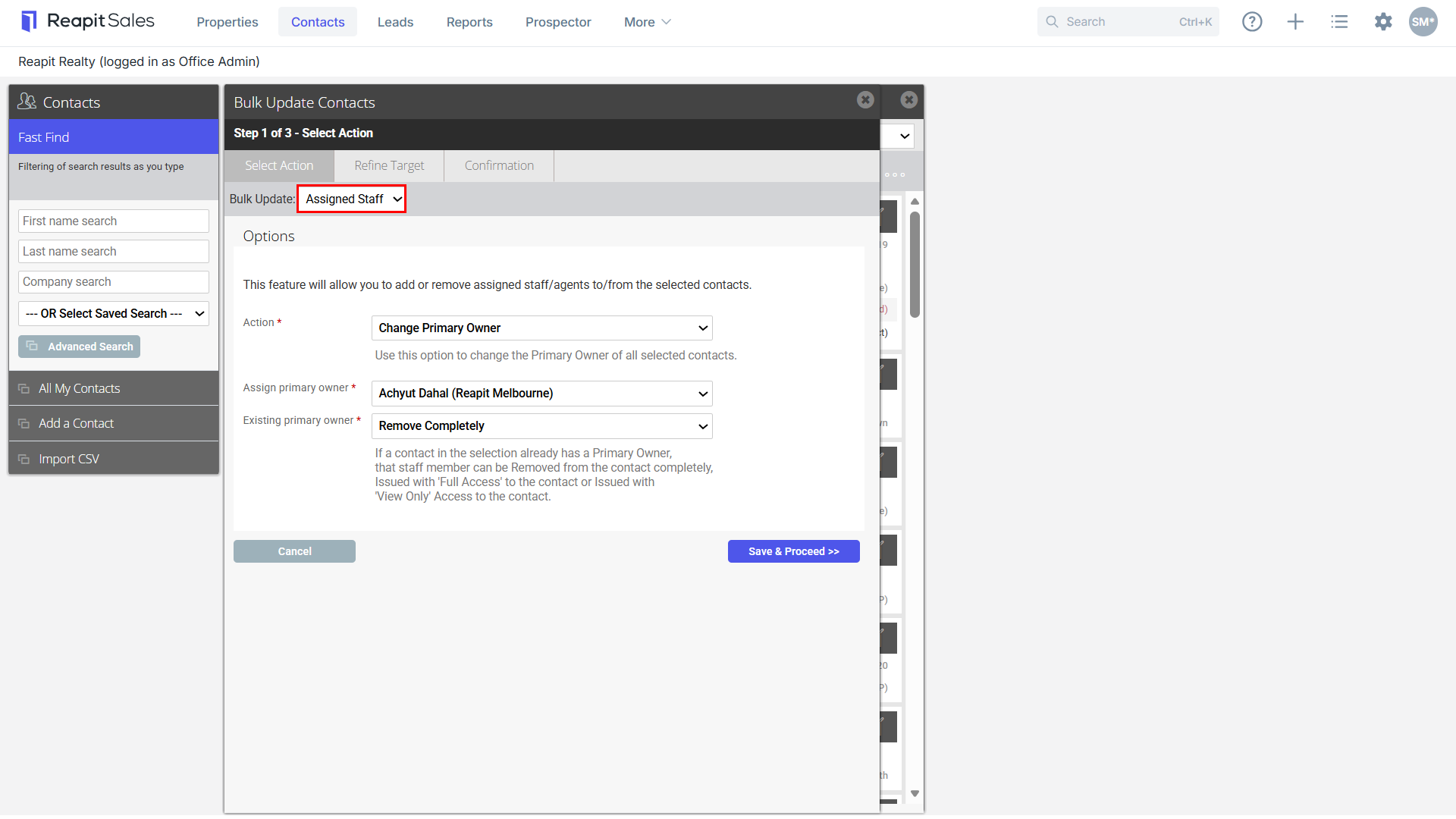
- Add/Remove/Replace Assigned Staff and/or Change Primary Owner
- Add/Remove Subscriptions
In addition to the Contact Modifications Log, a record of every single Bulk Contact Action performed is stored and able to be reported on via the new Contact Bulk Actions Report.
Note: The update limit is set to 5000 contacts per update. To increase this limit the office licensee will need to reach out to Support at salessupportanz@reapit.com
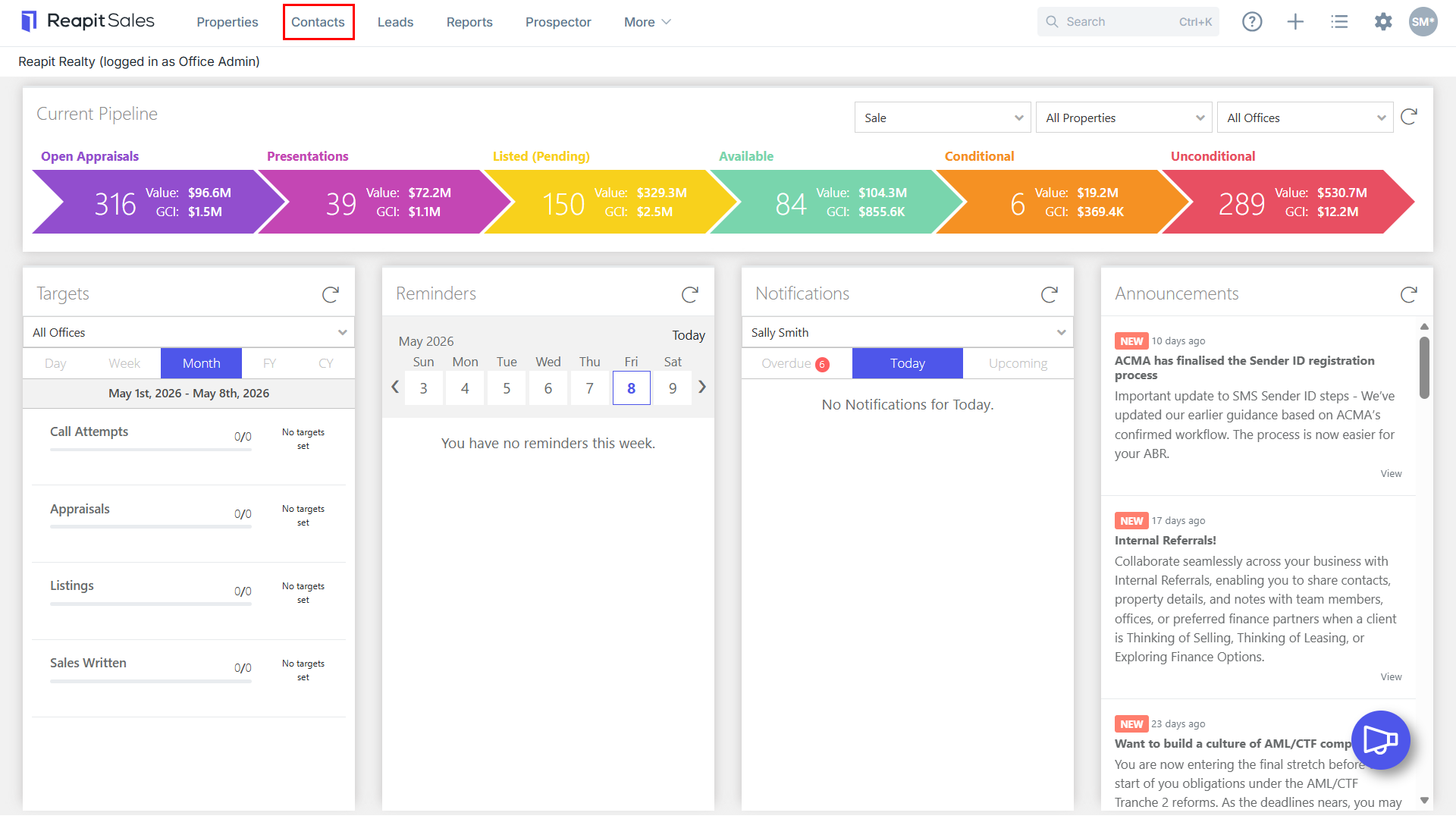
- Click the Contact icon from the main menu.

- Click Advanced Search from the left panel.

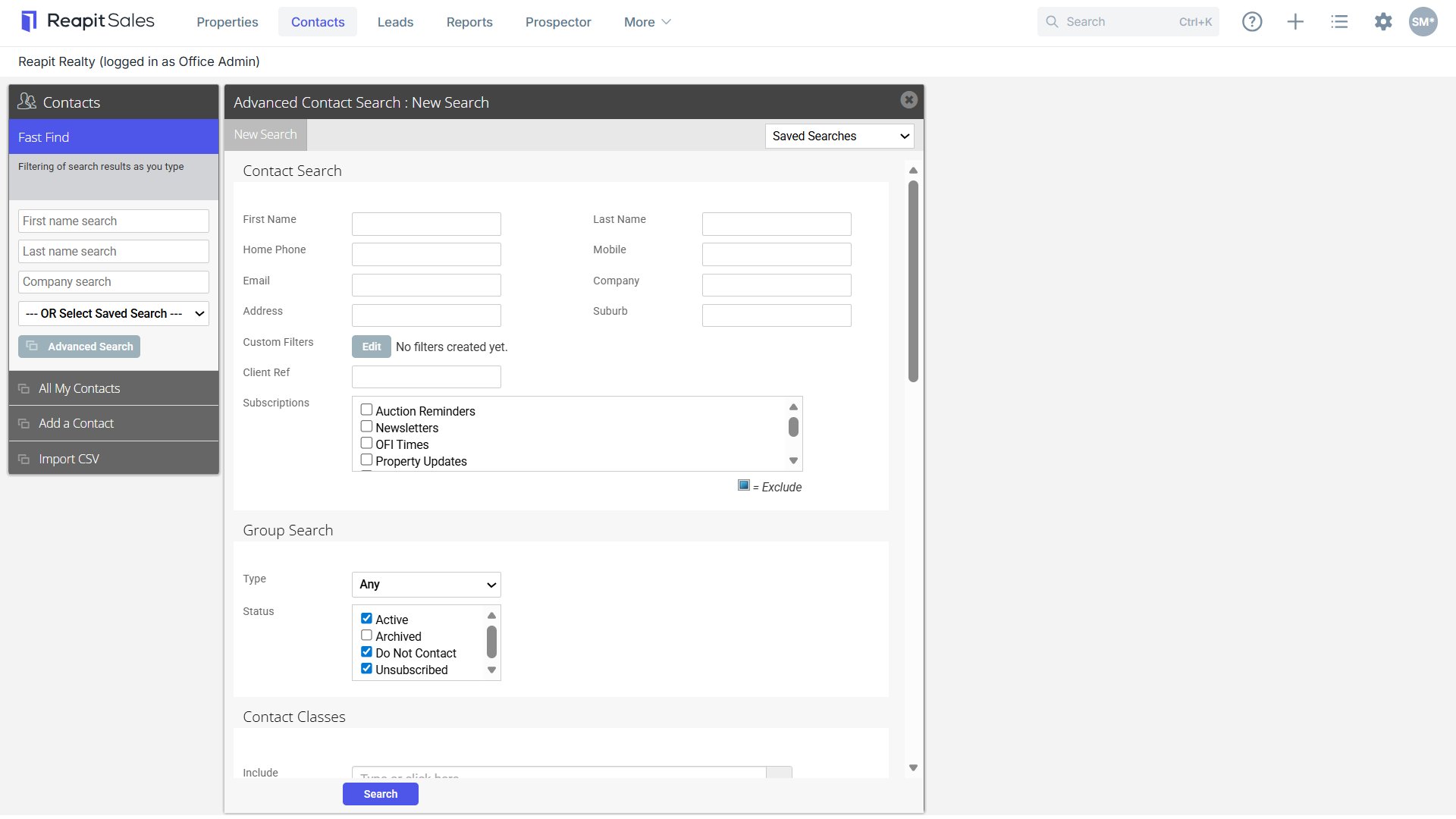
- Enter your Search Criteria into the appropriate fields.
- Click Search.
- Your Target List will appear on screen
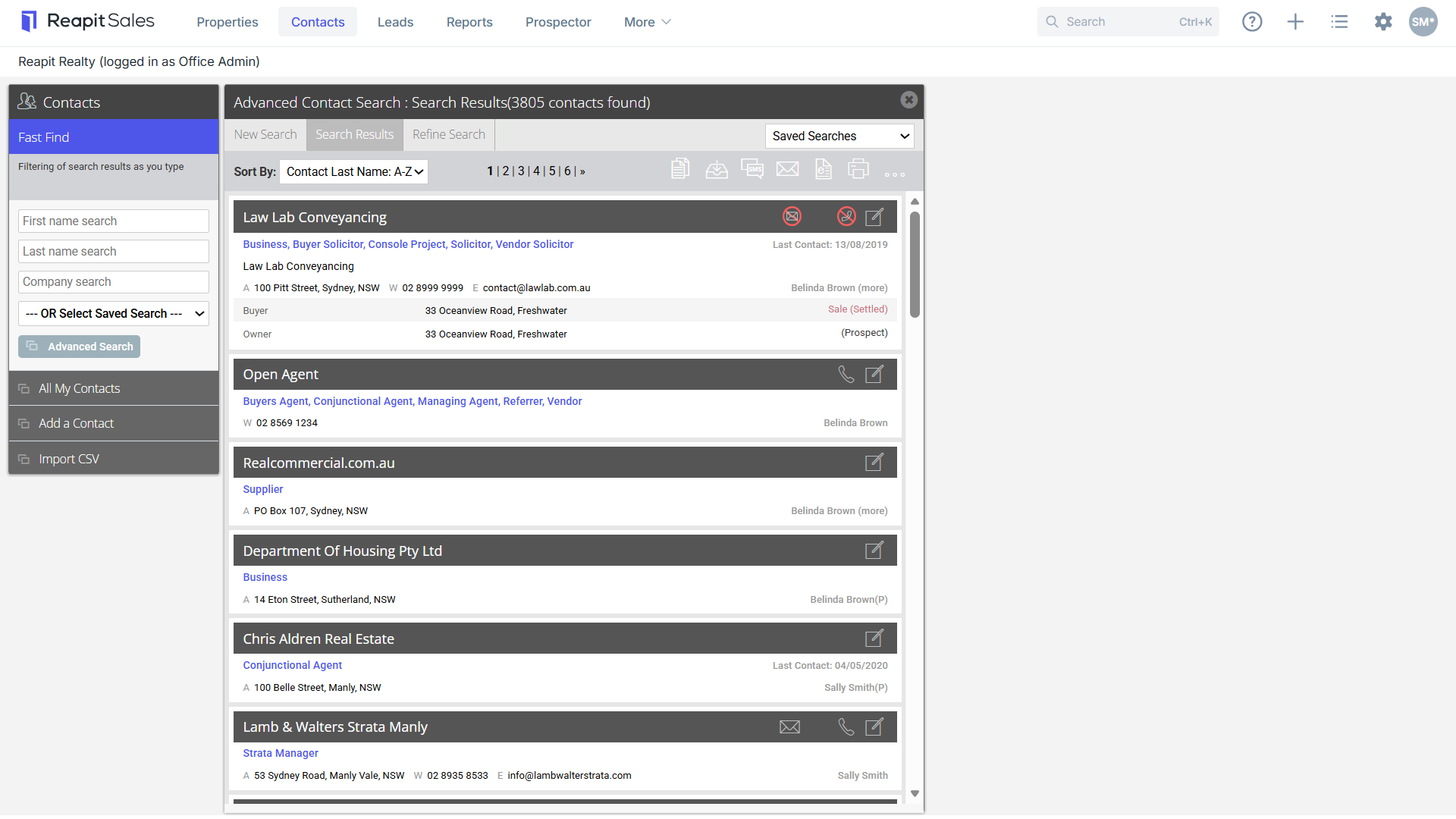

- Click the Bulk Update Contacts Icon.
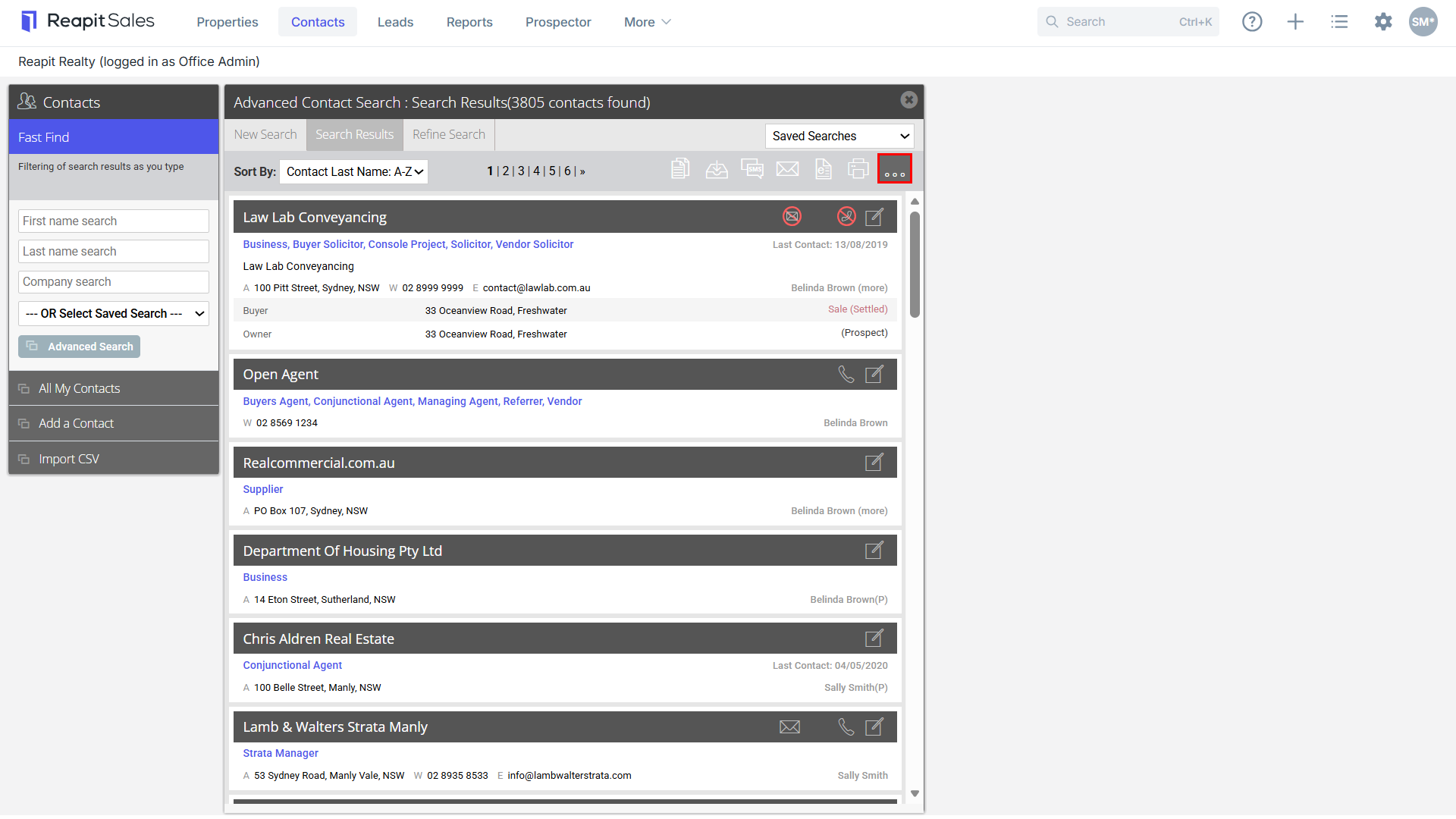
- Select the necessary action:
Add/Remove Contact Classes/Custom Classes

Change Contact Status to Unsubscribed, Do Not Contact or Archived

Add/Remove/Replace Assigned Staff and/or Change Primary Owner

Add/Remove Subscriptions
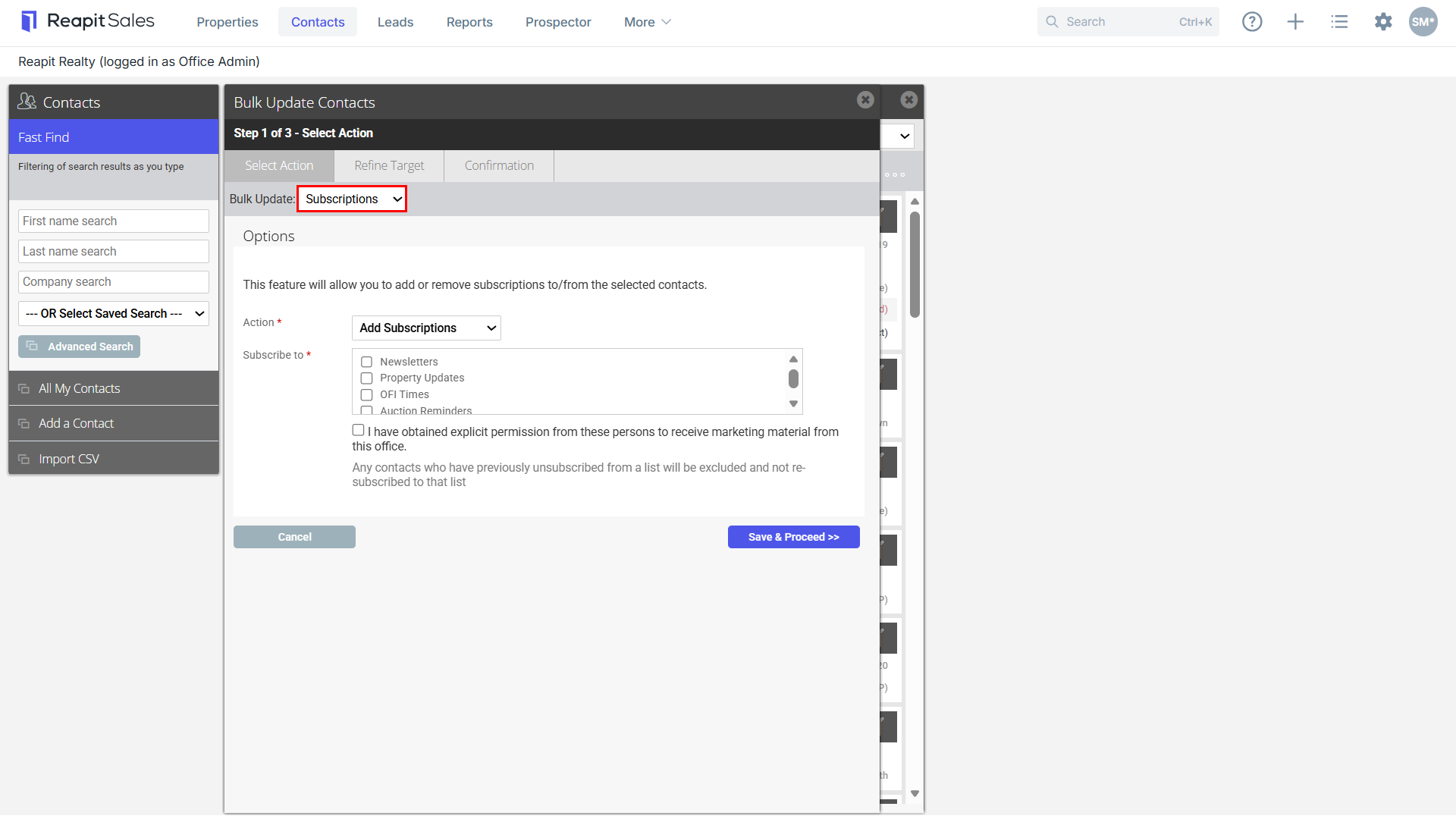

- Click Save & Proceed.
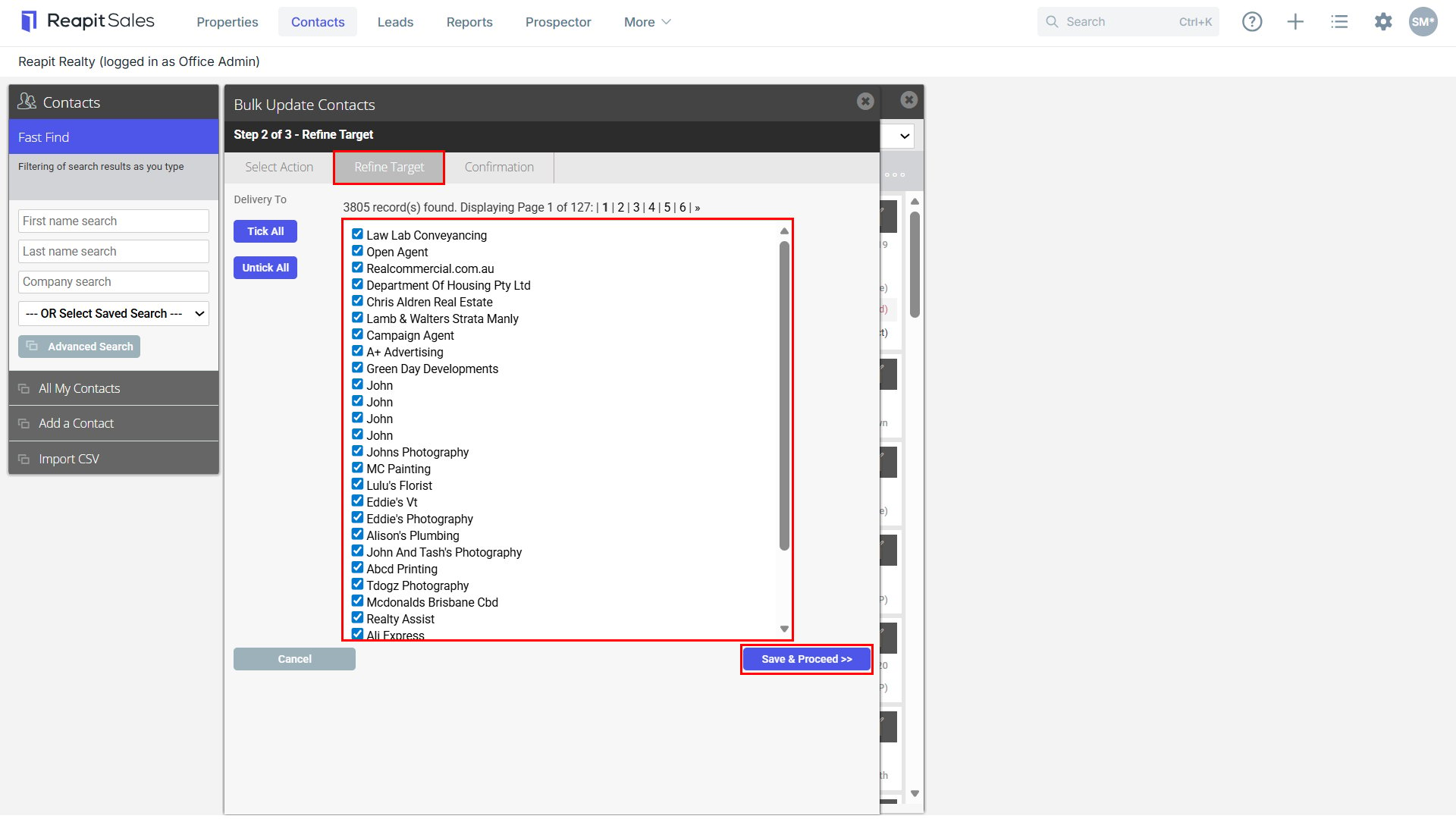
- Refine Target List.
- Select Save & Proceed.
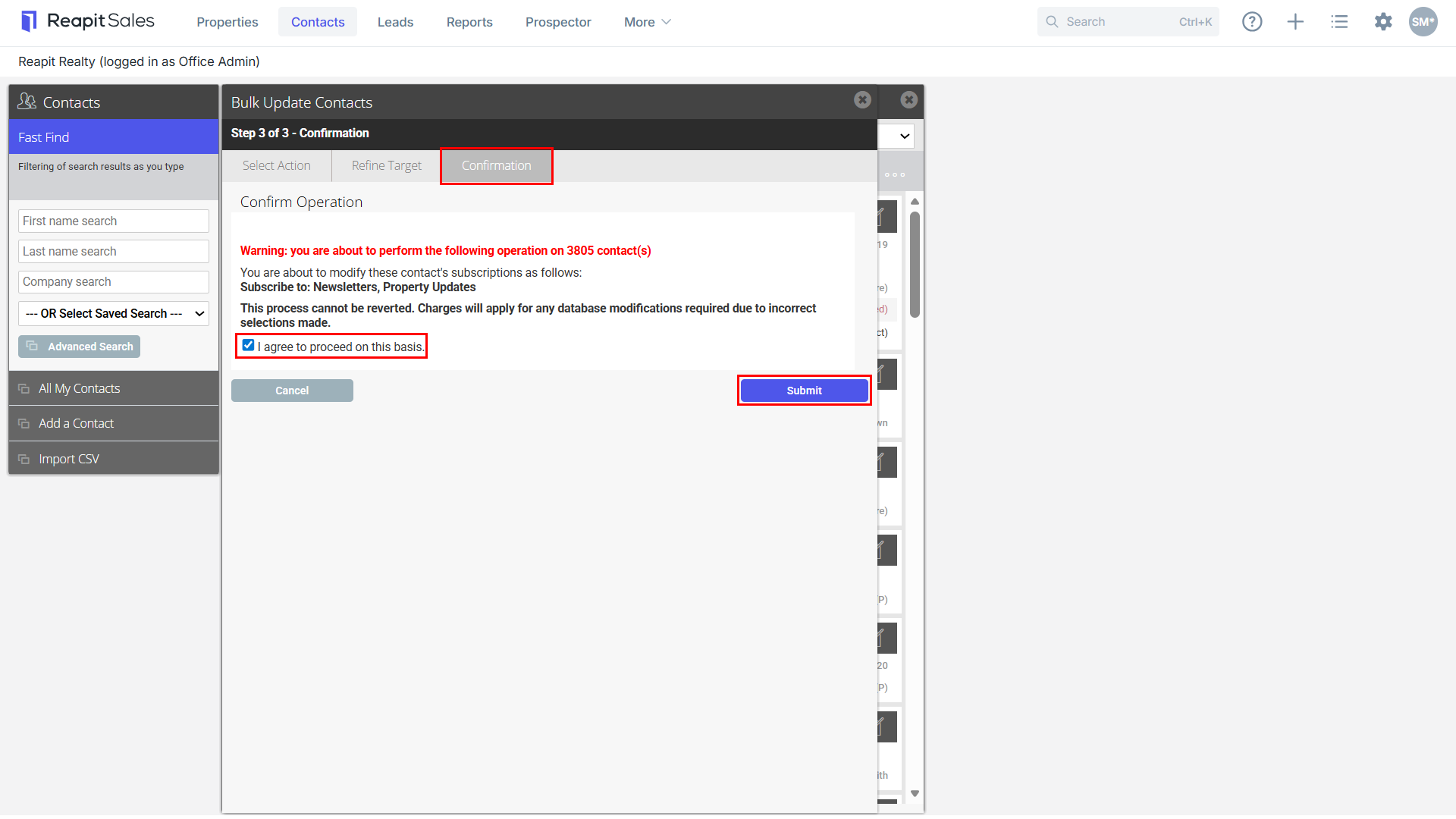
- Confirm Operation - ensure you have ticked the I agree to proceed on this basis tick box.
- Click Submit to finalise the bulk update.