'%20d='M0%208a8%208%200%200%201%208-8h24a8%208%200%200%201%208%208v24a8%208%200%200%201-8%208H8a8%208%200%200%201-8-8V8Z'/%3e%3cpath%20fill='%23fff'%20d='M10.41%206v3.779h15.048v19.537h4.132V6H10.41Z'/%3e%3cpath%20fill='%23fff'%20d='M20.967%2034V13.837L10.41%209.78v20.166L20.967%2034Z'/%3e%3cdefs%3e%3clinearGradient%20id='reapit-sales__a'%20x1='20.702'%20x2='20.702'%20y1='.351'%20y2='31.228'%20gradientUnits='userSpaceOnUse'%3e%3cstop%20stop-color='%235573FD'/%3e%3cstop%20offset='.575'%20stop-color='%234E56EA'/%3e%3c/linearGradient%3e%3c/defs%3e%3c/svg%3e)
Open for Inspection (OFI) Times
This article will cover open for inspection (OFI) times in Reapit Sales.
Open for Inspection (OFI) Times
This article will cover open for inspection (OFI) times in Reapit Sales.
How do I add Open For Inspection times?
- Search for your Listing and open the listing card.
- Click the OFI tab
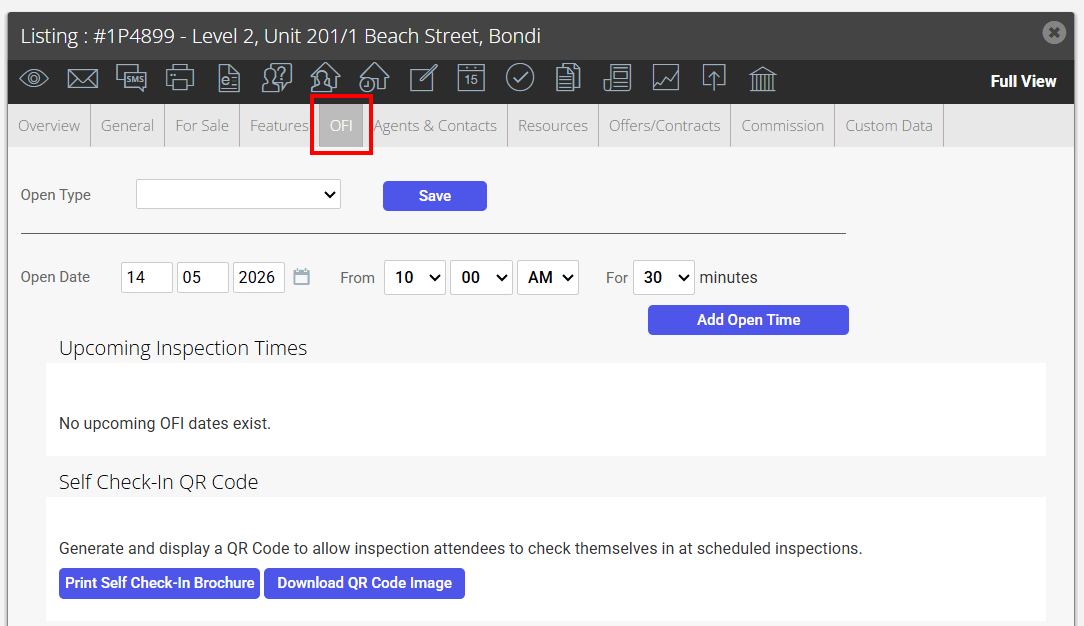
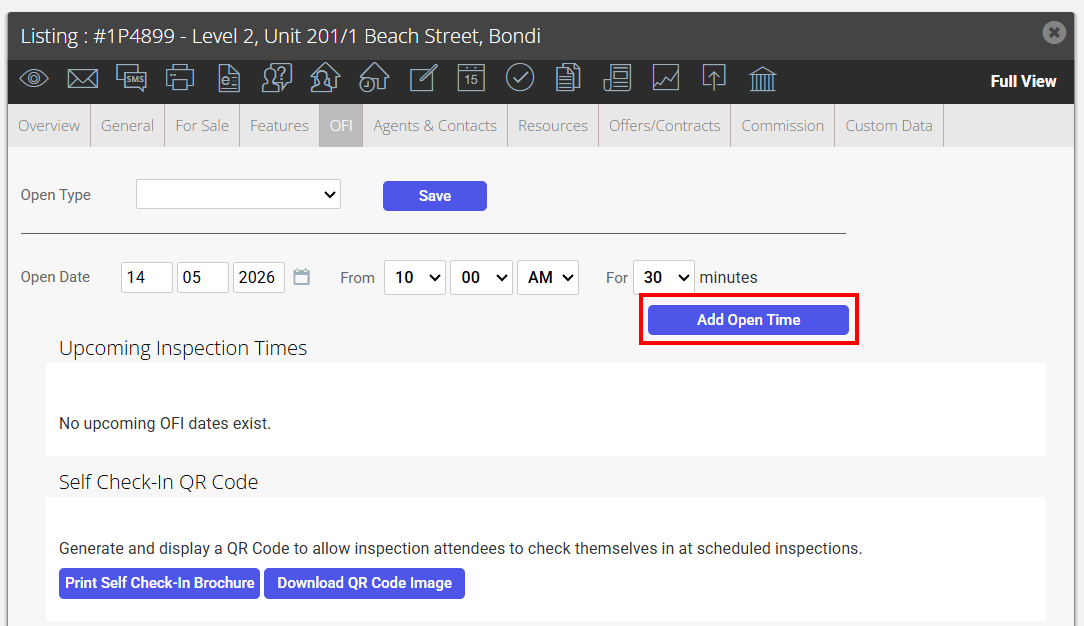
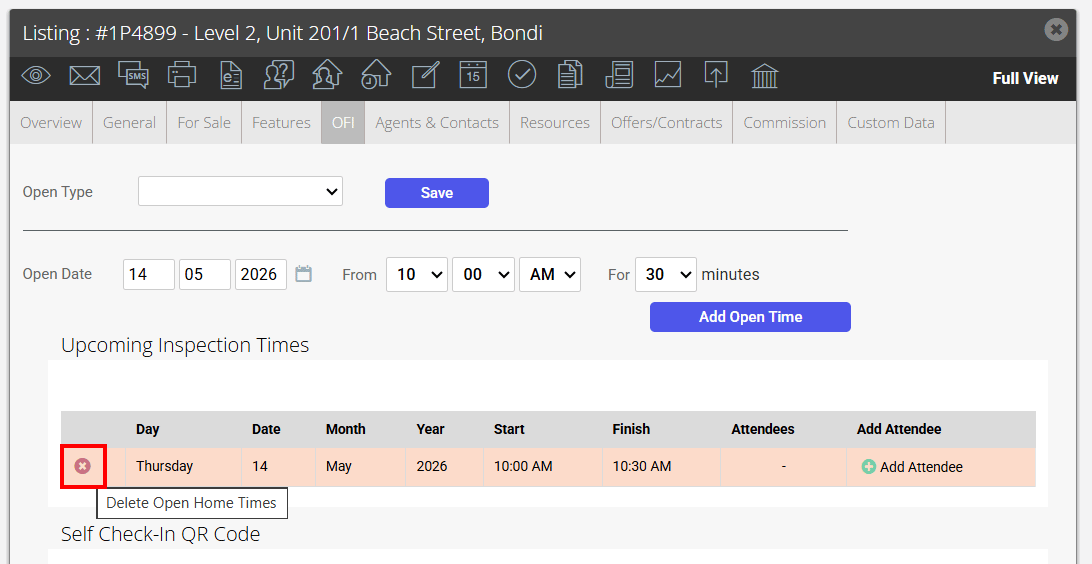
- Enter in the date, time and duration of the open time and click the green Add Open Time button
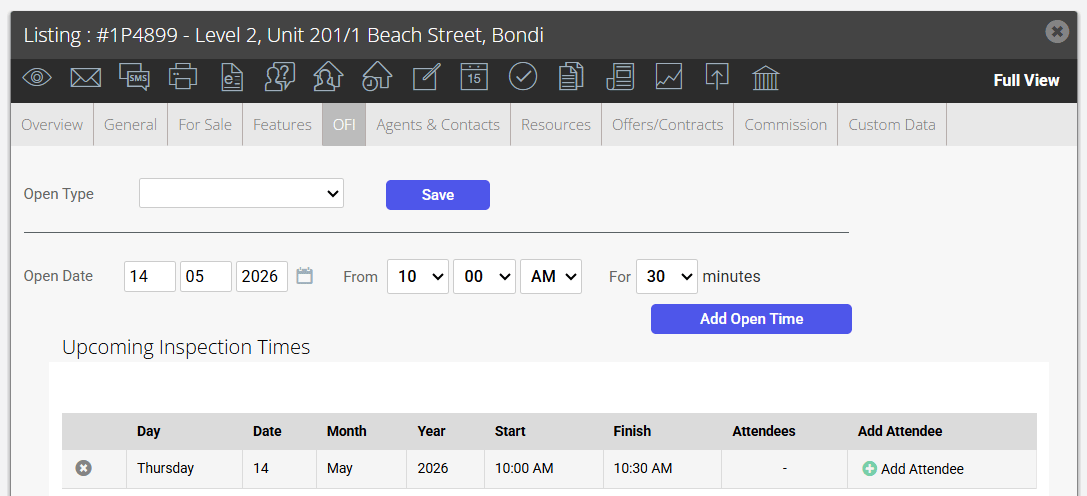
- The open time will be added to the Upcoming inspections time box
- Click the
 cross icon to delete
 - Click the date or time to edit
- Click 'Add Attendee' to record inspection feedback
- Click Save
How do I edit an OFI time in Reapit Sales?
- Search for your Listing and open the listing card.
- Click the OFI tab
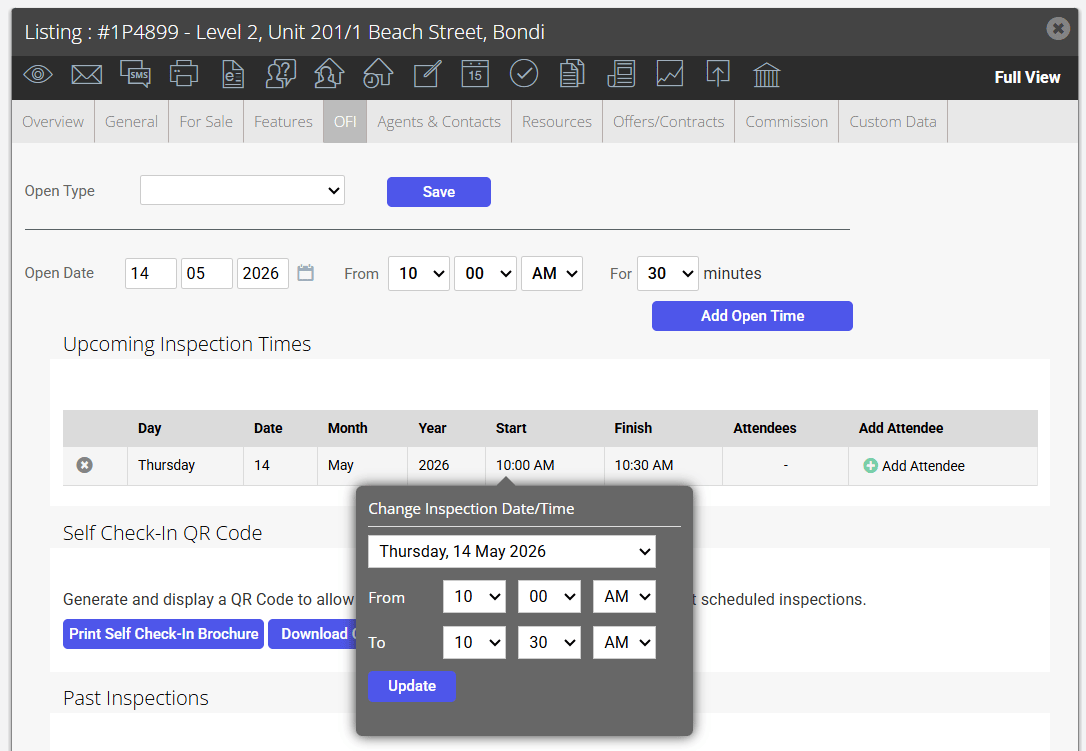
- Click the Date, Month, Year, Start or Finish time to open the edit box
- Edit the inspection Date/Time and click Update
- Ensure you click Save on the OFI tab to export these changes to your website and portals
- If you have incorrectly added an open time that has feedback attached, contact support@Reapit Sales.com.au and they can get the time corrected for you without losing any related feedback.
How do I delete an OFI time in Reapit Sales?
- Search for your Listing and open the listing card.
- Click the OFI tab
- The open times will appear in the Upcoming inspections time box or the Past inspections box. Click the cross icon next to the corresponding open time to delete the record
*Warning: if you delete a past inspection time, you will also delete any related feedback that was entered.
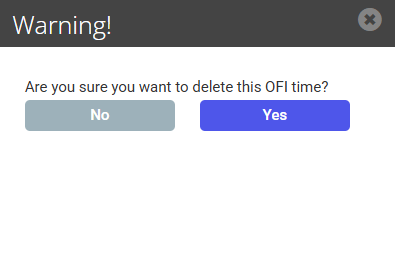
- Click Yes
- Click Save on the OFI tab.