'%20d='M0%208a8%208%200%200%201%208-8h24a8%208%200%200%201%208%208v24a8%208%200%200%201-8%208H8a8%208%200%200%201-8-8V8Z'/%3e%3cpath%20fill='%23fff'%20d='M10.41%206v3.779h15.048v19.537h4.132V6H10.41Z'/%3e%3cpath%20fill='%23fff'%20d='M20.967%2034V13.837L10.41%209.78v20.166L20.967%2034Z'/%3e%3cdefs%3e%3clinearGradient%20id='reapit-sales__a'%20x1='20.702'%20x2='20.702'%20y1='.351'%20y2='31.228'%20gradientUnits='userSpaceOnUse'%3e%3cstop%20stop-color='%235573FD'/%3e%3cstop%20offset='.575'%20stop-color='%234E56EA'/%3e%3c/linearGradient%3e%3c/defs%3e%3c/svg%3e)
Archive a Property
This article demonstrates how to archive a property from within the Property Card in Reapit Sales.
Overview
Archive a Property
This article demonstrates how to archive a property from within the Property Card in Reapit Sales.
You cannot permanently delete properties in Reapit Sales however with the access permission 'Archive Properties' you are able to archive appraisals and active listing records. This will remove them from your fast find and active searches and remove the property from all reporting. You can reactivate the record at any time by doing an Advanced Property Search to locate the record ensuring you select to include Status: Offline - Archived in the search.
*Note: Prospects, Projects and Settled Listings cannot be deleted by a user in Reapit Sales. To have a Prospect removed please email support with the prospect ID for hard-deletion. To have a settled listing or project removed, please submit a Client Change Request under the topic 'Data' including the ID.
- Search for your Property and open the Property Card
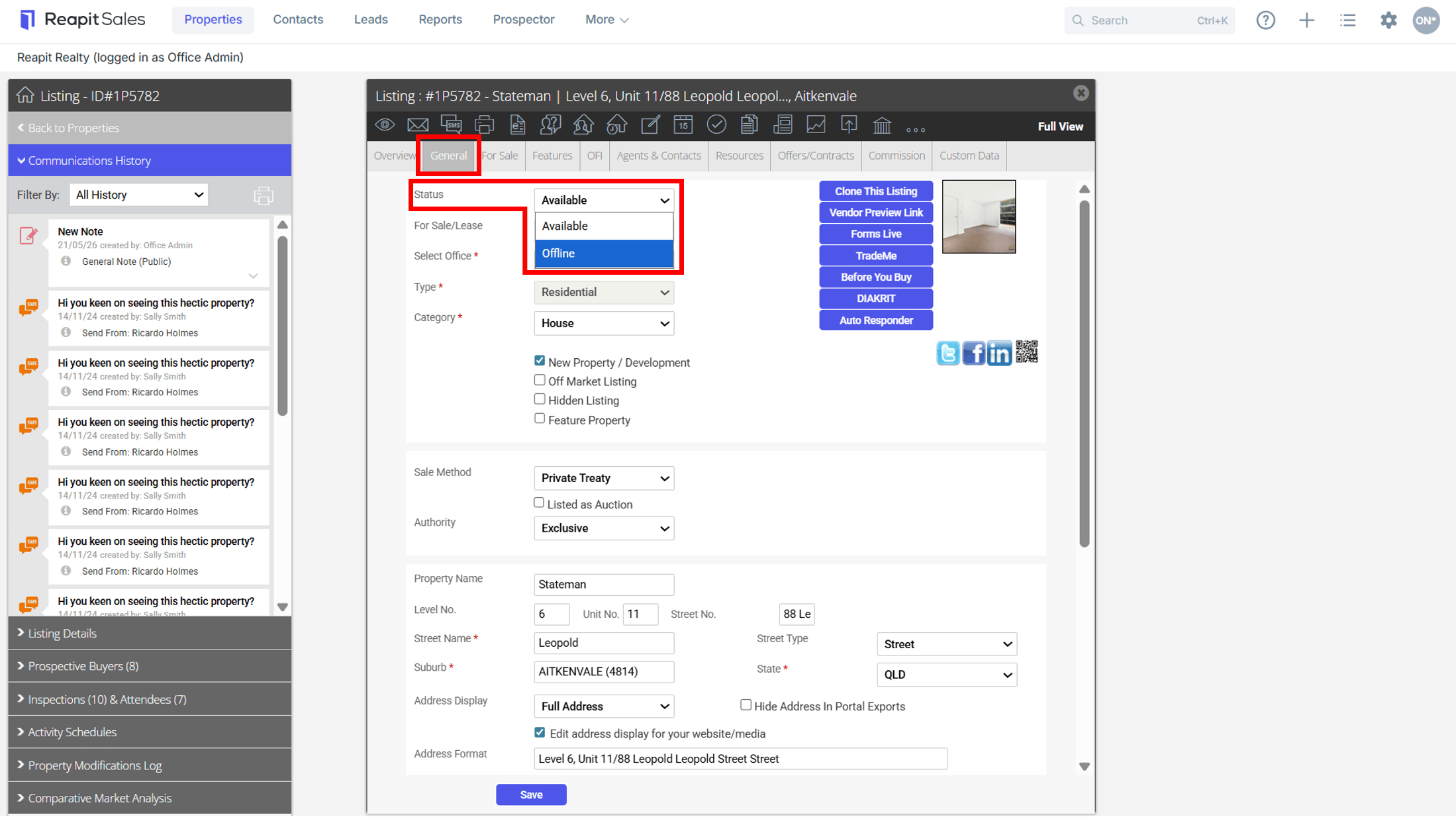
- Click to open the General Tab and select Offline from the Status drop-down
Note: If your listing is Under Contract you will need to refer to fallen over sales. Prospect and Settled Properties cannot be deleted by a user in Reapit Sales. To have a property removed, please reach out the the Support Team
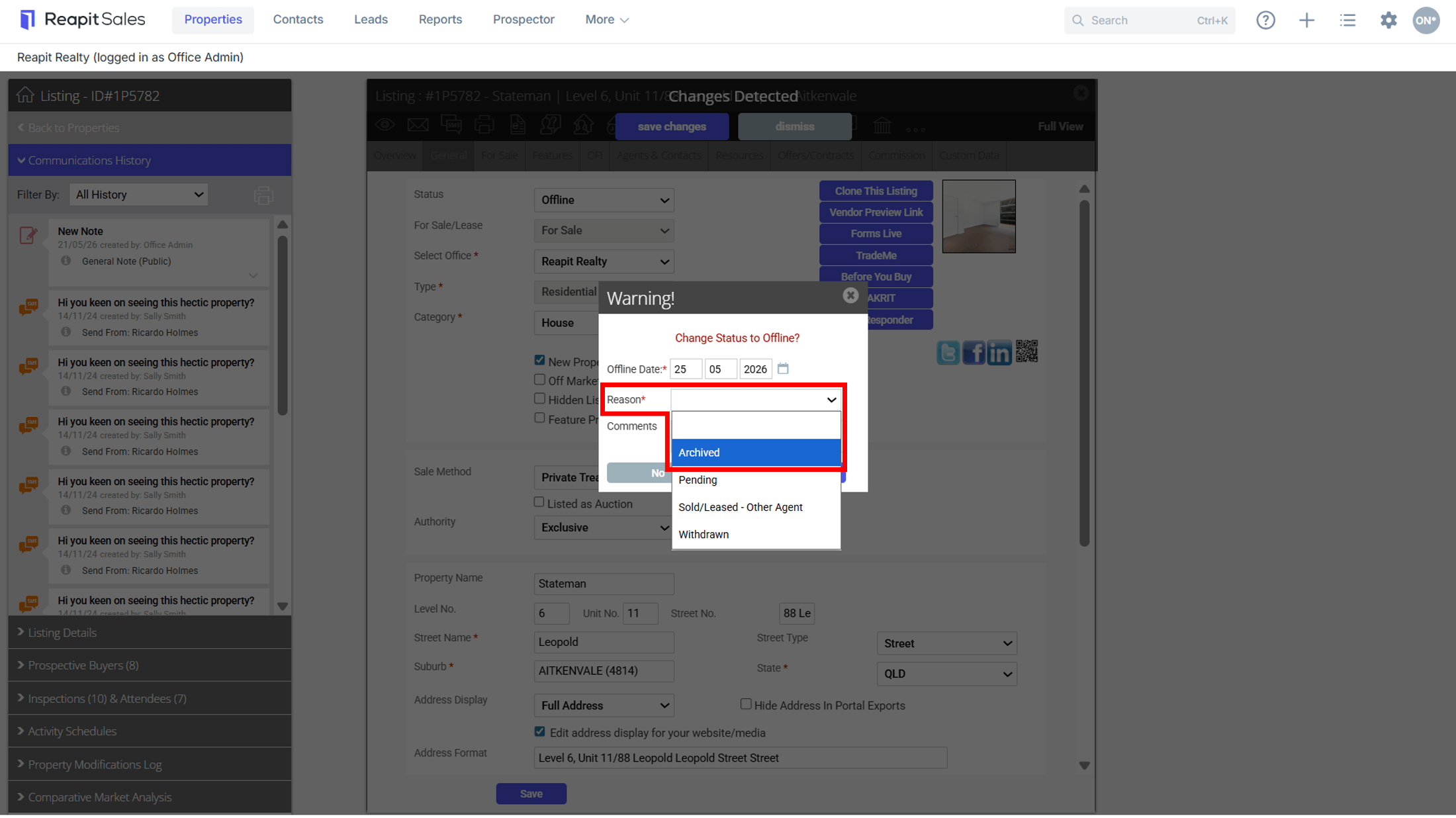
- Enter the Offline Date, select Archived from the Reason drop-down and enter any Comments then click Yes to archive
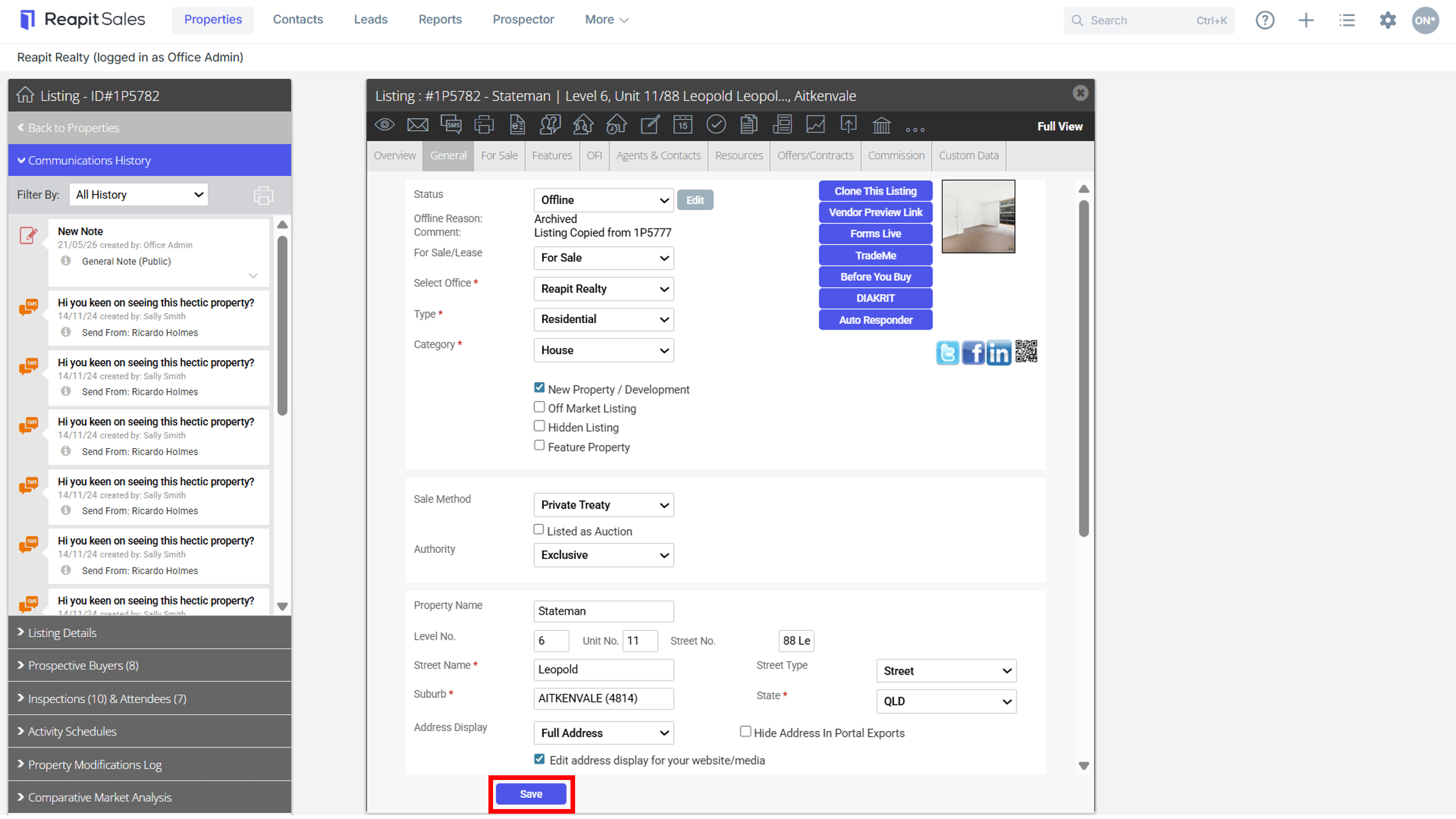
- Click Save to apply changes. *Note: Archived properties and projects can now only be viewed by completing an advanced property search by property type and status for your archived prospects, appraisals, listings or projects. They will no longer be visible in reports or any other searches.