'%20d='M0%208a8%208%200%200%201%208-8h24a8%208%200%200%201%208%208v24a8%208%200%200%201-8%208H8a8%208%200%200%201-8-8V8Z'/%3e%3cpath%20fill='%23fff'%20d='M10.41%206v3.779h15.048v19.537h4.132V6H10.41Z'/%3e%3cpath%20fill='%23fff'%20d='M20.967%2034V13.837L10.41%209.78v20.166L20.967%2034Z'/%3e%3cdefs%3e%3clinearGradient%20id='reapit-sales__a'%20x1='20.702'%20x2='20.702'%20y1='.351'%20y2='31.228'%20gradientUnits='userSpaceOnUse'%3e%3cstop%20stop-color='%235573FD'/%3e%3cstop%20offset='.575'%20stop-color='%234E56EA'/%3e%3c/linearGradient%3e%3c/defs%3e%3c/svg%3e)
Search for Projects
There are multiple ways to search for your projects in Reapit Sales. This article will demonstrate how to search for a project using the Universal Search Bar, the Left Property Panel and the Advanced Property Search.
Overview
Search for Projects
There are multiple ways to search for your projects in Reapit Sales. This article will demonstrate how to search for a project using the Universal Search Bar, the Left Property Panel and the Advanced Property Search.
Universal Search Bar
- Click the Projects tab in the Universal Search Bar at the top of the screen

- Enter Project Name, Project ID or Suburb Name
- A list of Projects will appear in a drop-down
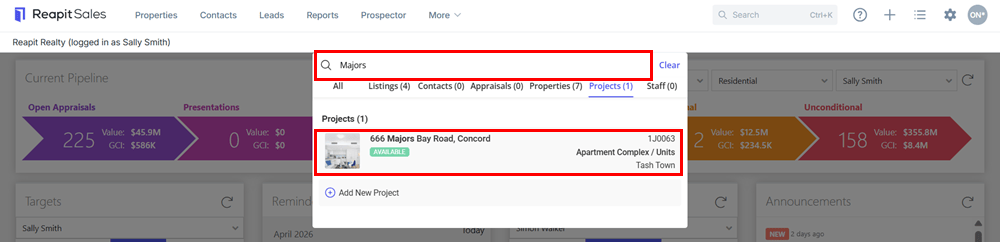
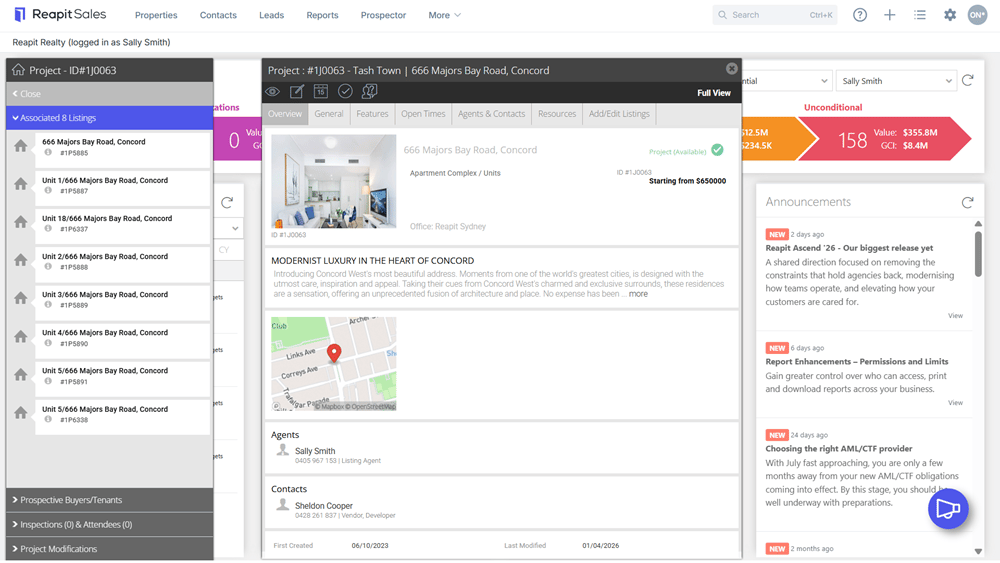
- Click the Project to open.
Left Panel Fast Find
- Click the Properties icon from the main menu
- On the left panel, tab across to search either your Available, Inspections or Off Market projects
- Click the Type drop-down and select Project
- Click Search
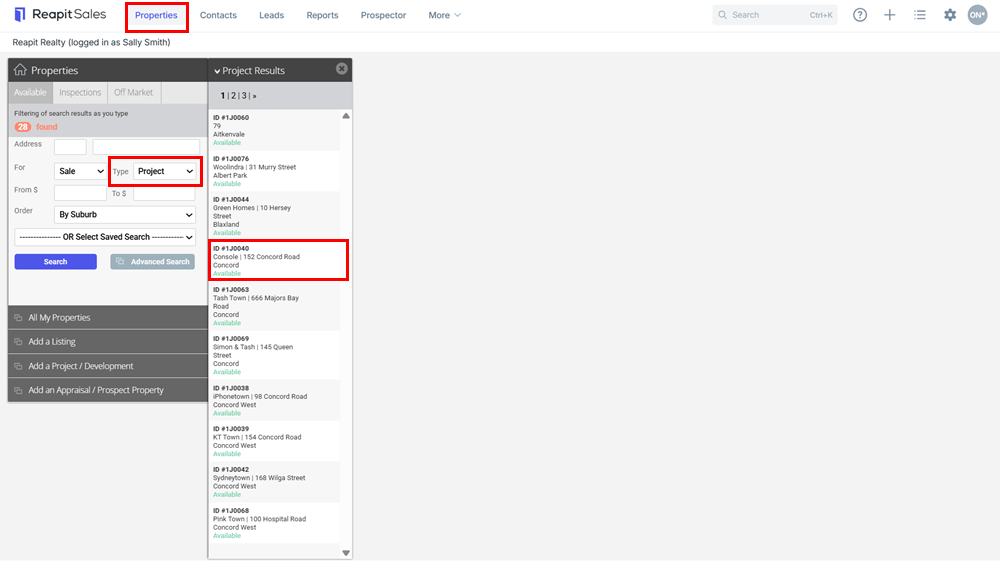
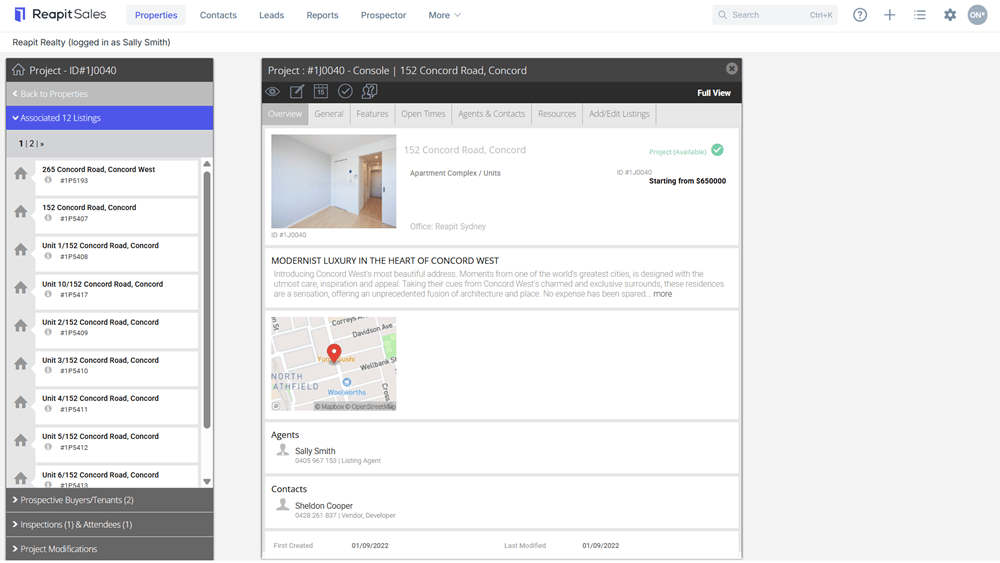
- Click the Project from the Project Results Panel
- Your Project will appear on screen.
Advanced Property Search
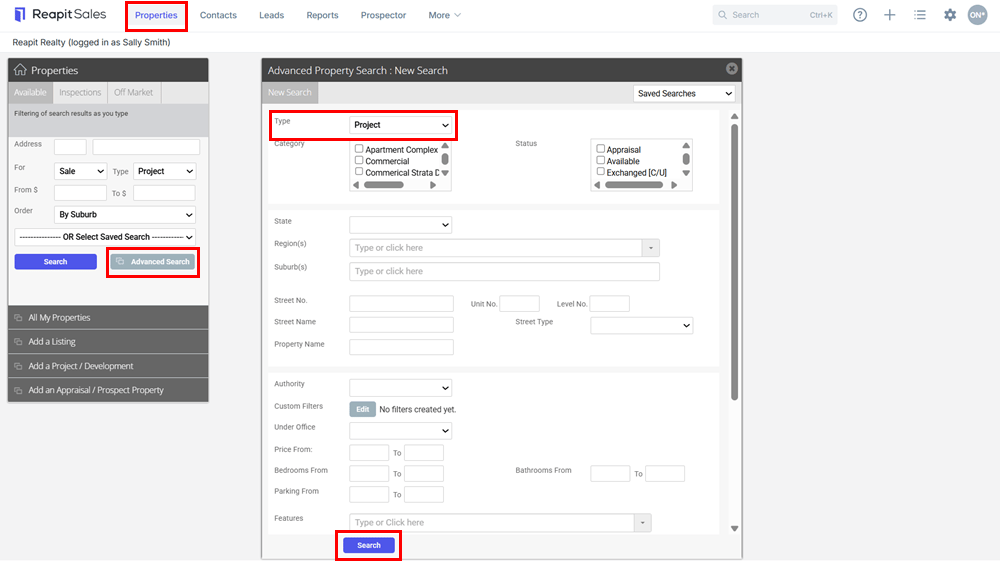
- Click Properties from the main menu
- Click Advanced Search on the Left Panel

- Enter your Search Criteria into the appropriate fields. You can search by:
Type: Project
Category: Apartment Complex / Units, House & Land Packages, Land Estate
Status: Appraisal, Available, Deposit Taken, Exchanged, Leased, Offline, Prospect, Sold, Under Contract, Under Offer
State: ACT, NSW, NT, QLD, SA, TAS, VIC, WA
Regions: e.g Northern Suburbs, Western Suburbs
Suburbs:
Price, Bathrooms, Parking
Assigned Staff
Date Range for ‘last modified’, 'on market' and 'sold date' lookups
- Click Search
- Click the Project of your choice from the Search Results Panel.