'%20d='M0%208a8%208%200%200%201%208-8h24a8%208%200%200%201%208%208v24a8%208%200%200%201-8%208H8a8%208%200%200%201-8-8V8Z'/%3e%3cpath%20fill='%23fff'%20d='M10.41%206v3.779h15.048v19.537h4.132V6H10.41Z'/%3e%3cpath%20fill='%23fff'%20d='M20.967%2034V13.837L10.41%209.78v20.166L20.967%2034Z'/%3e%3cdefs%3e%3clinearGradient%20id='reapit-sales__a'%20x1='20.702'%20x2='20.702'%20y1='.351'%20y2='31.228'%20gradientUnits='userSpaceOnUse'%3e%3cstop%20stop-color='%235573FD'/%3e%3cstop%20offset='.575'%20stop-color='%234E56EA'/%3e%3c/linearGradient%3e%3c/defs%3e%3c/svg%3e)
Searching in Reapit Sales
This article provides a quick introduction the the universal search bar in Reapit Sales.
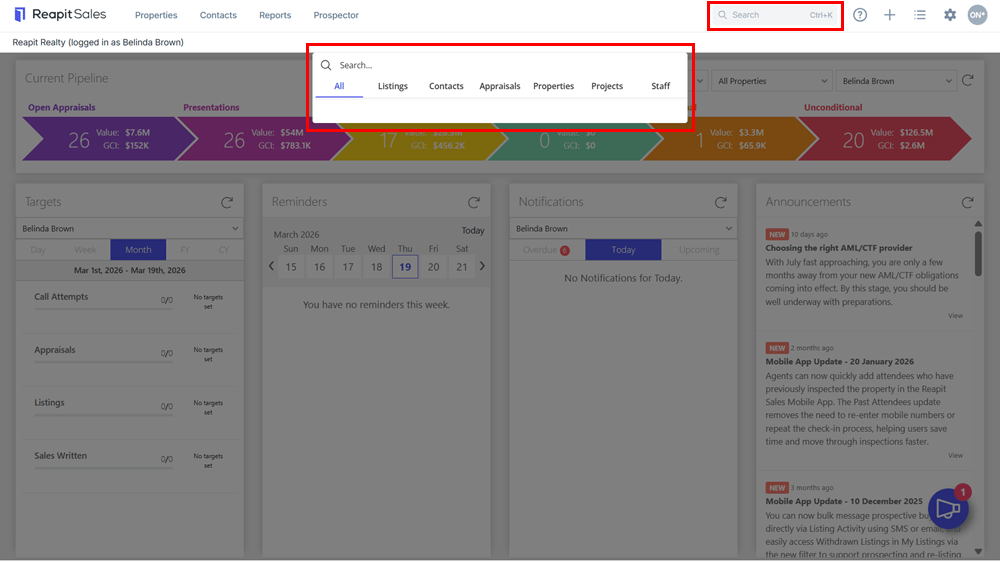
To quickly search and access your listings, projects, contacts, properties (prospect records) and staff, we recommend using the Universal Search Bar located in the system header.
1. Click on the universal search bar from your dashboard.
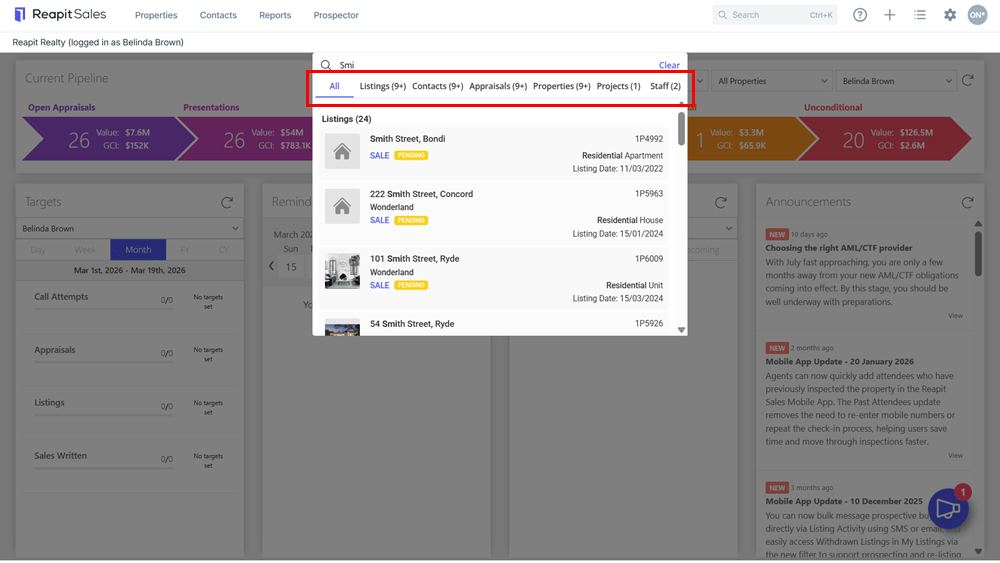
2. Using a minimum of 3 characters, start your keyword search e.g. Smith. The search result will be separated into the relevant categories (Contacts, Listings, Appraisals, Properties, Projects & Staff) that match your search criteria.
Note: If searching by unit number, the search results will not generate until you enter the forward-slash e.g. 123/* even if 3 characters have been entered.*
3. Only the top 5 results will be displayed for each category. You can then click through to the relevant tabs to view more results within a given category.