'%20d='M0%208a8%208%200%200%201%208-8h24a8%208%200%200%201%208%208v24a8%208%200%200%201-8%208H8a8%208%200%200%201-8-8V8Z'/%3e%3cpath%20fill='%23fff'%20d='M10.41%206v3.779h15.048v19.537h4.132V6H10.41Z'/%3e%3cpath%20fill='%23fff'%20d='M20.967%2034V13.837L10.41%209.78v20.166L20.967%2034Z'/%3e%3cdefs%3e%3clinearGradient%20id='reapit-sales__a'%20x1='20.702'%20x2='20.702'%20y1='.351'%20y2='31.228'%20gradientUnits='userSpaceOnUse'%3e%3cstop%20stop-color='%235573FD'/%3e%3cstop%20offset='.575'%20stop-color='%234E56EA'/%3e%3c/linearGradient%3e%3c/defs%3e%3c/svg%3e)
Log an Offer
This article outlines how to log an offer using the Reapit Sales App.
Log an Offer
This article outlines how to log an offer using the Reapit Sales App.
- Tap ****the magnifying glass icon from the main menu and select 'Listings'.
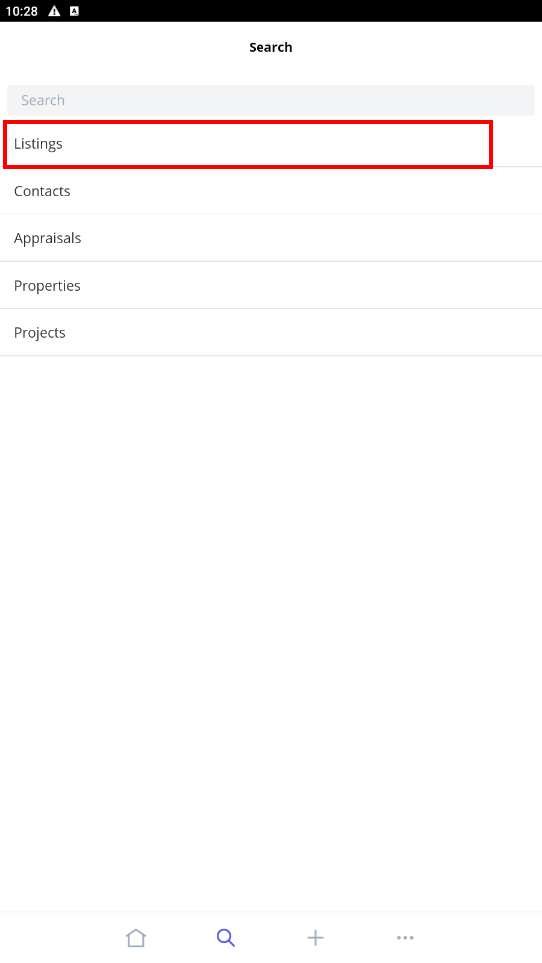
- Locate the listing using one of the following methods;
Search bar Quickly search for a listing using the listing ID or Property Address.
Opens tab Within the Opens tab, you can view any listings with upcoming Open for Inspections that you have been assigned to. To view the details of the listing or to add inspection feedback simply click on the address to open the listing card.
My Listings tab Click the My Listings tab to view all listings that you are assigned to.
All Listings tab Click the All Listings tab to view all listings that you have access to. Please note, these listings will depend on the permissions that are assigned to you in your Staff Card
- Once you have found the lisiting Tap to open
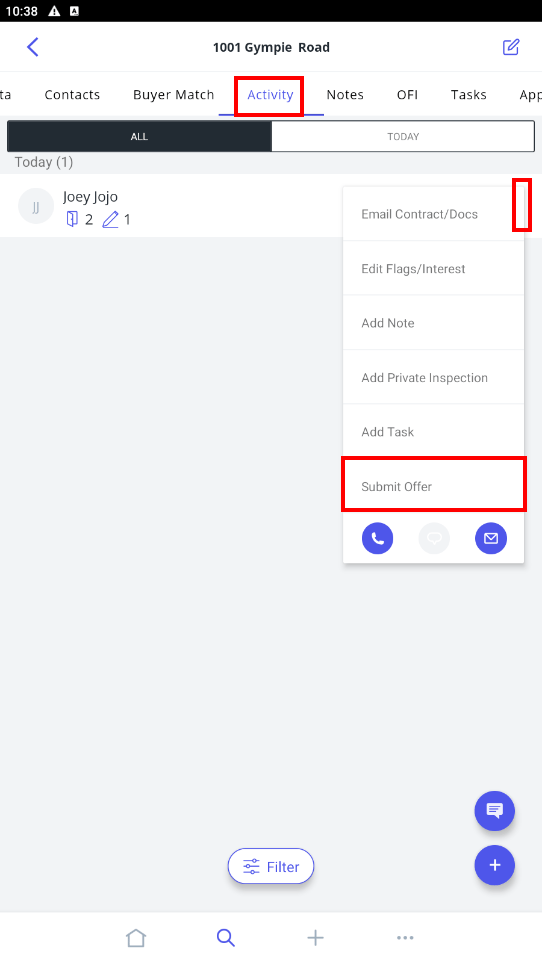
- Tap A****ctivity
- Tap on the three vertical dots next to the contact who is submitting an offer
- Tap Submit Offer
- Enter the offer details.
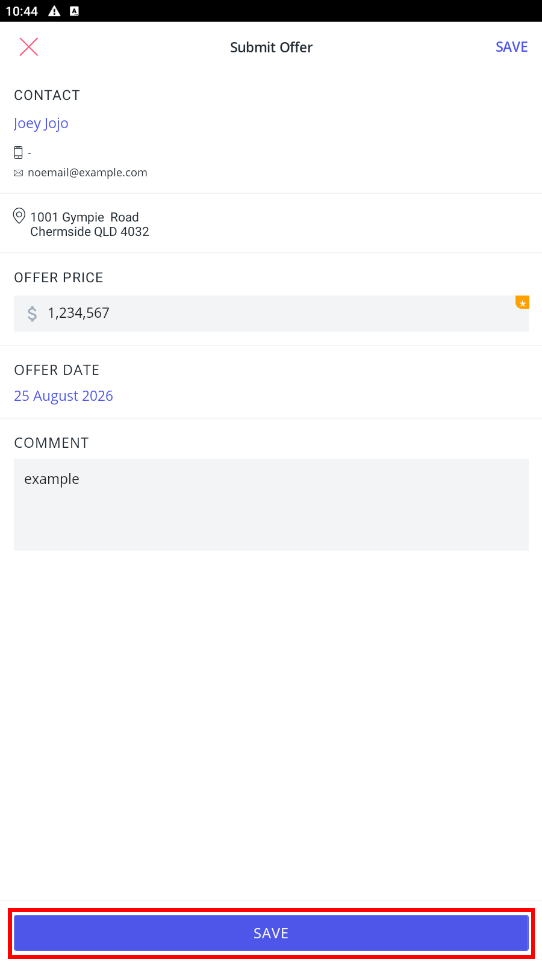
- Tap Save.