'%20d='M0%208a8%208%200%200%201%208-8h24a8%208%200%200%201%208%208v24a8%208%200%200%201-8%208H8a8%208%200%200%201-8-8V8Z'/%3e%3cpath%20fill='%23fff'%20d='M10.41%206v3.779h15.048v19.537h4.132V6H10.41Z'/%3e%3cpath%20fill='%23fff'%20d='M20.967%2034V13.837L10.41%209.78v20.166L20.967%2034Z'/%3e%3cdefs%3e%3clinearGradient%20id='reapit-sales__a'%20x1='20.702'%20x2='20.702'%20y1='.351'%20y2='31.228'%20gradientUnits='userSpaceOnUse'%3e%3cstop%20stop-color='%235573FD'/%3e%3cstop%20offset='.575'%20stop-color='%234E56EA'/%3e%3c/linearGradient%3e%3c/defs%3e%3c/svg%3e)
REI Forms Live Integration
This article explains how to activate the integration between Reapit Sales and FormsLive / Realworks for users who have an active subscription. This integration allows you to minimise data entry by pre-populating your forms with core listing & contact details direct from Reapit Sales. Simply create your forms via the listing card 'REI Forms Live' button, launch the Forms Live editor and fill out the remaining fields required. In addition to REINSW, Reapit Sales's REI Forms Live Integration extends to REIQ (Realworks), REIWA, REIACT, REISA, REIT & RT.
REI Forms Live Integration
**This article explains how to activate the integration between Reapit Sales and REI for users who have an active subscription. This integration allows you to minimise data entry by pre-populating your forms with core listing & contact details direct from Reapit Sales. Simply create your forms via the listing card 'REI Forms Live' button, launch the Forms Live editor and fill out the remaining fields required.
In addition to REINSW, Reapit Sales's REI Forms Live Integration extends to REIWA, REIACT, REISA, REIT & RT.**
*Note: Master Users Only
More info on Forms Live can be found here: http://www.reiformslive.com.au/
Note: Due to the large volume of forms, Reapit Sales cannot map every single form field individually and has focused on the core listing and contact fields. Additional data entry is required to finalise each form; however, we welcome feedback regarding any form field that you believe can be filled from data already available inside Reapit Sales. Please submit any requests for additional field mapping to the support team.
Activating REI Forms
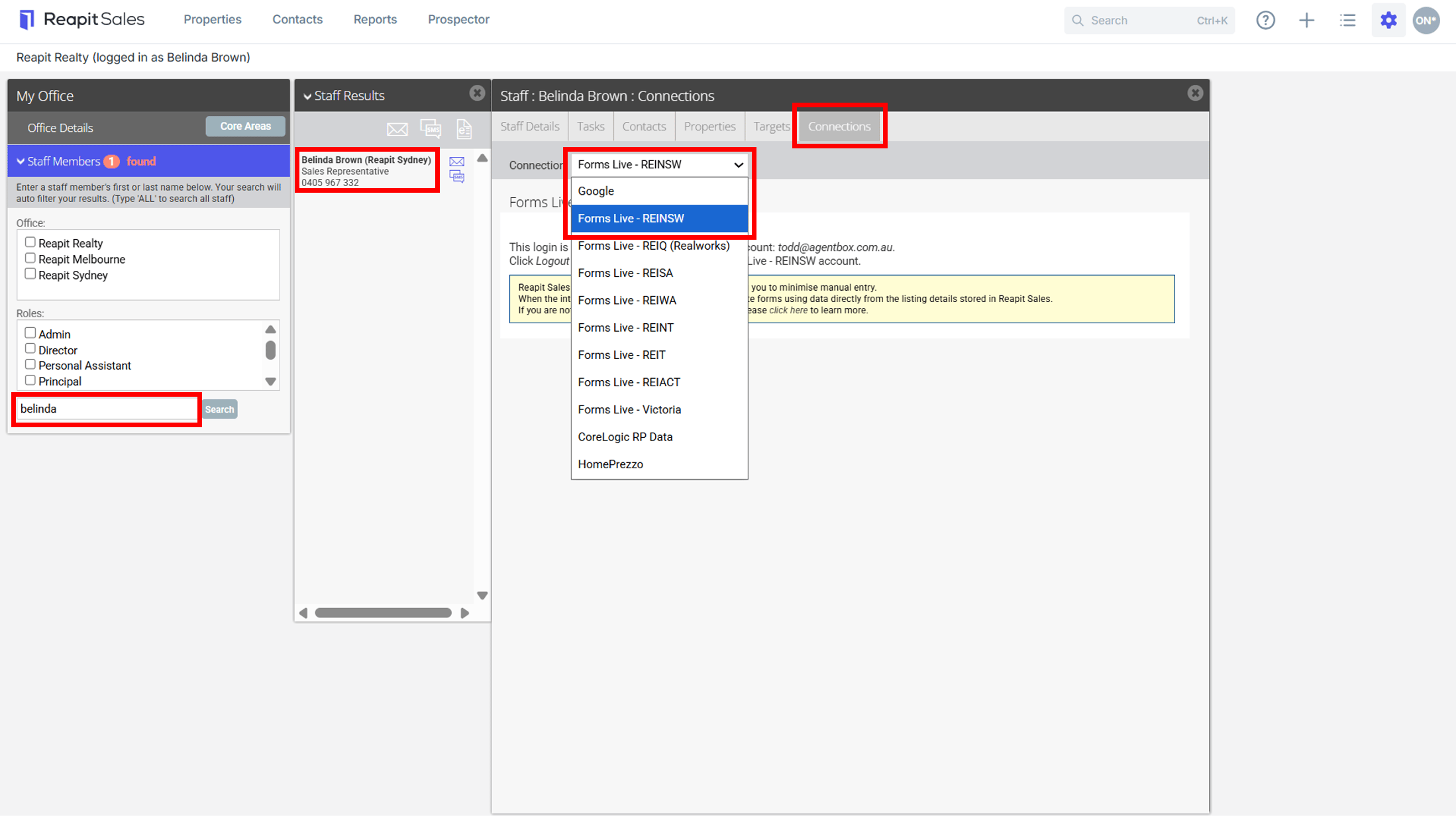
- Click My Office from the main menu.

- Type the staff member's name on the Left Panel and the staff member will appear on the staff results panel.
- Click the staff members name to open their staff card.
- Click the Connections tab and select the required REI Forms Account from the drop-down.
- Enter your Account Login details and Password.
- Select Login to activate the integration.
Create a Form
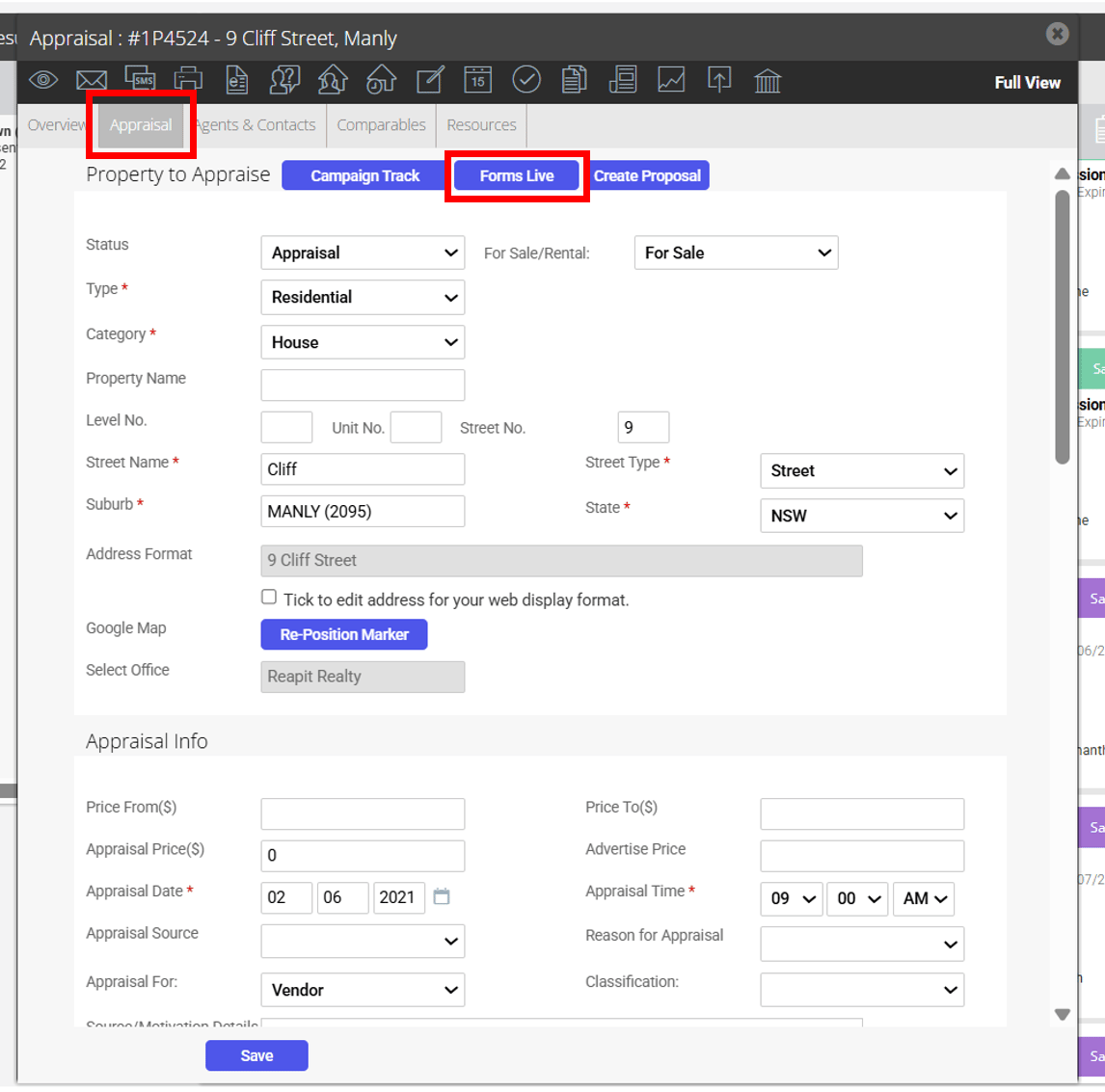
- Search and open an Open Appraisal or Listing.
- Click the REI Forms Live button.
- Select either a Create New Form (Default Template) or Create New Form (Custom Template) option from the Action drop-down:
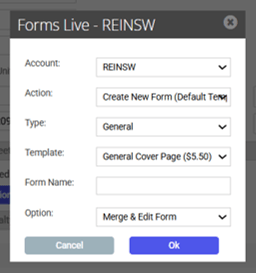
Option 1: For a Standard REI Form, select Create New Form (Default Template):
Complete the rest of the fields as below:
- Type: Property Management Form, Commercial Sales Form or Commercial Property Management Form.
- Template: Select the required template from the Template drop-down.
- Form Name: Enter a name to save the form you are creating.
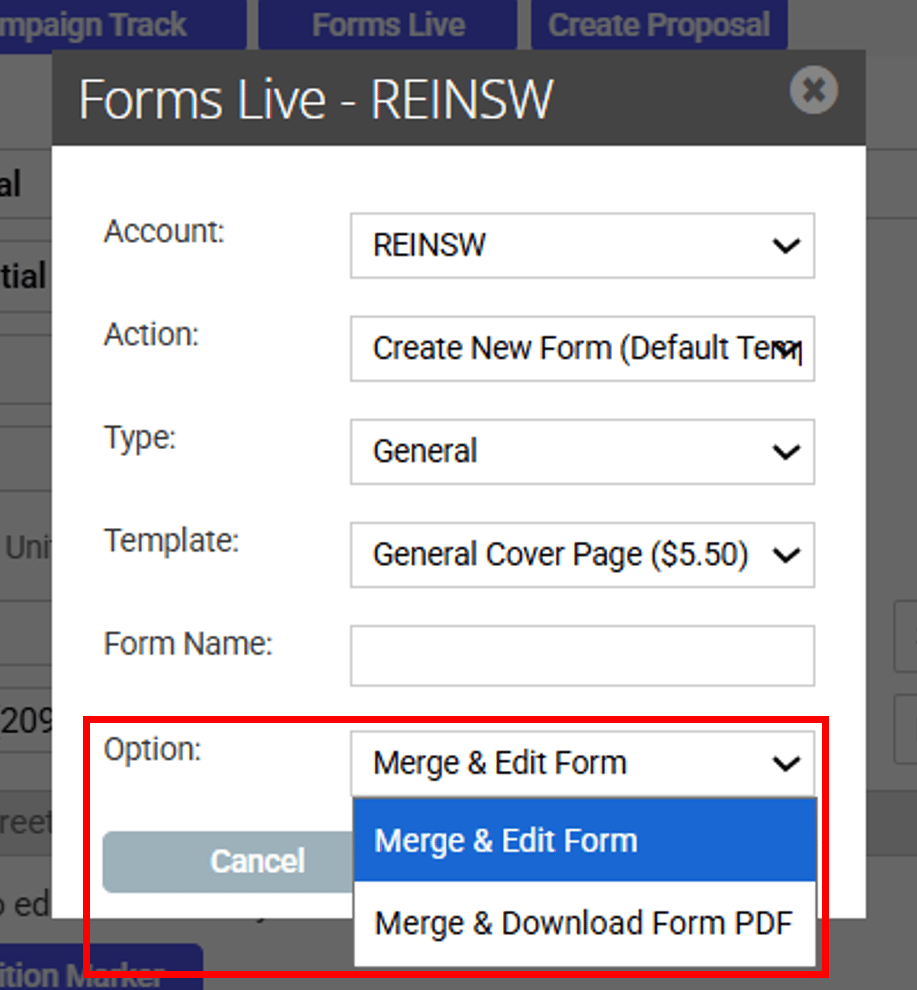
- Option: Merge & Edit Form, or Merge & Download Form PDF.
Option 2: For a Custom Form select Create New Form (Custom Template):
Complete the rest of the fields as below:
- Template: Select the required template from the Template drop-down.
- Form Name: Enter a name to save the form you are creating.
- Option: Merge & Edit Form, or Merge & Download Form PDF.
- Once this is finished, complete the process by clicking ok.
If you select to Merge & Edit in the Option drop-down you will be taken to REI Forms Live to make additions and changes to the form.
If you select Download Form to PDF it will automatically download a copy of the form which you will not be able to edit.