'%20d='M0%208a8%208%200%200%201%208-8h24a8%208%200%200%201%208%208v24a8%208%200%200%201-8%208H8a8%208%200%200%201-8-8V8Z'/%3e%3cpath%20fill='%23fff'%20d='M10.41%206v3.779h15.048v19.537h4.132V6H10.41Z'/%3e%3cpath%20fill='%23fff'%20d='M20.967%2034V13.837L10.41%209.78v20.166L20.967%2034Z'/%3e%3cdefs%3e%3clinearGradient%20id='reapit-sales__a'%20x1='20.702'%20x2='20.702'%20y1='.351'%20y2='31.228'%20gradientUnits='userSpaceOnUse'%3e%3cstop%20stop-color='%235573FD'/%3e%3cstop%20offset='.575'%20stop-color='%234E56EA'/%3e%3c/linearGradient%3e%3c/defs%3e%3c/svg%3e)
Reprint Reconciliation Reports
This article shows how to reprint reconciliation reports in Reapit Sales.
Reprint Reconciliation Reports
This article shows how to reprint reconciliation reports in Reapit Sales.
To reprint the reconciliation reports for your records or auditor you will need to generate the required reports from the Reconciliation History tab and the Reports tab.
- Select Transactions, Reconciliation and then Reconciliation History.
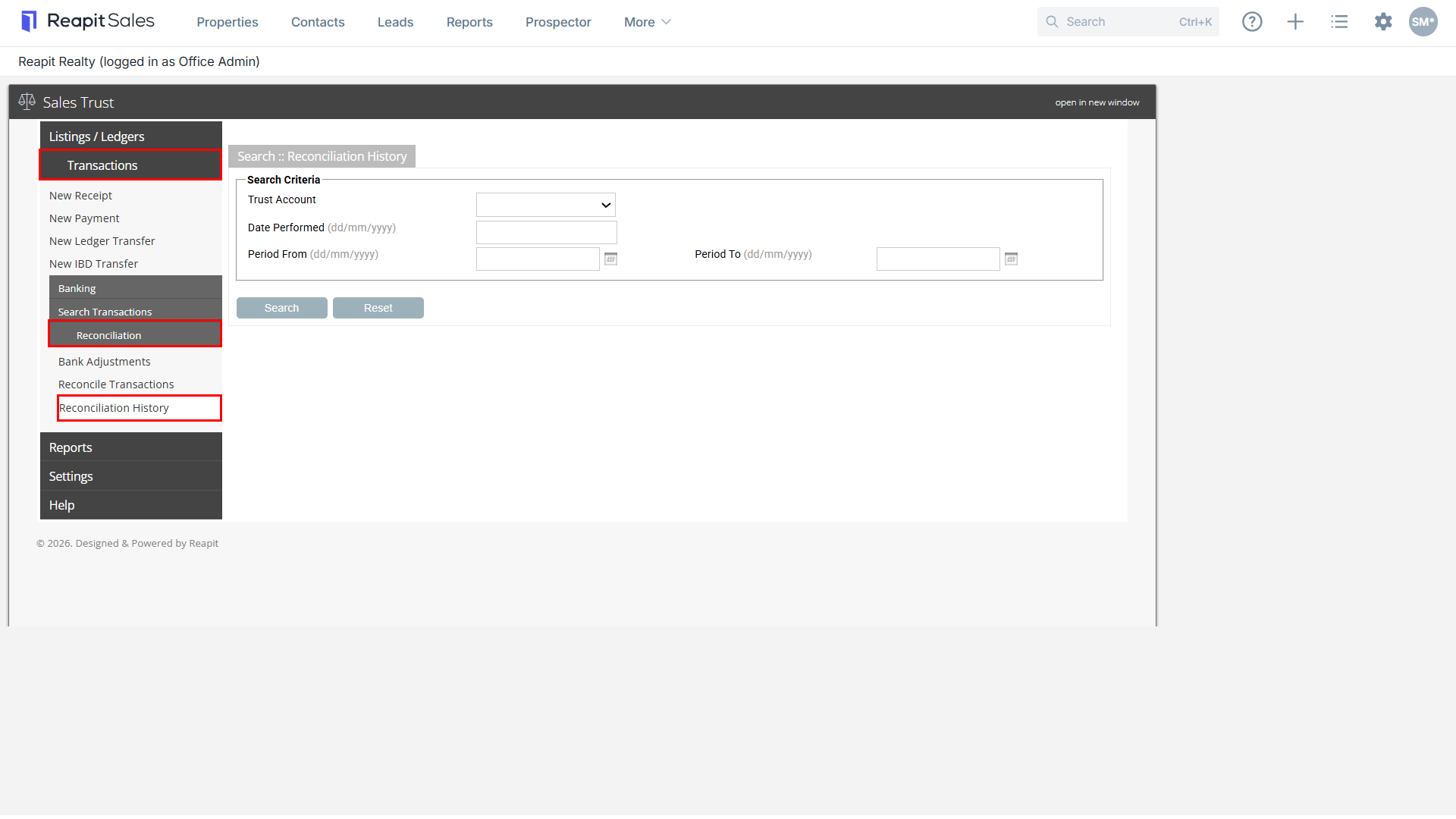
- To view All past reconciliations, leave all fields blank and select S****earch.
To narrow down your search select the T****rust account and enter the D****ate Performed, P****eriod From date or Period To date, and click Search.
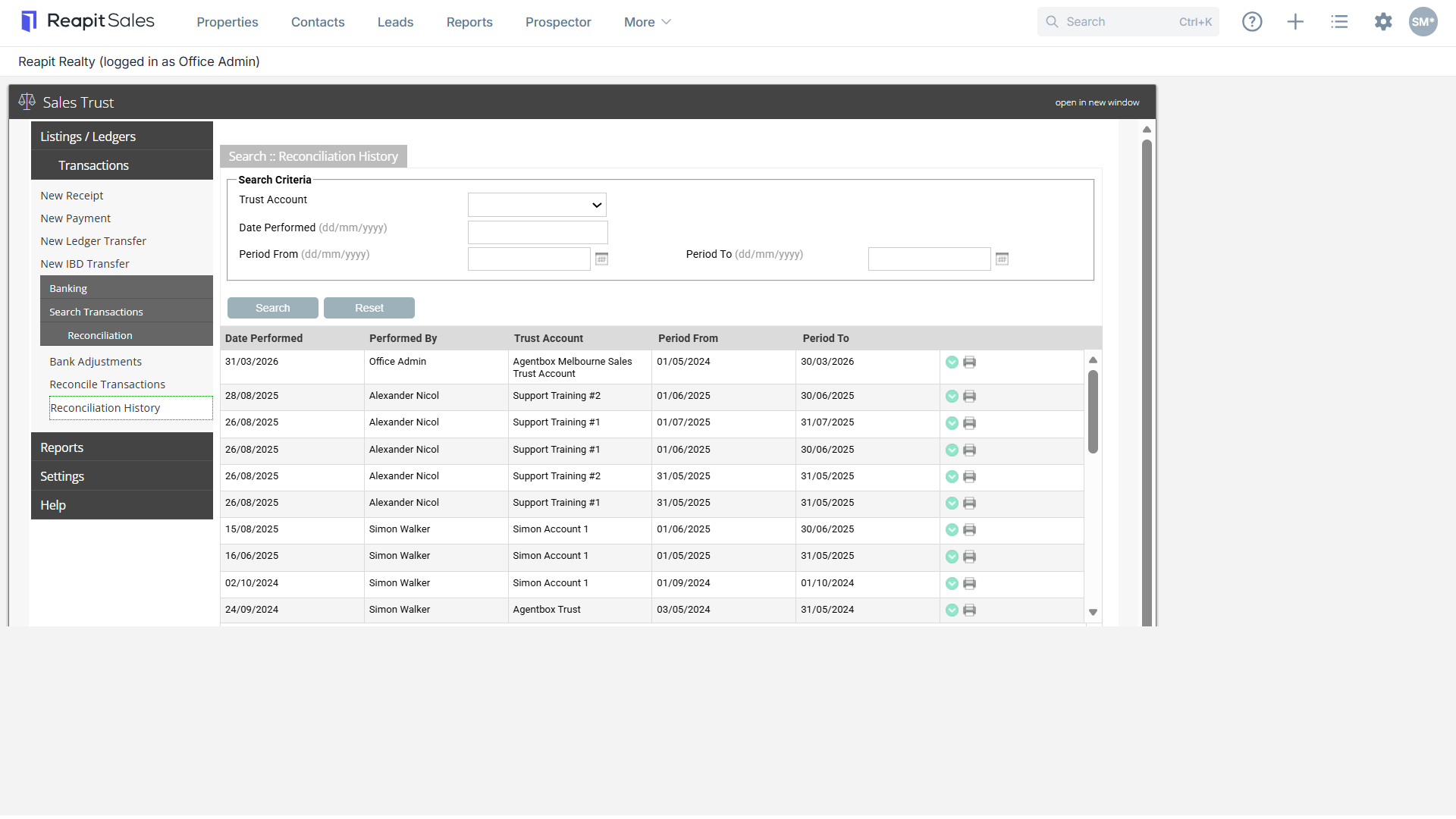
- Click on print to re-print the reconciliation summary.
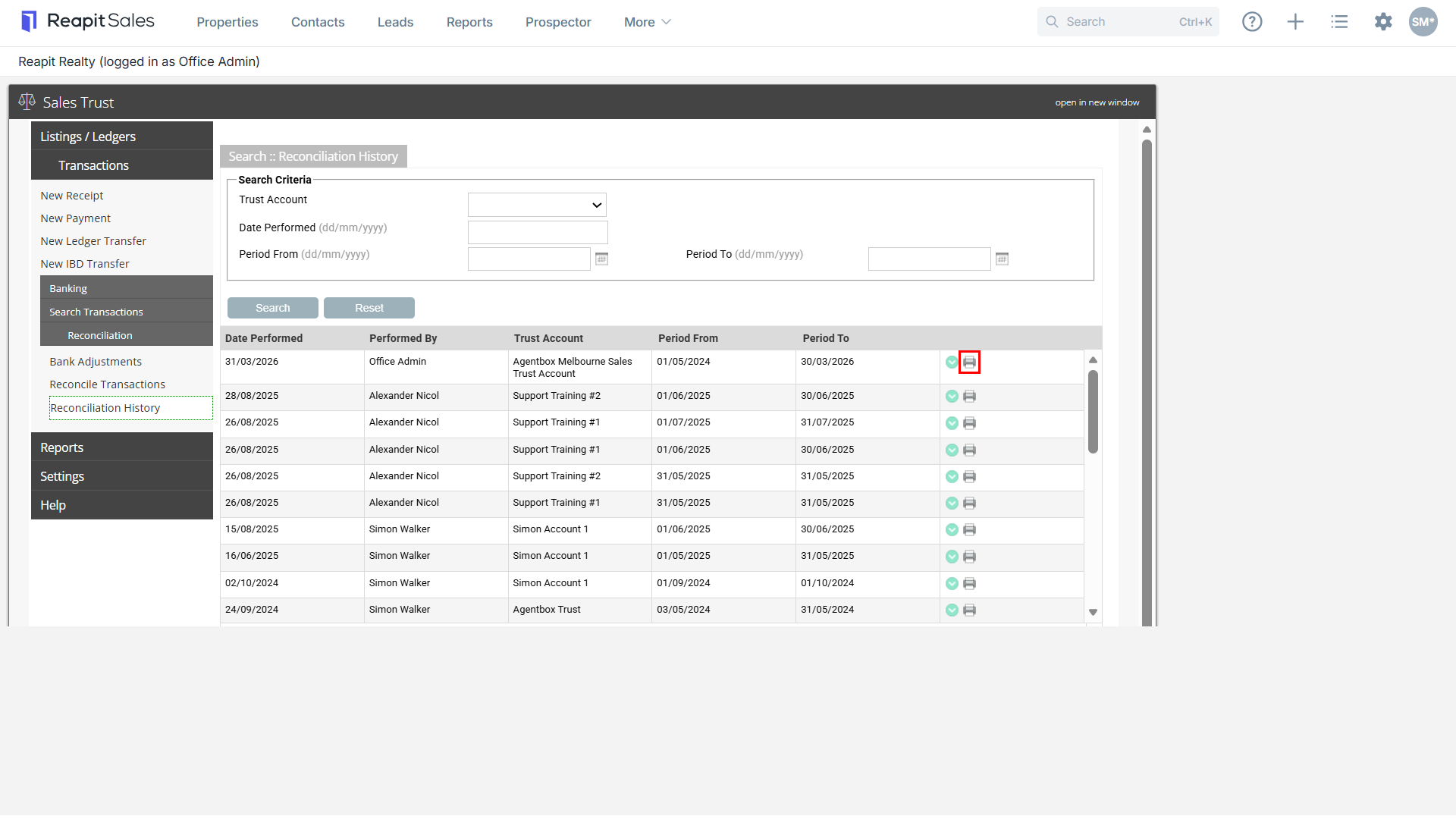
- The report will open in another window. Select Print and then Close
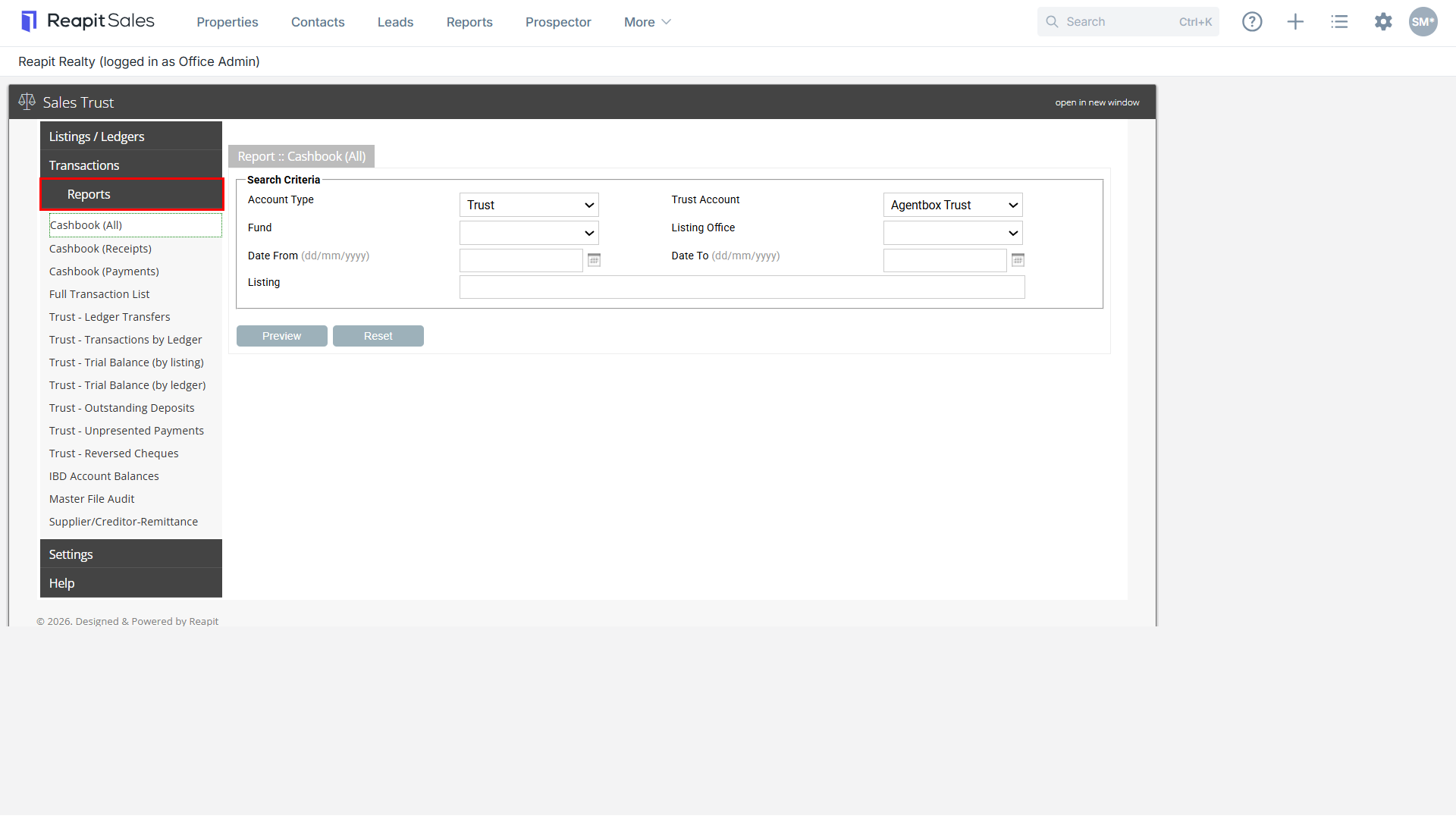
5. Select Reports and print the following reports based on the reconciliation date.
- IBD Account Balances (if applicable)
- Trust - Trial Balance
- Trust Cashbook
Note: Ensure the correct account type and trust account are selected when generating reports.