'%20d='M0%208a8%208%200%200%201%208-8h24a8%208%200%200%201%208%208v24a8%208%200%200%201-8%208H8a8%208%200%200%201-8-8V8Z'/%3e%3cpath%20fill='%23fff'%20d='M10.41%206v3.779h15.048v19.537h4.132V6H10.41Z'/%3e%3cpath%20fill='%23fff'%20d='M20.967%2034V13.837L10.41%209.78v20.166L20.967%2034Z'/%3e%3cdefs%3e%3clinearGradient%20id='reapit-sales__a'%20x1='20.702'%20x2='20.702'%20y1='.351'%20y2='31.228'%20gradientUnits='userSpaceOnUse'%3e%3cstop%20stop-color='%235573FD'/%3e%3cstop%20offset='.575'%20stop-color='%234E56EA'/%3e%3c/linearGradient%3e%3c/defs%3e%3c/svg%3e)
Edit Activity Schedule
This article will cover how to edit the activity schedule in Reapit Sales.
1. Click Tasks.

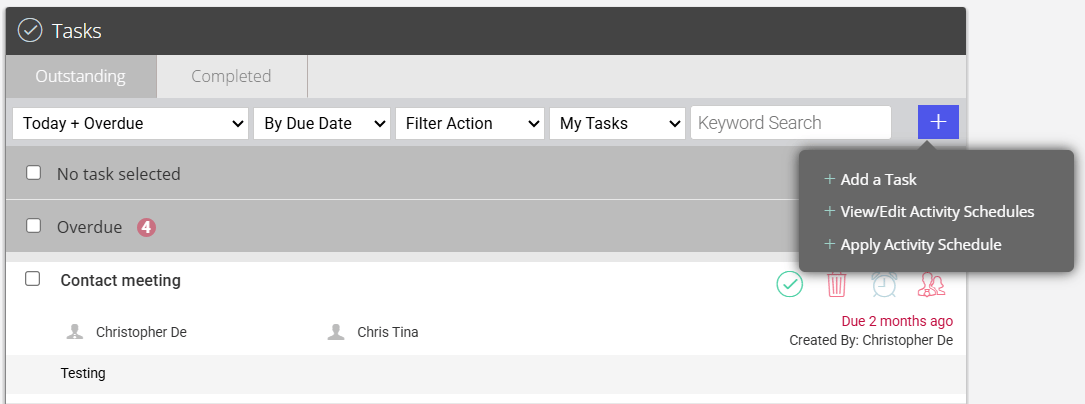
2. Click the Quick Add icon on the Task panel and select View/Edit Activity Schedules
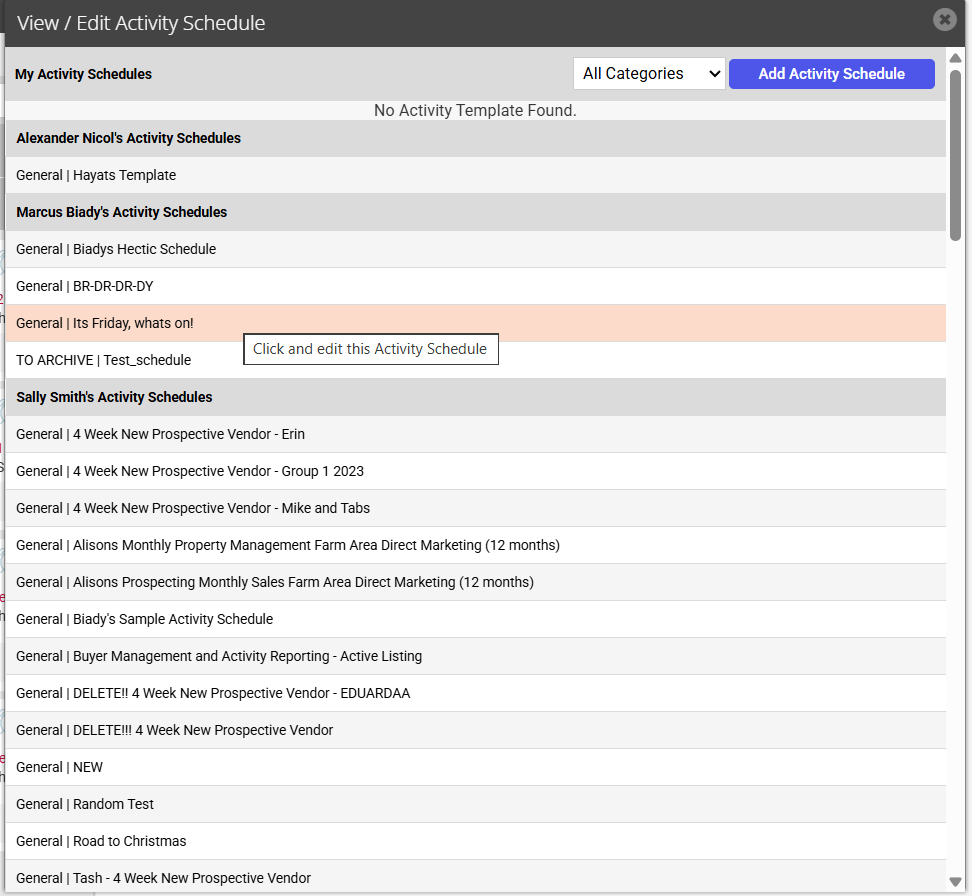
3. Click the Add Activity Schedule button and select an existing template to edit.
4. To edit the tasks within the template, click on the particular task to open to edit. To reorder tasks within the schedule adjust the Task Start and Task Due fields.
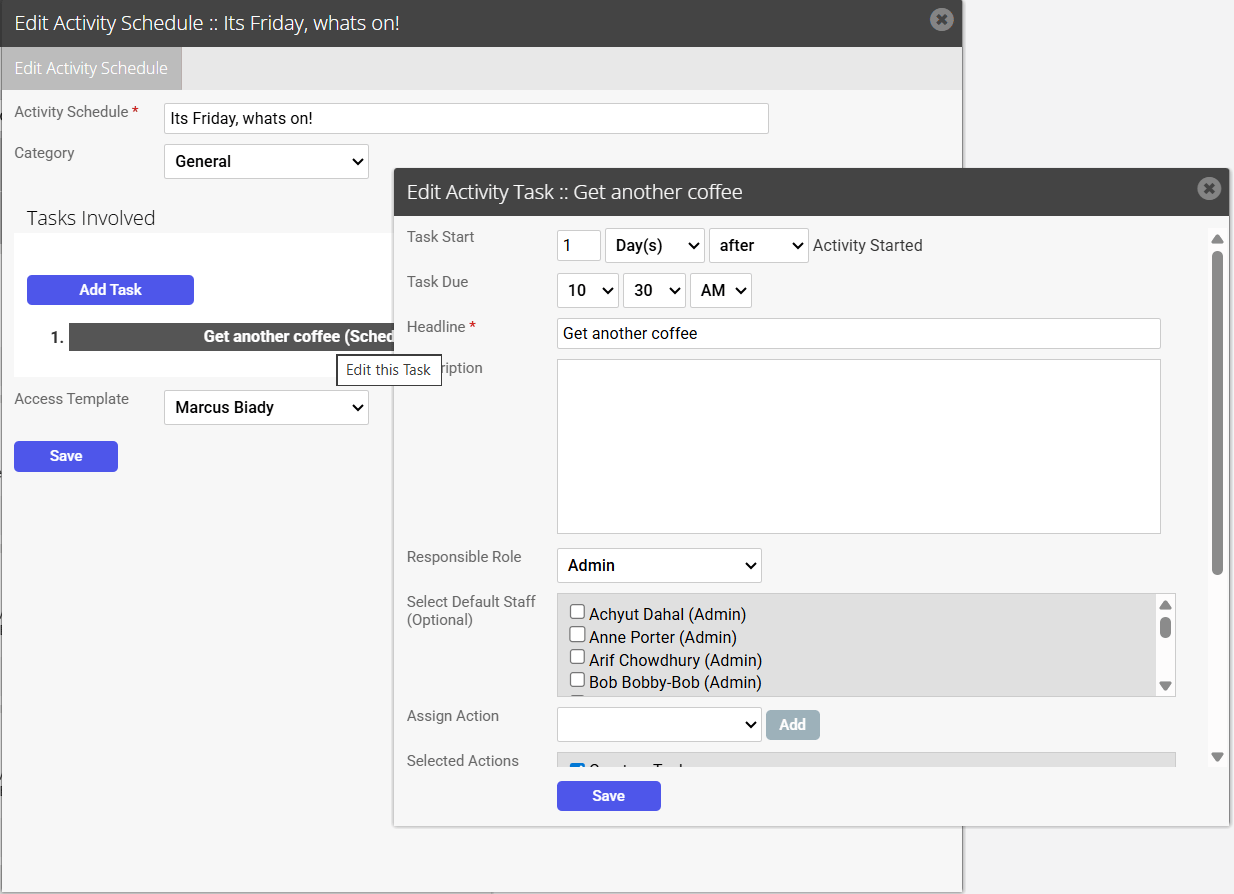
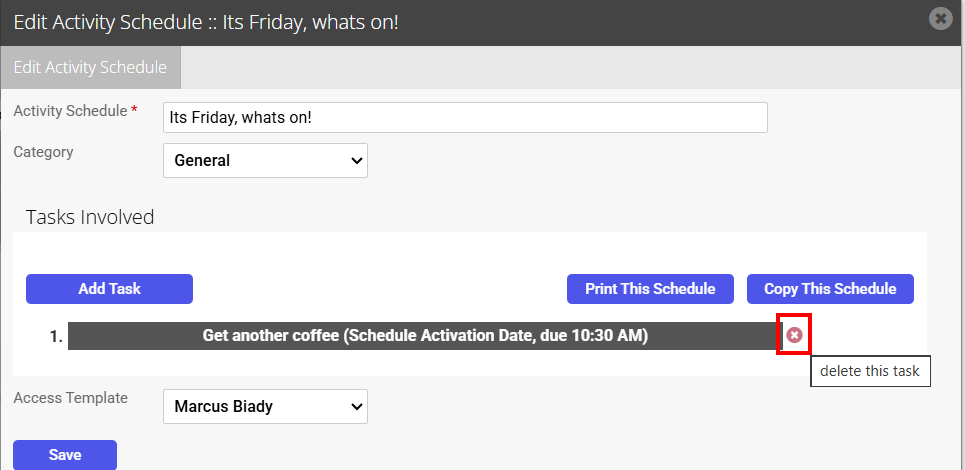
5. To delete a task, click on the X next to the task you would like to delete
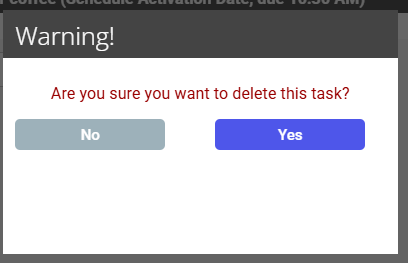
8. Select Yes to confirm you would like to delete the task.