'%20d='M0%208a8%208%200%200%201%208-8h24a8%208%200%200%201%208%208v24a8%208%200%200%201-8%208H8a8%208%200%200%201-8-8V8Z'/%3e%3cpath%20fill='%23fff'%20d='M10.41%206v3.779h15.048v19.537h4.132V6H10.41Z'/%3e%3cpath%20fill='%23fff'%20d='M20.967%2034V13.837L10.41%209.78v20.166L20.967%2034Z'/%3e%3cdefs%3e%3clinearGradient%20id='reapit-sales__a'%20x1='20.702'%20x2='20.702'%20y1='.351'%20y2='31.228'%20gradientUnits='userSpaceOnUse'%3e%3cstop%20stop-color='%235573FD'/%3e%3cstop%20offset='.575'%20stop-color='%234E56EA'/%3e%3c/linearGradient%3e%3c/defs%3e%3c/svg%3e)
Convert My Exceptions
This article explains how to action My Exceptions in Reapit Sales Leads Capture module.
Convert My Exceptions
This article explains how to action My Exceptions in Reapit Sales Leads Capture module.
*Note: this is an add-on module. Request more information via our Client Change Request form.
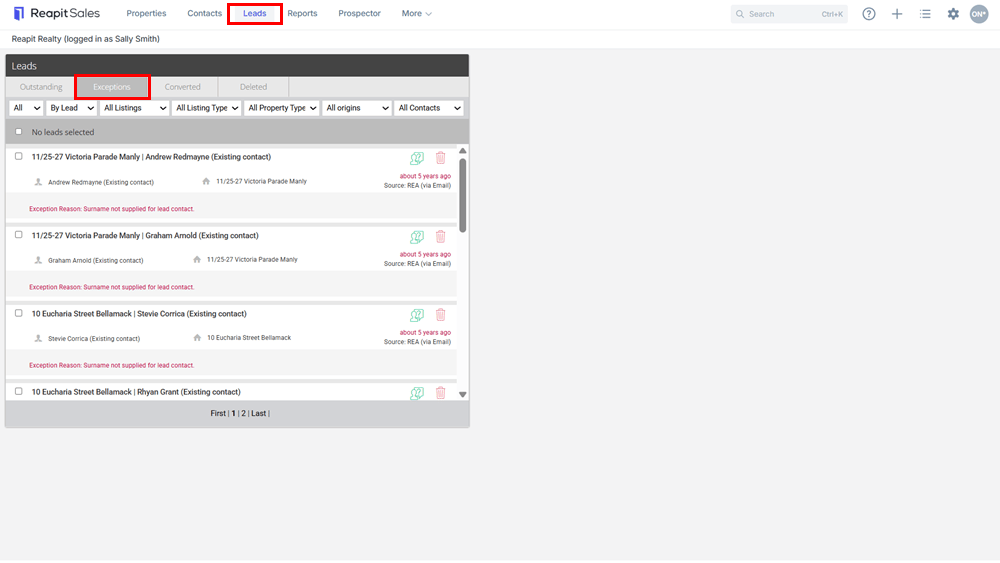
- Click Leads in the main menu to open the leads panel
- Click the Exceptions Tabs
- The reason this has not been processed will be recorded in red.
Example 1:
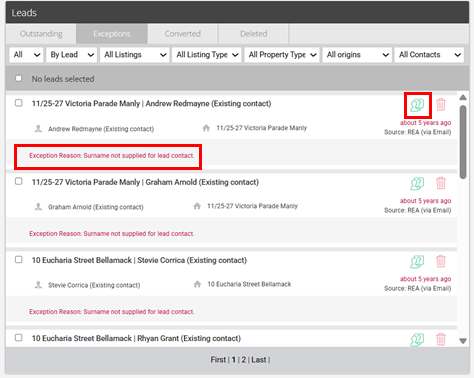
In this example, the Surname has not been captured. Click on the Icon to open the Log Enquiry to add the Surname.
Example 2:
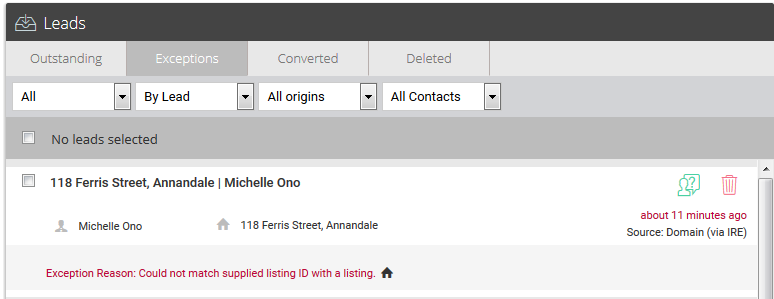
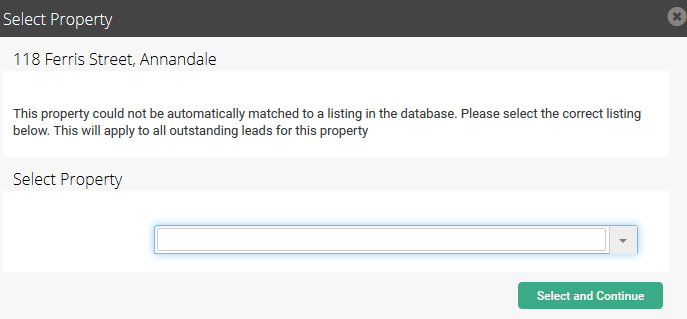
In this example the system could not match supplied listing ID with a listing. In this example, you can manually match the lead to a property in Reapit Sales.
- Click on the house icon

- Search and select the correct property.
This will update all exceptions with the same address exception.
- Use the action icons to Convert a Lead or Delete individual leads

- Click the Contact or Property name to open the related lead or database record
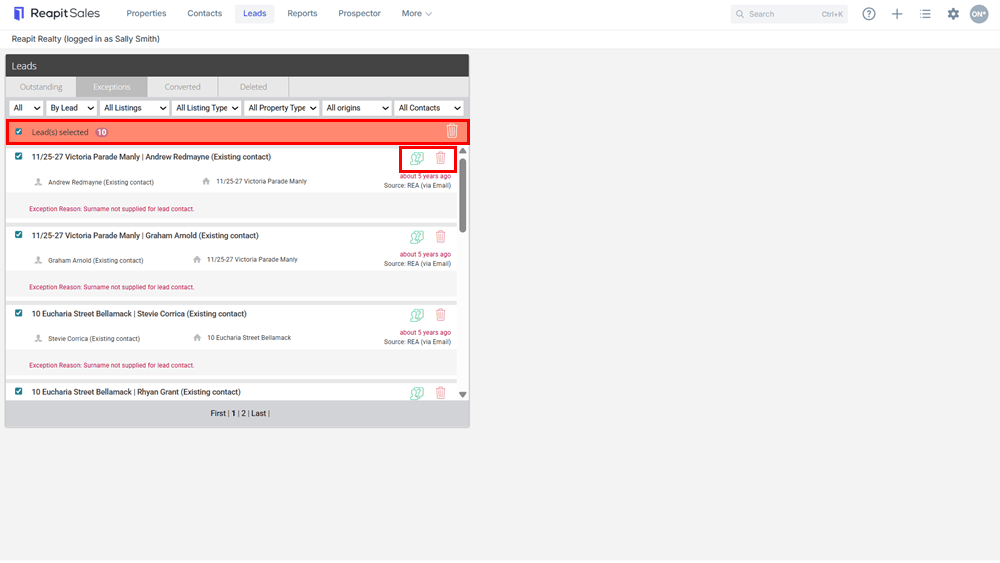
- Use the Tick boxes to bulk select leads to Bulk Convert leads to enquiries or Bulk Delete.