'%20d='M0%208a8%208%200%200%201%208-8h24a8%208%200%200%201%208%208v24a8%208%200%200%201-8%208H8a8%208%200%200%201-8-8V8Z'/%3e%3cpath%20fill='%23fff'%20d='M10.41%206v3.779h15.048v19.537h4.132V6H10.41Z'/%3e%3cpath%20fill='%23fff'%20d='M20.967%2034V13.837L10.41%209.78v20.166L20.967%2034Z'/%3e%3cdefs%3e%3clinearGradient%20id='reapit-sales__a'%20x1='20.702'%20x2='20.702'%20y1='.351'%20y2='31.228'%20gradientUnits='userSpaceOnUse'%3e%3cstop%20stop-color='%235573FD'/%3e%3cstop%20offset='.575'%20stop-color='%234E56EA'/%3e%3c/linearGradient%3e%3c/defs%3e%3c/svg%3e)
Share a Letter Template
This article will cover how to share a letter template in Reapit Sales.
Permissions: There are multiple permissions in Agentbox that impact how templates can be shared within a database.
1. Click on the Create Letter icon at the top of the contact or property card

2. Click on the Select A Template drop-down menu at the top of the panel and choose the template you would like to share
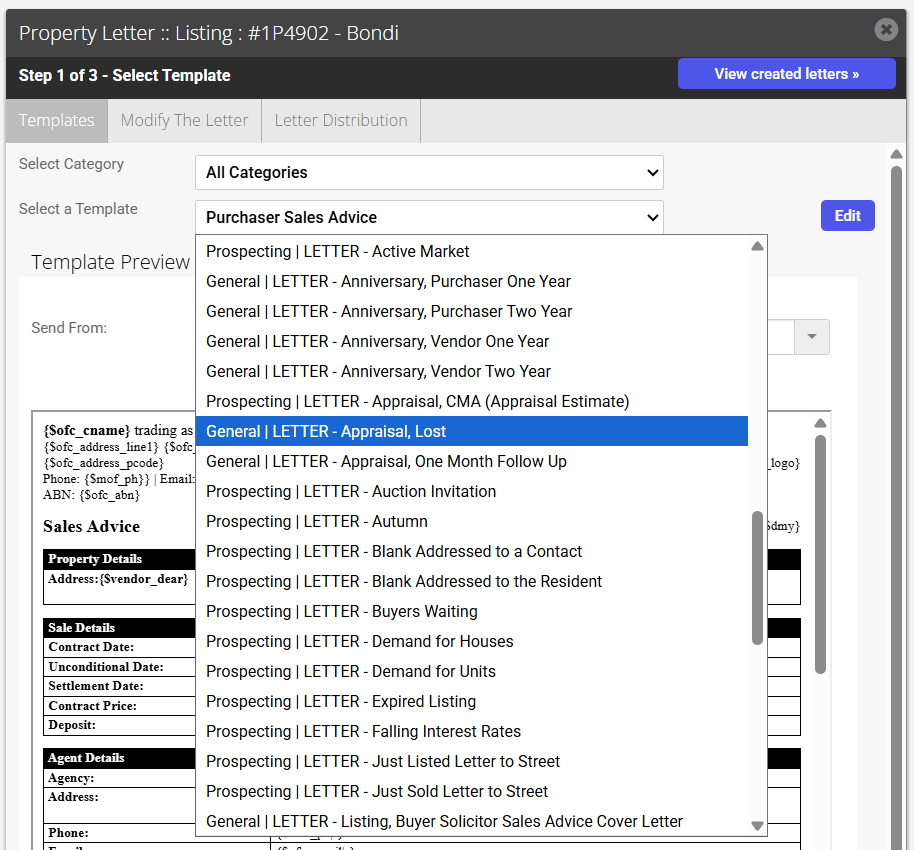
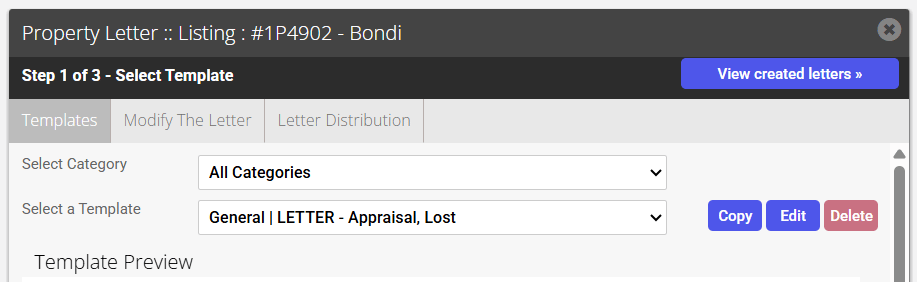
3. You will now be able to click an Edit button to the right of the Select a Template drop-down menu
4. The Edit Letter Template window will appear. By ticking the Share to Agents template, all staff will be able to access the template
Permissions: N.B. There are multiple permissions in Agentbox that impact how templates can be shared within a database.
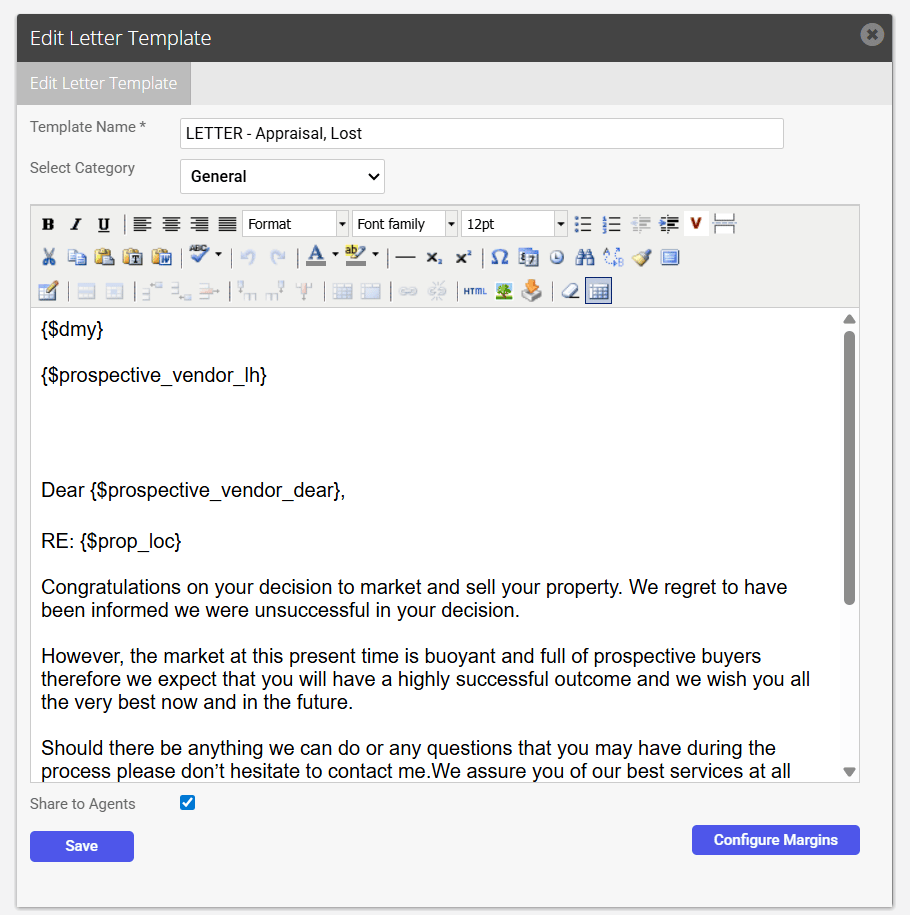
5. Lastly, click Save. You will be redirected back to the Select Template page and your recently modified template can be selected from the drop-down list.