'%20d='M0%208a8%208%200%200%201%208-8h24a8%208%200%200%201%208%208v24a8%208%200%200%201-8%208H8a8%208%200%200%201-8-8V8Z'/%3e%3cpath%20fill='%23fff'%20d='M10.41%206v3.779h15.048v19.537h4.132V6H10.41Z'/%3e%3cpath%20fill='%23fff'%20d='M20.967%2034V13.837L10.41%209.78v20.166L20.967%2034Z'/%3e%3cdefs%3e%3clinearGradient%20id='reapit-sales__a'%20x1='20.702'%20x2='20.702'%20y1='.351'%20y2='31.228'%20gradientUnits='userSpaceOnUse'%3e%3cstop%20stop-color='%235573FD'/%3e%3cstop%20offset='.575'%20stop-color='%234E56EA'/%3e%3c/linearGradient%3e%3c/defs%3e%3c/svg%3e)
Advertise Retirement Listings
This article demonstrates how to list a property on the Retirement Living pages on realestate.com.au & domain.com.au from the property card in Reapit Sales.
Overview
Advertise Retirement Listings
This article demonstrates how to list a property on the Retirement Living pages on realestate.com.au & domain.com.au from the property card in Reapit Sales.
- Create a new listing.
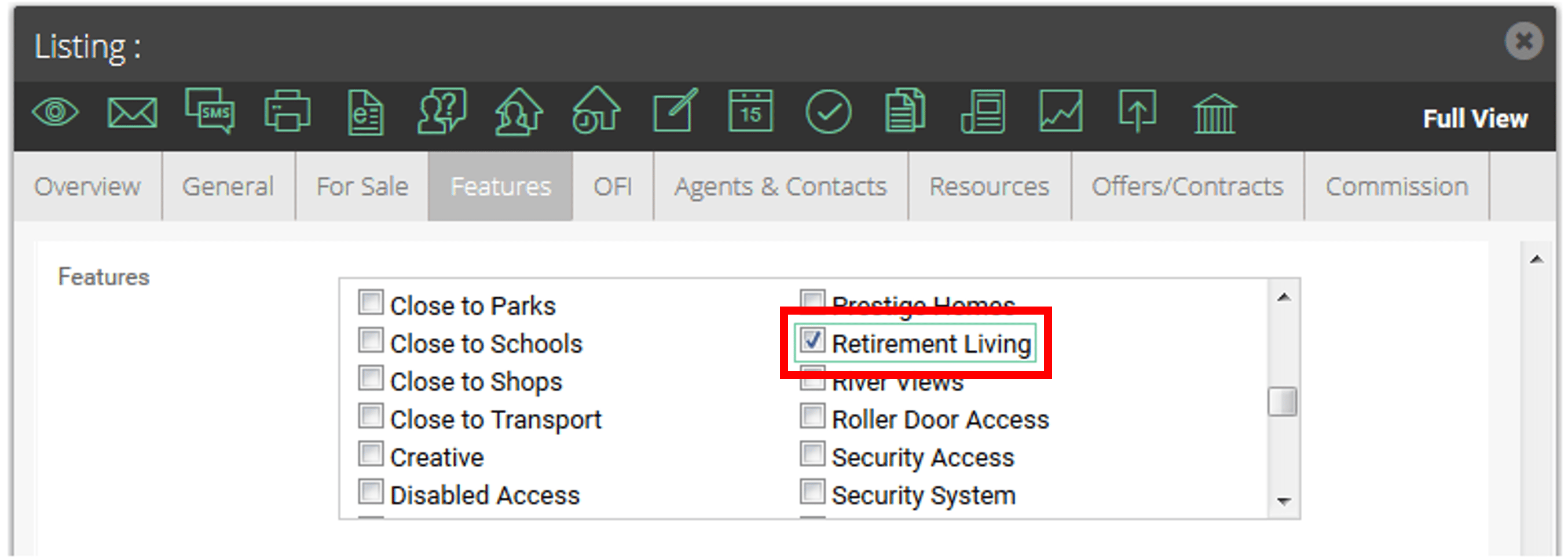
- When creating a new listing, ensure that the Retirement Living feature tick box has been ticked.
*Note: This can be enabled in your system upon request. If this is not appearing, contact our support team at support@agentbox.com.au
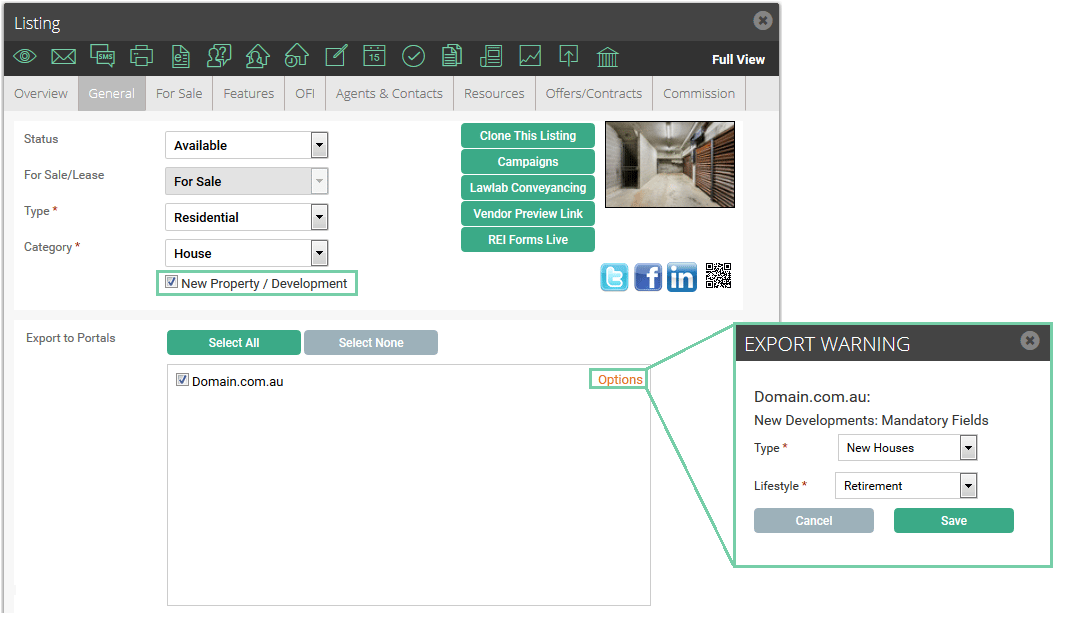
- If you are feeding to Domain, go to the general tab and ensure New Property / Development has been ticked and then proceed to portal export options.
*Note: For Realestate.com.au, by clicking on the retirement living feature, this will update the REAXML category to Retirement Living upon ticking the retirement feature in step 2.
| PORTAL | XML EXPORT |
|---|---|
| realestate.com.au | Override any selected Reapit Sales TYPE and send via REAXML as category name="Retirement". |
| reiwa.com.au | Override any selected Reapit Sales TYPE and send via REIWA: propertyTypeResidential Type="Seniors Housing". |
| view.com.au | Send an additional tag via REAVIEWXML: <RetirementLiving>1</RetirementLiving>. |