'%20d='M0%208a8%208%200%200%201%208-8h24a8%208%200%200%201%208%208v24a8%208%200%200%201-8%208H8a8%208%200%200%201-8-8V8Z'/%3e%3cpath%20fill='%23fff'%20d='M10.41%206v3.779h15.048v19.537h4.132V6H10.41Z'/%3e%3cpath%20fill='%23fff'%20d='M20.967%2034V13.837L10.41%209.78v20.166L20.967%2034Z'/%3e%3cdefs%3e%3clinearGradient%20id='reapit-sales__a'%20x1='20.702'%20x2='20.702'%20y1='.351'%20y2='31.228'%20gradientUnits='userSpaceOnUse'%3e%3cstop%20stop-color='%235573FD'/%3e%3cstop%20offset='.575'%20stop-color='%234E56EA'/%3e%3c/linearGradient%3e%3c/defs%3e%3c/svg%3e)
Bulk SMS Inspection Attendees in Mobile App
This article demonstrates how to bulk SMS inspection attendees in Reapit Sales App on mobile devices.
Bulk SMS Inspection Attendees in Mobile App
This article demonstrates how to bulk SMS inspection attendees in Reapit Sales App on mobile devices.
To SMS you will need to have Reapit Sales SMS activated and SMS credits.
You can send a bulk SMS to all inspection Attendees via the Listings OFI tab.
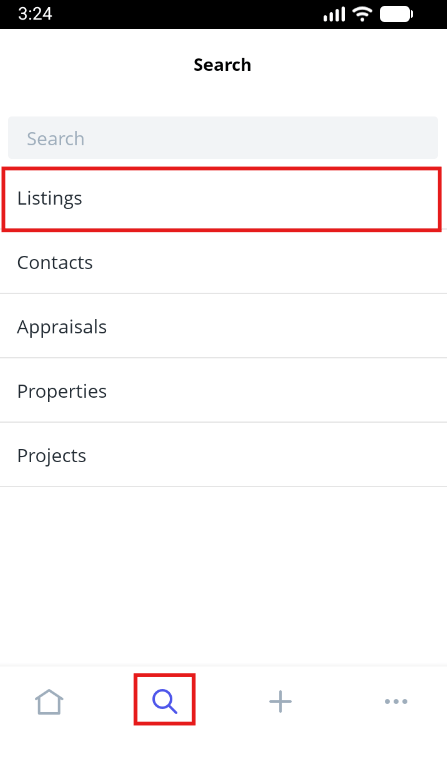
- Tap the magnifying glass icon from the main menu and click 'Listings'.
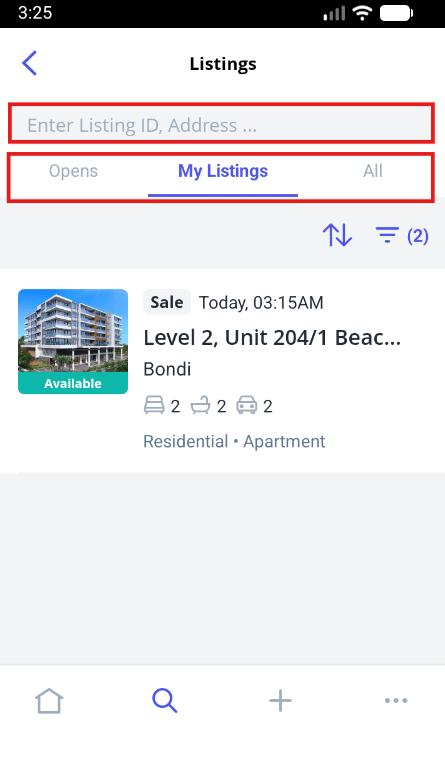
- Locate the listing using one of the following methods;
Search bar Quickly search for a listing using the listing ID or Property Address.
Opens tab Within the Opens tab, you can view any listings with upcoming Open for Inspections that you have been assigned to. To view the details of the listing or to add inspection feedback simply click on the address to open the listing card.
My Listings tab Click the My Listings tab to view all listings that you are assigned to.
All tab Click the All tab to view all listings that you have access to. Please note, these listings will depend on the permissions that are assigned to you in your Staff Card.
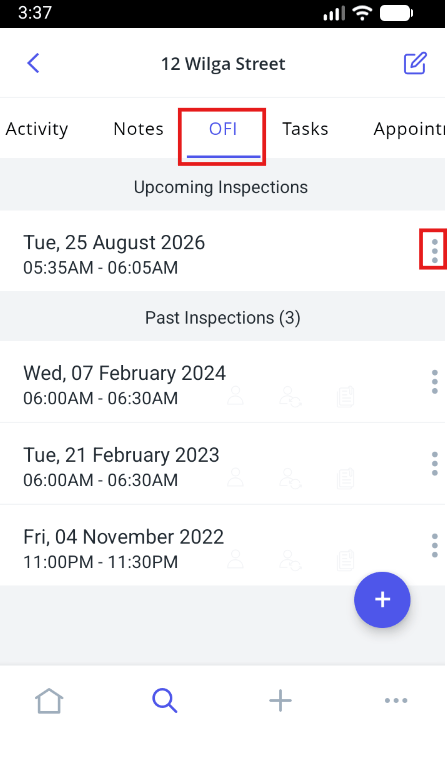
- Once you have found the listing, Tap to open
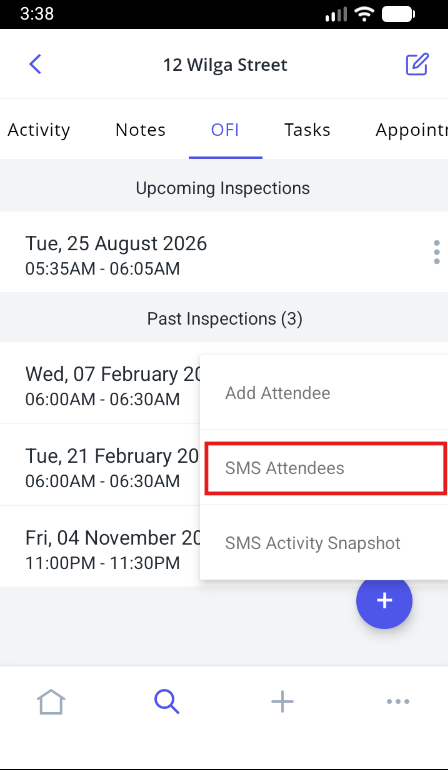
- Tap to open the OFI Tab. Here you will see any past or upcoming open for inspection times. Tap the : icon next to the Inspection that you would like to Bulk SMS the attendees of and tap SMS Attendees.
Note: You need to ensure you have SMS Credits and access to send SMS.
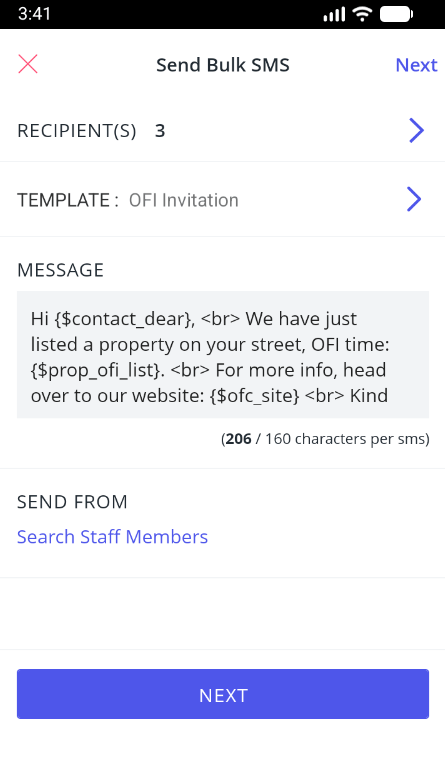
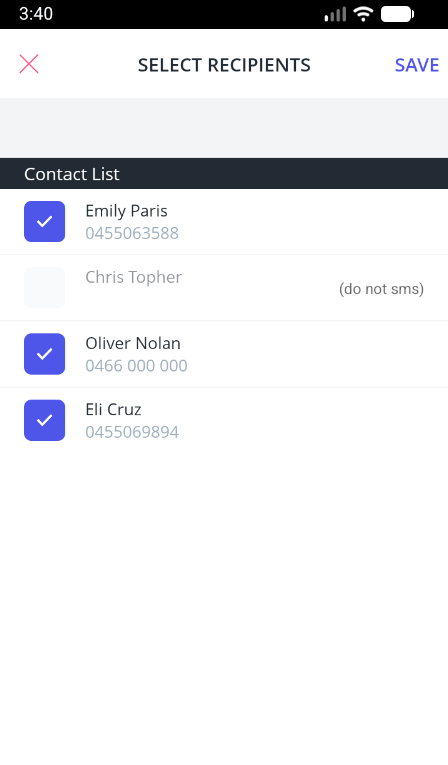
- Click through to the Recipients list to deselect any individuals you would like to exclude.
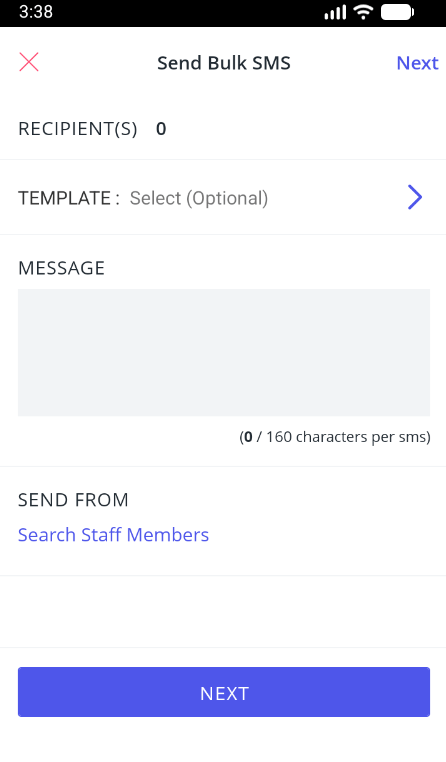
- Select from your existing SMS templates or create your own message. Edit, confirm Send From and tap Next.
Note: SMS Templates will need to be created in the CRM.