'%20d='M0%208a8%208%200%200%201%208-8h24a8%208%200%200%201%208%208v24a8%208%200%200%201-8%208H8a8%208%200%200%201-8-8V8Z'/%3e%3cpath%20fill='%23fff'%20d='M10.41%206v3.779h15.048v19.537h4.132V6H10.41Z'/%3e%3cpath%20fill='%23fff'%20d='M20.967%2034V13.837L10.41%209.78v20.166L20.967%2034Z'/%3e%3cdefs%3e%3clinearGradient%20id='reapit-sales__a'%20x1='20.702'%20x2='20.702'%20y1='.351'%20y2='31.228'%20gradientUnits='userSpaceOnUse'%3e%3cstop%20stop-color='%235573FD'/%3e%3cstop%20offset='.575'%20stop-color='%234E56EA'/%3e%3c/linearGradient%3e%3c/defs%3e%3c/svg%3e)
Enquiry Sources
This article provides and overview of Enquiry Sources available to pair with the Reapit Sales Lead Capture Module.
Enquiry Sources
This article provides and overview of Enquiry Sources available to pair with the Reapit Sales Lead Capture Module.
The current list of portal exports Reapit Sales can capture enquiries from:
- Realestate.com.au
- Realcommercial
- Domain
- Commercial Real Estate
- Inspect Real Estate
- All Homes
- Reapit Websites
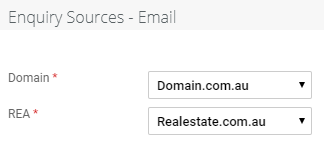
Master users can assign what default Lead Source is assigned to an enquiry based on where the lead came from e.g. If the Lead is coming in from Domain you can assign the lead source to be Domain.com.au.
- Master Users can click to open My Office from the main menu
- Click Edit Details on the left panel
- Now that the contact sources have been created, still in My Office > System Config. tab select Leads from the Configuration drop-down
- Under the Enquiry Sources - Email options choose which contact source from the drop-down menu that you would like to assign to each lead type
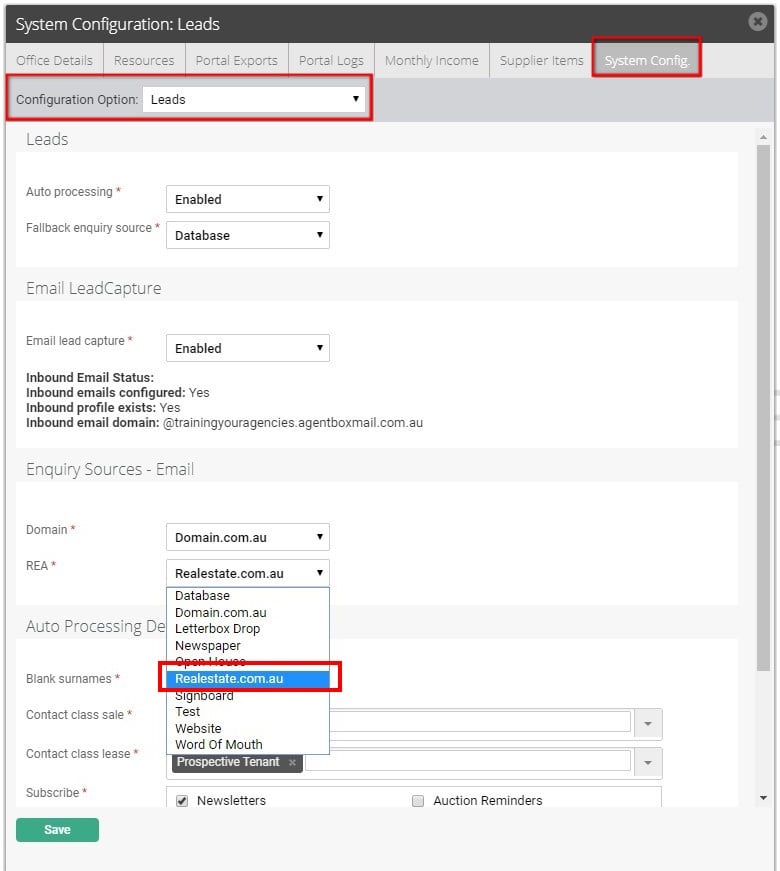
- Click Save to finish.