'%20d='M0%208a8%208%200%200%201%208-8h24a8%208%200%200%201%208%208v24a8%208%200%200%201-8%208H8a8%208%200%200%201-8-8V8Z'/%3e%3cpath%20fill='%23fff'%20d='M10.41%206v3.779h15.048v19.537h4.132V6H10.41Z'/%3e%3cpath%20fill='%23fff'%20d='M20.967%2034V13.837L10.41%209.78v20.166L20.967%2034Z'/%3e%3cdefs%3e%3clinearGradient%20id='reapit-sales__a'%20x1='20.702'%20x2='20.702'%20y1='.351'%20y2='31.228'%20gradientUnits='userSpaceOnUse'%3e%3cstop%20stop-color='%235573FD'/%3e%3cstop%20offset='.575'%20stop-color='%234E56EA'/%3e%3c/linearGradient%3e%3c/defs%3e%3c/svg%3e)
Managing Multi-Factor-Authentication (MFA) as the Master User
This article will cover some of the tools you will have for managing users as the master user.
1. As a Master User, you have the ability to access the Admin section of the Configure MFA Authenticator page:
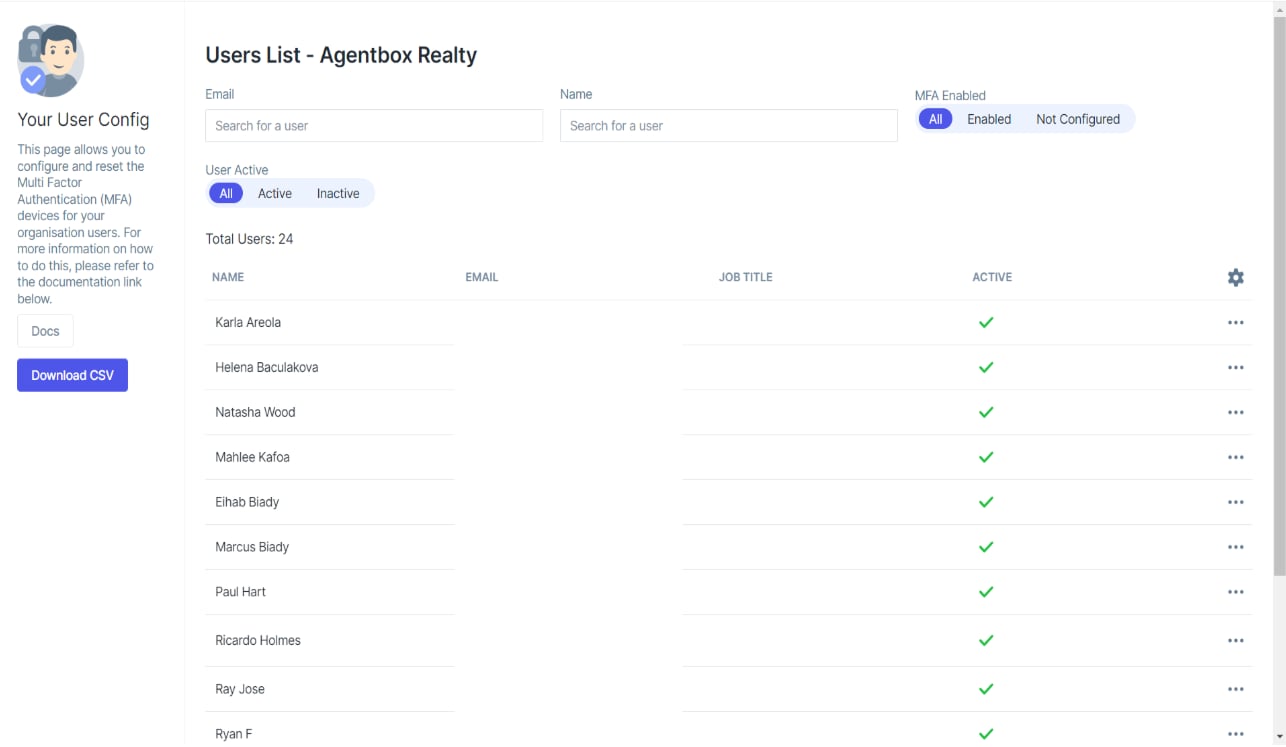
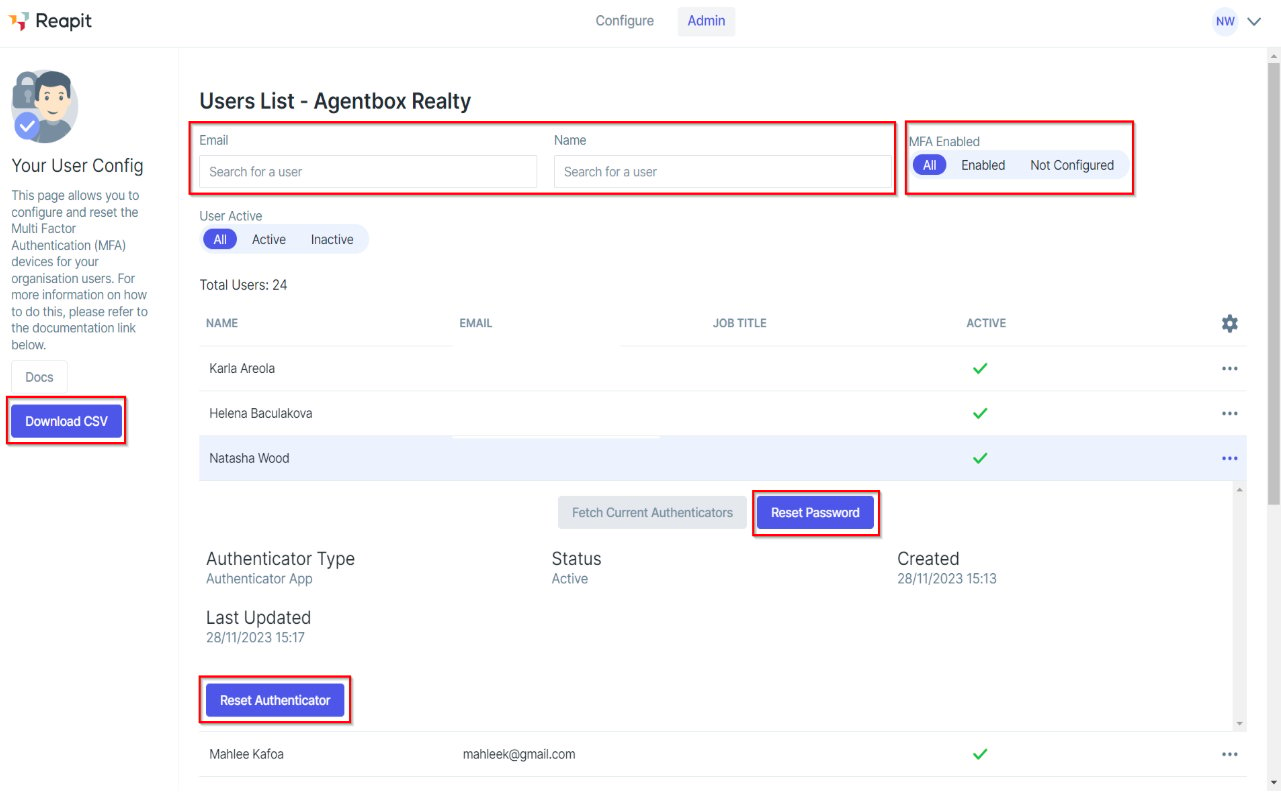
2. Here you can:
- See all users that are registered in your office
- Search for users by their name or email
- Filter the list to show users have have MFA Enabled or Not Configured
- Administer an individual user to Reset their Password or MFA
- Export the displayed list to CSV by clicking “Download CSV”
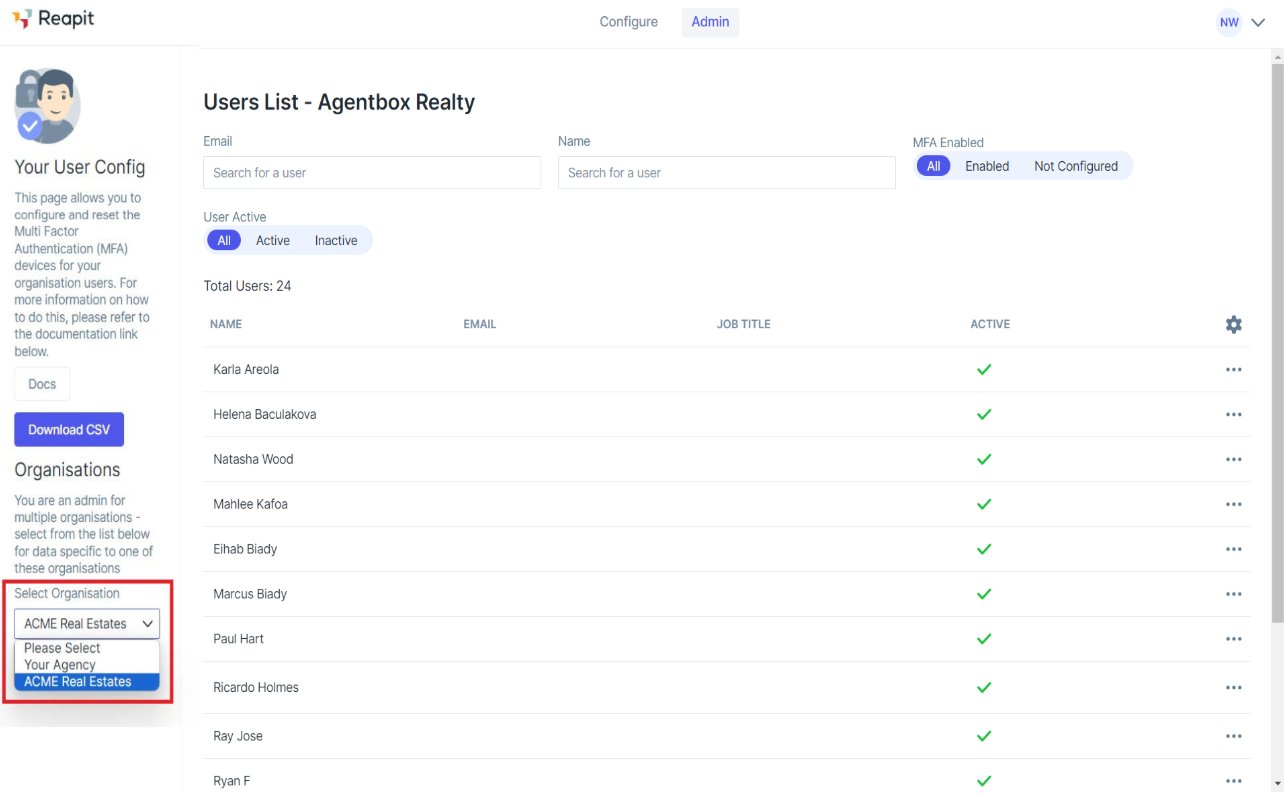
3. Additionally, if you have access to multiple Reapit Sales accounts, you will also be able to choose which account to administer by clicking on “Select Organisation” as shown below:
Resetting a user's Password
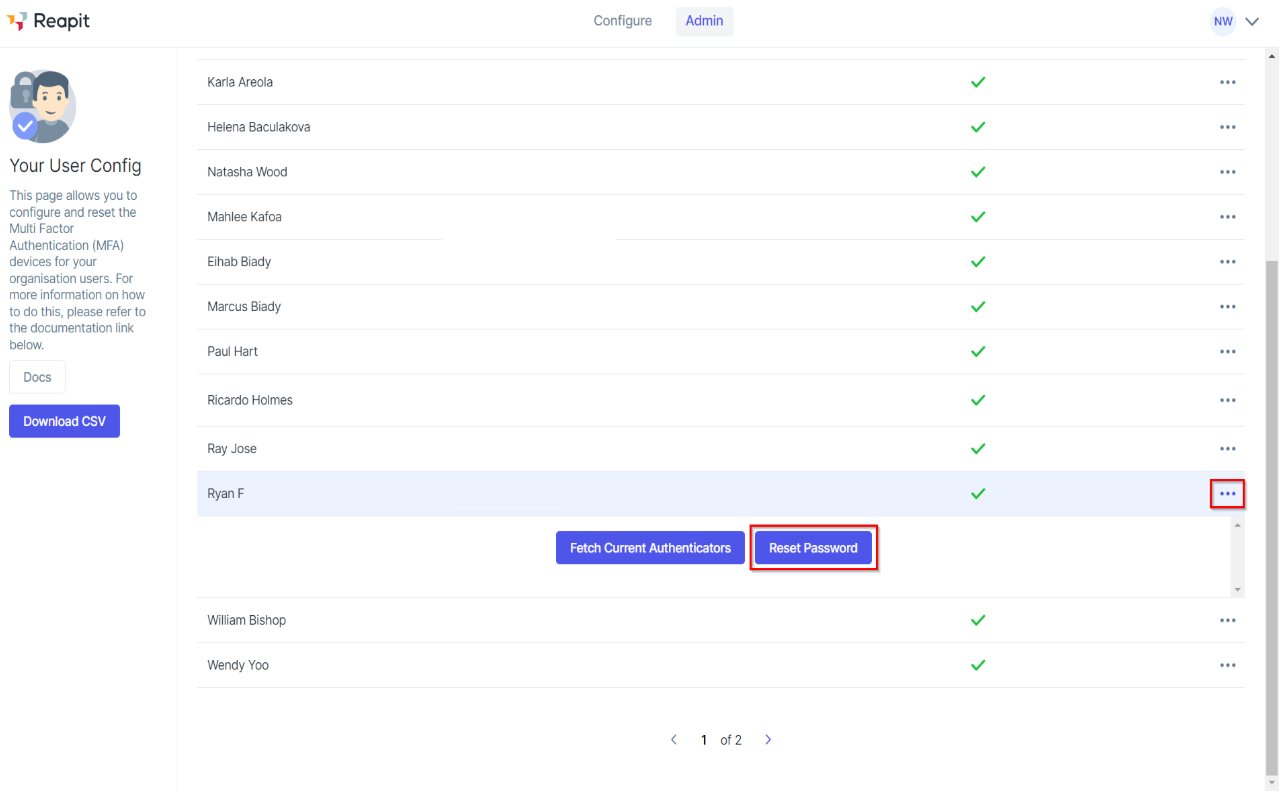
1. To reset a user’s password if they are unable to login (e.g. their temporary password has expired), click on the three dots (…) at the right end of the user’s record to expand the view and click “Reset Password”:
Resetting a user's MFA Authentication Device
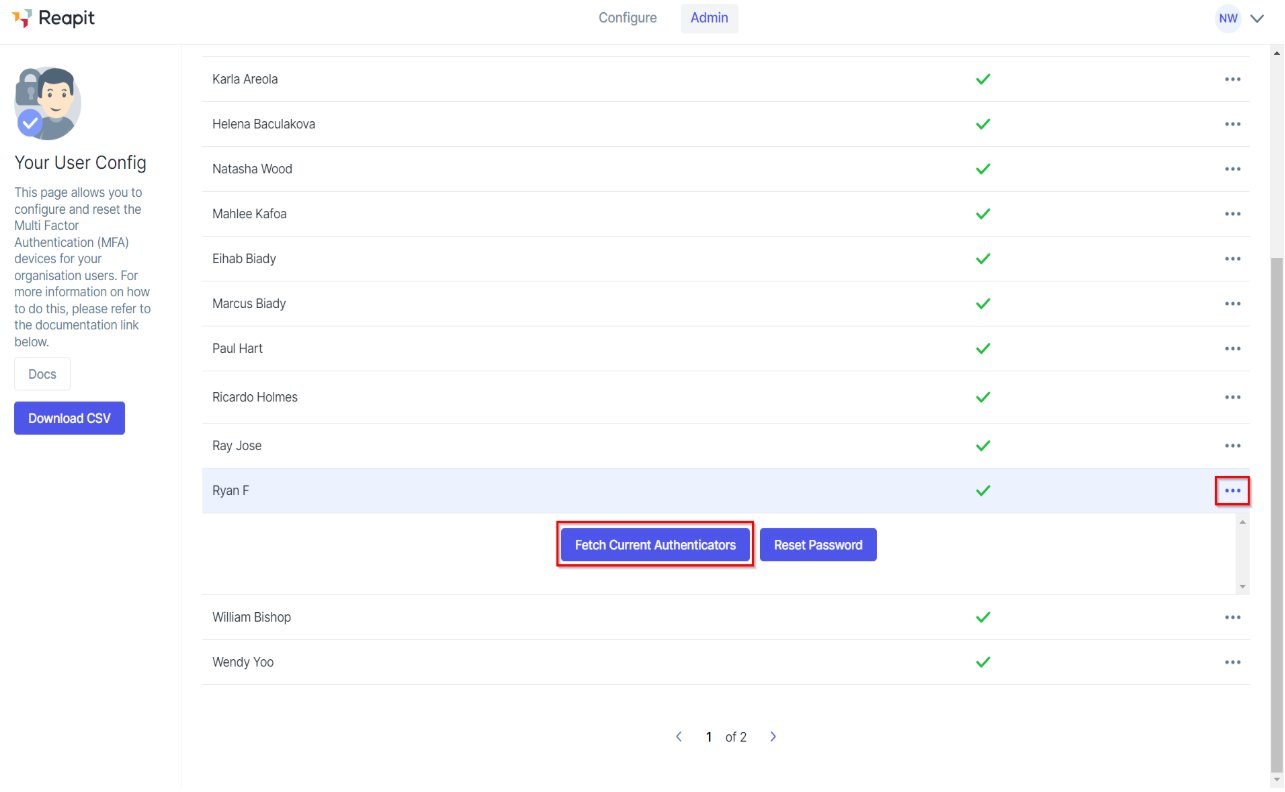
1. To reset a user’s MFA authentication device click on the three dots (…) at the right end of the user’s record to expand the view and click “Fetch Current Authenticator”.
2. After a few seconds, the screen will update to show the authenticator details that have been setup for that user. To remove MFA, click “Reset Authenticator”:
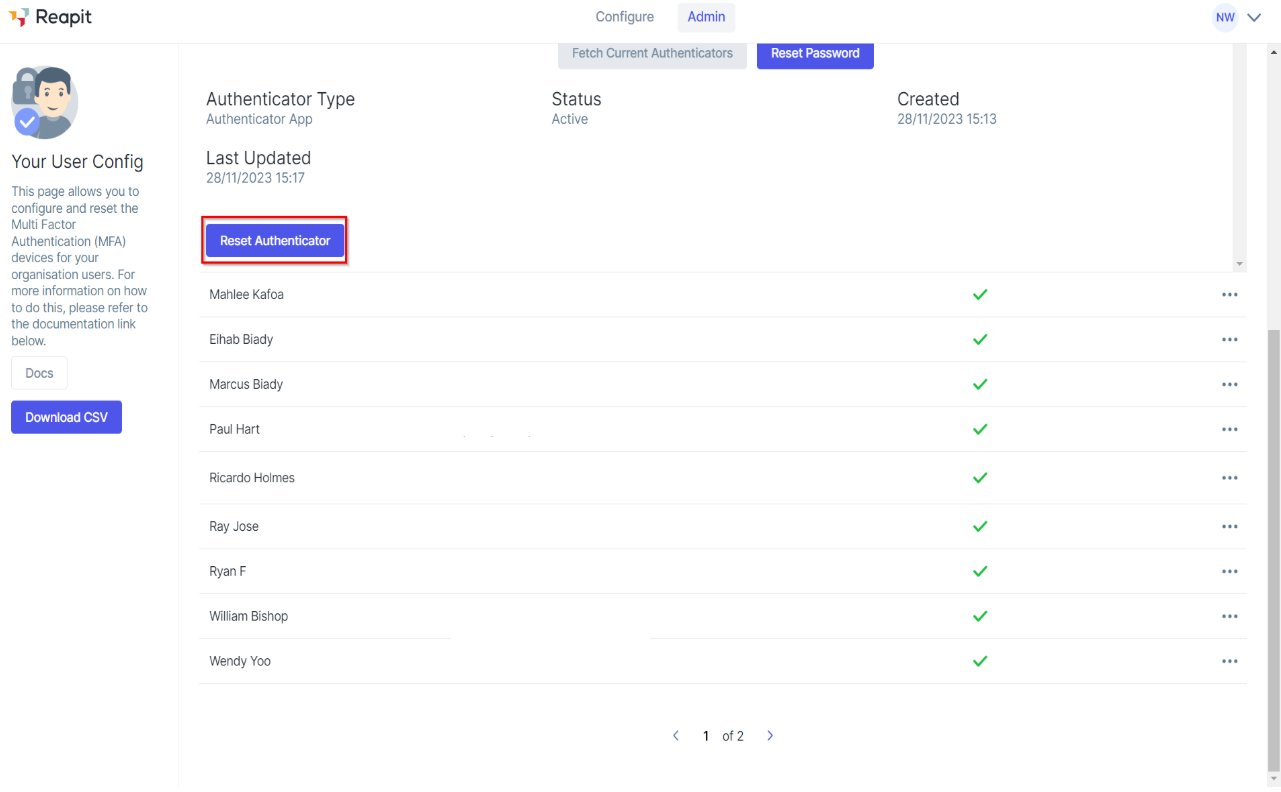
3. The next time the user logs in, they will not be asked to enter their verification code.