'%20d='M0%208a8%208%200%200%201%208-8h24a8%208%200%200%201%208%208v24a8%208%200%200%201-8%208H8a8%208%200%200%201-8-8V8Z'/%3e%3cpath%20fill='%23fff'%20d='M10.41%206v3.779h15.048v19.537h4.132V6H10.41Z'/%3e%3cpath%20fill='%23fff'%20d='M20.967%2034V13.837L10.41%209.78v20.166L20.967%2034Z'/%3e%3cdefs%3e%3clinearGradient%20id='reapit-sales__a'%20x1='20.702'%20x2='20.702'%20y1='.351'%20y2='31.228'%20gradientUnits='userSpaceOnUse'%3e%3cstop%20stop-color='%235573FD'/%3e%3cstop%20offset='.575'%20stop-color='%234E56EA'/%3e%3c/linearGradient%3e%3c/defs%3e%3c/svg%3e)
Transaction Reasons
Settings This article shows how to add and manage transaction reasons in Sales Trust Settings within Reapit Sales.
Overview
Transaction Reasons
Settings
This article shows how to add and manage transaction reasons in Sales Trust Settings within Reapit Sales.
Reapit Sales provides a selection of standard transaction reasons for you to utilise and allows users to create their own to suit their business needs.
- Select Settings from the main menu and the Transaction Reasons tab
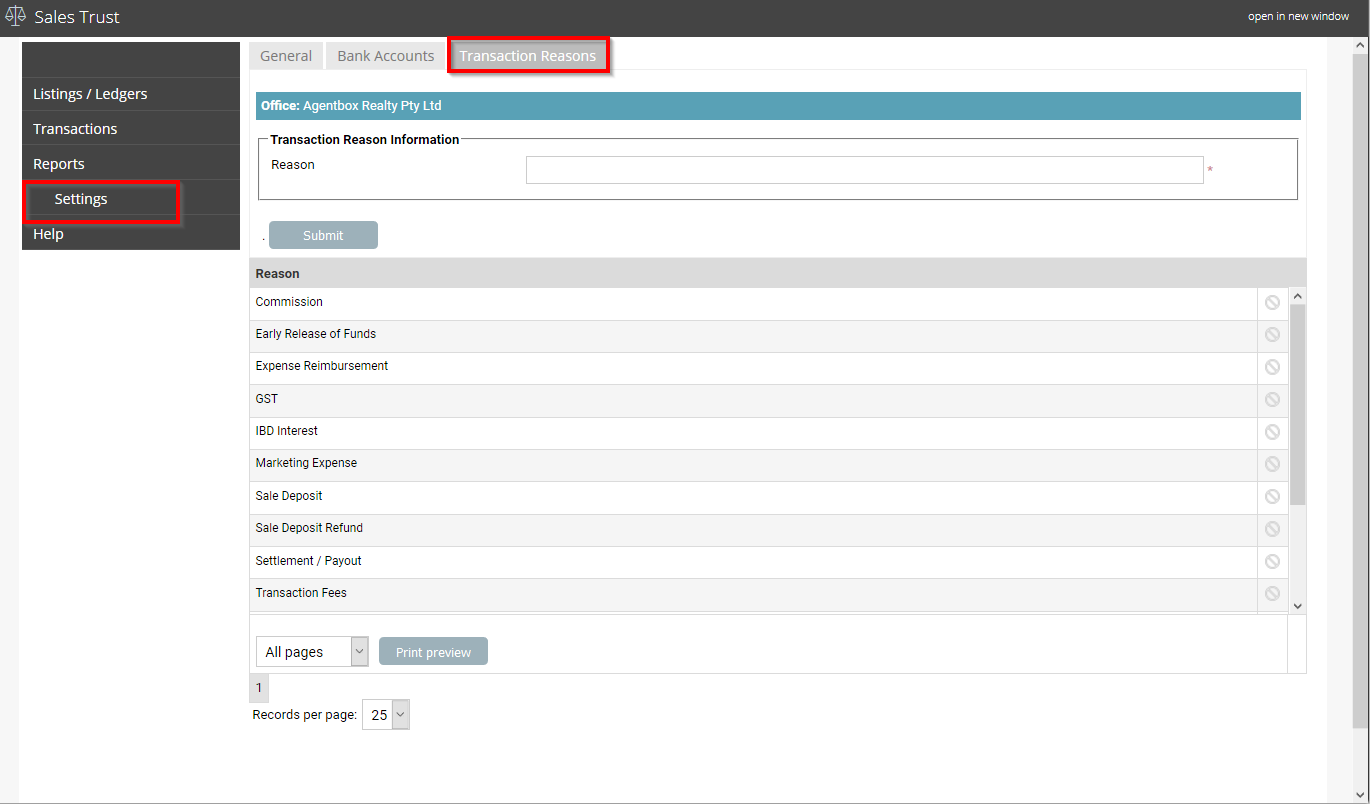
- To create a new transaction reason, enter the reason and select submit
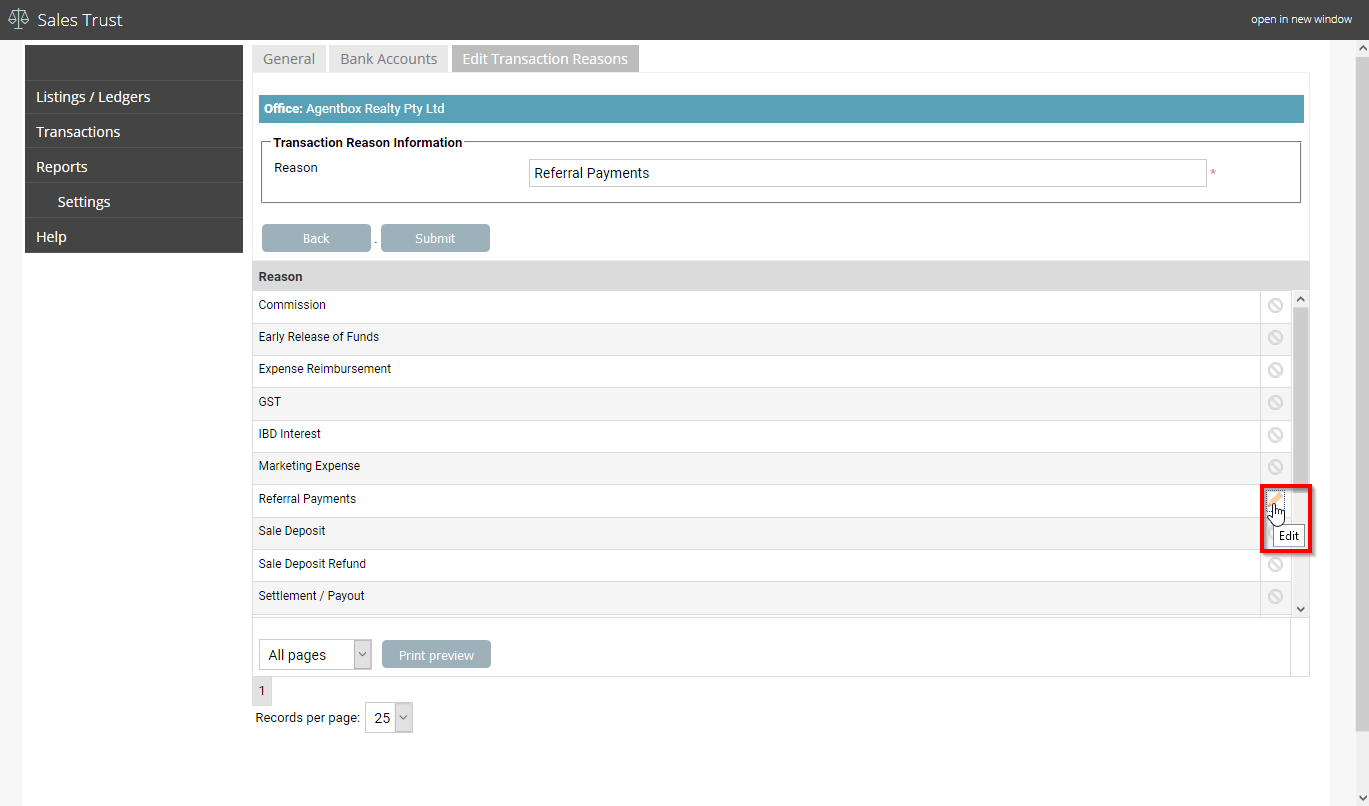
- To edit a transaction reason, select the pencil to edit
- Make your required changes and select submit
*Note: users are unable to modify or delete default system transaction reasons