'%20d='M0%208a8%208%200%200%201%208-8h24a8%208%200%200%201%208%208v24a8%208%200%200%201-8%208H8a8%208%200%200%201-8-8V8Z'/%3e%3cpath%20fill='%23fff'%20d='M10.41%206v3.779h15.048v19.537h4.132V6H10.41Z'/%3e%3cpath%20fill='%23fff'%20d='M20.967%2034V13.837L10.41%209.78v20.166L20.967%2034Z'/%3e%3cdefs%3e%3clinearGradient%20id='reapit-sales__a'%20x1='20.702'%20x2='20.702'%20y1='.351'%20y2='31.228'%20gradientUnits='userSpaceOnUse'%3e%3cstop%20stop-color='%235573FD'/%3e%3cstop%20offset='.575'%20stop-color='%234E56EA'/%3e%3c/linearGradient%3e%3c/defs%3e%3c/svg%3e)
View Applied Activity Schedules
This article outlines the process of viewing applied activity schedules in Reapit Sales.
Overview
View Applied Activity Schedules
This article outlines the process of viewing applied activity schedules in Reapit Sales.
- Search for your Property and open the Property Card
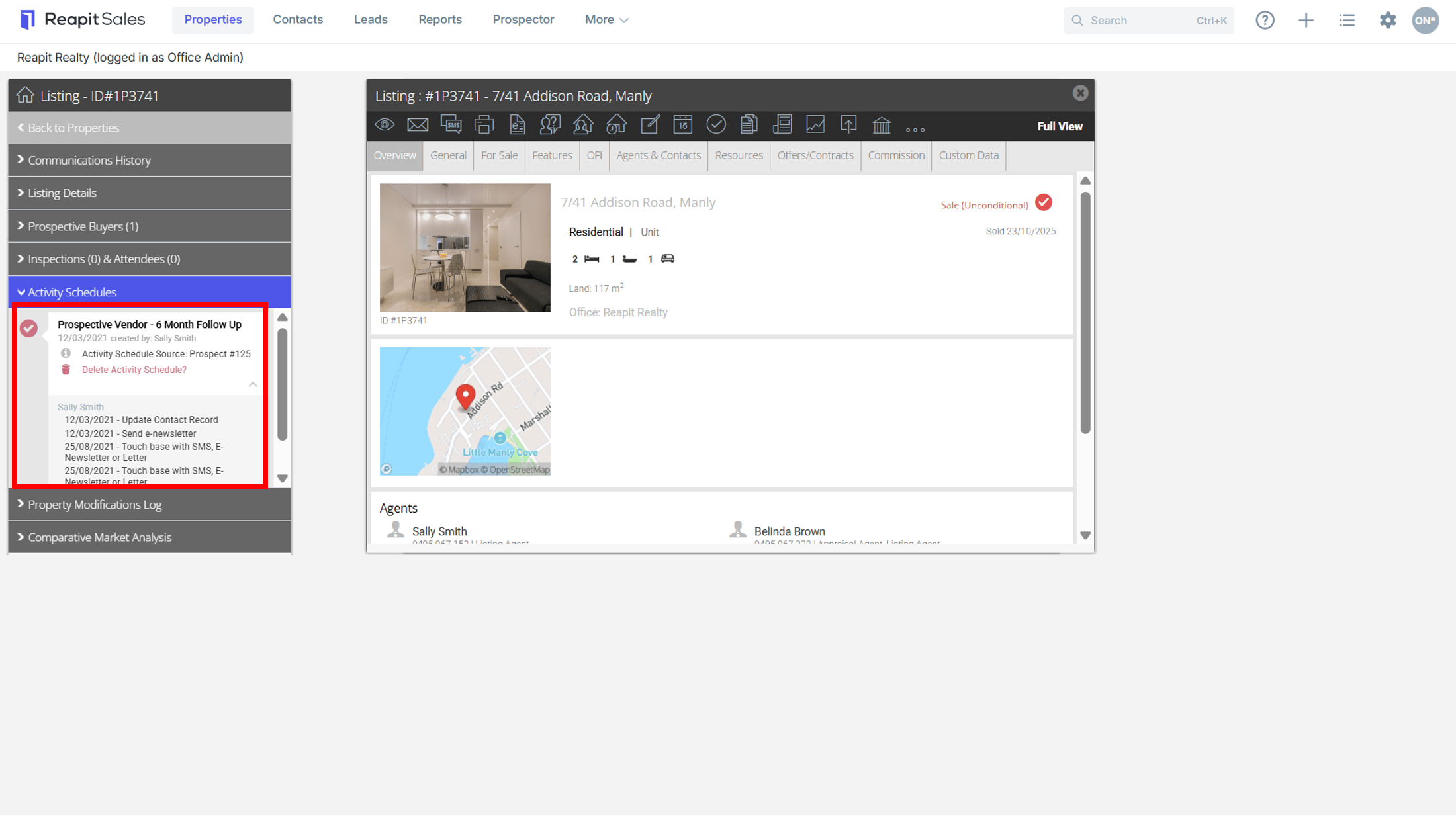
- Click the Activity Schedules tab on the Left Panel
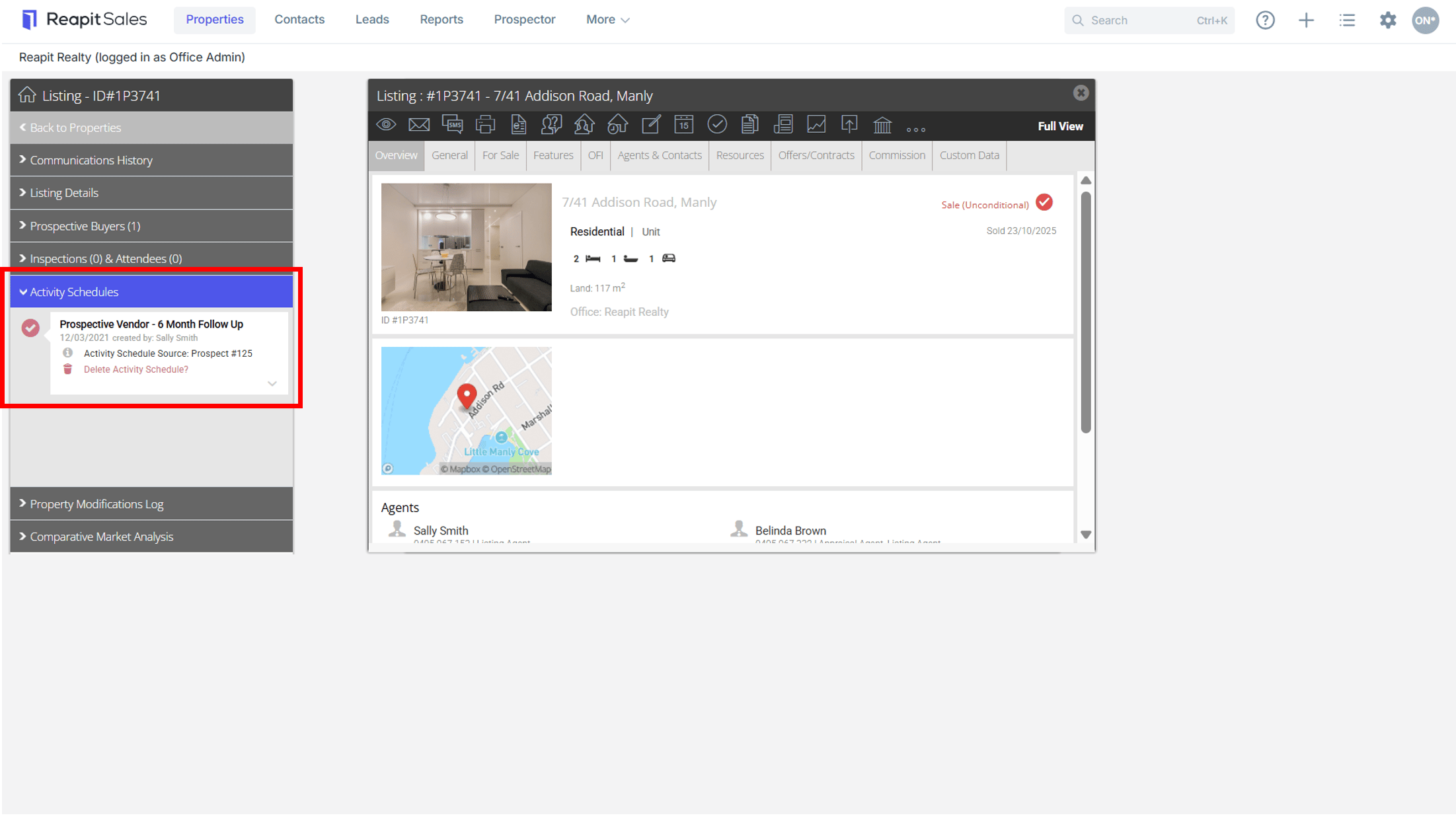

- You will see a list of Activity Schedules that have been applied to the property. Click the down arrow
 to view the tasks relating to the schedule.
Click each individual task to Edit or you can to Delete Activity Schedule which will delete all incomplete tasks.
All previously completed tasks will remain in your completed task list.
Note: To delete an assigned activity schedule you must have the Access Permission 'Delete Assigned Task'.