'%20d='M0%208a8%208%200%200%201%208-8h24a8%208%200%200%201%208%208v24a8%208%200%200%201-8%208H8a8%208%200%200%201-8-8V8Z'/%3e%3cpath%20fill='%23fff'%20d='M10.41%206v3.779h15.048v19.537h4.132V6H10.41Z'/%3e%3cpath%20fill='%23fff'%20d='M20.967%2034V13.837L10.41%209.78v20.166L20.967%2034Z'/%3e%3cdefs%3e%3clinearGradient%20id='reapit-sales__a'%20x1='20.702'%20x2='20.702'%20y1='.351'%20y2='31.228'%20gradientUnits='userSpaceOnUse'%3e%3cstop%20stop-color='%235573FD'/%3e%3cstop%20offset='.575'%20stop-color='%234E56EA'/%3e%3c/linearGradient%3e%3c/defs%3e%3c/svg%3e)
Edit/Delete Categories
The article demonstrates how to edit or delete Categories within Reapit Sales.
*Note: Master Users Only
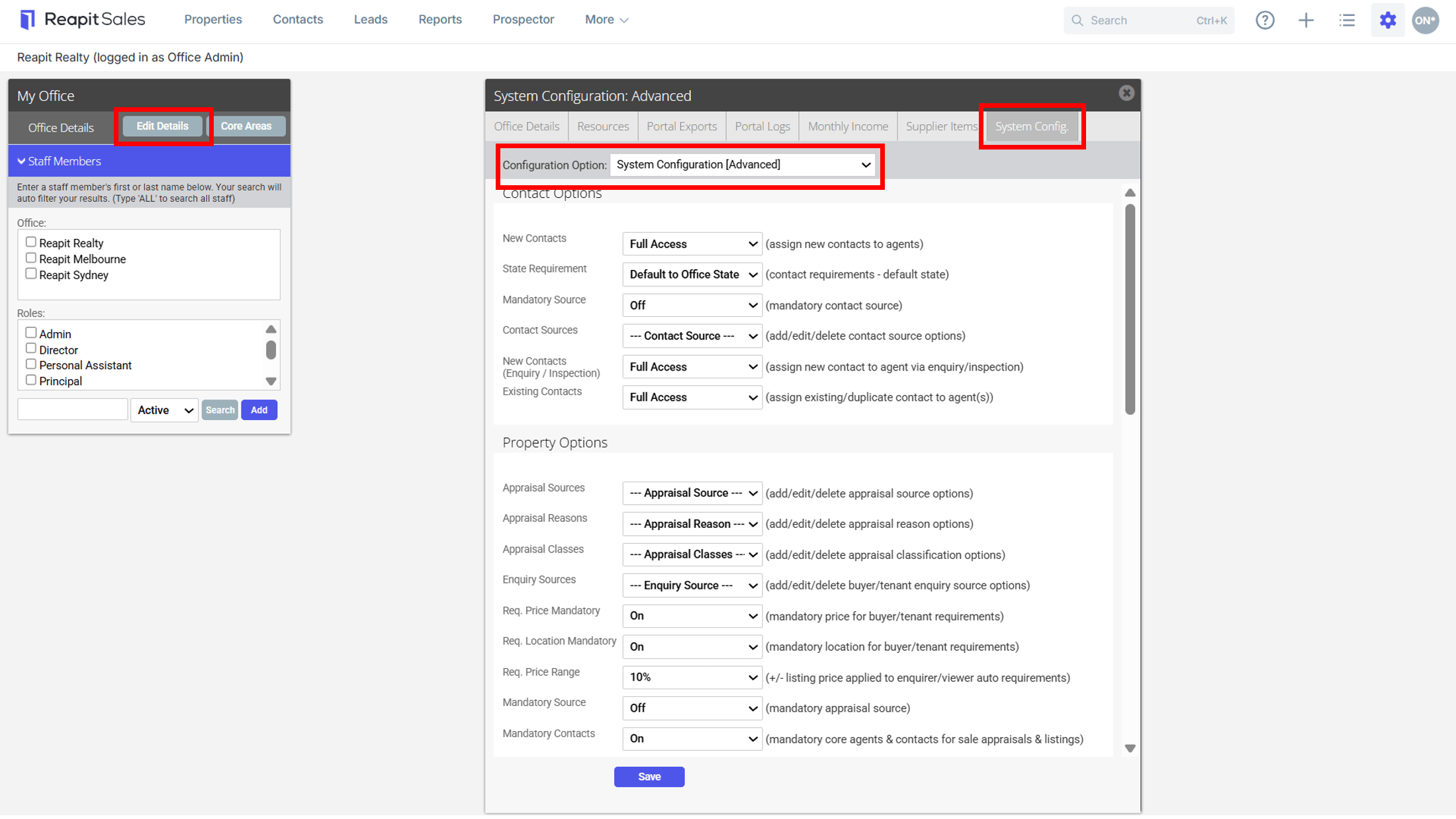
1. Click My Office from the main menu

2. Click the Edit Details button on the Left Panel
3. Click the System Config. tab
4. Select System Configuration (Advanced) from the Configuration Option drop-down
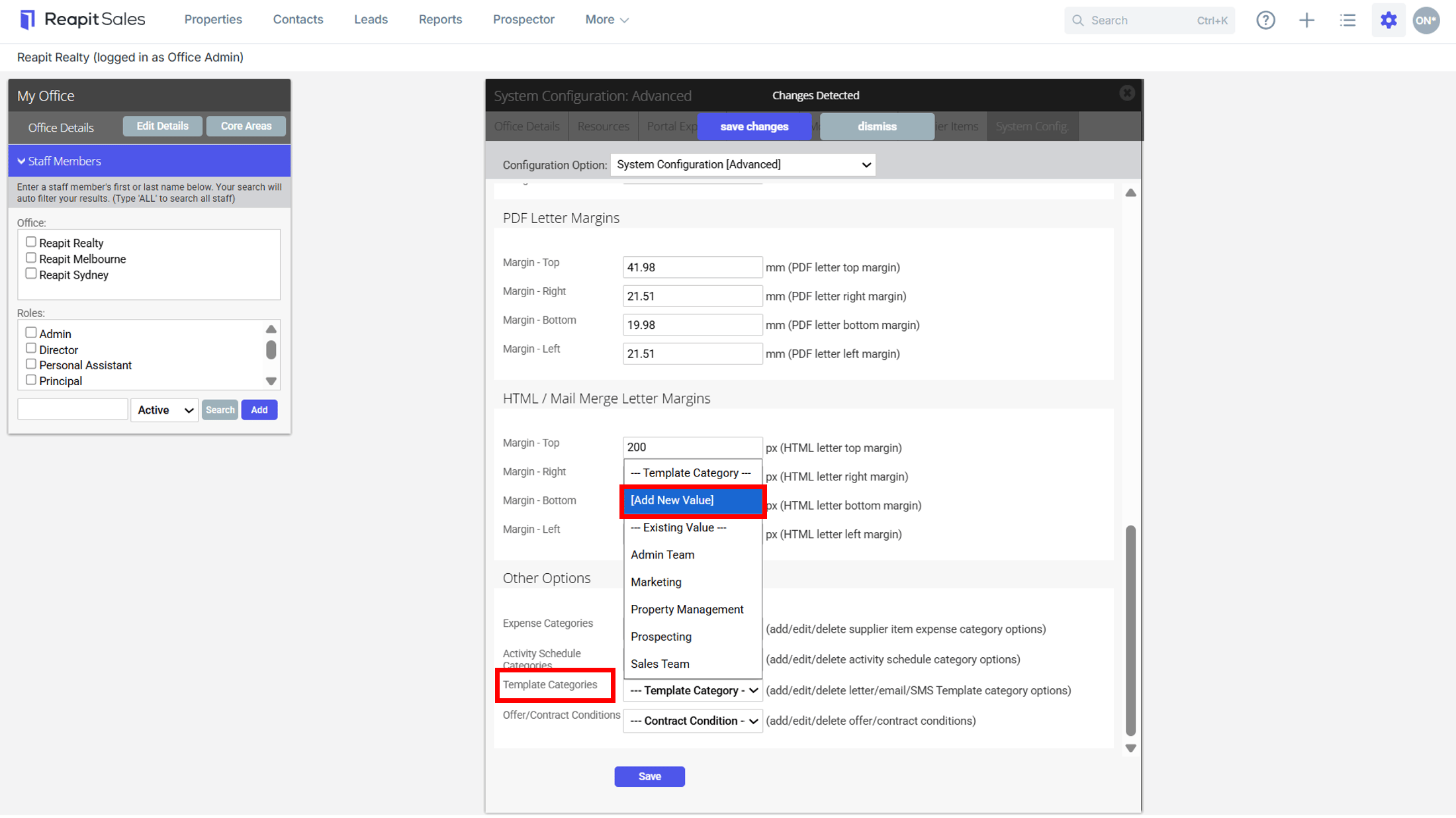
5. From Other Options, Select the Category Name from the drop-down you want to edit or delete
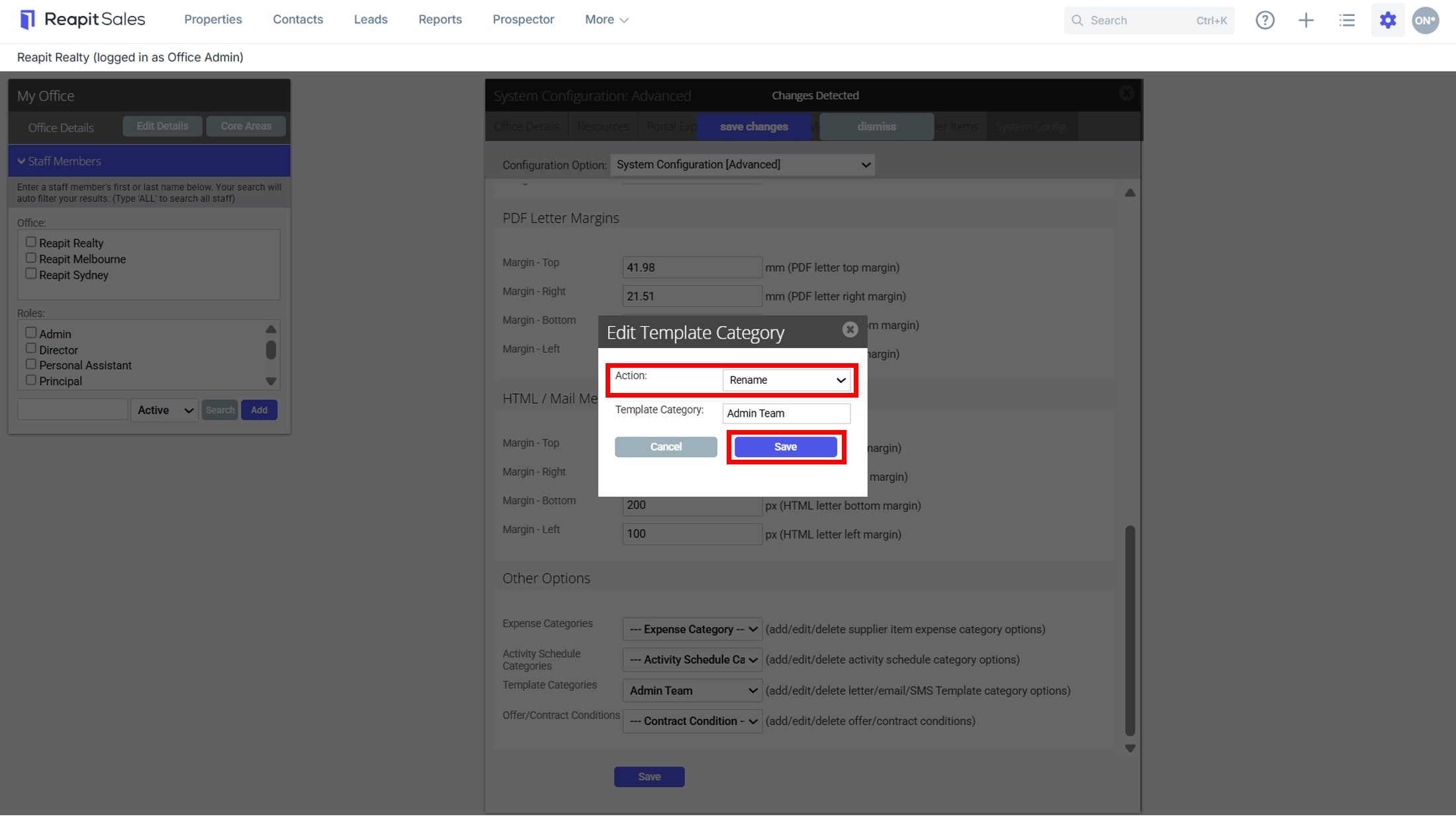
6. To Rename the Category, Select Action Rename > update the Template Category Name and click Save to finish.
7. To delete the Category, select Delete from the drop-down
8. Click Save to confirm the delete