'%20d='M0%208a8%208%200%200%201%208-8h24a8%208%200%200%201%208%208v24a8%208%200%200%201-8%208H8a8%208%200%200%201-8-8V8Z'/%3e%3cpath%20fill='%23fff'%20d='M32.576%206C12.293%206%208.776%2025.887%207.424%2034H9.1c.45-2.977%203.493-14.748%2010.899-20.287%200%200-5.633%206.976-6.572%2015.051%203.426-.652%2013.845-3.372%2016.056-12.927l-3.84-.61c1.352-1.351%204.909-5.17%206.931-9.226V6Z'/%3e%3cdefs%3e%3clinearGradient%20id='reapit-lettings__a'%20x1='20.702'%20x2='20.702'%20y1='.351'%20y2='31.228'%20gradientUnits='userSpaceOnUse'%3e%3cstop%20stop-color='%235573FD'/%3e%3cstop%20offset='.575'%20stop-color='%234E56EA'/%3e%3c/linearGradient%3e%3c/defs%3e%3c/svg%3e)
How to Find Key History for a Specific Key in KeyWhere
This article will cover how to find all key history in KeyWhere.
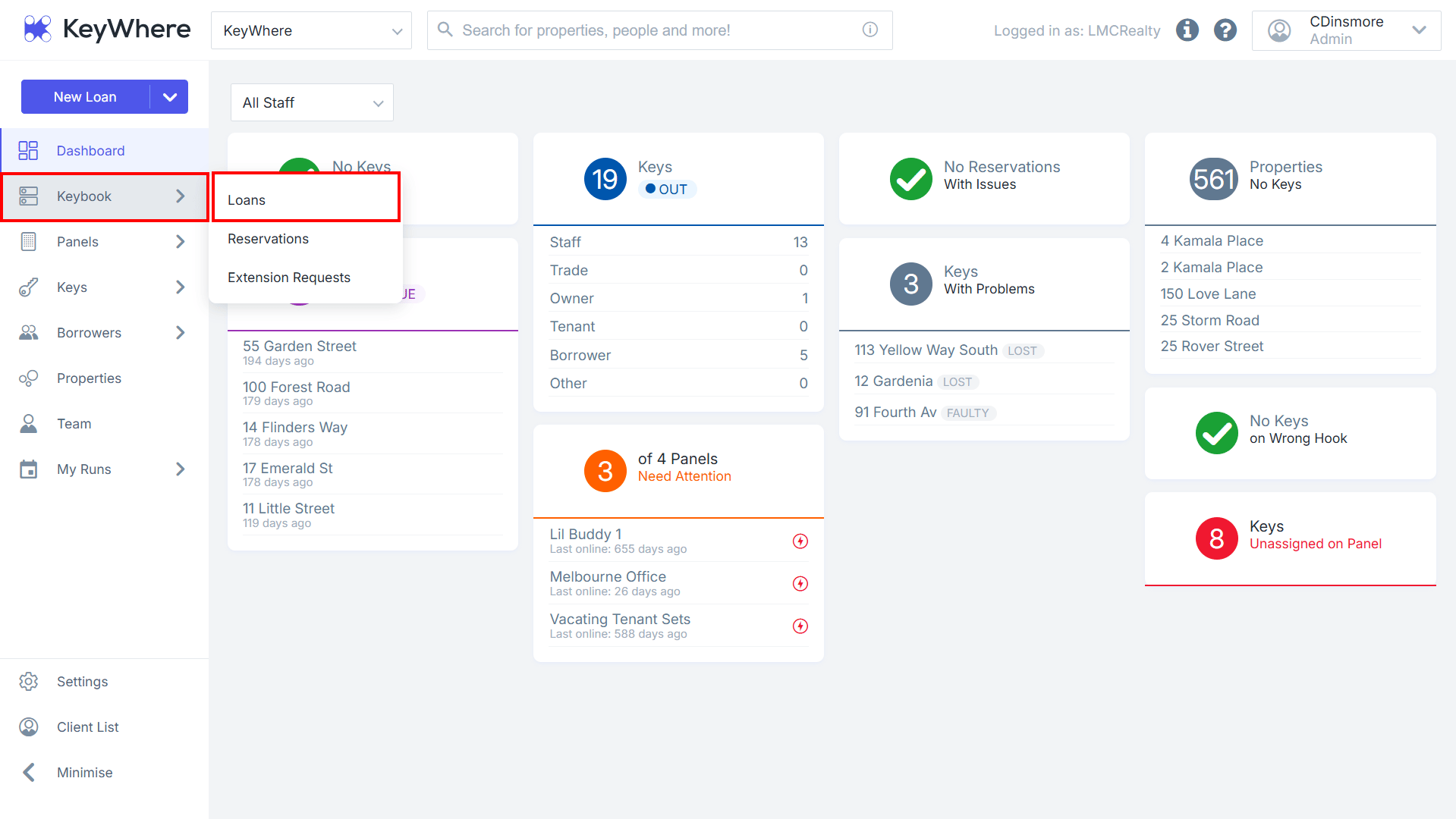
1.Navigate to Keybook.
2. Click Loans.
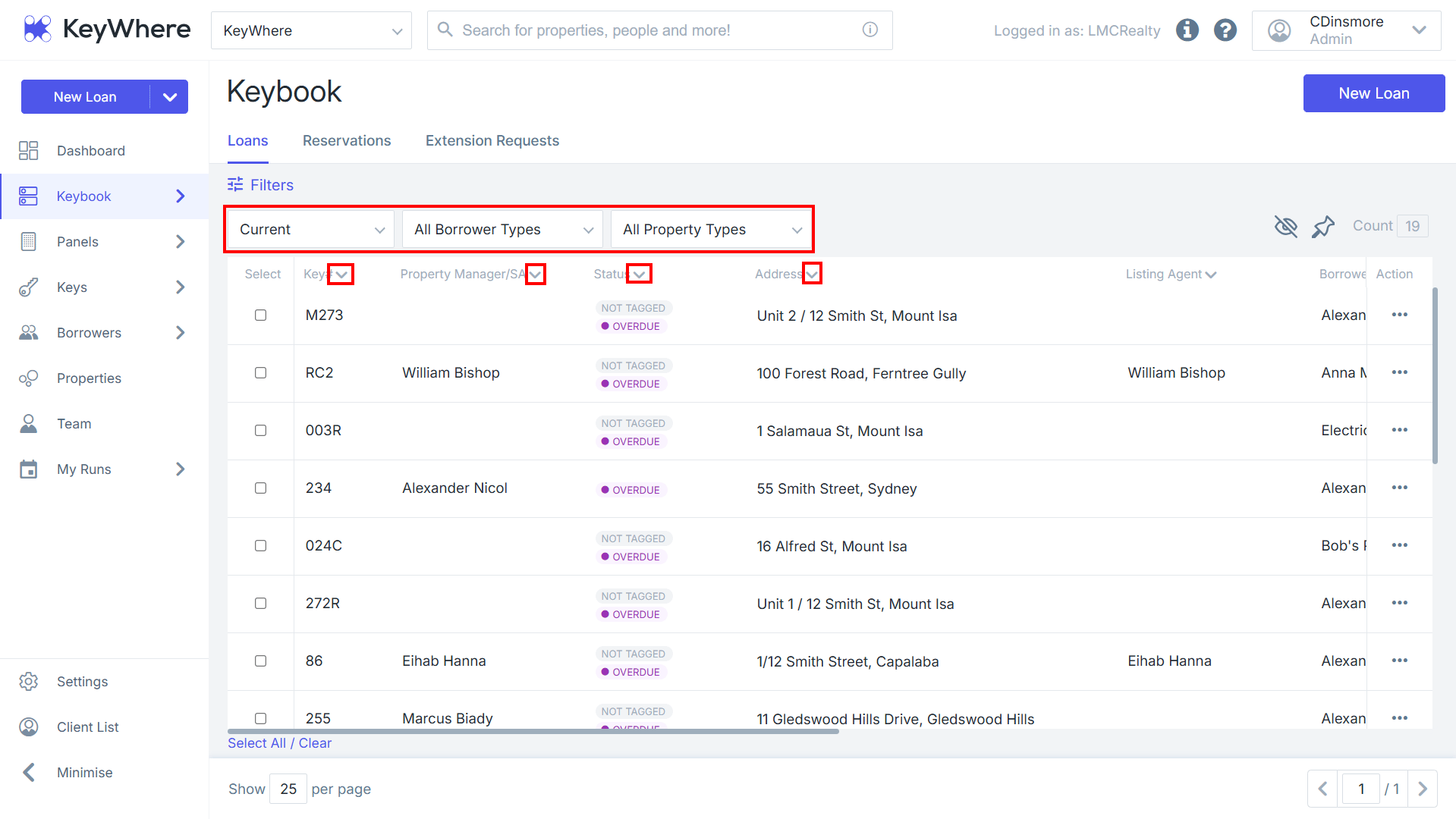
3. The screen will display currently loaned out keys. Click the Current drop down to change the filter to Completed or All loans
4. The All Borrower Types drop down will allow you to change the filter type to Staff, Service Provider, Owner, Tenant, Borrower or Key Safe
5. The All Property Types drop down will allow you to change the filter to Rentals, Sales, Commercial – Rentals or Commercial – Sales.
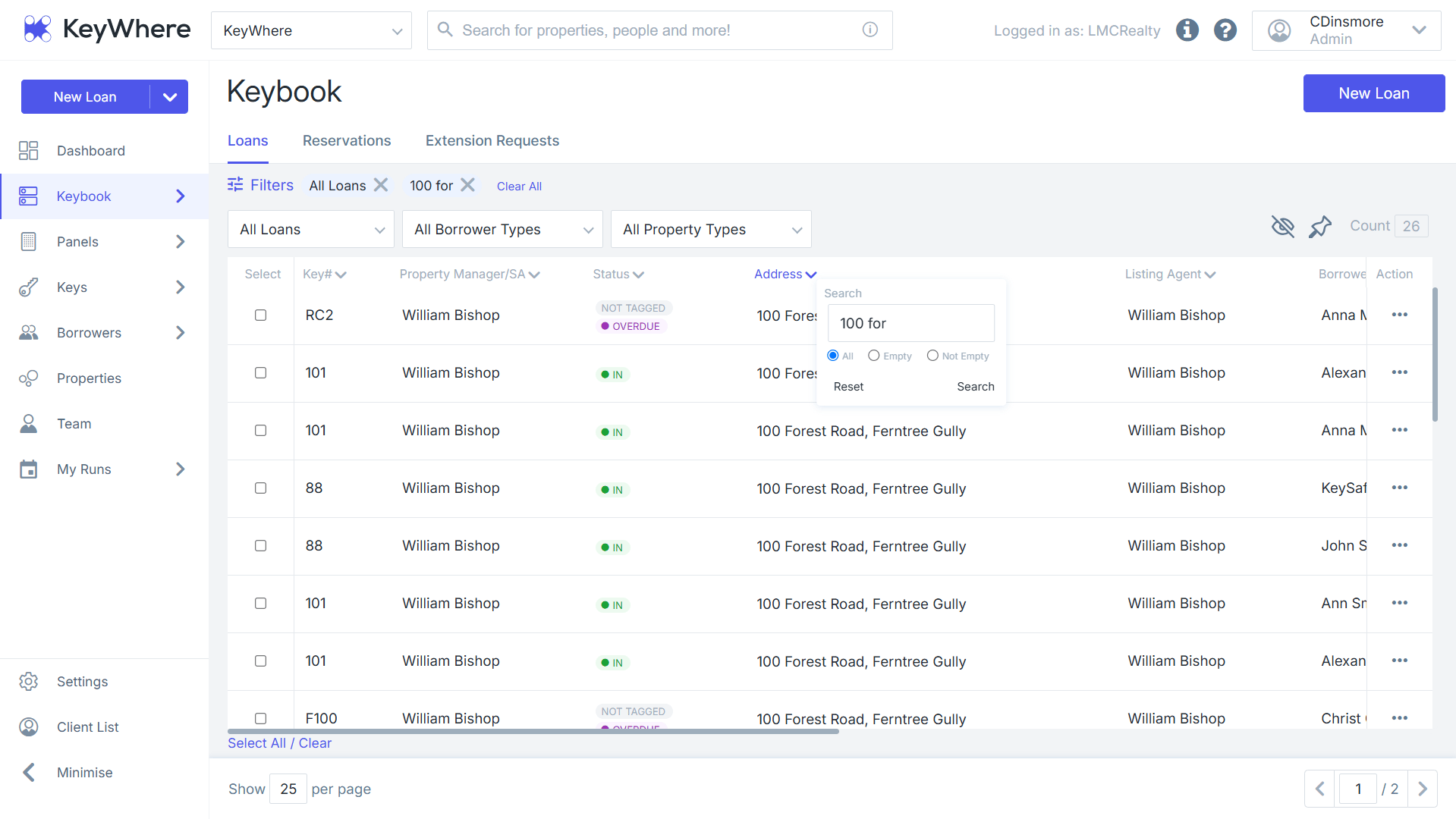
6. Click the down arrow on the right of the key column to perform a specific search on an item, e.g., key # or property address.
7. Results will populate based on the filtering used.