'%20d='M0%208a8%208%200%200%201%208-8h24a8%208%200%200%201%208%208v24a8%208%200%200%201-8%208H8a8%208%200%200%201-8-8V8Z'/%3e%3cpath%20fill='%23fff'%20d='M32.576%206C12.293%206%208.776%2025.887%207.424%2034H9.1c.45-2.977%203.493-14.748%2010.899-20.287%200%200-5.633%206.976-6.572%2015.051%203.426-.652%2013.845-3.372%2016.056-12.927l-3.84-.61c1.352-1.351%204.909-5.17%206.931-9.226V6Z'/%3e%3cdefs%3e%3clinearGradient%20id='reapit-lettings__a'%20x1='20.702'%20x2='20.702'%20y1='.351'%20y2='31.228'%20gradientUnits='userSpaceOnUse'%3e%3cstop%20stop-color='%235573FD'/%3e%3cstop%20offset='.575'%20stop-color='%234E56EA'/%3e%3c/linearGradient%3e%3c/defs%3e%3c/svg%3e)
Applications Settings - Application Categories
This article will explain how to Create and Assign Application Categories within Reapit Lettings The processes in this article include: How to Create an Application Category How to Assign an Application Category
This article will explain how to Create and Assign Application Categories within Reapit Lettings
The processes in this article include:
- How to Create an Application Category
- How to Assign an Application Category
How to Create an Application Category
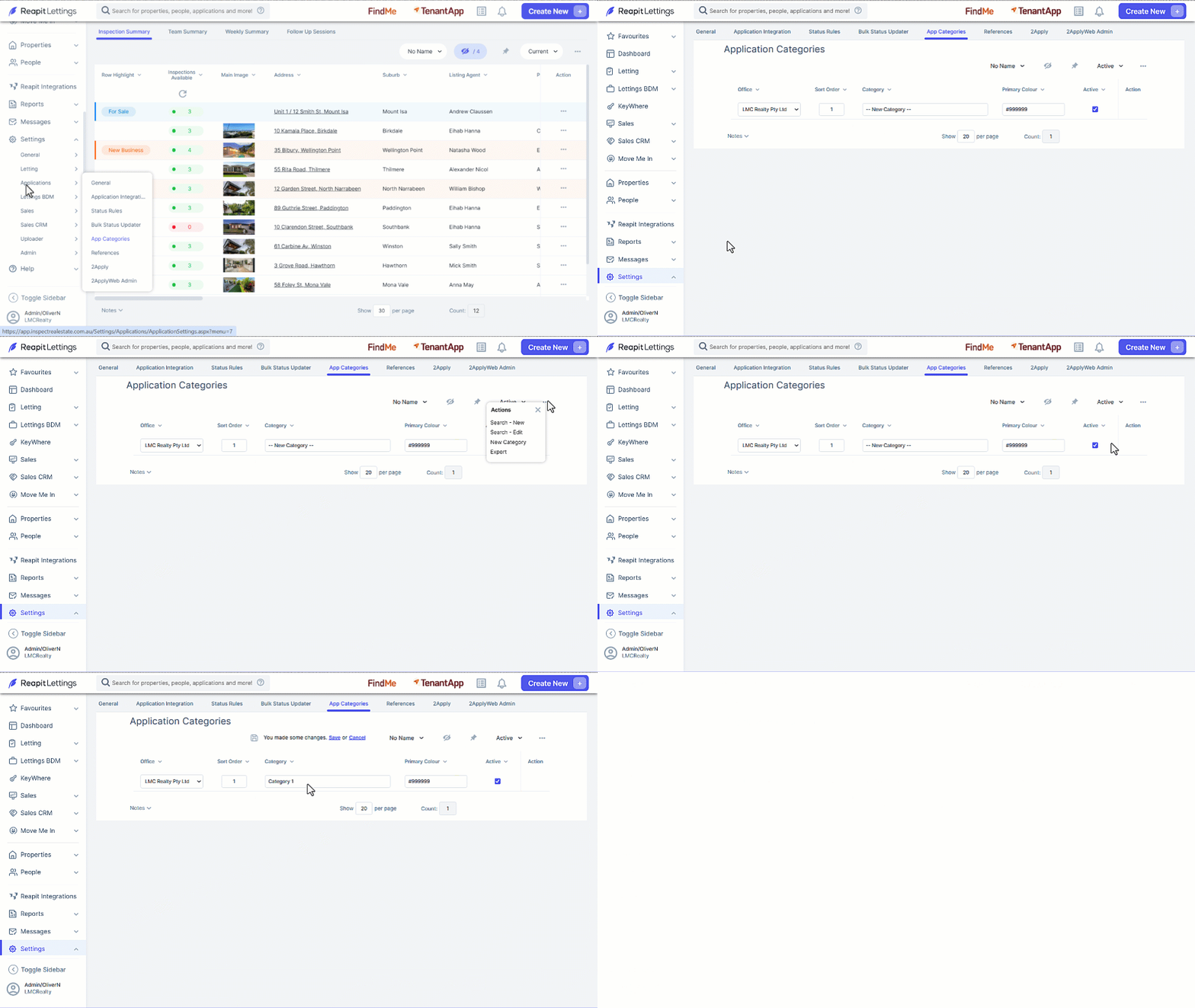
- Click on Settings.
- Click on Applications.
- Click on App Categories.
- Click on the 3 Dots and select New Category.
- Enter the Name of the Category and assign a colour as required.
- Click on Save.
How to Assign Application Category
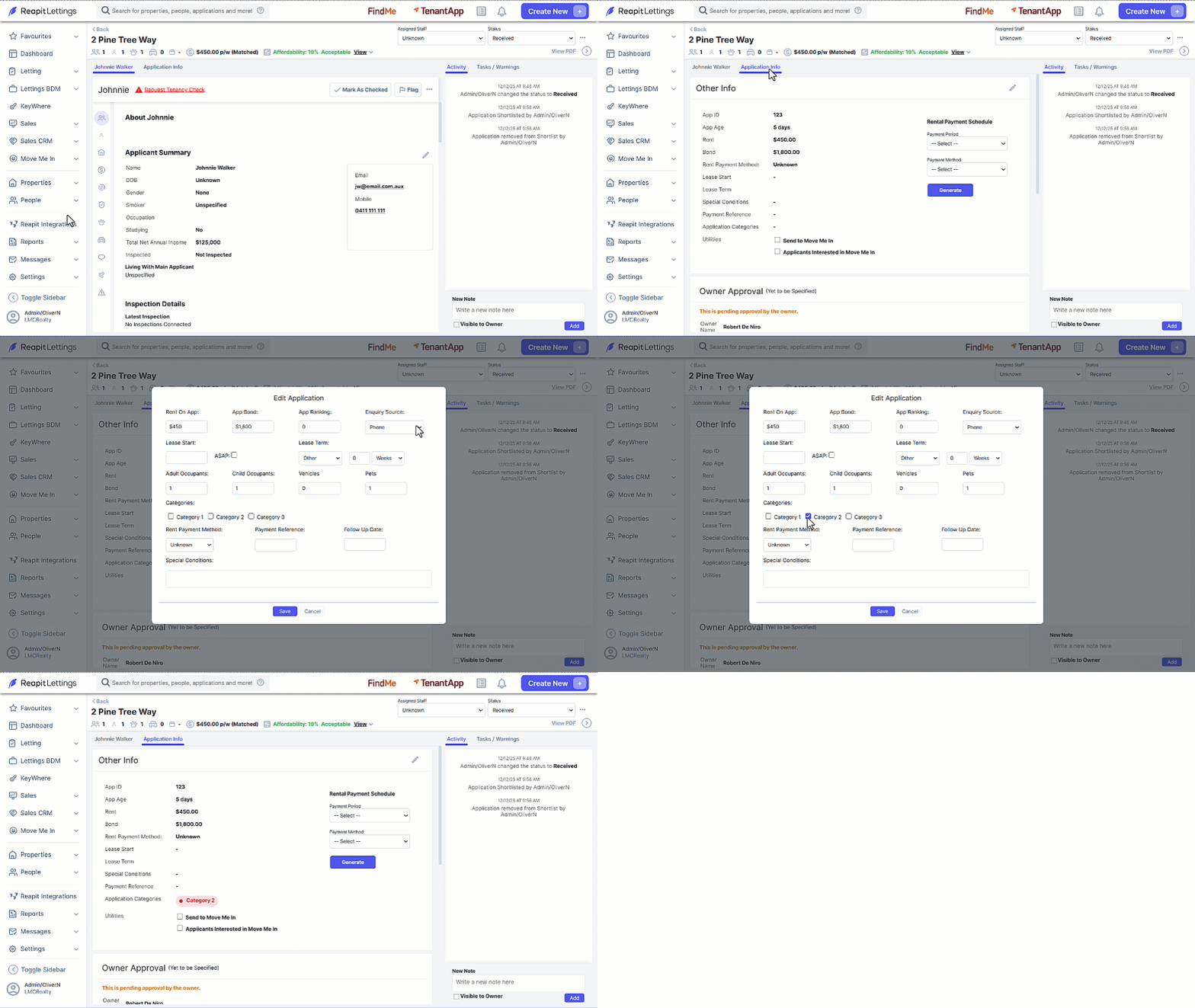
- From an application navigate to the Application Info tab.
- In the Other Info section, click on the Edit icon.
- Select the Category to assign to the application.
- Click on Save.