'%20d='M0%208a8%208%200%200%201%208-8h24a8%208%200%200%201%208%208v24a8%208%200%200%201-8%208H8a8%208%200%200%201-8-8V8Z'/%3e%3cpath%20fill='%23fff'%20d='M32.576%206C12.293%206%208.776%2025.887%207.424%2034H9.1c.45-2.977%203.493-14.748%2010.899-20.287%200%200-5.633%206.976-6.572%2015.051%203.426-.652%2013.845-3.372%2016.056-12.927l-3.84-.61c1.352-1.351%204.909-5.17%206.931-9.226V6Z'/%3e%3cdefs%3e%3clinearGradient%20id='reapit-lettings__a'%20x1='20.702'%20x2='20.702'%20y1='.351'%20y2='31.228'%20gradientUnits='userSpaceOnUse'%3e%3cstop%20stop-color='%235573FD'/%3e%3cstop%20offset='.575'%20stop-color='%234E56EA'/%3e%3c/linearGradient%3e%3c/defs%3e%3c/svg%3e)
Transferring Loans on the KeyWhere App
This article covers transferring loans on the KeyWhere App.
1. From the Dashboard, click the Keys Out tile.
2. You will be redirected to the loans grid, where all statuses related to key loans and overdue keys will be displayed.
3. To transfer the key to another borrower, click the three dots.
4. Click Transfer.
5. Either click New Borrower and follow the prompts, or select an existing borrower from the dropdown menu.
6. Click Transfer.
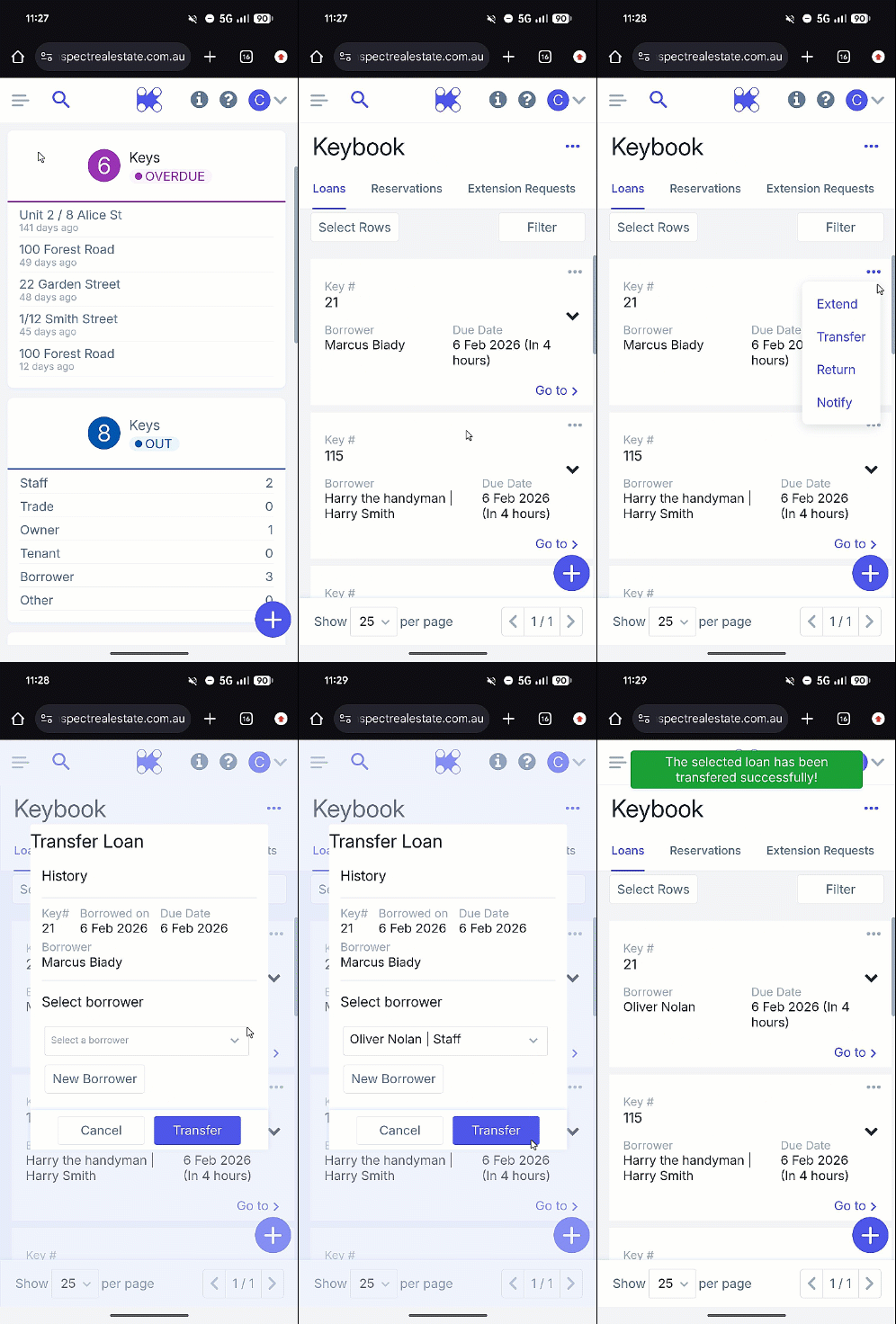
Note: A pop-up following this action will confirm your key transfer.