'%20d='M0%208a8%208%200%200%201%208-8h24a8%208%200%200%201%208%208v24a8%208%200%200%201-8%208H8a8%208%200%200%201-8-8V8Z'/%3e%3cpath%20fill='%23fff'%20d='M32.576%206C12.293%206%208.776%2025.887%207.424%2034H9.1c.45-2.977%203.493-14.748%2010.899-20.287%200%200-5.633%206.976-6.572%2015.051%203.426-.652%2013.845-3.372%2016.056-12.927l-3.84-.61c1.352-1.351%204.909-5.17%206.931-9.226V6Z'/%3e%3cdefs%3e%3clinearGradient%20id='reapit-lettings__a'%20x1='20.702'%20x2='20.702'%20y1='.351'%20y2='31.228'%20gradientUnits='userSpaceOnUse'%3e%3cstop%20stop-color='%235573FD'/%3e%3cstop%20offset='.575'%20stop-color='%234E56EA'/%3e%3c/linearGradient%3e%3c/defs%3e%3c/svg%3e)
How to Edit User Details
This article will guide you through editing user details within Reapit Lettings.
- Click on People.
- Click on Team.
- Select either Rentals, Sales, or BDM as required.
- From the Team List, click the three dots to the right of the user.
- Click on Edit.
- The edit drawer will display on the right side, allowing you to make changes. Once finished, click Save.
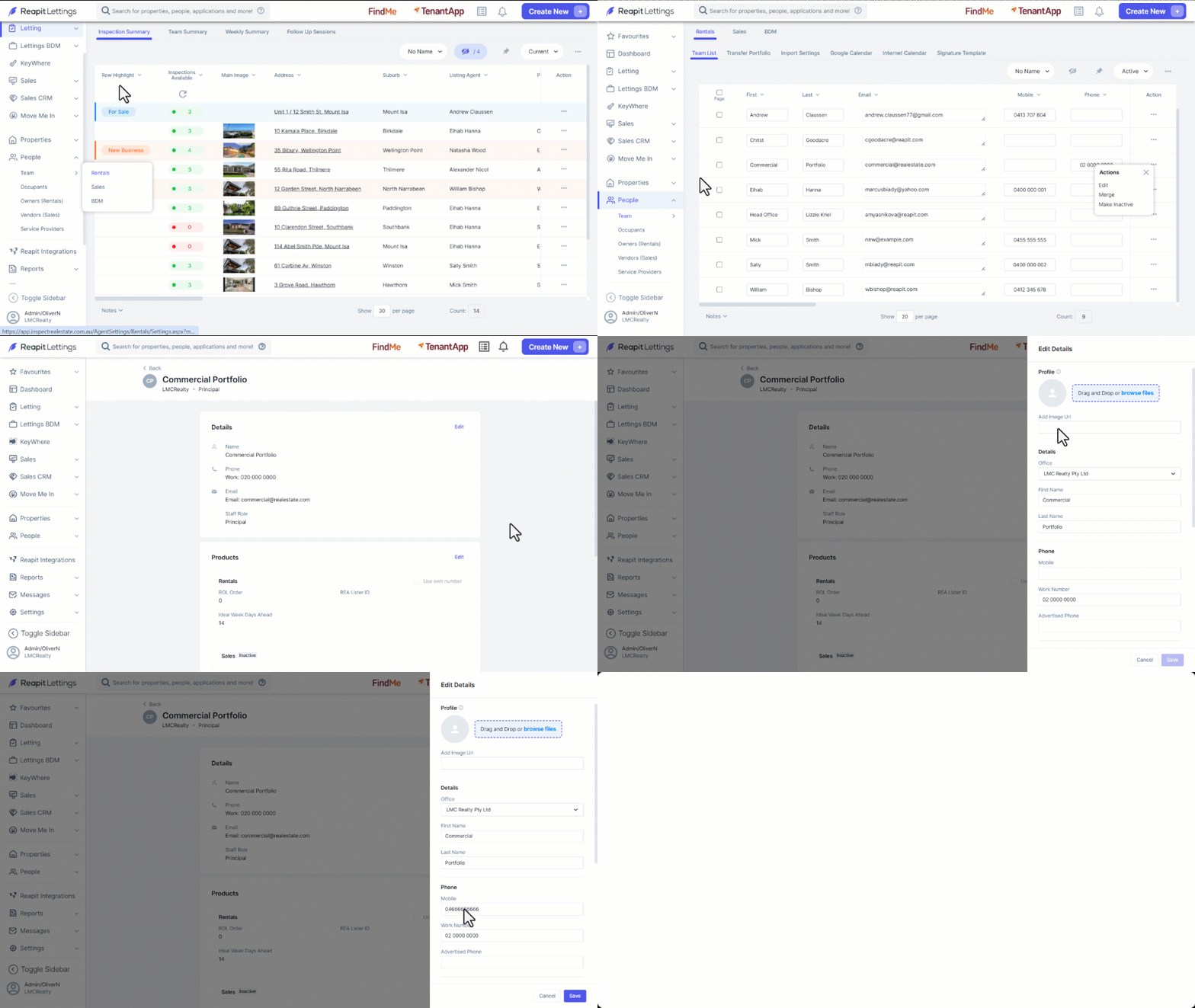
Clicking the Edit button to the right of User Details, Products, or Email Signatures allows you to make changes to these fields.
The Details, Products, and Email Signature edit menus will allow for the following edits to be applied to the user:
| Details | Products | Email Signature |
|
|
|