'%20d='M0%208a8%208%200%200%201%208-8h24a8%208%200%200%201%208%208v24a8%208%200%200%201-8%208H8a8%208%200%200%201-8-8V8Z'/%3e%3cpath%20fill='%23fff'%20d='M10.41%206v3.779h15.048v19.537h4.132V6H10.41Z'/%3e%3cpath%20fill='%23fff'%20d='M20.967%2034V13.837L10.41%209.78v20.166L20.967%2034Z'/%3e%3cdefs%3e%3clinearGradient%20id='reapit-sales__a'%20x1='20.702'%20x2='20.702'%20y1='.351'%20y2='31.228'%20gradientUnits='userSpaceOnUse'%3e%3cstop%20stop-color='%235573FD'/%3e%3cstop%20offset='.575'%20stop-color='%234E56EA'/%3e%3c/linearGradient%3e%3c/defs%3e%3c/svg%3e)
Adding the SMS Opt-out Message or Template
This article covers steps on how to add the Opt-out link to an SMS or directly to a template in Reapit Sales.
The processes in this article include:
- Add the Link to an SMS from a Template
- Save the SMS as a Template
Add the link to an SMS from a template
1. Navigate to Contacts and open the contact.
2. Click the SMS icon.
3. Select SMS Merge / Template.
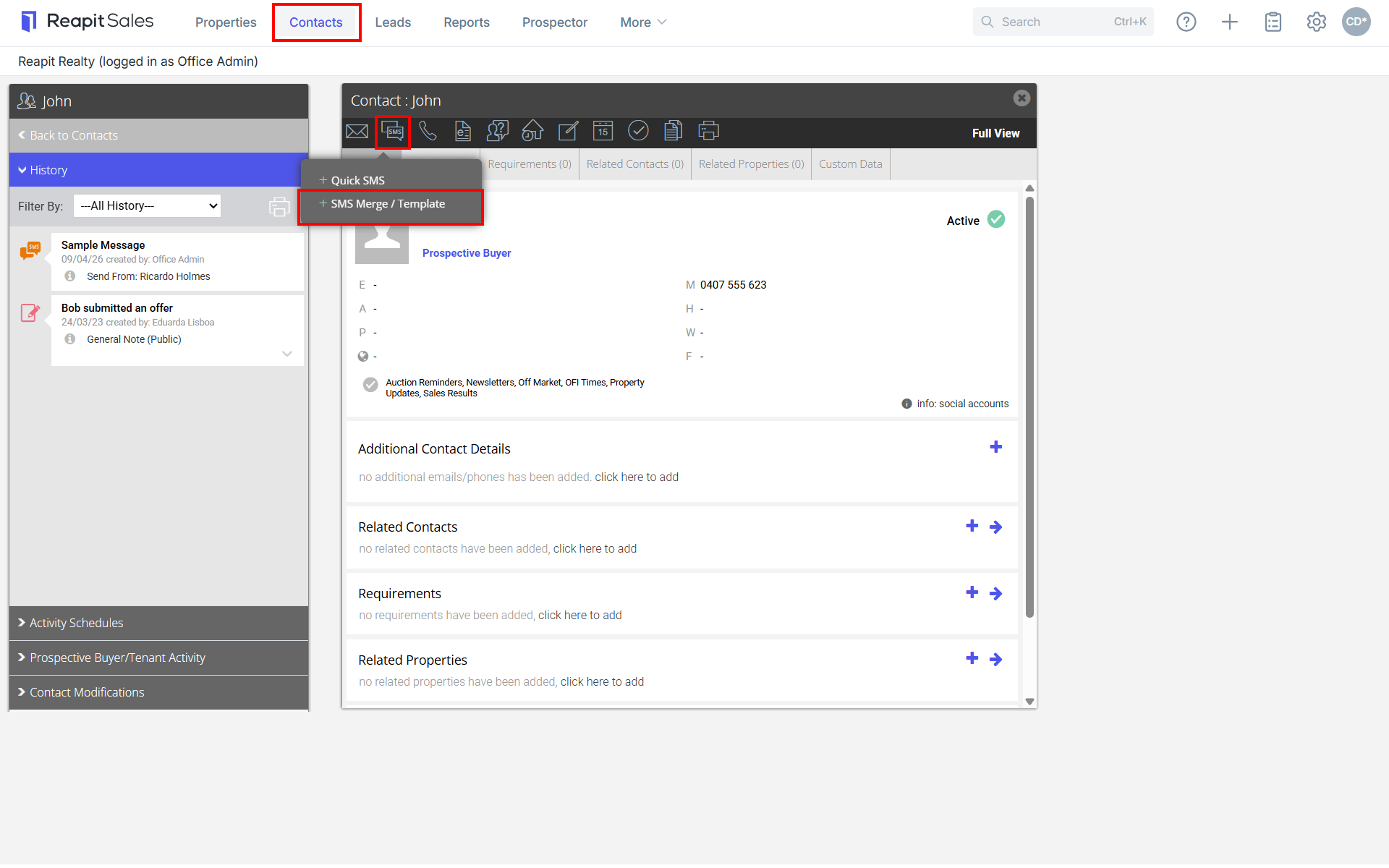
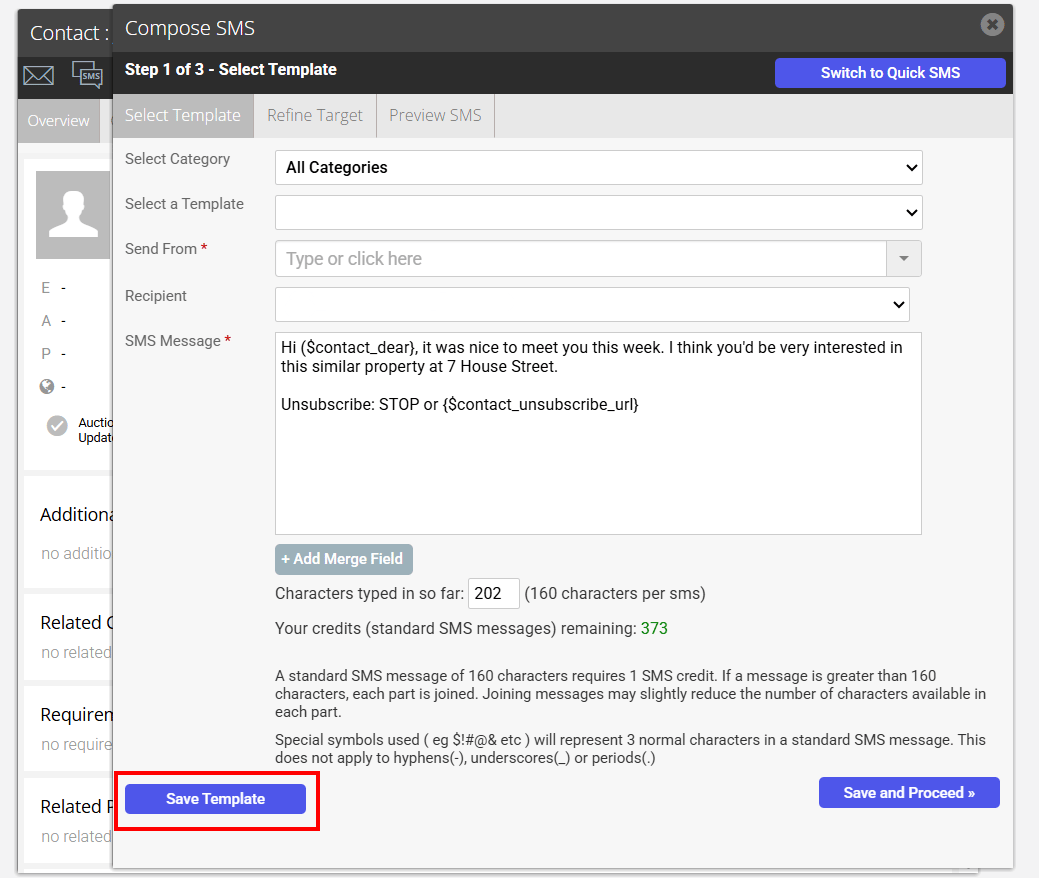
4. Either choose one of your marketing templates from Select a Template or compose a fresh SMS.
5. Place the cursor after the STOP wording, for example, after Unsubscribe: STOP.
6. Click + Add Merge Field, then Contact Unsubscribe at the bottom of the list.

7. The field drops into the message as {$contact_unsubscribe_url}, so the line reads Unsubscribe: STOP or {$contact_unsubscribe_url}.

If you are sending a single SMS, proceed to send as normal; each recipient will receive a unique Opt-out link to unsubscribe. If a recipient clicks the link, they will land on a page like the one below; the page will show only the communication methods they can unsubscribe from.

Saving the SMS as a Template
1. Click Save Template.
2. In the Save Template window, set Action to Update SMS template, then click Update.
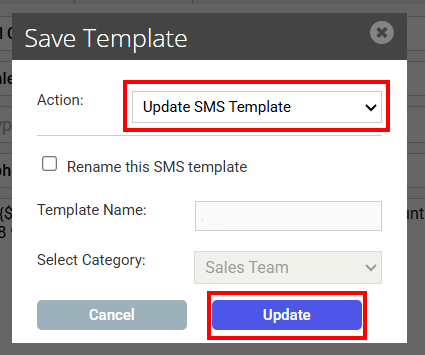
The template now carries the link for everyone in your office who sends from it.