'%20d='M0%208a8%208%200%200%201%208-8h24a8%208%200%200%201%208%208v24a8%208%200%200%201-8%208H8a8%208%200%200%201-8-8V8Z'/%3e%3cpath%20fill='%23fff'%20d='M10.41%206v3.779h15.048v19.537h4.132V6H10.41Z'/%3e%3cpath%20fill='%23fff'%20d='M20.967%2034V13.837L10.41%209.78v20.166L20.967%2034Z'/%3e%3cdefs%3e%3clinearGradient%20id='reapit-sales__a'%20x1='20.702'%20x2='20.702'%20y1='.351'%20y2='31.228'%20gradientUnits='userSpaceOnUse'%3e%3cstop%20stop-color='%235573FD'/%3e%3cstop%20offset='.575'%20stop-color='%234E56EA'/%3e%3c/linearGradient%3e%3c/defs%3e%3c/svg%3e)
SMS Report
This article shows how to run SMS report in Reapit Sales.
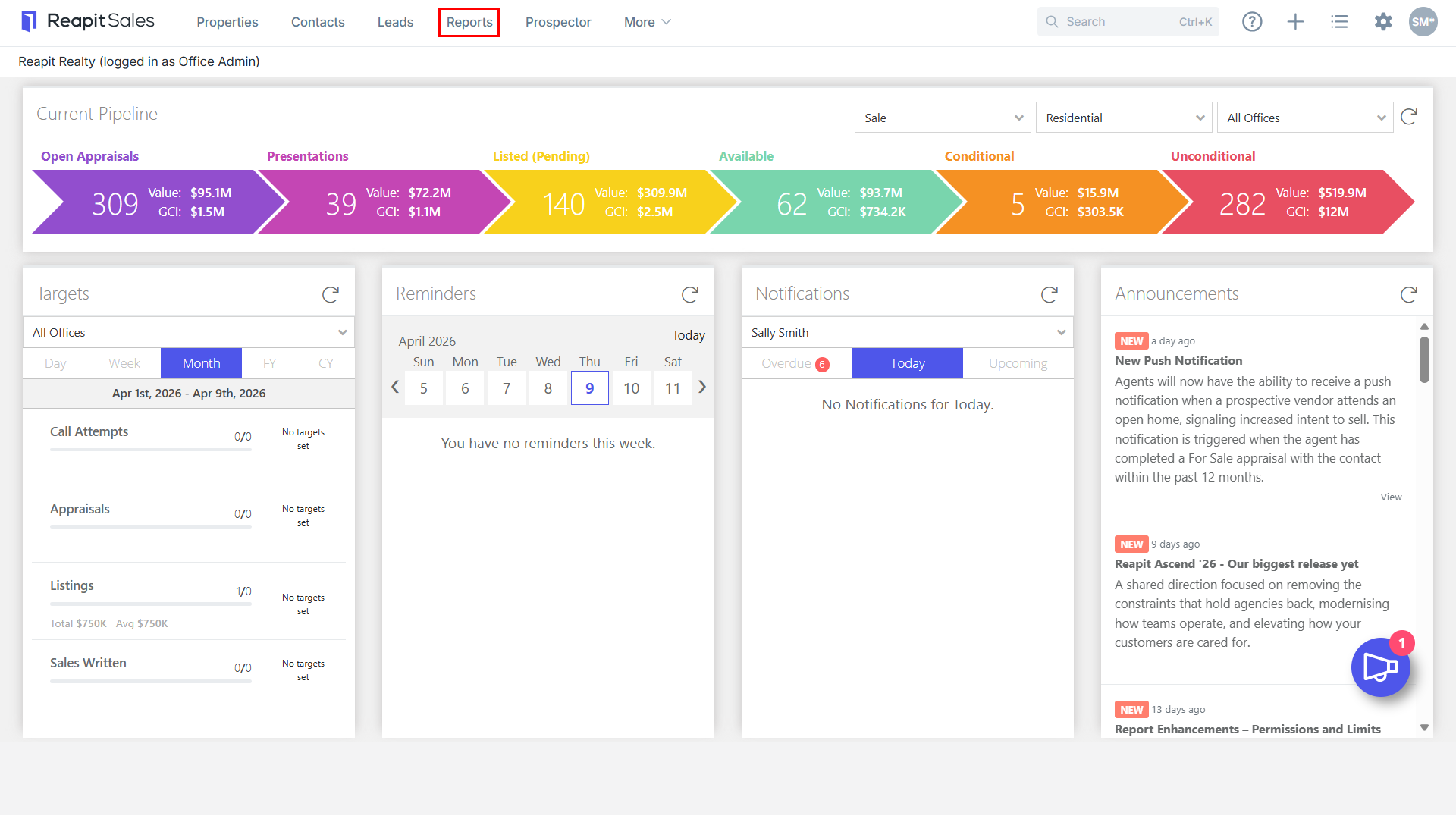
1. Click Reports from the Main Menu.

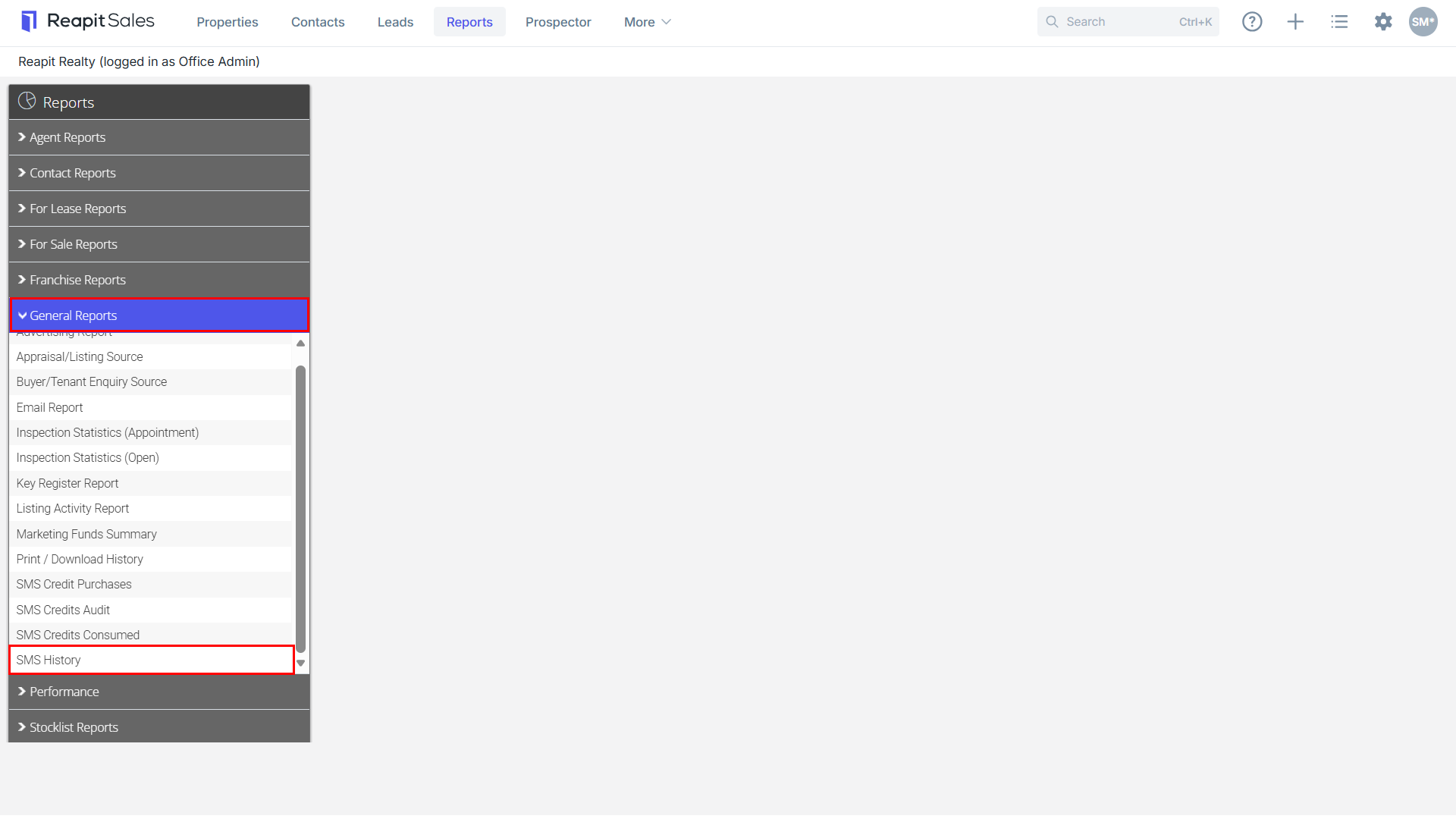
2. Click the General Reports tab then click on SMS History.
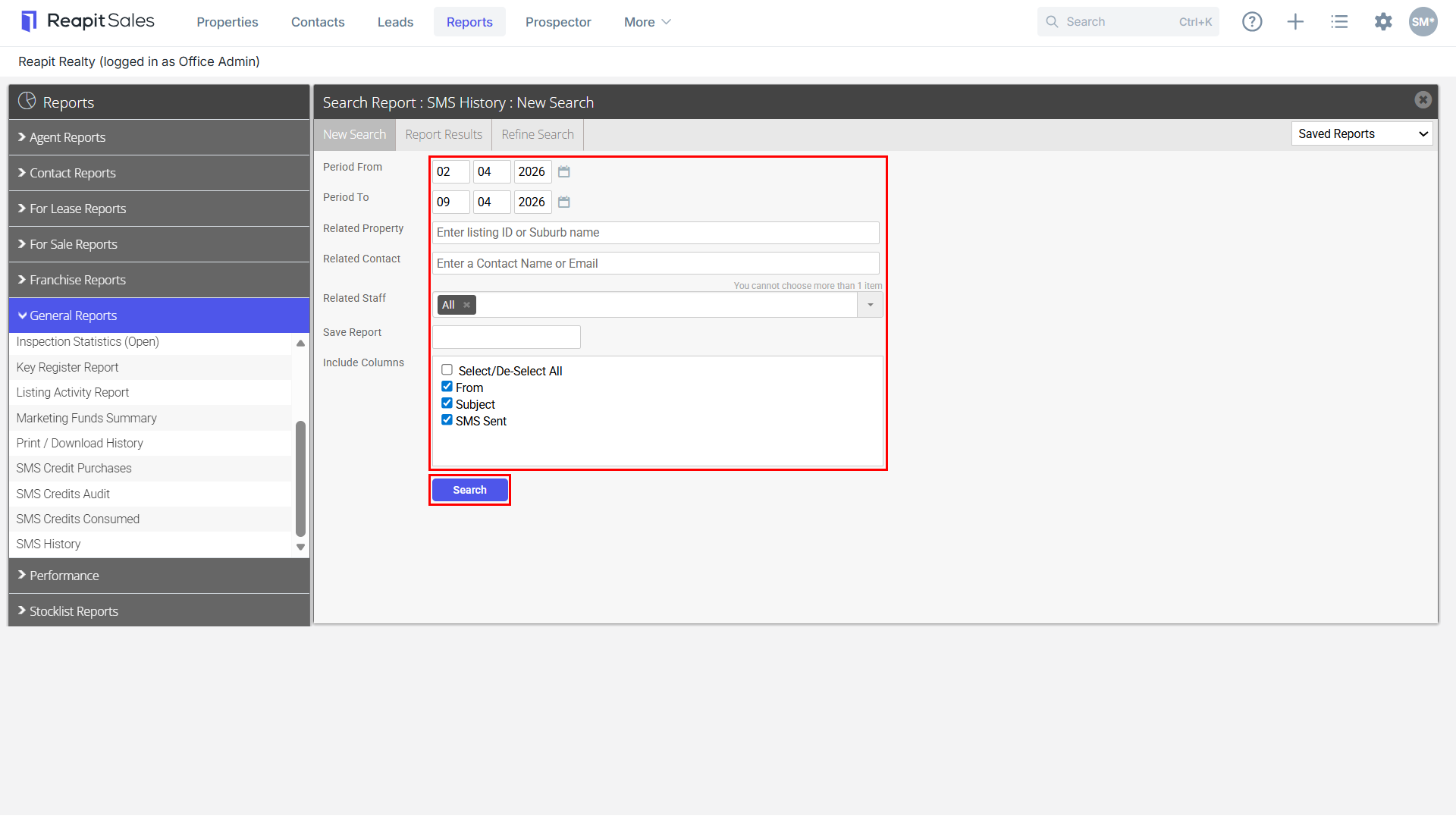
3. Enter a date range, related property or related contact is applicable.
4. Select from the Related Staff drop-down either Office or an individual staff member.
5. Save Report if applicable by entering a save as name in Save Report (Saved reports will be available via the Saved Reports drop-down in the top right-hand corner)
6. Click Search
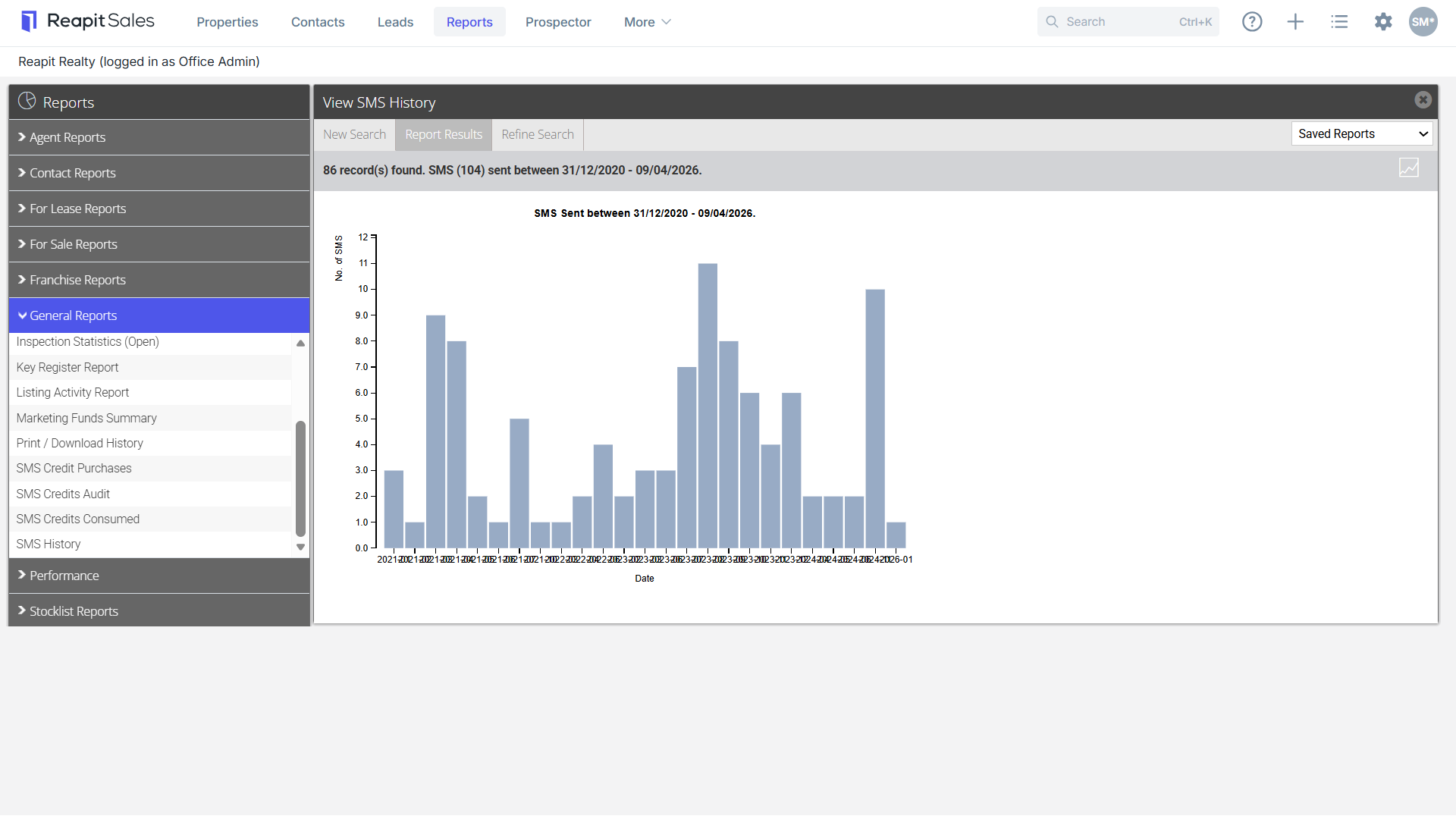
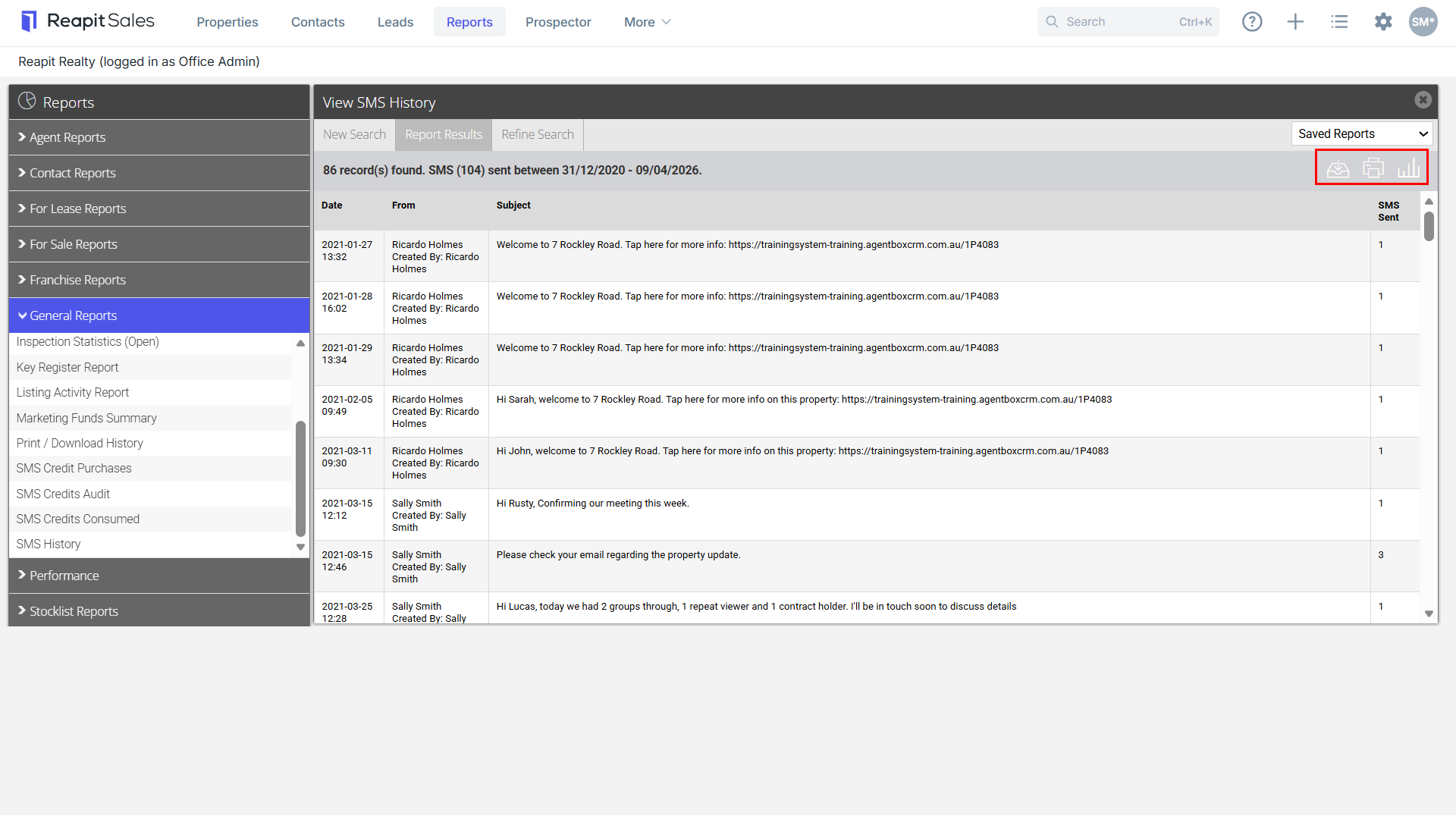
7. Click the chart  icon to view Data Details.

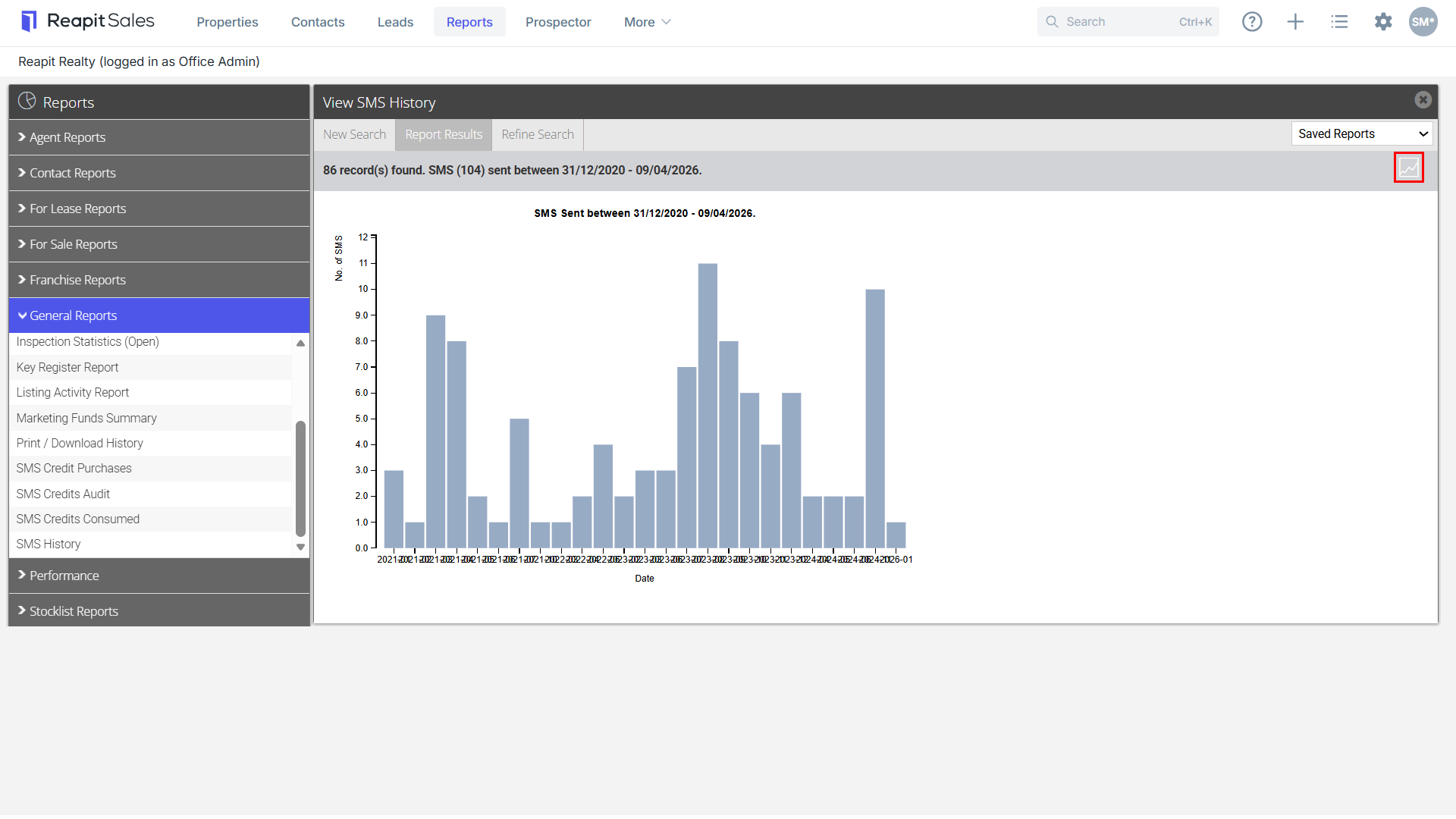
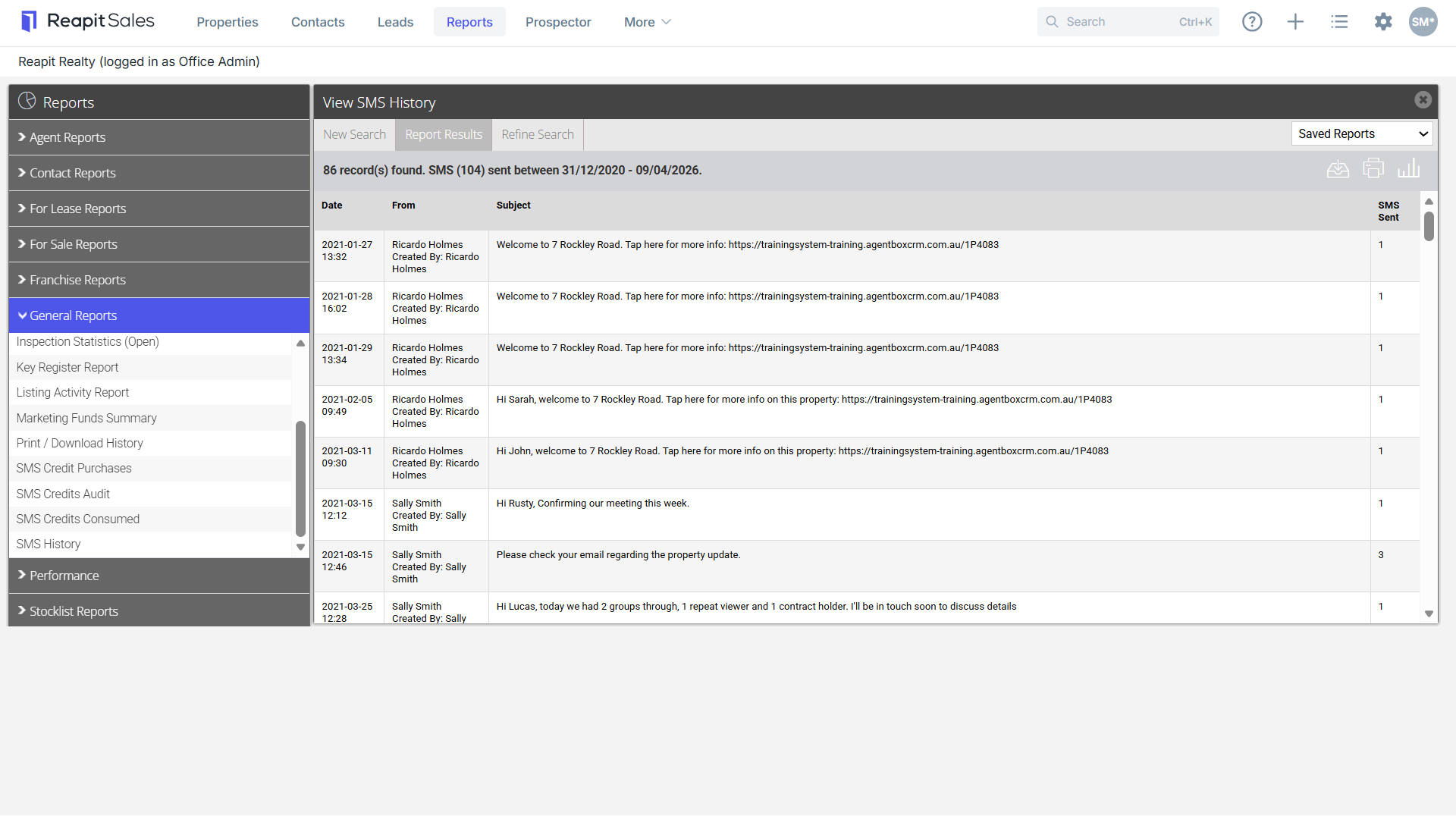
8. Click  Download icon to download a CSV file or Print icon
  to print a report or
  Graph icon to take you back to the graph above.